1
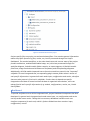
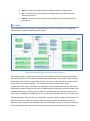
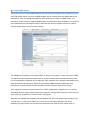
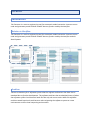
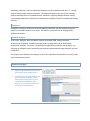
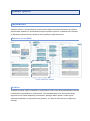
Input section defines what the input is (e.g. complete PCM model for Analyser) and how to
acquire it (e.g. output of the Overview transformation is input into the Analyser). Supporting
different CloudScale Method paths, one can use the tool independently (i.e. define manual
input) or connect other tool’s output to its input. In the current state the integration
mechanism does not yet support alternative inputs, which is planned for the next year.
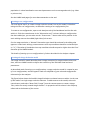
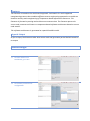
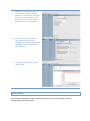
Configuration section defines what configurations are required and provides option to run
the tool. Since all integrated tools contain theirs own run configuration user interfaces, the
dashboard does not try to duplicate it, however it tries to provide easier access to the
configurations, through pre-configuring what is possible, giving users options to create,
delete and modify configurations and run them.
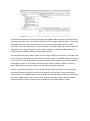
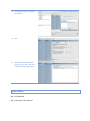
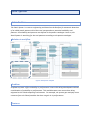
Results section displays all results from tool runs. Since the tools also provide their own user
interfaces for displaying results, the results component shows which results are available,
status of the run and provide an option to open specific result in dedicated component.
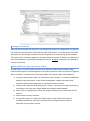
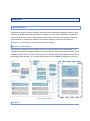
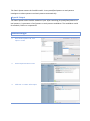
Nevertheless the dashboard is currently used only for integrated tools, it also provides the
extension point, where additional plugins can extend its functionality by providing new tools
and/or operations.
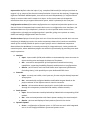
● Analyser
○ Input - Input models (PCM) with addition to automatically create new ones or
import existing ones and apply Architectural Templates.
○ Run - convenient manipulation of the Experiments model and running
capabilities, supporting Scalability/Capacity and Normal run configurations
○ Results - persist entire result sets and shows most important informations
(including charts), with possibility to open dedicated EDP2 views.
● Extractor
○ Input - currently not visible, since input can for now only be already imported
Java projects.
○ Run - automatically configures Modisco and SoMoX targets based on the
project selected. It also exposes metrics used in extraction.
○ Results - all extraction data are persisted in results folder and showed
through this component; extracted PCM models, modisco models, ...
● Static Spotter
○ Input - Source Decorator model produced by SoMoX with corresponding PCM
models.
○ Run - view and manipulation with Static Spotter catalog. Run static analysis.
○ Results - persists and displays all anti-patterns found in the results.
● Dynamic Spotter
○ Server - configuration of Spotter server. In CSE user can work with integrated
one or he can configure address of external spotter server.