1
User Manual
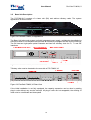
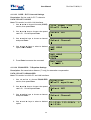
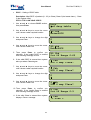
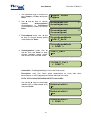
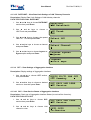
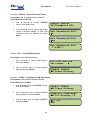
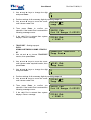
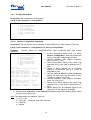
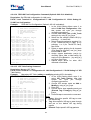
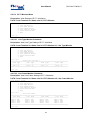
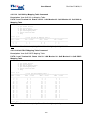
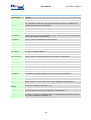
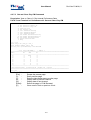
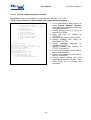
4. Use ◄ and ► keys to choose a low speed
card LS1OLS4 and press Enter:
5. Use ◄ and ► keys to choose a channel
and press Enter:
6. Use ◄ and ► keys to choose desired
event type and press Enter:
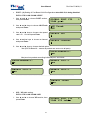
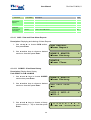
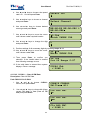
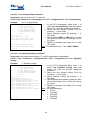
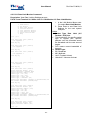
7. Use ◄ and ► keys to move the cursor
until it shown under required location:
8. Use ◄ and ► keys to change the digit
and press Enter:
FlexGain FOM16,V3
Select LSU
4
Select Channel
5
NE-LN-ES NE-LN-SES >
NE-LN-SES
00 Chk
Which INDEX CLR
0
0
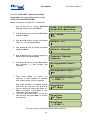
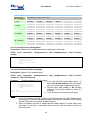
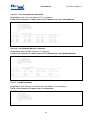
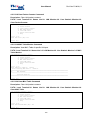
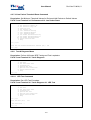
9. Perform settings of all necessary digits by repeating steps 10-11.
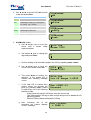
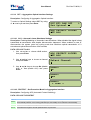
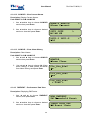
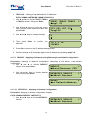
10. Use ◄ and ► keys to move the cursor
64 Chk
until it shown under Chk:
Which INDEX CLR
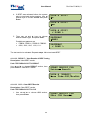
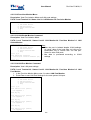
11. Then press Enter to confirm you
selection. If the invalid Index is entered
then following message occurs:
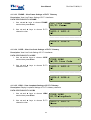
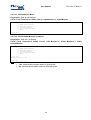
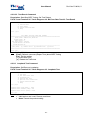
12. If the valid Index is entered then system
dispays <Done> message:
98 Chk
Out Of Range 0-97
00064 Chk
< DONE >
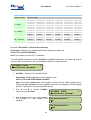
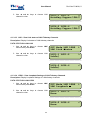
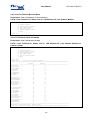
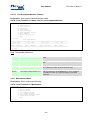
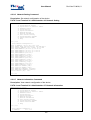
4.1.5.4.2 CLRALL – Clear All PM Data
Description: Clear All PM Data.
Path: PMCLRCLRALL
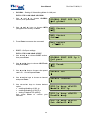
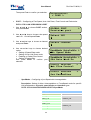
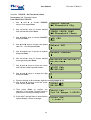
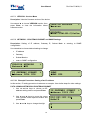
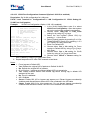
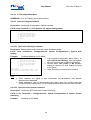
1. Use ◄ and ► to choose CLRALL
section, then press Enter:
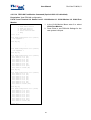
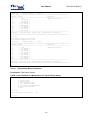
2.
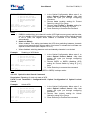
Use ◄ and ► keys to choose No (Keep
current PM data) or Yes (Clear all PM
data) and press Enter:
CLRHIS CLRALL
PM Clear All
Clr ALL PM?
No
Clr ALL PM?
Yes
Clr ALL PM?
< DONE >
65