1
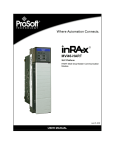
3170-MBS
Flex Platform
Modbus Slave Interface Module
October 18, 2010
USER MANUAL
Your Feedback Please
We always want you to feel that you made the right decision to use our products. If you have suggestions, comments,
compliments or complaints about our products, documentation, or support, please write or call us.
How to Contact Us
ProSoft Technology
5201 Truxtun Ave., 3rd Floor
Bakersfield, CA 93309
+1 (661) 716-5100
+1 (661) 716-5101 (Fax)
www.prosoft-technology.com
[email protected]
Copyright © 2010 ProSoft Technology, Inc., all rights reserved.
3170-MBS User Manual
October 18, 2010
®
®
®
®
®
ProSoft Technology , ProLinx , inRAx , ProTalk , and RadioLinx are Registered Trademarks of ProSoft
Technology, Inc. All other brand or product names are or may be trademarks of, and are used to identify products
and services of, their respective owners.
ProSoft Technology® Product Documentation
In an effort to conserve paper, ProSoft Technology no longer includes printed manuals with our product shipments.
User Manuals, Datasheets, Sample Ladder Files, and Configuration Files are provided on the enclosed CD-ROM,
and are available at no charge from our web site: www.prosoft-technology.com
Printed documentation is available for purchase. Contact ProSoft Technology for pricing and availability.
North America: +1.661.716.5100
Asia Pacific: +603.7724.2080
Europe, Middle East, Africa: +33 (0) 5.3436.87.20
Latin America: +1.281.298.9109
Important Installation Instructions
Power, Input, and Output (I/O) wiring must be in accordance with Class I, Division 2 wiring methods, Article 501-4 (b)
of the National Electrical Code, NFPA 70 for installation in the U.S., or as specified in Section 18-1J2 of the Canadian
Electrical Code for installations in Canada, and in accordance with the authority having jurisdiction. The following
warnings must be heeded:
A WARNING - EXPLOSION HAZARD - SUBSTITUTION OF COMPONENTS MAY IMPAIR SUITABILITY FOR
CLASS I, DIV. 2;
B WARNING - EXPLOSION HAZARD - WHEN IN HAZARDOUS LOCATIONS, TURN OFF POWER BEFORE
REPLACING OR WIRING MODULES
C WARNING - EXPLOSION HAZARD - DO NOT DISCONNECT EQUIPMENT UNLESS POWER HAS BEEN
SWITCHED OFF OR THE AREA IS KNOWN TO BE NON-HAZARDOUS.
D THIS DEVICE SHALL BE POWERED BY CLASS 2 OUTPUTS ONLY.
MVI (Multi Vendor Interface) Modules
WARNING - EXPLOSION HAZARD - DO NOT DISCONNECT EQUIPMENT UNLESS POWER HAS BEEN
SWITCHED OFF OR THE AREA IS KNOWN TO BE NON-HAZARDOUS.
AVERTISSEMENT - RISQUE D'EXPLOSION - AVANT DE DÉCONNECTER L'ÉQUIPEMENT, COUPER LE
COURANT OU S'ASSURER QUE L'EMPLACEMENT EST DÉSIGNÉ NON DANGEREUX.
Warnings
North America Warnings
A
B
C
Warning - Explosion Hazard - Substitution of components may impair suitability for Class I, Division 2.
Warning - Explosion Hazard - When in Hazardous Locations, turn off power before replacing or rewiring
modules.
Warning - Explosion Hazard - Do not disconnect equipment unless power has been switched off or the area is
known to be nonhazardous.
Suitable for use in Class I, division 2 Groups A, B, C and D Hazardous Locations or Non-Hazardous Locations.
ATEX Warnings and Conditions of Safe Usage:
Power, Input, and Output (I/O) wiring must be in accordance with the authority having jurisdiction
A Warning - Explosion Hazard - When in hazardous locations, turn off power before replacing or wiring modules.
B Warning - Explosion Hazard - Do not disconnect equipment unless power has been switched off or the area is
known to be non-hazardous.
C These products are intended to be mounted in an IP54 enclosure. The devices shall provide external means to
prevent the rated voltage being exceeded by transient disturbances of more than 40%. This device must be used
only with ATEX certified backplanes.
D DO NOT OPEN WHEN ENERGIZED.
Warning: This module is not hot-swappable! Always remove power from the rack before inserting or removing this
module, or damage may result to the module, the processor, or other connected devices.
Battery Life Advisory
The MVI46, MVI56, MVI56E, MVI69, and MVI71 modules use a rechargeable Lithium Vanadium Pentoxide battery to
backup the real-time clock and CMOS. The battery should last for the life of the module. The module must be
powered for approximately twenty hours before the battery becomes fully charged. After it is fully charged, the battery
provides backup power for the CMOS setup and the real-time clock for approximately 21 days. When the battery is
fully discharged, the module will revert to the default BIOS and clock settings.
Note: The battery is not user replaceable.
Markings
Electrical Ratings
Backplane Current Load: 800 mA @ 5 Vdc
Operating Temperature: 0°C to 60°C (32°F to 140°F)
Storage Temperature: -40°C to 85°C (-40°F to 185°F)
Shock: 30g Operational; 50g non-operational; Vibration: 5 g from 10 Hz to 150 Hz
Relative Humidity 5% to 95% (without condensation)
All phase conductor sizes must be at least 1.3 mm(squared) and all earth ground conductors must be at least
4mm(squared).
Label Markings
Agency Approvals and ISA 12.12.01 Class I Division 2, GPs A, B, C, D
CertificationsANSI / ISA
CSA/cUL
C22.2 No. 213-1987
CSA CB Certified
IEC61010
ATEX
EN60079-0 Category 3, Zone 2
EN60079-15
243333
3170-MBS ♦ Flex Platform
Modbus Slave Interface Module
Contents
User Manual
Contents
Your Feedback Please ........................................................................................................................ 2
How to Contact Us .............................................................................................................................. 2
®
ProSoft Technology Product Documentation .................................................................................... 2
Important Installation Instructions ....................................................................................................... 3
MVI (Multi Vendor Interface) Modules ................................................................................................ 3
Warnings ............................................................................................................................................. 3
Battery Life Advisory ........................................................................................................................... 3
Markings .............................................................................................................................................. 4
1
Product Specifications
1.1
1.2
2
General Specifications .............................................................................................. 8
Modbus Specifications .............................................................................................. 9
Functional Overview
2.1
2.2
3
3.4
4
3.3.1
4.1
4.2
6
19
Reading Discrete Inputs .......................................................................................... 20
Writing Discrete Outputs ......................................................................................... 21
Status Information
5.1
5.2
5.3
5.4
5.5
13
Mounting on a DIN-rail before installing the terminal base units............................. 14
Mounting (or Replacing) the module on an existing system ................................... 15
Wiring ...................................................................................................................... 16
RS-485 Tip .............................................................................................................. 16
Setting the switches ................................................................................................ 17
Module Addressing
5
11
Modbus Addressing Concepts ................................................................................ 11
The Data Space in the module ................................................................................ 12
Module Configuration and Installation
3.1
3.2
3.3
7
5.5.1
Adapter Status Word ............................................................................................... 24
Module Status Words .............................................................................................. 25
Module Information.................................................................................................. 26
Modbus Function Counters ..................................................................................... 27
Modbus Status ........................................................................................................ 28
Error Codes ............................................................................................................. 28
Diagnostics and Troubleshooting
6.1
6.2
ProSoft Technology, Inc.
October 27, 2010
23
29
LED Indicators ......................................................................................................... 30
Troubleshooting: General ........................................................................................ 31
Page 5 of 55
Contents
User Manual
7
3170-MBS ♦ Flex Platform
Modbus Slave Interface Module
Example Address Mapping
7.1
7.2
7.3
7.4
8
33
Application Example ............................................................................................... 34
Address Map ........................................................................................................... 35
Function Code Address Ranges ............................................................................. 37
Work Sheets ........................................................................................................... 38
Support, Service & Warranty
45
Contacting Technical Support .......................................................................................................... 45
8.1
Return Material Authorization (RMA) Policies and Conditions ............................... 47
8.1.1
Returning Any Product ............................................................................................ 47
8.1.2
Returning Units Under Warranty............................................................................. 48
8.1.3
Returning Units Out of Warranty............................................................................. 48
8.2
LIMITED WARRANTY ............................................................................................ 49
8.2.1
What Is Covered By This Warranty ........................................................................ 49
8.2.2
What Is Not Covered By This Warranty .................................................................. 50
8.2.3
Disclaimer Regarding High Risk Activities .............................................................. 50
8.2.4
Intellectual Property Indemnity ............................................................................... 51
8.2.5
Disclaimer of all Other Warranties .......................................................................... 51
8.2.6
Limitation of Remedies ** ....................................................................................... 52
8.2.7
Time Limit for Bringing Suit ..................................................................................... 52
8.2.8
No Other Warranties ............................................................................................... 52
8.2.9
Allocation of Risks .................................................................................................. 52
8.2.10
Controlling Law and Severability ............................................................................ 53
Index
55
Page 6 of 55
ProSoft Technology, Inc.
October 27, 2010
3170-MBS ♦ Flex Platform
Modbus Slave Interface Module
1
Product Specifications
User Manual
Product Specifications
In This Chapter
General Specifications............................................................................. 8
Modbus Specifications............................................................................. 9
The 3170-MBS Modbus Slave Communication Adapter can interface up to 8
Rockwell Automation FLEX and/or Integra I/O modules directly with any Modbus
Master. The following functionality is available:
Multi-drop on an RS-485 link with other Modbus compatible devices
Interface Analog and/or Discrete I/O directly to a Host
Add FLEX I/O into applications where other manufacturer’s devices are
already in use
The 3170-MBS module is simple to use, requiring only the setting of several dipswitch options. The Flex and Integra module data images are pre-mapped into
Modbus addresses to simplify reading and writing using standard Modbus
commands.
The 3170-MBS has read/write access to all Flex and Integra modules. This
allows a Host system to perform all functions necessary to get all I/O modules
functioning. All register data values can be accessed using Function Codes 3, 4,
6 and 16. Bit level Function Codes 1, 2, and 5 are also supported.
ProSoft Technology, Inc.
October 27, 2010
Page 7 of 55
Product Specifications
User Manual
1.1
3170-MBS ♦ Flex Platform
Modbus Slave Interface Module
General Specifications
I/O Capacity: 8 I/O modules (Flex and/or Integra)
RS-485 Communication port - 3 screw termination
Status LEDs
o Power / Control Status
o Serial TX, RX and ERROR Status
Input Voltage: 24 VDC (19.2-31.2 VDC)
Max Input Power: 8.6 W
Max Backplane Output Current: 640 ma @ 5V
Operating Temp.: 0 to 55°C
Storage Temp.: -40 to 85°C
Dimensions: 87x68x69 mm (3.4x2.7x2.7 inches)
UL Class I Div 2 Groups A,B,C,D
Page 8 of 55
ProSoft Technology, Inc.
October 27, 2010
3170-MBS ♦ Flex Platform
Modbus Slave Interface Module
1.2
Product Specifications
User Manual
Modbus Specifications
The 3170-MBS product support the following features:
RTU mode (binary) with CRC-16 error checking
ASCII 7 and 8-bit modes with LRC error checking
Accepts broadcast commands from the Master
Function codes:
1: Read Output Coils (Horizontal addressing only)
2: Read Discrete Inputs (Horizontal addressing only)
3: Read Multiple Holding Registers
4: Read Multiple Input Registers
5: Force (Write) Single Coil (Horizontal addressing only)
6: Preset (Write) Single Holding Register
16: Preset (Write) Multiple Holding Registers
Pre-assigned Modbus memory map
Parameters configured via dip switches:
o Address: 1 to 247
o Parity: None, Odd or Even
o Stop Bits: 1 or 2
o Baud Rate: 1200, 2400, 4800, 9600, 19200, 38400, 62500
ProSoft Technology, Inc.
October 27, 2010
Page 9 of 55
Product Specifications
User Manual
Page 10 of 55
3170-MBS ♦ Flex Platform
Modbus Slave Interface Module
ProSoft Technology, Inc.
October 27, 2010
3170-MBS ♦ Flex Platform
Modbus Slave Interface Module
2
Functional Overview
2.1
Modbus Addressing Concepts
Functional Overview
User Manual
Modicon developed the Modbus addressing scheme around the data table and
I/O structure in Modicon PLCs. As a result, the Modbus protocol supports access
to the various data spaces in the Modicon PLC.
By far the most common data space used is the 4xxxx space using the Function
Codes 3, 6 and 16. This space is used to transfer 16 bit register values and can
be used to transfer bit mapped data. Using formal Modbus addressing
terminology, this data space actually starts at address 40001.
Access to the different data spaces is determined by the Function Code that is
used. The following chart shows the four different types of data spaces, the
numerical range of these spaces, and the Function Codes that are used to
execute read and write instructions within these data spaces. The following
illustration shows the relationship between the Modbus Function Codes and the
Modbus addressing scheme.
ProSoft Technology, Inc.
October 27, 2010
Page 11 of 55
Functional Overview
User Manual
2.2
3170-MBS ♦ Flex Platform
Modbus Slave Interface Module
The Data Space in the module
One of the concepts, which are important to develop an understanding of, is the
relationship between the data space in the module and how this data can be
moved between the module and the Modbus Master.
Page 12 of 55
ProSoft Technology, Inc.
October 27, 2010
3170-MBS ♦ Flex Platform
Modbus Slave Interface Module
3
Module Configuration and Installation
User Manual
Module Configuration and Installation
In This Chapter
Installation ............................................................................................. 14
Mounting (or Replacing) the module on an existing system .................. 15
Wiring .................................................................................................... 16
Setting the switches .............................................................................. 17
Component Identification
1
Modbus Adapter Module
2
Indicators
3
Communication reset pushbutton (PRL)
4
Access door to switches S1 and S2
5
Switches S1 and S2 (behind access door)
6
Modbus cable connector
7
+24V dc connections
8
24V common connections
9
Flexbus connector
ProSoft Technology, Inc.
October 27, 2010
Page 13 of 55
Module Configuration and Installation
User Manual
3.1
3170-MBS ♦ Flex Platform
Modbus Slave Interface Module
Mounting on a DIN-rail before installing the terminal base units
1
2
3
4
5
Position the Modbus adapter module A on a 35 X 7.5mm DIN-rail B
(Rockwell Automation pt. no. 199-DR1: 46277-3; EN 50022) at a slight angle.
Hook the lip on the rear of the adapter (A) onto the top of the DIN-rail (B),
and rotate the adapter module onto the rail.
Press the adapter module down onto the DIN-rail until flush. Locking tab (C)
will snap into position and lock the adapter module to the DIN-rail.
If the adapter module does not lock in place, use a screwdriver or similar
device to move the locking tab down while pressing the adapter module flush
onto the DIN-rail and release the locking tab to lock the adapter module in
place. If necessary, push up on the locking tab to lock.
Connect the adapter wiring as shown under "Wiring" later in this document.
Page 14 of 55
ProSoft Technology, Inc.
October 27, 2010
3170-MBS ♦ Flex Platform
Modbus Slave Interface Module
3.2
Module Configuration and Installation
User Manual
Mounting (or Replacing) the module on an existing system
1
2
3
4
5
6
7
Remove the Modbus plug-in connector from the front of the adapter.
Disconnect any wiring jumpered to the adjacent terminal base.
Using a screwdriver or similar tool, open the lock and remove the module
from the base unit to which the adapter will be attached.
Push the flexbus connector toward the right side of the terminal base to
unplug the backplane connection.
Release the locking tab and remove the adapter.
Before installing the new adapter, notice the notch on the right rear of the
adapter. This notch accepts the hook on the terminal base unit. The notch is
open at the bottom. The hook and adjacent connection point keep the
terminal base and adapter tight together, reducing the possibility of a break in
communication over the backplane.
Complete the adapter mounting as shown below.
Attention: Make certain that the hook on the terminal base is properly hooked into the adapter.
Failure to lock the hook into the adjacent base/adapter can result in loss of communication on the
backplane.
8
9
If the adapter module does not lock in place, use a screwdriver or similar
device to move the locking tab C down while pressing the adapter module
flush onto the DIN-rail. Then release the locking tab to lock the adapter
module in place. If necessary, push up on the locking tab to lock.
Reinstall the module into the terminal base unit.
ProSoft Technology, Inc.
October 27, 2010
Page 15 of 55
Module Configuration and Installation
User Manual
3.3
3170-MBS ♦ Flex Platform
Modbus Slave Interface Module
Wiring
Attention: When connecting wiring, torque terminal screws to 7 to 9 inch-pounds.
Connect
To
TxRxD-
1
TxRxD+
2
1
2
3
4
Connect the Modbus cable to the removable connector.
Connect +24V dc input to the left side of the lower connector, terminal E.
Connect 24V common to the left side of the upper connector, terminal D.
Connections G and F are used to pass 24V dc power (G) and 24V common
(F) to the next module in the series (if required).
3.3.1 RS-485 Tip
If communication in the RS-485 mode does not work at first, despite all attempts,
try switching termination polarities. Some manufacturers interpret + and -, or A
and B, polarities differently.
Page 16 of 55
ProSoft Technology, Inc.
October 27, 2010
3170-MBS ♦ Flex Platform
Modbus Slave Interface Module
3.4
Module Configuration and Installation
User Manual
Setting the switches
The adapter switches are located under a flip-open cover on the front of the
adapter Set the switches as shown below.
1
2
3
Lift the hinged switch cover on the front of the adapter to expose the
switches.
Set the switches as shown below.
Cycle power to the adapter after setting the switches.
Baud Rate
S1-1
S1-2
S1-3
1200
OFF
OFF
OFF
2400
ON
OFF
OFF
4800
OFF
ON
OFF
9600
ON
ON
OFF
19200
OFF
OFF
ON
38400
ON
OFF
ON
62.5K
OFF
ON
ON
Undefined(Defaults to 19200)
ON
ON
ON
Stop Bit
S1-4
1
OFF
2
ON
Parity
S1-5
S1-6
None
OFF
OFF
Odd
ON
OFF
Even
OFF
ON
Data Bits
S1-7
8
OFF
7
ON
Modbus Mode
S1-8
RTU
OFF
ASCII
ON
ProSoft Technology, Inc.
October 27, 2010
Page 17 of 55
Module Configuration and Installation
User Manual
3170-MBS ♦ Flex Platform
Modbus Slave Interface Module
Address
S2-1
S2-2
S2-3
S2-4
S2-5
S2-6
S2-7
0
OFF
OFF
OFF
OFF
OFF
OFF
OFF
1
ON
OFF
OFF
OFF
OFF
OFF
OFF
2
OFF
ON
OFF
OFF
OFF
OFF
OFF
3
ON
ON
OFF
OFF
OFF
OFF
OFF
4
ON
OFF
ON
OFF
OFF
OFF
OFF
5
OFF
ON
ON
OFF
OFF
OFF
OFF
6
ON
ON
ON
OFF
OFF
OFF
OFF
127
ON
ON
ON
ON
ON
ON
ON
Last State
S2-8
Off
OFF
Hold
ON
Address 0 - Test Mode - Puts unit into a transmit only mode. Connect a terminal
at 19200 baud, 8N1 to view data.
Address 1 to 127 Valid Slave addresses.
Page 18 of 55
ProSoft Technology, Inc.
October 27, 2010
3170-MBS ♦ Flex Platform
Modbus Slave Interface Module
4
Module Addressing
User Manual
Module Addressing
In This Chapter
Reading Discrete Inputs ........................................................................ 20
Writing Discrete Outputs........................................................................ 21
Each Flex or Integra module has 60 words of address space. 30 Input or Read
address and 30 Output or Write addresses. Data is mapped in two ways
Horizontal and Vertical.
With Horizontal addressing the adapter address the first input and output word
for each module incrementally. 40001 for module 0, 40002 for module 1 and so
on.
Vertical addressing increments the words for each module. For example, the
vertical read words for slot 0 start with 41001 and increment to 41015.
ProSoft Technology, Inc.
October 27, 2010
Page 19 of 55
Module Addressing
User Manual
4.1
3170-MBS ♦ Flex Platform
Modbus Slave Interface Module
Reading Discrete Inputs
Each word address consists of 16 bits. These bits can be read as discrete inputs.
Word address 40001 corresponds to discrete inputs 10001 to 10016. 40002
corresponds to discrete inputs 10017 to 10032.
((Address - 40001) X 16) + 10001 This will give you Input address 0 of the
word.
Page 20 of 55
ProSoft Technology, Inc.
October 27, 2010
3170-MBS ♦ Flex Platform
Modbus Slave Interface Module
4.2
Module Addressing
User Manual
Writing Discrete Outputs
Each word address consists of 16 bits. These bits can be written as discrete
outputs. Word address 40201 corresponds to discrete outputs 3201 to 3216.
40202 corresponds to discrete outputs 3217 to 3232.
((Address - 40001) X 16) + 1 This will give you the Output address 0 of the
word.
ProSoft Technology, Inc.
October 27, 2010
Page 21 of 55
Module Addressing
User Manual
Page 22 of 55
3170-MBS ♦ Flex Platform
Modbus Slave Interface Module
ProSoft Technology, Inc.
October 27, 2010
3170-MBS ♦ Flex Platform
Modbus Slave Interface Module
5
Status Information
User Manual
Status Information
In This Chapter
Adapter Status Word ............................................................................. 24
Module Status Words ............................................................................ 25
Module Information ................................................................................ 26
Modbus Function Counters ................................................................... 27
Modbus Status ...................................................................................... 28
ProSoft Technology, Inc.
October 27, 2010
Page 23 of 55
Status Information
User Manual
5.1
3170-MBS ♦ Flex Platform
Modbus Slave Interface Module
Adapter Status Word
Address
Bit:
15
14
13
12
Not
Used
11
10
9
8
7
6
5
4
3
2
1
0
I/O
State
Slot
7
Slot
6
Slot
5
Slot
4
Slot
3
Slot
2
Slot
1
Slot 0
40121
The input status word consists of:
I/O module fault bits - 1 status bit for each slot
I/O Last state Dip Switch S2-8(See 3170-MBS installation manual)
Bit Description
Bit
Explanation
0
This bit is set (1) when an error is detected in slot position 0.
1
This bit is set (1) when an error is detected in slot position 1.
2
This bit is set (1) when an error is detected in slot position 2.
I/O Module Fault 3
This bit is set (1) when an error is detected in slot position 3.
4
This bit is set (1) when an error is detected in slot position 4.
5
This bit is set (1) when an error is detected in slot position 5.
6
This bit is set (1) when an error is detected in slot position 6.
7
This bit is set (1) when an error is detected in slot position 7.
8
= 1 for hold last state = 0 for off
9 to 15
Not used set to 0
I/O Last State
The adapter input status word bit descriptions are shown in the following table.
Page 24 of 55
ProSoft Technology, Inc.
October 27, 2010
3170-MBS ♦ Flex Platform
Modbus Slave Interface Module
5.2
Status Information
User Manual
Module Status Words
Slot Status: indicates the general health of the installed I/O module
Number of Words: either 3 or 15 words indeterminate if slot is empty.
Number of Read Words: the number of words which are to be read from the
I/O module, indeterminate if slot is empty.
Address
Bit:
15
14
13
Status
12
Total
Words
11
10
Read
Words
9
8
7
6
5
4
Type
Identity
3
2
1
0
40122
to 40129
Type ID: a byte when combined with the Number of Words and Number of
Read Words form the Module ID which uniquely identifies a specific module
function, series and revision, indeterminate if slot is empty. Note that all of
bits 0 through 12 should be used in identifying a module.
Bit 15
1 = No answer, empty slot or dead module
Bit 14
1 = Either positive edge of bit 15 or bit 13 detected
Bit 13
1 = Bit failure, bad data on SerBus
Bit 12
1 = Number of words is 15, = 0 number of words is 3
Bits 11 to 8
Value = number of read words
Bits 7 to 0 Value = Type ID
ProSoft Technology, Inc.
October 27, 2010
Page 25 of 55
Status Information
User Manual
5.3
3170-MBS ♦ Flex Platform
Modbus Slave Interface Module
Module Information
3170-MBS Information
Address
3170-MBS Product Revision Level
40154
3170-MBS Product Batch Number
40155
Page 26 of 55
ProSoft Technology, Inc.
October 27, 2010
3170-MBS ♦ Flex Platform
Modbus Slave Interface Module
5.4
Status Information
User Manual
Modbus Function Counters
Modbus Port Function Code Counter
Address
Function Code 1
40156
Function Code 2
40157
Function Code 3
40158
Function Code 4
40159
Function Code 5
40160
Function Code 6
40161
Reserved
40162
Function Code 16
40163
Modbus Status
Address
Modbus Port: Responses to Host
40171
Modbus Port: No Responses to Host
40172
Modbus Port: Last Detected Error Condition
40173
ProSoft Technology, Inc.
October 27, 2010
Page 27 of 55
Status Information
User Manual
5.5
3170-MBS ♦ Flex Platform
Modbus Slave Interface Module
Modbus Status
Responses to Host: This rollover counter increments every time a response is
issued by the 3170-MBS. Note that this counter increments whether the
response is a data response or an error code response.
No Responses to Host: This rollover counter increments every time a command
is seen on the Modbus port, which is not for this slave. This counter may be used
as a network activity counter.
Last Detected Error Condition: This value is the last error code transmitted to the
master by the 3170-MBS.
5.5.1 Error Codes
Code
Name
Description
0
All OK
The port is operating as desired
1
Illegal Function
An illegal function code request is being attempted
2
Bad Data Address
The address, or the range of addresses, covered by a
request from the host is not within allowed limits
3
Bad Data Value
The value in the data field of the command from the host
is not allowed.
4
Incomplete Response
Detected
This error indicates that an incomplete query was
received from a host query. This indicates that the slave
port is timing out too quickly (that is, application may
require some Inter-character Timeout Delay) or that the
host query is getting abbreviated, possibly by the
transmitting modem (last character getting dropped).
10
Buffer Overflow
The receive buffer has overflowed and reset the
character count to 0. If this condition occurs try reading
fewer parameters at one time
254
Checksum Error
The slave determined that the message checksum was in
error, and therefore discarded the message
Page 28 of 55
ProSoft Technology, Inc.
October 27, 2010
3170-MBS ♦ Flex Platform
Modbus Slave Interface Module
6
Diagnostics and Troubleshooting
User Manual
Diagnostics and Troubleshooting
In This Chapter
LED Indicators ....................................................................................... 30
Troubleshooting: General ...................................................................... 31
The module provides information on diagnostics and troubleshooting in the
following forms:
LED status indicators on the front of the module provide general information
on the module's status.
Several hardware diagnostic capabilities have been implemented using the LED
indicator lights on the front of the adapter module. The following topics explain
the meaning of the individual LEDs and provide some troubleshooting tips.
ProSoft Technology, Inc.
October 27, 2010
Page 29 of 55
Diagnostics and Troubleshooting
User Manual
6.1
3170-MBS ♦ Flex Platform
Modbus Slave Interface Module
LED Indicators
The following explains the operation of the LEDs.
LED
Color
Status
Indication
Power
Green
On
Normal state: The module is operating normally, with
communications being detected on the link
Blink
Modbus Communication Timeout: The port has not detected any
communications on the link for over 1 second. If the HOLD LAST
STATE dip switch is not set, the Input and Output images will be
forced to zero(0).
FLEX Backplane Communications Fail: The communication
adapter either does not detect any I/O modules plugged into the
backplane, or the backplane communications have failed.
Transmit Green
Blink
The Modbus port is transmitting data.
Receive
Green
Blink
The Modbus port is receiving data. LED flashes on any character
activity, valid or invalid.
COM
ERR
Amber
Off
Normal State: When the error LED is off and the related port is
actively transferring data, there are no communication errors
Blink
Periodic communication errors are occurring during data
communications. Error conditions that cause LED to blink include:
Bad Function Code
Invalid Register Address in command
Invalid Count value in command
Insufficient Characters in Modbus Packet
Checksum Error detected in packet
FLEX Backplane Communications Fail: The communication
adapter either does not detect any I/O modules plugged into the
backplane, or the backplane communications have failed
On
Page 30 of 55
This LED will stay on under several conditions:
Configuration Error
Recurring communication error
ProSoft Technology, Inc.
October 27, 2010
3170-MBS ♦ Flex Platform
Modbus Slave Interface Module
6.2
Diagnostics and Troubleshooting
User Manual
Troubleshooting: General
In order to assist in the troubleshooting of the adapter, the following table has
been put together. Use the following table to assist in application of the module,
but if additional questions or problems arise, please do not hesitate to contact us.
Problem Description
Steps to take
No communications with
Host
If connected to the host and no communications are occurring, verify
the following:
Polarity of RS-485 cable connections (Either RX LED on
continuously or not toggling at all)
Slave Address: Valid addresses range from 1 to 127. Verify that
the address is encoded into the dip switch correctly
Baud Rate
Stop Bits, Parity, and Modbus Mode. There are valid
combinations of these parameters which are supported by the
adapter hardware. Verify that the configuration is one of the
following:
Modbus RTU and ASCII Modes
8 Data Bits, No Parity, 1 Stop
8 Data Bits, No Parity, 2 Stop
8 Data Bits, Odd Parity, 1 Stop
8 Data Bits, Even Parity, 1 Stop
Modbus ASCII Mode Only:
7 Data Bits, No Parity, 2 Stop
7 Data Bits, Odd Parity, 1 Stop
7 Data Bits, Even Parity, 1 Stop
7 Data Bits, Odd Parity, 2 Stop
7 Data Bits, Even Parity, 2 Stop
Modbus Mode: Verify that the host and the adapter are talking the
same implementation of the protocol, either RTU or ASCII.
RX LED on continuously
Verify the polarity of the RS-485 communications connections. Not
all manufacturers adhere to the same +/- and A/B labeling
conventions. Do not be afraid to experiment with swapping the
polarity, no damage will occur to the hardware.
COMM ERR LED blinks
periodically
Periodic communication errors are occurring during data
communications. Error conditions which cause LED to blink include:
Bad Function Code
Invalid Register Address in command
Invalid Count value in command
Insufficient Characters in Modbus Packet
Checksum Error detected in packet
FLEX Backplane Communications Fail: The communication
adapter either does not detect any I/O modules plugged into the
backplane, or the backplane communications have failed
Outputs Toggle Off
If the HOLD LAST STATE dip switch is not set, the Output Image
(and the Input Image) in the adapter will be forced to zero whenever
communications with the host has not been detected for over 1
second. The Outputs will be re-established by the adapter as soon
as a valid write command is received from the host.
To prevent the Toggling of the outputs, either set the HOLD LAST
STATE dip switch (S2 position 8), and/or assure the reliability of the
communications.
ProSoft Technology, Inc.
October 27, 2010
Page 31 of 55
Diagnostics and Troubleshooting
User Manual
Page 32 of 55
3170-MBS ♦ Flex Platform
Modbus Slave Interface Module
ProSoft Technology, Inc.
October 27, 2010
3170-MBS ♦ Flex Platform
Modbus Slave Interface Module
7
Example Address Mapping
User Manual
Example Address Mapping
In This Chapter
Application Example .............................................................................. 34
Address Map ......................................................................................... 35
Function Code Address Ranges............................................................ 37
Work Sheets .......................................................................................... 38
ProSoft Technology, Inc.
October 27, 2010
Page 33 of 55
Example Address Mapping
User Manual
7.1
3170-MBS ♦ Flex Platform
Modbus Slave Interface Module
Application Example
Use the information provided with your I/O to fill in the work sheets (page 38).
This will help you to decide the best way to address each I/O block.
In most applications Analog I/O will be addressed using the Vertical method.
Discrete I/O must be addressed using the Horizontal method only.
The Input Data will be read vertically as holding registers
The Underrange bits will be read as inputs
The Configuration Selection bits will be written as coils.
Page 34 of 55
ProSoft Technology, Inc.
October 27, 2010
3170-MBS ♦ Flex Platform
Modbus Slave Interface Module
7.2
Example Address Mapping
User Manual
Address Map
READ
READ
Slot 0-H
Slot 0-V
Slot 1-H
Slot 1-V
Slot 2-H
Slot 2-V
Slot 3-H
Slot 3-V
40001
41001
40002
41016
40003
41031
40004
41046
40009
41002
40010
41017
40011
41032
40012
41047
40017
41003
40018
41018
40019
41033
40020
41048
40025
41004
40026
41019
40027
41034
40028
41049
40033
41005
40034
41020
40035
41035
40036
41050
40041
41006
40042
41021
40043
41036
40044
41051
40049
41007
40050
41022
40051
41037
40052
41052
40057
41008
40058
41023
40059
41038
40060
41053
40065
41009
40066
41024
40067
41039
40068
41054
40073
41010
40074
41025
40075
41040
40076
41055
40081
41011
40082
41026
40083
41041
40084
41056
40089
41012
40090
41027
40091
41042
40092
41057
40097
41013
40098
41028
40099
41043
40100
41058
40105
41014
40106
41029
40107
41044
40108
41059
40113
41015
40114
41030
40115
41045
40116
41060
Slot 4-H
Slot 4-V
Slot 5-H
Slot 5-V
Slot 6-H
Slot 6-V
Slot 7-H
Slot 7-V
40005
41061
40006
41076
40007
41091
40008
41106
40013
41062
40014
41077
40015
41092
40016
41107
40021
41063
40022
41078
40023
41093
40024
41108
40029
41064
40030
41079
40031
41094
40032
41109
40037
41065
40038
41080
40039
41095
40040
41110
40045
41066
40046
41081
40047
41096
40048
41111
40053
41067
40054
41082
40055
41097
40056
41112
40061
41068
40062
41083
40063
41098
40064
41113
40069
41069
40070
41084
40071
41099
40072
41114
40077
41070
40078
41085
40079
41100
40080
41115
40085
41071
40086
41086
40087
41101
40088
41116
40093
41072
40094
41087
40095
41102
40096
41117
40101
41073
40102
41088
40103
41103
40104
41118
40109
41074
40110
41089
40111
41104
40112
41119
40117
41075
40118
41090
40119
41105
40120
41120
Slot 0-H
Slot04-V
Slot 1-H
Slot 1-V
Slot 2-H
Slot 2-V
Slot 3-H
Slot 3-V
ProSoft Technology, Inc.
October 27, 2010
Page 35 of 55
Example Address Mapping
User Manual
WRITE
WRITE
Page 36 of 55
3170-MBS ♦ Flex Platform
Modbus Slave Interface Module
Slot 0-H
Slot04-V
Slot 1-H
Slot 1-V
Slot 2-H
Slot 2-V
Slot 3-H
Slot 3-V
40201
41201
40202
41216
40203
41231
40204
41246
40209
41202
40210
41217
40211
41232
40212
41247
40217
41203
40218
41218
40219
41233
40220
41248
40225
41204
40226
41219
40227
41234
40228
41249
40233
41205
40234
41220
40235
41235
40236
41250
40241
41206
40242
41221
40243
41236
40244
41251
40249
41207
40250
41222
40251
41237
40252
41252
40257
41208
40258
41223
40259
41238
40260
41253
40265
41209
40266
41224
40267
41239
40268
41254
40273
41210
40274
41225
40275
41240
40276
41255
40281
41211
40282
41226
40283
41241
40284
41256
40289
41212
40290
41227
40291
41242
40292
41257
40297
41213
40298
41228
40299
41243
40300
41258
40305
41214
40306
41229
40307
41244
40308
41259
40313
41215
40314
41230
40315
41245
40316
41260
Slot 4-H
Slot 4-V
Slot 5-H
Slot 5-V
Slot 6-H
Slot 6-V
Slot 7-H
Slot 7-V
40205
41261
40206
41276
40207
41291
40208
41306
40294
41262
40214
41277
40215
41292
40216
41307
40383
41263
40222
41278
40223
41293
40224
41308
40472
41264
40230
41279
40231
41294
40232
41309
40561
41265
40238
41280
40239
41295
40240
41310
40650
41266
40246
41281
40247
41296
40248
41311
40739
41267
40254
41282
40255
41297
40256
41312
40828
41268
40262
41283
40263
41298
40264
41313
40917
41269
40270
41284
40271
41299
40272
41314
41006
41270
40278
41285
40279
41300
40280
41315
41095
41271
40286
41286
40287
41301
40288
41316
41184
41272
40294
41287
40295
41302
40296
41317
41273
41273
40302
41288
40303
41303
40304
41318
41362
41274
40310
41289
40311
41304
40312
41319
41451
41275
40318
41290
40319
41305
40320
41320
ProSoft Technology, Inc.
October 27, 2010
3170-MBS ♦ Flex Platform
Modbus Slave Interface Module
7.3
Example Address Mapping
User Manual
Function Code Address Ranges
Function
Address
Type
Horizontal
Read
Modbus
Address
Horizontal
Write
Modbus
Address
Vertical
Read
Modbus
Address
Vertical
Write
Modbus
Address
1
Bit
0 to 1919
40001 to
40120
N/A
N/A
N/A
N/A
N/A
N/A
Bit
3200 to 5119 40200 to
40320
N/A
N/A
N/A
N/A
N/A
N/A
Bit
0 to 1919
40001 to
40120
N/A
N/A
N/A
N/A
N/A
N/A
Bit
3200 to 5119 40200 to
40320
N/A
N/A
N/A
N/A
N/A
N/A
Register
0 to 119
40001 to
40120
N/A
N/A
1000 to
1119
41001 to
41120
N/A
N/A
Register
200 to 319
40200 to
40320
N/A
N/A
1200 to
1319
41201 to
41320
N/A
N/A
Register
0 to 119
40001 to
40120
N/A
N/A
1000 to
1119
41001 to
41120
N/A
N/A
Register
200 to 319
40200 to
40320
N/A
N/A
1200 to
1319
41201 to
41320
N/A
N/A
5
Bit
N/A
N/A
3200 to 5119 40201 to
40320
N/A
N/A
N/A
N/A
6
Register
N/A
N/A
200 to 319
40201 to
40320
N/A
N/A
1200 to
1319
41201 to
41320
16
Register
N/A
N/A
200 to 319
40201 to
40320
N/A
N/A
1200 to
1319
41201 to
41320
2
3
4
ProSoft Technology, Inc.
October 27, 2010
Page 37 of 55
Example Address Mapping
User Manual
7.4
3170-MBS ♦ Flex Platform
Modbus Slave Interface Module
Work Sheets
Slot 0 Module Image Input Data
Slot 0 Module Image Output Data
Slot 1 Module Image Input Data
Page 38 of 55
HORIZ
VERT
40001
41001
40009
41002
40017
41003
40025
41004
40033
41005
40041
41006
40049
41007
40057
41008
40065
41009
40073
41010
40081
41011
40089
41012
40097
41013
40105
41014
40113
41015
HORIZ
VERT
40201
41201
40209
41202
40217
41203
40225
41204
40233
41205
40241
41206
40249
41207
40257
41208
40265
41209
40273
41210
40281
41211
40289
41212
40297
41213
40305
41214
40313
41215
HORIZ
VERT
40002
41016
40010
41017
40018
41018
40026
41019
ProSoft Technology, Inc.
October 27, 2010
3170-MBS ♦ Flex Platform
Modbus Slave Interface Module
Slot 1 Module Image Input Data
Slot 1 Module Image Output Data
Slot 2 Module Image Input Data
ProSoft Technology, Inc.
October 27, 2010
Example Address Mapping
User Manual
HORIZ
VERT
40034
41020
40042
41021
40050
41022
40058
41023
40066
41024
40074
41025
40082
41026
40090
41027
40098
41028
40106
41029
40114
41030
HORIZ
VERT
40202
41216
40210
41217
40218
41218
40226
41219
40234
41220
40242
41221
40250
41222
40258
41223
40266
41224
40274
41225
40282
41226
40290
41227
40298
41228
40306
41229
40314
41230
HORIZ
VERT
40003
41031
40011
41032
40019
41033
40027
41034
40035
41035
40043
41036
40051
41037
40059
41038
40067
41039
40075
41040
Page 39 of 55
Example Address Mapping
User Manual
Slot 2 Module Image Input Data
Slot 2 Module Image Output Data
Slot 3 Module Image Input Data
Page 40 of 55
3170-MBS ♦ Flex Platform
Modbus Slave Interface Module
HORIZ
VERT
40083
41041
40091
41042
40099
41043
40107
41044
40115
41045
HORIZ
VERT
40203
41231
40211
41232
40219
41233
40227
41234
40235
41235
40243
41236
40251
41237
40259
41238
40267
41239
40275
41240
40283
41241
40291
41242
40299
41243
40307
41244
40315
41245
HORIZ
VERT
40004
41046
40012
41047
40020
41048
40028
41049
40036
41050
40044
41051
40052
41052
40060
41053
40068
41054
40076
41055
40084
41056
40092
41057
40100
41058
40108
41059
40116
41060
ProSoft Technology, Inc.
October 27, 2010
3170-MBS ♦ Flex Platform
Modbus Slave Interface Module
Slot 3 Module Image Output Data
Slot 4 Module Image Input Data
Slot 4 Module Image Output Data
ProSoft Technology, Inc.
October 27, 2010
Example Address Mapping
User Manual
HORIZ
VERT
40204
41246
40212
41247
40220
41248
40228
41249
40236
41250
40244
41251
40252
41252
40260
41253
40268
41254
40276
41255
40284
41256
40292
41257
40300
41258
40308
41259
40316
41260
HORIZ
VERT
40005
41061
40013
41062
40021
41063
40029
41064
40037
41065
40045
41066
40053
41067
40061
41068
40069
41069
40077
41070
40085
41071
40093
41072
40101
41073
40109
41074
40117
41075
HORIZ
VERT
40205
41261
40213
41262
40221
41263
40229
41264
40237
41265
40245
41266
Page 41 of 55
Example Address Mapping
User Manual
Slot 4 Module Image Output Data
Slot 5 Module Image Input Data
Slot 5 Module Image Output Data
Page 42 of 55
3170-MBS ♦ Flex Platform
Modbus Slave Interface Module
HORIZ
VERT
40253
41267
40261
41268
40269
41269
41277
41270
41285
41271
41293
41272
41301
41273
41309
41274
41317
41275
HORIZ
VERT
40006
41076
40014
41077
40022
41078
40030
41079
40038
41080
40046
41081
40054
41082
40062
41083
40070
41084
40078
41085
40086
41086
40094
41087
40102
41088
40110
41089
40118
41090
HORIZ
VERT
40206
41276
40214
41277
40222
41278
40230
41279
40238
41280
40246
41281
40254
41282
40262
41283
40270
41284
40278
41285
40286
41286
40294
41287
ProSoft Technology, Inc.
October 27, 2010
3170-MBS ♦ Flex Platform
Modbus Slave Interface Module
Slot 5 Module Image Output Data
Slot 6 Module Image Input Data
Slot 6 Module Image Output Data
ProSoft Technology, Inc.
October 27, 2010
Example Address Mapping
User Manual
HORIZ
VERT
40302
41288
40310
41289
40318
41290
HORIZ
VERT
40007
41091
40015
41092
40023
41093
40031
41094
40039
41095
40047
41096
40055
41097
40063
41098
40071
41099
40079
41100
40087
41101
40095
41102
40103
41103
40111
41104
40119
41105
HORIZ
VERT
40207
41291
40215
41292
40223
41293
40231
41294
40239
41295
40247
41296
40255
41297
40263
41298
40271
41299
40279
41300
40287
41301
40295
41302
40303
41303
40311
41304
40319
41305
Page 43 of 55
Example Address Mapping
User Manual
Slot 7 Module Image Input Data
Slot 7 Module Image Output Data
Page 44 of 55
3170-MBS ♦ Flex Platform
Modbus Slave Interface Module
HORIZ
VERT
40008
41106
40016
41107
40024
41108
40032
41109
40040
41110
40048
41111
40056
41112
40064
41113
40072
41114
40080
41115
40088
41116
40096
41117
40104
41118
40112
41119
40120
41120
HORIZ
VERT
40208
41306
40216
41307
40224
41308
40232
41309
40240
41310
40248
41311
40256
41312
40264
41313
40272
41314
40280
41315
40288
41316
40296
41317
40304
41318
40312
41319
40320
41320
ProSoft Technology, Inc.
October 27, 2010
3170-MBS ♦ Flex Platform
Modbus Slave Interface Module
8
Support, Service & Warranty
User Manual
Support, Service & Warranty
In This Chapter
Contacting Technical Support ............................................................... 45
Return Material Authorization (RMA) Policies and Conditions............... 47
LIMITED WARRANTY ........................................................................... 49
Contacting Technical Support
ProSoft Technology, Inc. (ProSoft) is committed to providing the most efficient
and effective support possible. Before calling, please gather the following
information to assist in expediting this process:
1 Product Version Number
2 System architecture
3 Network details
If the issue is hardware related, we will also need information regarding:
1 Module configuration and associated ladder files, if any
2 Module operation and any unusual behavior
3 Configuration/Debug status information
4 LED patterns
5 Details about the serial, Ethernet or fieldbus devices interfaced to the module,
if any.
Note: For technical support calls within the United States, an after-hours answering system allows
24-hour/7-days-a-week pager access to one of our qualified Technical and/or Application Support
Engineers.
ProSoft Technology, Inc.
October 27, 2010
Page 45 of 55
Support, Service & Warranty
User Manual
3170-MBS ♦ Flex Platform
Modbus Slave Interface Module
Internet
Web Site: www.prosoft-technology.com/support
E-mail address: [email protected]
Asia Pacific
(location in Malaysia)
Tel: +603.7724.2080, E-mail: [email protected]
Languages spoken include: Chinese, English
Asia Pacific
(location in China)
Tel: +86.21.5187.7337 x888, E-mail: [email protected]
Languages spoken include: Chinese, English
Europe
(location in Toulouse,
France)
Tel: +33 (0) 5.34.36.87.20,
E-mail: [email protected]
Languages spoken include: French, English
Europe
(location in Dubai, UAE)
Tel: +971-4-214-6911,
E-mail: [email protected]
Languages spoken include: English, Hindi
North America
(location in California)
Tel: +1.661.716.5100,
E-mail: [email protected]
Languages spoken include: English, Spanish
Latin America
(Oficina Regional)
Tel: +1-281-2989109,
E-Mail: [email protected]
Languages spoken include: Spanish, English
Latin America
Tel: +52-222-3-99-6565,
(location in Puebla, Mexico) E-mail: [email protected]
Languages spoken include: Spanish
Brasil
(location in Sao Paulo)
Page 46 of 55
Tel: +55-11-5083-3776,
E-mail: [email protected]
Languages spoken include: Portuguese, English
ProSoft Technology, Inc.
October 27, 2010
3170-MBS ♦ Flex Platform
Modbus Slave Interface Module
8.1
Support, Service & Warranty
User Manual
Return Material Authorization (RMA) Policies and Conditions
The following Return Material Authorization (RMA) Policies and Conditions
(collectively, "RMA Policies") apply to any returned product. These RMA Policies
are subject to change by ProSoft Technology, Inc., without notice. For warranty
information, see Limited Warranty (page 49). In the event of any inconsistency
between the RMA Policies and the Warranty, the Warranty shall govern.
8.1.1 Returning Any Product
a) In order to return a Product for repair, exchange, or otherwise, the
Customer must obtain a Return Material Authorization (RMA) number
from ProSoft Technology and comply with ProSoft Technology shipping
instructions.
b) In the event that the Customer experiences a problem with the Product for
any reason, Customer should contact ProSoft Technical Support at one of
the telephone numbers listed above (page 45). A Technical Support
Engineer will request that you perform several tests in an attempt to
isolate the problem. If after completing these tests, the Product is found to
be the source of the problem, we will issue an RMA.
c) All returned Products must be shipped freight prepaid, in the original
shipping container or equivalent, to the location specified by ProSoft
Technology, and be accompanied by proof of purchase and receipt date.
The RMA number is to be prominently marked on the outside of the
shipping box. Customer agrees to insure the Product or assume the risk
of loss or damage in transit. Products shipped to ProSoft Technology
using a shipment method other than that specified by ProSoft Technology,
or shipped without an RMA number will be returned to the Customer,
freight collect. Contact ProSoft Technical Support for further information.
d) A 10% restocking fee applies to all warranty credit returns, whereby a
Customer has an application change, ordered too many, does not need,
etc. Returns for credit require that all accessory parts included in the
original box (i.e.; antennas, cables) be returned. Failure to return these
items will result in a deduction from the total credit due for each missing
item.
ProSoft Technology, Inc.
October 27, 2010
Page 47 of 55
Support, Service & Warranty
User Manual
3170-MBS ♦ Flex Platform
Modbus Slave Interface Module
8.1.2 Returning Units Under Warranty
A Technical Support Engineer must approve the return of Product under ProSoft
Technology’s Warranty:
a) A replacement module will be shipped and invoiced. A purchase order will
be required.
b) Credit for a product under warranty will be issued upon receipt of
authorized product by ProSoft Technology at designated location
referenced on the Return Material Authorization
i. If a defect is found and is determined to be customer generated, or if
the defect is otherwise not covered by ProSoft Technology s warranty,
there will be no credit given. Customer will be contacted and can
request module be returned at their expense;
ii. If defect is customer generated and is repairable, customer can
authorize ProSoft Technology to repair the unit by providing a
purchase order for 30% of the current list price plus freight charges,
duties and taxes as applicable.
8.1.3 Returning Units Out of Warranty
a) Customer sends unit in for evaluation to location specified by ProSoft
Technology, freight prepaid.
b) If no defect is found, Customer will be charged the equivalent of $100
USD, plus freight charges, duties and taxes as applicable. A new
purchase order will be required.
c) If unit is repaired, charge to Customer will be 30% of current list price
(USD) plus freight charges, duties and taxes as applicable. A new
purchase order will be required or authorization to use the purchase order
submitted for evaluation fee.
The following is a list of non-repairable units:
o 3150 - All
o 3750
o 3600 - All
o 3700
o 3170 - All
o 3250
o 1560 - Can be repaired, only if defect is the power supply
o 1550 - Can be repaired, only if defect is the power supply
o 3350
o 3300
o 1500 - All
Page 48 of 55
ProSoft Technology, Inc.
October 27, 2010
3170-MBS ♦ Flex Platform
Modbus Slave Interface Module
8.2
Support, Service & Warranty
User Manual
LIMITED WARRANTY
This Limited Warranty ("Warranty") governs all sales of hardware, software, and
other products (collectively, "Product") manufactured and/or offered for sale by
ProSoft Technology, Incorporated (ProSoft), and all related services provided by
ProSoft, including maintenance, repair, warranty exchange, and service
programs (collectively, "Services"). By purchasing or using the Product or
Services, the individual or entity purchasing or using the Product or Services
("Customer") agrees to all of the terms and provisions (collectively, the "Terms")
of this Limited Warranty. All sales of software or other intellectual property are, in
addition, subject to any license agreement accompanying such software or other
intellectual property.
8.2.1 What Is Covered By This Warranty
a) Warranty On New Products: ProSoft warrants, to the original purchaser,
that the Product that is the subject of the sale will (1) conform to and
perform in accordance with published specifications prepared, approved
and issued by ProSoft, and (2) will be free from defects in material or
workmanship; provided these warranties only cover Product that is sold as
new. This Warranty expires three (3) years from the date of shipment for
Product purchased on or after January 1st, 2008, or one (1) year from the
date of shipment for Product purchased before January 1st, 2008 (the
"Warranty Period"). If the Customer discovers within the Warranty Period
a failure of the Product to conform to specifications, or a defect in material
or workmanship of the Product, the Customer must promptly notify
ProSoft by fax, email or telephone. In no event may that notification be
received by ProSoft later than 39 months from date of original shipment.
Within a reasonable time after notification, ProSoft will correct any failure
of the Product to conform to specifications or any defect in material or
workmanship of the Product, with either new or remanufactured
replacement parts. ProSoft reserves the right, and at its sole discretion,
may replace unrepairable units with new or remanufactured equipment.
All replacement units will be covered under warranty for the 3 year period
commencing from the date of original equipment purchase, not the date of
shipment of the replacement unit. Such repair, including both parts and
labor, will be performed at ProSoft’s expense. All warranty service will be
performed at service centers designated by ProSoft.
b) Warranty On Services: Materials and labor performed by ProSoft to repair
a verified malfunction or defect are warranteed in the terms specified
above for new Product, provided said warranty will be for the period
remaining on the original new equipment warranty or, if the original
warranty is no longer in effect, for a period of 90 days from the date of
repair.
ProSoft Technology, Inc.
October 27, 2010
Page 49 of 55
Support, Service & Warranty
User Manual
3170-MBS ♦ Flex Platform
Modbus Slave Interface Module
8.2.2 What Is Not Covered By This Warranty
a) ProSoft makes no representation or warranty, expressed or implied, that
the operation of software purchased from ProSoft will be uninterrupted or
error free or that the functions contained in the software will meet or
satisfy the purchaser’s intended use or requirements; the Customer
assumes complete responsibility for decisions made or actions taken
based on information obtained using ProSoft software.
b) This Warranty does not cover the failure of the Product to perform
specified functions, or any other non-conformance, defects, losses or
damages caused by or attributable to any of the following: (i) shipping; (ii)
improper installation or other failure of Customer to adhere to ProSoft’s
specifications or instructions; (iii) unauthorized repair or maintenance; (iv)
attachments, equipment, options, parts, software, or user-created
programming (including, but not limited to, programs developed with any
IEC 61131-3, "C" or any variant of "C" programming languages) not
furnished by ProSoft; (v) use of the Product for purposes other than those
for which it was designed; (vi) any other abuse, misapplication, neglect or
misuse by the Customer; (vii) accident, improper testing or causes
external to the Product such as, but not limited to, exposure to extremes
of temperature or humidity, power failure or power surges; or (viii)
disasters such as fire, flood, earthquake, wind and lightning.
c) The information in this Agreement is subject to change without notice.
ProSoft shall not be liable for technical or editorial errors or omissions
made herein; nor for incidental or consequential damages resulting from
the furnishing, performance or use of this material. The user guide
included with your original product purchase from ProSoft contains
information protected by copyright. No part of the guide may be duplicated
or reproduced in any form without prior written consent from ProSoft.
8.2.3 Disclaimer Regarding High Risk Activities
Product manufactured or supplied by ProSoft is not fault tolerant and is not
designed, manufactured or intended for use in hazardous environments requiring
fail-safe performance including and without limitation: the operation of nuclear
facilities, aircraft navigation of communication systems, air traffic control, direct
life support machines or weapons systems in which the failure of the product
could lead directly or indirectly to death, personal injury or severe physical or
environmental damage (collectively, "high risk activities"). ProSoft specifically
disclaims any express or implied warranty of fitness for high risk activities.
Page 50 of 55
ProSoft Technology, Inc.
October 27, 2010
3170-MBS ♦ Flex Platform
Modbus Slave Interface Module
Support, Service & Warranty
User Manual
8.2.4 Intellectual Property Indemnity
Buyer shall indemnify and hold harmless ProSoft and its employees from and
against all liabilities, losses, claims, costs and expenses (including attorney’s
fees and expenses) related to any claim, investigation, litigation or proceeding
(whether or not ProSoft is a party) which arises or is alleged to arise from Buyer’s
acts or omissions under these Terms or in any way with respect to the Products.
Without limiting the foregoing, Buyer (at its own expense) shall indemnify and
hold harmless ProSoft and defend or settle any action brought against such
Companies to the extent based on a claim that any Product made to Buyer
specifications infringed intellectual property rights of another party. ProSoft
makes no warranty that the product is or will be delivered free of any person’s
claiming of patent, trademark, or similar infringement. The Buyer assumes all
risks (including the risk of suit) that the product or any use of the product will
infringe existing or subsequently issued patents, trademarks, or copyrights.
a) Any documentation included with Product purchased from ProSoft is
protected by copyright and may not be duplicated or reproduced in any
form without prior written consent from ProSoft.
b) ProSoft’s technical specifications and documentation that are included
with the Product are subject to editing and modification without notice.
c) Transfer of title shall not operate to convey to Customer any right to make,
or have made, any Product supplied by ProSoft.
d) Customer is granted no right or license to use any software or other
intellectual property in any manner or for any purpose not expressly
permitted by any license agreement accompanying such software or other
intellectual property.
e) Customer agrees that it shall not, and shall not authorize others to, copy
software provided by ProSoft (except as expressly permitted in any
license agreement accompanying such software); transfer software to a
third party separately from the Product; modify, alter, translate, decode,
decompile, disassemble, reverse-engineer or otherwise attempt to derive
the source code of the software or create derivative works based on the
software; export the software or underlying technology in contravention of
applicable US and international export laws and regulations; or use the
software other than as authorized in connection with use of Product.
f) Additional Restrictions Relating To Software And Other Intellectual
Property
In addition to compliance with the Terms of this Warranty, Customers
purchasing software or other intellectual property shall comply with any
license agreement accompanying such software or other intellectual
property. Failure to do so may void this Warranty with respect to such
software and/or other intellectual property.
8.2.5 Disclaimer of all Other Warranties
The Warranty set forth in What Is Covered By This Warranty (page 49) are in lieu
of all other warranties, express or implied, including but not limited to the implied
warranties of merchantability and fitness for a particular purpose.
ProSoft Technology, Inc.
October 27, 2010
Page 51 of 55
Support, Service & Warranty
User Manual
3170-MBS ♦ Flex Platform
Modbus Slave Interface Module
8.2.6 Limitation of Remedies **
In no event will ProSoft or its Dealer be liable for any special, incidental or
consequential damages based on breach of warranty, breach of contract,
negligence, strict tort or any other legal theory. Damages that ProSoft or its
Dealer will not be responsible for include, but are not limited to: Loss of profits;
loss of savings or revenue; loss of use of the product or any associated
equipment; loss of data; cost of capital; cost of any substitute equipment,
facilities, or services; downtime; the claims of third parties including, customers of
the Purchaser; and, injury to property.
** Some areas do not allow time limitations on an implied warranty, or allow the exclusion or
limitation of incidental or consequential damages. In such areas, the above limitations may not
apply. This Warranty gives you specific legal rights, and you may also have other rights which vary
from place to place.
8.2.7 Time Limit for Bringing Suit
Any action for breach of warranty must be commenced within 39 months
following shipment of the Product.
8.2.8 No Other Warranties
Unless modified in writing and signed by both parties, this Warranty is
understood to be the complete and exclusive agreement between the parties,
suspending all oral or written prior agreements and all other communications
between the parties relating to the subject matter of this Warranty, including
statements made by salesperson. No employee of ProSoft or any other party is
authorized to make any warranty in addition to those made in this Warranty. The
Customer is warned, therefore, to check this Warranty carefully to see that it
correctly reflects those terms that are important to the Customer.
8.2.9 Allocation of Risks
This Warranty allocates the risk of product failure between ProSoft and the
Customer. This allocation is recognized by both parties and is reflected in the
price of the goods. The Customer acknowledges that it has read this Warranty,
understands it, and is bound by its Terms.
Page 52 of 55
ProSoft Technology, Inc.
October 27, 2010
3170-MBS ♦ Flex Platform
Modbus Slave Interface Module
Support, Service & Warranty
User Manual
8.2.10 Controlling Law and Severability
This Warranty shall be governed by and construed in accordance with the laws of
the United States and the domestic laws of the State of California, without
reference to its conflicts of law provisions. If for any reason a court of competent
jurisdiction finds any provisions of this Warranty, or a portion thereof, to be
unenforceable, that provision shall be enforced to the maximum extent
permissible and the remainder of this Warranty shall remain in full force and
effect. Any cause of action with respect to the Product or Services must be
instituted in a court of competent jurisdiction in the State of California.
ProSoft Technology, Inc.
October 27, 2010
Page 53 of 55
Support, Service & Warranty
User Manual
Page 54 of 55
3170-MBS ♦ Flex Platform
Modbus Slave Interface Module
ProSoft Technology, Inc.
October 27, 2010
3170-MBS ♦ Flex Platform
Modbus Slave Interface Module
Index
A
Adapter Status Word • 24
Address Map • 35
Allocation of Risks • 52
Application Example • 34
Index
User Manual
Module Status Words • 25
Mounting (or Replacing) the module on an existing
system • 15
Mounting on a DIN-rail before installing the terminal
base units • 14
MVI (Multi Vendor Interface) Modules • 3
N
No Other Warranties • 52
P
B
Battery Life Advisory • 3
C
Pinouts • 3, 14, 15, 16
Product Specifications • 7
ProSoft Technology® Product Documentation • 2
Contacting Technical Support • 45, 47
Controlling Law and Severability • 53
D
Diagnostics and Troubleshooting • 29
Disclaimer of all Other Warranties • 51
Disclaimer Regarding High Risk Activities • 50
E
Error Codes • 28
Example Address Mapping • 33
F
R
Reading Discrete Inputs • 20
Return Material Authorization (RMA) Policies and
Conditions • 47
Returning Any Product • 47
Returning Units Out of Warranty • 48
Returning Units Under Warranty • 48
RS-485 and RS-422 Tip • 16
S
Setting the switches • 17
Status Information • 23
Support, Service & Warranty • 45
Function Code Address Ranges • 37
Functional Overview • 11
G
General Specifications • 8
H
T
The Data Space in the module • 12
Time Limit for Bringing Suit • 52
Troubleshooting
General • 31
W
How to Contact Us • 2
I
Important Installation Instructions • 3
Installation • 14
Intellectual Property Indemnity • 51
Warnings • 3
What Is Covered By This Warranty • 49, 51
What Is Not Covered By This Warranty • 50
Wiring • 16
Work Sheets • 34, 38
Writing Discrete Outputs • 21
L
LED Indicators • 30
Limitation of Remedies ** • 52
LIMITED WARRANTY • 47, 49
Y
Your Feedback Please • 2
M
Markings • 4
Modbus Addressing Concepts • 11
Modbus Function Counters • 27
Modbus Specifications • 9
Modbus Status • 28
Module Addressing • 19
Module Configuration and Installation • 13
Module Information • 26
ProSoft Technology, Inc.
October 27, 2010
Page 55 of 55