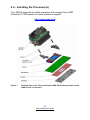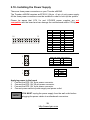
1
Back plate Assembly
The back plate is mounted on the backside of the motherboard and enhances
local stiffness to support shock and vibration loads acting on the heat sink. The
back plate assembly prevents excessive motherboard stress in the area near
the processor. Without a back plate, excessive stress could cause serious
damage to electrical connections of the processor socket and integrated circuit
packages surrounding the processor. The back plate also serves as a
reinforcement plate for the LGA socket.
While doing the installation, be careful in holding the components.
Follow these instructions to install your back plate:
1.
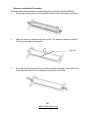
Remove the release liner from the back plate.
2.
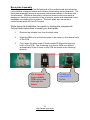
Align the PEM nuts on the back plate to the holes on the reverse side
of the PCB.
3.
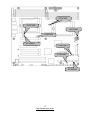
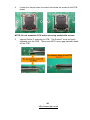
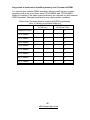
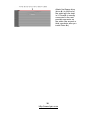
First, insert the taller upper & lower middle PEM nuts through the
holes of the PCB. The remaining four shorter PEM nuts should
automatically fit the 4 holes on the PCB as shown in the following
pictures.
Let 2 upper &
lower-middle
PEM nuts pass
through the
holes.
23
http://www.tyan.com
4 PEM nuts
should fit 4
holes.