1
FROTHING THE MILK FOR
CAPPUCCINO
(AND HEATING LIQUIDS) ......................14
INDEX
INTRODUCTION ..........................................7
Symbols used in these instructions ...........7
Letters in brackets ....................................7
Troubleshooting and repairs .....................7
Cleaning the cappuccino maker after use 15
HEATING WATER ......................................15
Preparation .............................................15
Changing the quantity .............................15
SAFETY ........................................................7
Fundamental safety warnings.....................7
Designated use .........................................8
Instructions ...............................................8
CLEANING AND MAINTENANCE ........15
Emptying the drip tray ............................16
Cleaning the coffee maker .......................16
Cleaning the water tank............................16
Cleaning the drip tray...............................16
Cleaning the coffee grounds container ....16
Cleaning the spouts ...............................16
Cleaning the coffee feed funnel ...............16
Cleaning the inside of the machine .........16
Cleaning the infuser ................................17
DESCRIPTION ...........................................8
Description of appliance ............................8
Description of control panel ......................8
Explanation of lights ..................................9
PRELIMINARY CHECKS ...........................9
Controls after transport .............................9
Installing the appliance ..............................9
Connecting the appliance ...........................9
Using the appliance for the first time.......10
DESCALING .............................................17
SETTING WATER HARDNESS ..............18
TURNING THE APPLIANCE ON ............10
Measuring water hardness ......................18
Setting water hardness ...........................18
TURNING THE APPLIANCE OFF .............10
TECHNICAL SPECIFICATION ...............18
CHANGING THE MENU SETTINGS..........11
DISPOSAL .................................................18
Setting the clock ......................................11
Setting the language ...............................11
Manual rinsing .........................................11
Descaling .................................................11
Setting the temperature ..........................11
Auto-off ...................................................11
Setting water hardness ...........................12
Resetting factory default values (reset) ...12
Installing the filter ...................................12
Replacing the filter ("Reset water filter") .12
Removing the filter ..................................12
Statistics function ....................................13
DISPLAYED MESSAGES ........................19
TROUBLESHOOTING .............................21
MAKING COFFEE ......................................13
Selecting the coffee taste .........................13
Selecting the quantity of coffee in
the cup ................................................... 13
Customising the "my coffee" quantity.......13
Regulating the coffee mill .......................13
Making coffee using coffee beans ...........13
Making coffee using pre-ground coffee ...14
6
INTRODUCTION
If repairs are required, contact an authorised service centre only.
The addresses are given in the guarantee certificate provided with the machine.
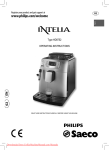
Thank you for choosing the ESAM 5450 automatic coffee maker.
We hope you enjoy using your new appliance.
Take a few minutes to read these instructions.
This will avoid all risks and damage to the machine.
SAFETY
Fundamental safety warnings
Symbols used in these instructions
Danger! This is an electrical appliance
and may cause electric shock.
Important warnings are identified by these
symbols.
These warnings must absolutely be respected.
Failure to observe the instructions could result in
electric shock, serious injury, burns, fire or damage to the appliance.
You should therefore respect the following safety
warnings:
• Never touch the appliance with damp hands.
• Never touch the plug with damp hands.
• Make sure the socket used is freely accessible
at all times, enabling the appliance to be
unplugged when necessary.
• Unplug directly from the plug only.
Never pull the power cable as you could
damage it.
• To disconnect the appliance completely you
must unplug it from the mains socket.
• If the appliance is faulty, do not attempt to
repair.
Turn it off, unplug from the mains socket and
contact a technical service centre.
• If the plug or power cable is damaged, it must
be replaced by a technical service centre only
to avoid all risk.
Danger!
Failure to observe the warning could result in possibly life threatening injury from electric shock.
Important!
Failure to observe the warning could result in
injury or damage to the appliance.
Danger of burns!
Failure to observe the warning could result in
scalds or burns.
NB:
This symbol identifies important advice or information for the user.
Danger! Keep all packaging (plastic bags,
polystyrene foam) away from children.
Letters in brackets
Danger! The appliance is not intended for
use by persons (including children) with reduced
physical, sensory or mental capabilities, or lack of
experience and knowledge, unless they have been
given supervision or instruction concerning use of
the appliance by a person responsible for their
safety. Children should be supervised to ensure that
they do not play with the appliance.
The letters in brackets refer to the legend in the
Description of the Appliance on page 3.
Troubleshooting and repairs
In the event of problems, first try and resolve
them following the information given in the sections "Displayed messages" on page 19 and
"Troubleshooting" on page 21.
If this does not resolve the problem or you require further information, you should consult the
technical assistance service by calling the number
given on the "Customer Service" sheet.
If your country is not among those listed on the
sheet, call the number given in the guarantee.
Important: Risk of burns! This appliance
produces hot water and steam may form while it
is in operation.
Avoid contact with splashes of water or hot
steam.
When the appliance is in operation, do not touch
the cup warmer shelf (A6) as it becomes hot.
7
GB
Designated use
DESCRIPTION
This appliance is designed and produced to make
coffee and heat drinks.
All other use is considered improper.
This appliance is not suitable for commercial use.
The manufacturer is not liable for damage deriving from improper use of the appliance.
Description of the appliance
(page 3 A1.
A2.
A3.
A4.
A5.
A6.
A7.
A8.
A9.
A10.
A11.
A12.
A13.
A14.
A15.
A )
Grinding coarseness regulator knob
Bean container lid
Container for coffee beans
Ground coffee feed funnel
Compartment for measure
Cup warmer shelf
Water tank
Infuser
Coffee grounds container
Cup tray
Drip tray
Service door
Coffee guide
Coffee spout (adjustable height)
Cappuccino maker (varies according to
model)
A16. Measure
A17. Main switch
Instructions
Read these instructions carefully before using the
appliance.
- Keep these instructions
If the appliance is passed to other persons,
they must also be provided with these instructions.
- Failure to respect these instructions may
result in burns or damage to the appliance.
The manufacturer is not liable for damage
deriving from failure to respect these instructions.
Description of control panel
(page 3 - B )
A number of buttons on the panel have a dual
function. This is indicated in brackets in the
description.
B1. Display: guides the user in using the
appliance.
B2.
button: to make 1 cup of coffee
with the settings displayed
B3.
button: to make 2 cups of coffee
with the settings displayed.
B4.
button: to deliver hot water or
steam to make hot drinks.
(When you access the MENU: pressing
the "OK" button confirms the selection
made).
B5. Indicator lights: indicate the current
settings, alarm messages or need for
maintenance.
B6. Selection knob: turn clockwise or
anticlockwise
until
the
light
corresponding to the quantity of coffee
comes on
"my coffee" (customised)
espresso coffee
standard coffee
long coffee
extra long coffee
(When you access the MENU: turn to
select).
8
B7.
Aroma selection button
: press
until the light corresponding to the type
of coffee you want to make comes on.
PRELIMINARY CHECKS
pre-ground coffee
After removing the packaging, make sure the product is complete and undamaged and that all
accessories are present.
Do not use the appliance if it is visibly damaged.
Contact the technical service centre.
Controls after transport
extra-mild taste
mild taste
standard taste
strong taste
Installing the appliance
extra-strong taste
B8.
Important!
When installing the appliance, respect the following safety warnings:
• The appliance gives off heat. Leave a free
space of at least 3 cm around the sides and
back of the appliance and at least 15 cm at the
top. Otherwise the heat could be trapped and
damage the machine.
• Water penetrating the appliance could cause
damage.
Do not place the appliance near taps or sinks.
• The appliance could be damaged if the water
it contains freezes. Do not install the appliance in a room where the temperature could
drop below freezing point.
• Arrange the power cable in such a way that it
cannot be damaged by sharp edges or contact
with hot surfaces (e.g. electric hot plates).
steam or hot water selection
button.
(When you access the MENU: press the
"ESC" button to exit from the selected
function and go back to the main
menu).
B9. P button to access the menu
B10.
button: turns the appliance on and
off
Explanation of lights
Indicates the need to descale the
appliance.
The Steam function is selected.
The Hot Water function is selected.
The Auto-Start function is active.
The water filter is exhausted. Replace
it.
Connecting the appliance
An alarm is displayed (see "Explanation
of lights").
Important! Check that the mains power
supply voltage corresponds to the value indicated
on the rating plate on the bottom of the appliance.
Indicates the button to press to confirm
the choice in the menu.
Connect the appliance to an efficiently earthed and
correctly installed socket with a minimum current
rating of 10A only.
If the power socket does not match the plug on
the appliance, have the socket replaced with a suitable type by a qualified professional.
Indicates the button to press to exit the
menu or cancel the selected function.
9
GB
Using the appliance for the first
time
•
•
•
TURNING THE APPLIANCE
ON
NB!
Coffee has been used to factory test the
appliance and it is therefore completely normal for there to be traces of coffee in the mill.
The machine is, however, guaranteed to be
new.
You should customise water hardness as
soon as possible following the instructions in
the section "Setting water hardness" on page
18.
Some models are fitted with a water softener
filter which reduces the build up of limescale
in the appliance.
To install, see the section "Installing the filter"
(page 12).
N.B.! Before turning the appliance on, make
sure the main switch is in the I position (fig. 29).
Each time the appliance is turned on, it performs
an automatic preheat and rinse cycle which cannot be interrupted.
The appliance is ready for use only after completion of this cycle.
Danger of burns! During rinsing, a little
hot water flows from the coffee spouts.
Avoid contact with splashes of water.
•
To turn the appliance on, press the
button (fig. 4). The message "Heating Up...
Please Wait" is displayed.
After heating, the message "RINSING" is displayed. As well as heating the boiler, the appliance
also heats the internal circuits by circulating hot
water.
The appliance is at temperature when the message "READY Standard Taste" is displayed.
1. Plug the appliance into the mains socket and
place the main switch on the back of the
appliance in the I position (fig. 29).
You must first select the language (the languages
scroll through at intervals of about two seconds):
2. When English appears, press the
button for three seconds (fig. 1). Once the language has been saved, the message "English
Installed" is displayed.
Follow the instructions indicated by the appliance:
3. "FILL TANK!": remove the water tank, fill to the
MAX line with fresh water then replace in the
appliance (fig. 2). The message "Hot Water...
Confirm?" is displayed.
4. Turn the cappuccino maker outwards and
place a container underneath (fig. 3).
Press the
button (fig. 1). “Please Wait..."
is displayed and the appliance begins to deliver hot water.
The appliance ends the first start up procedure,
then the message "Turning Off, Please Wait..." is
displayed and the appliance goes off.
The coffee maker is now ready for normal use.
TURNING THE APPLIANCE
OFF
Each time the appliance is turned off, it performs
an automatic rinse cycle which cannot be interrupted.
Danger of burns! During rinsing, a little hot
water flows from the coffee spouts.
Avoid contact with splashes of water.
To turn the appliance off, press the
button
(fig. 4). The appliance performs a rinse cycle, the
message "Turning Off! Please Wait..." is displayed
and the appliance goes off.
NB! When using the appliance for the first
time, you need to make 4/5 cups of coffee or 4/5
cappuccinos before the appliance starts to give
satisfactory results.
N.B.! If the appliance is not used for an
extended period, place the main switch in the 0
position (fig. 30).
10
CHANGING
SETTINGS
THE
MENU
by pressing the
on the display goes off.
Setting the clock
button. The AUTO icon
NB! To activate this function, the time must
be set.
1. Press the P button to enter the menu;
2. Turn the selection knob until "Adjust Time" is
displayed;
3. Press the
button;
4. Turn the selection knob to change the hours;
5. Press the
button to confirm (or the
button to cancel the operation);
6. Turn the selection knob to change the minutes;
7. Press the
button to confirm (or the
button to cancel the operation);
8. Press the
button to exit the menu.
Manual rinsing
1. Press the P button to enter the menu;
2. Turn the selection knob until "Rinsing..." is
displayed;
3. Press the
button;
4. The message "Confirm?" is displayed;
5. Press the
button to confirm (or the
button to cancel the operation). The rinse
function begins and "Rinsing..." is displayed;
6. After rinsing, the appliance automatically exits
the menu and is ready to make coffee.
Setting the language
NB! Unlike automatic rinsing, manual rinsing can be interrupted at any moment by pressing the
button.
1. Press the P button to enter the menu;
2. Turn the selection knob until "Set Language" is
displayed;
3. Press the
button;
4. Turn the selection knob until the required language is displayed;
5. Press the
button to confirm (or the
button to cancel the operation);
6. Press the
button to exit the menu.
Descaling
1. Press the P button to enter the menu;
2. Turn the selection knob until "Descaling" is
displayed;
3. Press the
button;
4. The message "Confirm?" is displayed.
5. Press the
button to confirm (or the
button to cancel the operation);
6. Perform descaling as described in the section
"Descaling" (page 17).
Setting auto-start time
You can set the auto-start time in order to have
the appliance ready at a certain time (for example
in the morning) so you can make coffee immediately.
1. Press the P button to enter the menu;
2. Turn the selection knob until "Auto-Start" is
displayed;
3. Press the
button;
4. Turn the selection knob to change the hours;
5. Press the
button to confirm (or the
button to cancel the operation);
6. Turn the selection knob to change the minutes;
7. Press the
button to confirm (or the
button to cancel the operation);
8. Press the
button to exit the menu.
Setting the temperature
1. Press the P button to enter the menu;
2. Turn the selection knob until "Set
Temperature" is displayed;
3. Press the
button;
4. Turn the selection knob until the required temperature (high, medium, low) is displayed;
5. Press the
button to confirm (or the
button to cancel the operation);
6. Press the
button to exit the menu.
Auto-Off
1. Press the P button to enter the menu;
2. Turn the selection knob until "Auto-Off" is displayed;
3. Press the
button;
4. Turn the selection knob until the required
number of hours of operation (1, 2 or 3) is
displayed;
After confirming the time, the red AUTO light on
the display comes on indicating that the function
is active.
To deactivate the function, select auto-start from
the menu by pressing the
button and exit
11
GB
5. Press the
button to confirm (or the
button to cancel the operation);
6. Press the
button to exit the menu.
10. Press the
button to confirm the selection (or
to cancel). The message "Hot
Water... Confirm?" is displayed.
11. Press the
button again. The appliance begins delivering hot water and the message "Please wait... " is displayed. After delivery,
the appliance returns automatically to the
"Ready for coffee" position.
Setting water hardness
1. Press the P button to enter the menu;
2. Turn the selection knob until "Water Hardness"
is displayed;
3. Press the
button;
4. Turn the selection knob until the water hardness measured using the indicator strip is displayed (see paragraph "Measuring water hardness" on page 18);
5. Press the
button to confirm (or the
button to cancel the operation);
6. Press the
button to exit the menu.
Replacing the filter ("Reset water
filter")
When the red
light comes on or after two
months of use (see date indicator), the filter must
be replaced:
1. Remove the exhausted filter;
2. Remove the new filter from the packaging.
3. Slide the pointer of the date indicator (fig. 28,
page 5) until the months of use are displayed
(the filter lasts about two months).
4. Insert the filter in the water tank and press it
until it touches the bottom of the tank (fig. 28,
page 5).
5. Fill the water tank and insert in machine;
6. Turn the cappuccino maker outwards and
place a container underneath (min. capacity
100ml).
7. Press the P button to enter the menu;
8. Turn the selection knob until "Reset Water
Filter" is displayed;
9. Press the
button;
10. The message "Confirm?" is displayed.
11. Press the
button to confirm the selection (or the
button to cancel the operation). The message "Hot Water... Confirm?"
is displayed.
12. Press the
button again. The appliance
begins delivering hot water and the message
"Please wait... " is displayed. After delivery, the
appliance returns automatically to the "Ready
for coffee" position.
Resetting factory default values
(reset)
This function resets the entire menu with the
default values (except the language, which
remains as set).
1. Press the P button to enter the menu;
2. Turn the selection knob until "Default Values"
is displayed;
3. Press the
button;
4. The message "Confirm?" is displayed.
5. Press the
button to confirm and exit
(or the
button to cancel the operation).
Installing the filter
Certain models are provided with a water softener
filter. If this is not the case with your model, you
are recommended to purchase one from an authorised De' Longhi technical service centre.
To install, proceed as follows:
1. Remove the filter from the packaging.
2. Slide the pointer of the date indicator (fig. 28,
page 5) until the months of use are displayed
(the filter lasts about two months).
3. Insert the filter in the water tank and press it
down until it touches the bottom of the tank
(fig. 28, page 5).
4. Fill the water tank and insert in machine;
5. Turn the cappuccino maker outwards and
place a container underneath (min. capacity
100ml).
When you install the filter, you must notify the
appliance of its presence.
6. Press the P button to enter the menu;
7. Turn the selection knob until "Install Filter" is
displayed;
8. Press the
button;
9. The message "Confirm?" is displayed.
Removing the filter
If you want to use the appliance without a filter, you
must remove it and notify the appliance of its removal as follows:
1. Press the P button to enter the menu;
2. Turn the selection knob until "Install Filter *" is
displayed;
3. Press the
button;
4. The message "Confirm?" is displayed.
5. Press the
button;
6. When the asterisk has disappeared from the top
right of the display, press
to exit the
menu.
12
Customising the "MY COFFEE"
quantity
Important! If this is not done, the appliance
could become clogged with limescale.
The appliance is factory preset to automatically
deliver 30ml.
1. Place a cup under the coffee spouts ( fig. 6).
2. Turn the selection knob (B6) until the
light comes on.
3. Press the 1 cup button
for at least 8
seconds (fig. 7). The message "1 MY COFFEE
Programme Quantity" is displayed and coffee
delivery begins;
4. As soon as the coffee in the cup reaches the
required level, press the 1 cup button
again.
Statistics function
1. Press the P button to enter the menu;
2. Turn the selection knob until "Statistics" is displayed;
3. Press the
button;
4. Turn the selection knob to verify:
- how many coffees have been made;
- how many times the machine has been descaled;
- the total number of litres of water delivered;
- how many times the water filter has been replaced.
5. Press the
button twice to exit the menu.
The quantity set has now been programmed.
MAKING COFFEE
Regulating the coffee mill
Selecting the coffee taste
The coffee mill is preset in the factory to make
coffee correctly and should not require regulating
initially.
However, if after making the first few coffees you
find that delivery is either too fast or too slow (in
drops), this can be corrected by regulating the
grinding adjustment knob (fig. 8).
The appliance is preset to make coffee with a standard taste.
You can also choose one of these tastes:
Extra-mild taste
Mild taste
Standard taste
For slower coffee delivery and a creamier coffee, turn one click
towards "1" (finer
ground coffee).
Strong taste
Extra-strong taste
To change the flavour, press the
button (fig.
5) repeatedly until the required taste is displayed.
For more rapid coffee
delivery (not in drops),
turn one click towards
"7" (coarser ground coffee).
Selecting the quantity of coffee in the
cup
To select the quantity of coffee, turn the selection
knob until the light corresponding to the required
quantity of coffee comes on:
These adjustments will only be evident after at
least 2 cups of coffee have been delivered.
NB! The grinding coarseness regulator
must only be turned when the coffee mill is in
operation.
NORMAL
60ml
ESPRESSO
40ml
MY
COFFEE
30ml
LONG
90ml
Making coffee using coffee beans
EXTRA
LONG
120ml
Important! Do not use caramelised or
candied coffee beans as they could stick to the
coffee mill and make it unusable.
1. Fill the container (A3) with coffee beans (fig.
9).
2. Place under the coffee spouts:
- 1 cup, if you want 1 coffee (fig. 6);
- 2 cups, if you want 2 coffees.
13
GB
3. Lower the spouts as near as possible to the
cup. This makes a creamier coffee (fig. 10).
4. Press the corresponding coffee button (1 cup
or 2 cups
) (fig. 7 and 11).
5. Preparation begins. A progress bar appears
on the display and gradually advances as the
procedure progresses (fig. 12).
Once the coffee has been made, the appliance is
ready to use again.
•
•
•
FROTHING THE MILK FOR
CAPPUCCINO (AND HEATING
LIQUIDS)
The steam can be used to froth milk and heat
liquids.
NB! To make cappuccino, prepare the coffee in a large cup then add the frothed milk.
NB!
While the machine is making coffee, delivery
can be interrupted at any moment by pressing
one of the coffee buttons (
or
).
As soon as delivery is finished, to increase the
quantity of coffee in the cup, just hold down
one of the coffee buttons (
or
) until
the required amount is reached (this must be
done within three seconds after completion of
delivery).
If the coffee is delivered in drops, too fast and
not creamy enough or too cold, read the tips
in the "Troubleshooting" section on page 21.
Important! Danger of burns
When you use the steam function, steam comes
out of the cappuccino maker. Take care to avoid
burns.
1. Turn the cappuccino maker outwards and
place a container underneath (fig. 3).
2. Press the
button until the
light comes
on.
NB! To avoid residual water being mixed
with the milk during frothing, you should deliver
the water first. To do this, allow the water mixed
with the steam to flow for a few seconds until only
steam comes out.
Making coffee using pre-ground
coffee
3. Press the
button (fig. 1). The appliance
heats up and "Please Wait..." is displayed.
When the appliance reaches the ideal temperature, it begins producing steam and
"Steam..." is displayed. Interrupt by pressing
the same button again.
4. Empty the container and fill with about 100
grams of milk for each cappuccino to be prepared. In choosing the size of the container,
bear in mind that the milk doubles or triples in
volume.
You are recommended to use semi-skimmed
milk at refrigerator temperature.
5. If the cappuccino maker fitted to your model
has a double position ring, turn the ring* to
the CAPPUCCINO position (fig. 15). If on the
other hand you want hot milk, turn the ring to
the "MILK" position.
5. Immerse the cappuccino maker in the milk
container (fig. 16). Take care not to immerse
the black ring or the raised line on the cappuccino maker.
6. Press the
button. Steam is discharged
from the cappuccino maker, giving the milk a
creamy frothy appearance.
NB! If you use pre-ground coffee, you
can only make one cup of coffee at a time.
1. Press the
button repeatedly (fig. 13)
until "READY Pre-Ground" is displayed and the
light flashes.
•
•
Important!
Never add pre-ground coffee when the machine is off or it could spread through the inside
of the machine and dirty it.
This could damage the appliance.
Never use more than one
level measure or it could
dirty the inside of the
machine or block the funnel.
2. Put one level measure of pre-ground coffee
into the funnel (fig. 14).
3. Place a cup under the coffee spouts.
4. Press the 1 cup coffee button
(fig. 7).
14
HEATING WATER
NB! To obtain a creamier froth, immerse
the cappuccino maker in the milk and rotate the
container with slow upward movements.
GB
Preparation
Important! Danger of burns. Never leave
the machine unsupervised while delivering hot
water. Stop delivery of hot water as described
below when the cup is full. The hot water spout
becomes hot while water is being delivered and
must be held by the handle only.
You should not deliver steam for more than 3
minutes at a time.
7. When the required froth is obtained, interrupt
steam delivery by pressing the
button.
1. Place a container under the spout (as close as
possible to avoid splashes).
Important! Danger of burns
Stop steam delivery before removing the container with the frothed milk to avoid burns caused by
splashes of boiling milk.
2. Press the
comes on.
button (fig. 1) until the
light
3. Press the
button (fig. 3), then interrupt
by pressing the same button again or wait
until the customised quantity has been delivered.
8. Add the milk froth to the coffee prepared previously. The cappuccino is ready. Sweeten to
taste and, if desired, sprinkle the froth with a
little cocoa powder.
Cleaning the cappuccino maker
after use.
Important: You should not deliver hot water
for more than 3 minutes at a time.
Clean the cappuccino maker each time you use it
to avoid the build-up of milk residues or blockages.
Changing the quantity
The appliance is factory preset to automatically
deliver 250ml. To modify these quantities, proceed as follows:
1. Position a container under the spouts.
2. Press the
button until the
light
comes on.
3. Press and hold the
button down for at
least 8 seconds.
The message "Hot Water Programme
Quantity" is displayed.
4. When the hot water in the cup reaches the
required level, press the
button again.
Important! Danger of burns When cleaning the cappuccino maker, a little hot water
comes out. Avoid contact with splashes of water.
1. Flow off a little water or steam for a few
seconds by pressing the
button.
Press the button again to stop the flow of
steam/hot water.
2. Wait for a few minutes for the cappuccino
maker to cool down, hold the handle of the
cappuccino tube in one hand and with the
other rotate the cappuccino maker anticlockwise (fig. 17) then remove by pulling downwards.
3. Remove the ring upwards (fig. 18 - certain
models only).
4. Wash all parts of the cappuccino maker thoroughly with warm water.
5. Make sure the two holes shown by the arrow
in fig. 19 are not blocked. If necessary, clean
with a pin.
6. Replace the inner section by inserting it carefully onto the adjustable tube, then insert the
steam nozzle and turn anticlockwise to lock it
in place.
The machine is now reprogrammed with the new
quantity.
CLEANING AND
MAINTENANCE
Danger of electric shock!
15
•
Before performing any cleaning operations,
the machine must be turned off and disconnected from the mains power supply.
•
Never immerse the coffee maker in water.
Cleaning the water tank
Important! Danger of burns. Allow the
machine to cool down before cleaning.
•
•
•
1. Clean the water tank (A7) regularly (about
once a month) with a damp cloth and a little
mild washing up liquid.
2. Clean to remove all washing up liquid residues, then rinse the water tank thoroughly.
Important!
Do not use solvents, abrasive detergents or
alcohol to clean the coffee maker.
None of the components can be washed in a
dishwasher.
Do not use metal objects to remove encrustations or coffee deposits as they could scratch
metal or plastic surfaces.
Cleaning the drip tray
•
Clean the drip tray (A11) each time you empty
it using a damp cloth and a little mild washing
up liquid.
Emptying the drip tray
Cleaning the coffee grounds
container
Important! If the drip tray (A11) is not emptied regularly, the water could overflow from the
edge and seep inside or around the machine. This
could damage the machine, the surface it rests on
or the surrounding area.
1. Clean the grounds container (A9) each time
you empty it using a damp cloth and a little
mild washing up liquid.
2. Try removing the toughest coffee encrustations with a toothpick. If this is not sufficient,
soften the encrustations by soaking the
grounds container in water for a few minutes.
The drip tray has a water level indicator in the
form of a red float which rises up as the level of
water in the drip tray rises.
Cleaning the spouts
Empty the drip tray before the red float protrudes
from the tray (fig. 20).
1. Clean the coffee spout (A14), ideally each
time you use the coffee maker, with a sponge
or cloth (fig. 23).
2. Check regularly (about once a month) that the
holes in the coffee spout (A14) are not blocked. If necessary, remove coffee deposits
with a toothpick (fig. 24), sponge or stiff bristled kitchen brush.
To remove the tray:
1. Open the service door (fig. 21);
2. Remove the drip tray and the grounds container (Fig. 22);
3. Empty the drip tray and grounds container
(A9);
4. Replace the drip tray complete with grounds
container (A9);
5. Close the service door.
Cleaning the coffee feed funnel
•
Cleaning the coffee maker
The following parts of the machine must be cleaned regularly:
- water tank (A7),
- drip tray (A11),
- coffee grounds container (A9),
- coffee spouts (A14) and hot water/cappuccino
maker nozzle (A15),
- pre-ground coffee feed funnel (A4),
- inside the machine, accessible after opening
the service door (A12),
- infuser (A8).
Check regularly (about once a month ) that
the pre-ground coffee funnel is not blocked. If
necessary, remove coffee deposits with a kitchen knife.
Cleaning the inside of the machine
1. Check regularly (about once a week) that the
inside of the machine is not dirty.
If necessary, remove coffee deposits with a
toothpick, sponge or stiff bristled kitchen
brush.
2. Remove the residues with a vacuum cleaner
(fig. 25).
16
Cleaning the infuser
7. Once inserted, make
sure the two red buttons
have snapped out.
8. Replace the drip tray
(A11) and grounds container (A9).
9. Close the service door
(A12).
The infuser must be cleaned at least once a
month.
Important! The infuser (A8) may not be
removed when the appliance is on. Do not
attempt to use force to remove the infuser as this
could damage the machine.
GB
DESCALING
1. Turn the appliance off by pressing the
button. When the appliance has gone off, unplug.
2. Open the service door (fig. 21);
3. Remove the drip tray and grounds container
(fig. 22);
4. Press the two red release buttons inwards and
at the same time pull the infuser outwards
(fig. 26).
Descale the machine when the red light
message "DESCALE!" flash on the display.
and
Important! Descaler contains acids which
may irritate the skin and eyes. It is vital to respect
the manufacturer’s safety warnings given on the
descaler pack and the warnings relating to the procedure to follow in the event of contact with the skin
and eyes.
Important! Do not use washing up liquid to
clean the infuser (A8). The detergent would remove the lubricant applied to the inside of the piston,
causing the infuser to seize up and become unusable.
NB! Failure to descale the appliance as
described above invalidates the guarantee.
1. Turn the machine on.
2. Press the P button to enter the menu;
3. Turn the selection knob until "Descaling" is
displayed;
4. Select by pressing the
button. The
message "Descaling Confirm?" is displayed.
Press
to activate the function.
5. The message "Insert Descaler. Confirm?" is
displayed.
6. Empty the water tank (A7) and remove the
water softener filter (if present).
7. Pour the descaler diluted with water (respecting the proportions indicated on the descaler
bottle) into the water tank. Always use descaler recommended by De’Longhi (contact an
authorised service centre).
8. Place an empty container with a minimum
capacity of 1.5 litres under the hot water
spout (B7) (fig. 3).
5. Soak the infuser in water for about 15 minutes, then rinse.
6. After cleaning, replace the infuser (A8) by sliding it onto the internal support and pin at the
bottom, then push the PUSH symbol fully in
until it clicks into place.
Support
Important! Danger of burns Hot water containing acid flows out of the hot water spout.
Avoid contact with splashes of water.
Pin
9. Press the
button to confirm that you
have added the solution and begin the descaling procedure.
10. The message "Descaling Underway" is displayed. The descaling programme starts and the
descaler liquid comes out of the steam nozzle. The descale programme automatically performs a series of rinses and pauses to remo-
NB! If the infuser is
difficult to insert, you must
first adapt it to the right
dimension by pressing it
forcefully from the bottom
and top as shown in the figure.
17
Setting water hardness
ve limescale deposits from inside the machine.
After about 30 minutes, the message "Rinsing
FILL TANK!" is displayed.
11. The appliance is now ready for rinsing
through with clean water. Remove the water
tank, empty, rinse under running water, fill
with clean water and replace. "Rinsing...
Confirm?" is displayed.
12. Empty the container used to collect the descaler solution and replace it under the cappuccino maker.
13. Press the
button to start rinsing. Hot
water flows out of the cappuccino maker and
the message "Rinsing..." is displayed.
14. When the water tank is completely empty, the
message "Rinsing Complete... Confirm?" is
displayed
15. Press the button
, insert the filter (if it
was present), fill the water tank and the
appliance is ready for use.
1. Press the P button to enter the menu.
2. Turn the selection knob to select "Water
Hardness".
3. Confirm the selection by pressing the
button.
4. Turn the selection knob and set the level
shown by the indicator paper (see previous
paragraph).
5. Press the
button to confirm the setting.
6. Press the
button to exit the menu.
The machine is now reprogrammed with the new
water hardness setting.
TECHNICAL SPECIFICATION
Voltage: 220-240 V~ 50/60 Hz 10A max.
Absorbed power: 1350W
Pressure: 15 bar
Water tank capacity: 1.7 litres
Size: LxHxD: 284x374x441 mm
Weight: 11.4 Kg
SETTING WATER HARDNESS
The DESCALE message is displayed after a period
of time established according to water hardness.
The machine is factory set for a hardness value of
4.
The machine can also be programmed according
to the hardness of the mains water in the various
regions, varying the frequency with which the
message is displayed.
•
•
The appliance complies with the following
EC directives:
Low Voltage Directive 2006/95/EC;
EMC Directive 89/336/EEC and subsequent
amendments 92/31/EEC and 93/68/EEC.
Materials and accessories coming into contact
with food conform to EEC directive 1935/2004.
Measuring water hardness
DISPOSAL
1. Remove the "TOTAL HARDNESS TEST" indicator paper from its pack.
2. Immerse the paper completely in a glass of
water for one second.
3. Remove the paper from the water and shake
lightly.
After about a minute, 1, 2, 3, or 4 red squares
form, depending on the hardness of the water.
Each square corresponds to one level.
Electrical appliances must not be disposed of as household waste.
Appliances with this symbol are covered
by European Directive 2002/96/EC.
All unused electric and electronic appliances must
be disposed of separately from household waste
by taking them to State authorised special centres.
Disposing of the unused appliance correctly
avoids damage to the environment and a risk to
health.
For more information on disposing of the unused
appliance, contact the local administration, the
waste disposal department or the shop where the
appliance was bought.
Livello 1
Livello 2
Livello 3
Livello 4
18
DISPLAYED MESSAGES
DISPLAYED MESSAGE
GB
POSSIBLE CAUSE
REMEDY
FILL TANK!
•
The water tank is empty or
positioned incorrectly.
•
Fill the tank with water
and/or insert it correctly,
pushing it as far as it will go
until it clicks into place.
GROUND TOO FINE ADJUST
MILL!
•
The grinding is too fine and
the coffee is delivered too
slowly.
•
•
The machine is not able to
make coffee.
•
Repeat coffee delivery and
turn the grinding adjustment knob one click clockwise towards "7" while the
coffee mill is in operation.
Press the
button and
deliver water from the
spout for a few seconds.
EMPTY GROUNDS CONTAINER
•
The grounds container (A9)
is full.
•
Empty the grounds container and clean, then replace.
Important: when removing
the drip tray, the grounds
container MUST be emptied, even if it is not completely full.
If this is not done, when
you make the next coffees,
the grounds container may
fill up more than expected
and clog the machine.
INSERT GROUNDS CONTAINER
•
After cleaning, the grounds
container has not been
replaced.
•
Open the service door and
insert the grounds container.
ADD PRE-GROUND COFFEE!
•
Place pre-ground coffee in
the funnel or deselect the
"pre-ground" function.
•
Place pre-ground coffee in
the funnel or deselect the
"pre-ground" function.
ALTERNATING WITH...
HOT WATER... confirm?
19
DISPLAYED MESSAGE
DESCALE!
POSSIBLE CAUSE
•
This indicates that appliance is clogged with limescale.
•
The descaling procedure
described in the "Descaling"
section needs to be performed as soon as possible.
•
Too much pre-ground coffee has been used.
•
Empty the funnel with the
help of a knife, as described
in the section "Cleaning the
funnel to add coffee".
Select a milder taste or
reduce the quantity of preground coffee, then deliver
the coffee again.
FLASHES
LESS COFFEE!
REMEDY
•
FILL BEANS CONTAINER!
•
The coffee beans have run
out.
•
Fill bean container
INSERT INFUSER ASSEMBLY!
•
The infuser has not been
replaced after cleaning.
•
Insert the infuser as described in the paragraph
"Cleaning the infuser".
CLOSE DOOR!
•
The service door is open
•
Close the service door.
GENERAL ALARM!
•
The inside of the appliance
is very dirty.
•
Clean the inside of the
appliance thoroughly, as
described in the section
"Cleaning and maintenance". If the message is still
displayed after cleaning,
contact a service centre.
20
TROUBLESHOOTING
GB
Below is a list of some of the possible malfunctions.
If the problem cannot be resolved as described, contact a technical service centre.
PROBLEM
The coffee is not hot
POSSIBLE CAUSE
REMEDY
•
The cups have not been
preheated.
•
•
The infuser has cooled
down because 2/3 minutes
have elapsed since the last
coffee was made.
•
•
The coffee is ground too
coarsely.
•
•
Wrong type of coffee.
•
The coffee is delivered too
slowly or a drop at a time.
•
The coffee is ground too
finely.
•
Turn the grinding adjustment knob one click clockwise towards "7" while the
coffee mill is in operation
(fig. 8). Continue one click
at a time until coffee delivery is satisfactory. The
effect is only visible after
delivering two coffees.
The coffee is delivered too
quickly.
•
The coffee is ground too
coarsely.
•
Turn the grinding adjustment knob one click anticlockwise towards "1" while
the coffee mill is in operation (fig. 8). Avoid turning
the grinding coarseness
regulator excessively otherwise when you select 2
cups, the coffee may be
delivered a drop at a time.
The effect is only visible
after delivering two coffees.
The coffee is not creamy
enough
21
Heat the cups by rinsing
them in hot water or leaving
them to rest for at least 20
minutes on the cup warmer
tray.
Before making the coffee,
heat the infuser by pressing
the manual rinse button
(page 11).
Turn the grinding adjustment knob one click anticlockwise towards "1" while
the coffee mill is in operation (fig. 8).
Use a type of coffee for
espresso coffee makers.
PROBLEM
POSSIBLE CAUSE
REMEDY
Coffee does not come out of
one of the spouts.
•
The spouts are blocked.
•
If necessary, remove coffee
deposits with a toothpick
(fig. 24), sponge or stiff
bristled kitchen brush.
The coffee does not come out
of the spouts, but from around
the service door (A12).
•
The holes in the spouts are
clogged with dry coffee
dust.
•
•
The coffee guide (A13) inside the service door is blocked and cannot swing.
•
If necessary, remove coffee
deposits with a toothpick,
sponge or stiff bristled kitchen brush (fig. 24).
Thoroughly clean the coffee
guide (A13), particularly
near the hinges.
Water comes out of the spouts
instead of coffee.
•
The ground coffee may be
blocked in the funnel (A4).
•
Clean the funnel (A4) with a
wooden or plastic fork,
clean the inside of the
machine.
The milk has big bubbles
•
The milk is not cold enough
or is not semi-skimmed.
•
You should ideally use
skimmed or semi-skimmed
milk at refrigerator temperature (about 5°C). If the
result is still disappointing,
try another brand of milk.
The milk is not frothed
•
Cappuccino maker dirty.
•
Clean as described in the
section "Cleaning the cappuccino maker after use".
Steam delivery stops
•
A safety device stops steam
delivery after 3 minutes.
•
Wait, then activate the
steam function again.
The appliance does not come
on.
•
It is not plugged into the
mains socket.
The main switch is not turned on.
•
Plug into the mains socket.
•
Place the main switch in the
I position (fig. 29).
•
22