1
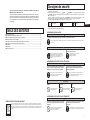
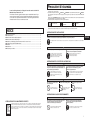
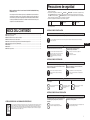
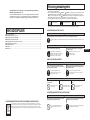
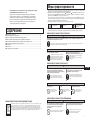
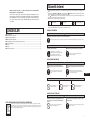
Controls and function
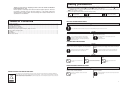
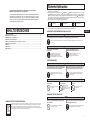
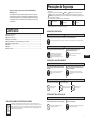
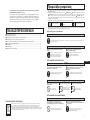
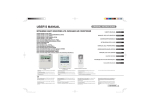
Operation/inspection display lamp
Corresponding to the each operation/stop
switch, it will be displayed as follows.
Running: Lit in green.
Stop or not connected: Unlit.
Trouble: Lit in red.
Each operation/stop button
Each button is used to run/stop the
relevant air conditioner respectively. (16
units as a total.)
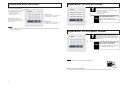
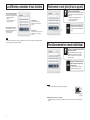
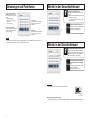
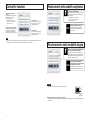
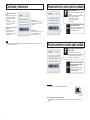
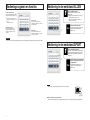
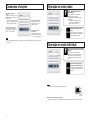
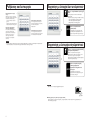
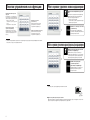
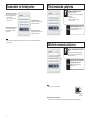
Operation in the all mode
1
Press the RUN ALL button.
All connected air conditioners will be run.
The operation/inspection lamp will be lit as follows.
Running: Lit in green.
Stop or not connected: Unlit.
Error: Lit in red.
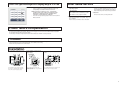
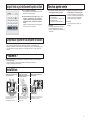
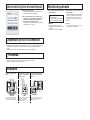
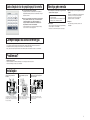
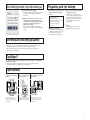
STOP ALL button
The button is used to stop all connected
air conditioners at the same time.
Press the STOP ALL button.
Stop
RUN ALL button
The button is used to run all connected
air conditioners at the same time.
1
All connected air conditioners will be
stopped with the operation/inspection lamp
unlit.
Notice
• Since the button indication label is provided, put the name of the connected destination on them, and bond it at the
space above the button.
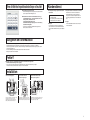
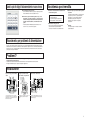
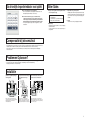
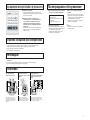
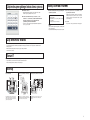
Operation in the each mode
1
Press the each operation/stop button.
Press the button which is connected to the air
conditioner, and the air conditioner respectively will
be run with the corresponding operation/inspection
lamp lit in green.
1
Stop
Press the each operation/stop
button which is in operation.
The air conditioner will be stopped with the
operation/inspection lamp unlit.
Request
• To press the button, do not use any sharp-pointed object.
■ Other settings except operation/stop
To set the operation mode, temperature, wind volume and so on, use the standard remote controller.
2