1
Specifications
troubleshooting
When I plug different devices into my
Conserve Insight, after some time, the
values on the screen don’t change as
much and there is a strange icon above
the meter bar.
If you leave your Conserve Insight plugged
into a wall outlet for more than 45 minutes,
it swaps into an averaging mode. This
mode is very helpful for getting more
accurate estimates of the true cost of the
connected device, but if you are just testing
lots of different devices and their various
operating modes, then the instantaneous
mode is most helpful. To revert back to
instantaneous mode, unplug the Conserve
Insight from the wall outlet and plug it back
in again. You will be in instantaneous mode
for another 45 minutes.
Sometimes when I plug devices into
Conserve Insight, the screen shows
“0-0.5 Watt” and I don’t know what
it means.
Your Conserve Insight uses sensitive
electronics to measure the amount of power
flowing to your connected device. When
the connected device is consuming a very
small amount of electricity, it becomes
very difficult to distinguish between the
power being consumed and the electrical
noise found at all power outlets. To ensure
accurate readings, the Conserve Insight
stops showing values below 0.5 watts and
displays the “0-0.5 Watt” screen.
5 ft. cord connecting display and socket
Electrical Rating: 120V~/15A/60Hz/1800W
Maximum Watts Displayed: 1800
Maximum Dollars Displayed: 9999
Safety Information
Important: Use indoors in a dry location.
NOTE: This equipment has been tested and found to comply with
the limits for a Class B digital device, pursuant to part 15 of the FCC
Rules. These limits are designed to provide reasonable protection
against harmful interference in a residential installation. This
equipment generates, uses, and can radiate radio frequency energy
and, if not installed and used in accordance with the instructions,
may cause harmful interference to radio communications. However,
there is no guarantee that interference will not occur in a particular
installation. If this equipment does cause harmful interference to
radio or television reception, which can be determined by turning
the equipment off and on, the user is encouraged to try to correct
the interference by one of the following measures:
eorient or relocate the receiving antenna.
R
Increase the separation between the equipment and receiver.
onnect the equipment into an outlet on a circuit different from
C
.
.
.
to which the receiver is connected.
. that
Consult
the dealer or an experienced radio/TV technician for help.
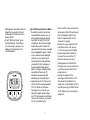
NOTE: If you want the display to remain in
instantaneous mode, you can do this by
holding down the CO2 and Watts buttons
simultaneously for 3 seconds. When you
see the averaging icon flash, it means you
have disabled the averaging function. A
description of the different operating modes
can be found in the Product Features
section of this user guide.
Belkin International, Inc., is not responsible for any interference
caused by unauthorized modifications to this equipment.
Such modifications could void the user’s authority to operate
this equipment.
Limited One (1) Year Warranty
What this warranty covers.
Belkin International, Inc., warrants to the original purchaser of this
Belkin Conserve Insight, that the Conserve Insight shall be free of
defects in design, assembly, material, or workmanship.
7