1
61/144
First Installation Steps
2.2 First Installation Steps
2.2.1 Initial Installation of the Sensor Modules (Except M15D Kits)
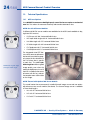
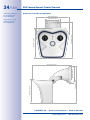
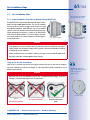
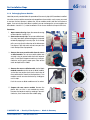
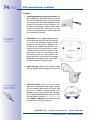
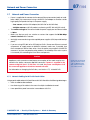
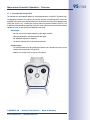
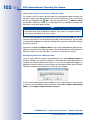
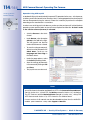
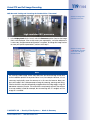
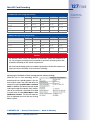
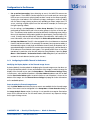
The MOBOTIX M15 cameras are delivered with a pre-assembled housing as M15 Core camera. The sensor modules
(consisting of lens carrier, image sensor and lens) need
be ordered separately. Upon delivery, the sensor module
sockets in the front element are fitted with transport plugs.
When operating the camera, it needs to be fitted either
with sensor or blind modules. This closes off the front element and protects the camera against foreign objects,
insects and water.
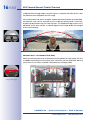
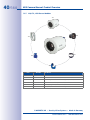
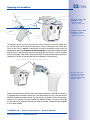
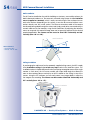
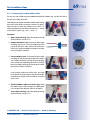
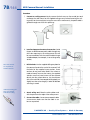
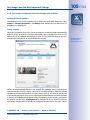
L12 sensor module
Not required with M15D
Kit (see Section 1.3.6)
L25, L38, L51, L76, L160
sensor modules
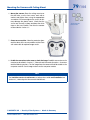
Caution
Only replace the sensor modules when the camera is disconnected from the power
supply. Make sure the power supply to the camera is disconnected before installing
or replacing sensor modules.
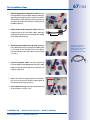
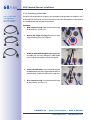
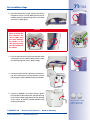
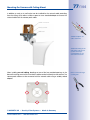
When installing the sensor modules, make sure that the sensor module cables and
the patch cable are not damaged or bent sharply.
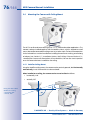
Using One or Two Sensor Modules
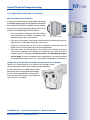
With an M15, you have the choice of using the camera with one or two sensor modules.
Since the modules are easily exchanged, it is also possible to add a module or to use
different ones later on.
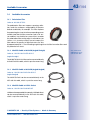
Caution
MOBOTIX Tutorials:
http://www.mobotix.com/
other/Support/
Tutorials/
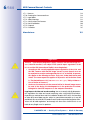
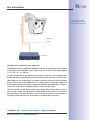
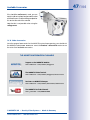
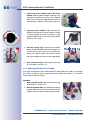
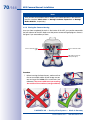
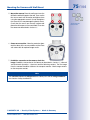
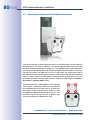
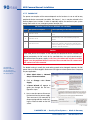
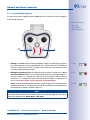
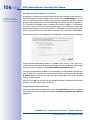
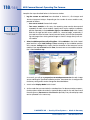
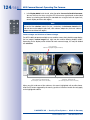
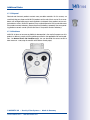
Note that you must not operate the M15 with installed transport plugs, since the
camera is not protected against the environments:
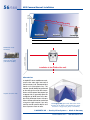
Transport plug
M15 with two transport
plugs:
No operation allowed!
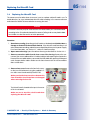
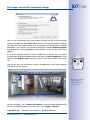
M15 with one transport plug:
M15 with one blind module:
No operation allowed!
Unrestricted operation
(IP66)
© MOBOTIX AG • Security-Vision-Systems • Made in Germany
www.mobotix.com • [email protected]