1
12 / 58
Debian New Maintainers’ Guide
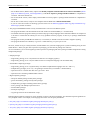
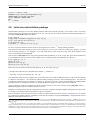
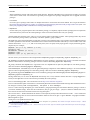
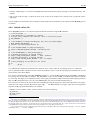
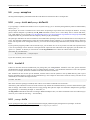
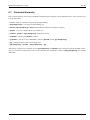
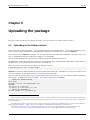
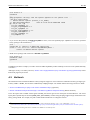
$ cat >>~/.bashrc <<EOF
DEBEMAIL=”[email protected]”
DEBFULLNAME=”Firstname Lastname”
export DEBEMAIL DEBFULLNAME
EOF
$ . ~/.bashrc
2.8
Initial non-native Debian package
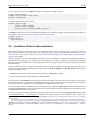
Normal Debian packages are non-native Debian packages made from upstream programs. If you wish to create a non-native
Debian package of an upstream source gentoo-0.9.12.tar.gz, you can create an initial non-native Debian package for it
by issuing the dh_make command as follows:
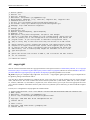
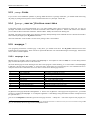
$
$
$
$
$
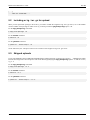
cd ~/gentoo
wget http://example.org/gentoo-0.9.12.tar.gz
tar -xvzf gentoo-0.9.12.tar.gz
cd gentoo-0.9.12
dh_make -f ../gentoo-0.9.12.tar.gz
Of course, replace the filename with the name of your original source archive.
17
See dh_make(8) for details.
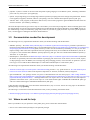
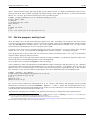
You should see some output asking you what sort of package you want to create. Gentoo is a single binary package - it creates
only one binary package, i.e, one .deb file - so we will select the first option (with the s key), check the information on the
screen, and confirm by pressing ENTER. 18
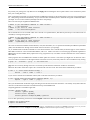
This execution of dh_make creates a copy of the upstream tarball as gentoo_0.9.12.orig.tar.gz in the parent directory
to accommodate the creation of the non-native Debian source package with the name debian.tar.gz later:
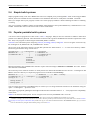
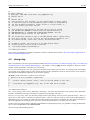
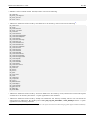
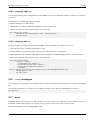
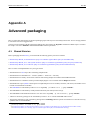
$ cd ~/gentoo ; ls -F
gentoo-0.9.12/
gentoo-0.9.12.tar.gz
gentoo_0.9.12.orig.tar.gz
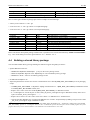
Please note two key features of this filename gentoo_0.9.12.orig.tar.gz:
• Package name and version are separated by the character _ (underscore).
• The string .orig is inserted before the .tar.gz.
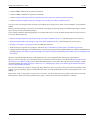
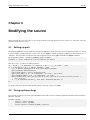
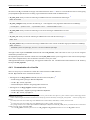
You should also notice that many template files are created in the source under the debian directory. These will be explained
in Chapter 4 and Chapter 5. You should also understand that packaging cannot be a fully automated process. You will need
to modify the upstream source for Debian (see Chapter 3). After this, you need to use the proper methods for building Debian
packages (Chapter 6), testing them (Chapter 7), and uploading them (Chapter 9). All the steps will be explained.
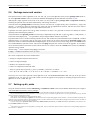
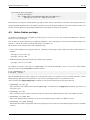
If you accidentally erased some template files while working on them, you can recover them by running dh_make with the -addmissing option again in a Debian package source tree.
Updating an existing package may get complicated since it may be using older techniques. While learning the basics, please stick
to creating a fresh package; further explanations are given in Chapter 8.
Please note that the source file does not need to contain any build system discussed in Section 2.4 and Section 2.5. It could be
just a collection of graphical data etc. Installation of files may be carried out using only debhelper configuration files such as
debian/install (see Section 5.11).
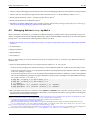
17 If the upstream source provides the debian directory and its contents, run the dh_make command with the extra option --addmissing. The new
source 3.0 (quilt) format is robust enough not to break even for these packages. You may need to update the contents provided by the upstream for your
Debian package.
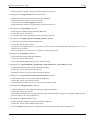
18 There are several choices here: s for Single binary package, i for arch-Independent package, m for Multiple binary packages, l for Library package, k
for Kernel module package, n for kernel patch package, and b for cdbs package. This document focuses on the use of the dh command (from the package
debhelper) to create a single binary package, but also touches on how to use it for arch-independent or multiple binary packages. The package cdbs offers
an alternative packaging script infrastructure to the dh command and is outside the scope of this document.