1
Table of Content
Getting to Know Your Switch ........................................................................ 3
1.1
About the LNP-600N/LNP-602N Managed Industrial Switch ................................... 3
1.2
Software Features .................................................................................................... 3
1.3
Hardware Features................................................................................................... 3
Hardware Installation ..................................................................................... 4
2.1
Installing Switch on DIN-Rail .................................................................................... 4
2.1.1
2.2
Mount LNP-600N/LNP-602N Series on DIN-Rail ................................................ 4
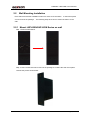
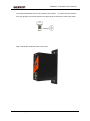
Wall Mounting Installation ........................................................................................ 5
2.2.1
Mount LNP-600N/LNP-602N Series on wall ........................................................ 5
Hardware Overview ........................................................................................ 7
3.1
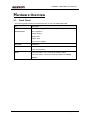
Front Panel ............................................................................................................... 7
3.2
Front Panel LEDs ................................................................................................... 10
3.3
Bottom Panel .......................................................................................................... 10
3.4
Rear Panel .............................................................................................................. 11
Cables ........................................................................................................... 12
4.1
Ethernet Cables ...................................................................................................... 12
4.1.1
4.2
100BASE-TX/10BASE-T Pin Assignments ........................................................ 12
Fibers ..................................................................................................................... 13
WEB Management........................................................................................ 14
5.1
Configuration by Web Browser .............................................................................. 14
5.1.1
About Web-based Management ........................................................................ 14
5.1.2
Basic Setting ...................................................................................................... 16
5.1.2.1
Switch setting ............................................................................................ 16
5.1.2.2
Admin Password ....................................................................................... 16
5.1.2.3
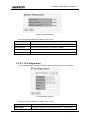
IP configuration ......................................................................................... 17
5.1.2.4
SNTP Configuration .................................................................................. 18
5.1.2.5
Backup & Restore ..................................................................................... 21
5.1.2.6
Upgrade Firmware..................................................................................... 21
5.1.2.7
Factory Default .......................................................................................... 22
5.1.2.8
System Reboot .......................................................................................... 22
5.1.3
1
Port Configuration .............................................................................................. 23
Aaxeon Technologies, LLC