1
8.3.3.2
Modulation
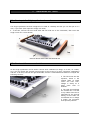
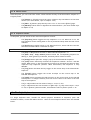
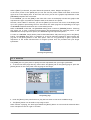
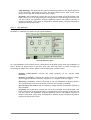
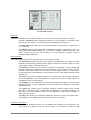
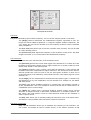
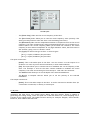
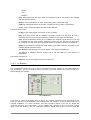
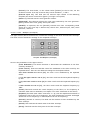
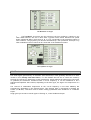
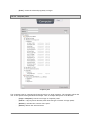
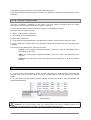
This section of the [Perf] tab affects both the Origin Desktop and the Origin Keyboard.
-
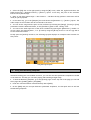
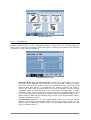
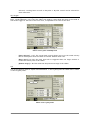
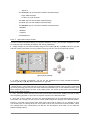
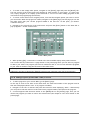
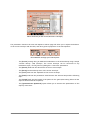
[Pitch Bend]: This sets additional modulation destinations for the Pitch Wheel
separately from the [Pitch Wheel] and [Bend Range] controls on the right side of the
screen. Use the connection menu to select the modulation destinations for your
Program preset. Note that you can set the modulation amount and scale it as either Unipolar or Bi-polar controls, but in the case of using the pitch wheel for alternate forms of
modulation, a Bi-polar control seems to be the best match. However, it is up to you to
use which over mode you wish for each assigned modulation destination. Note that if
you are using this connection, you may want to deactivate the default pitch-bend
behavior of the pitch wheel, in the right section of the page.
-
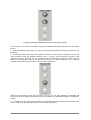
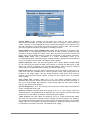
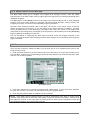
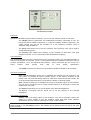
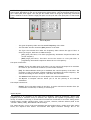
[Mod Wheel]: As is implied by the label, this allows for a range of modulation
destinations to be assigned, with the source being the modulation wheel. Use the
standard menu controls to select the modulation destinations for your Program preset.
Note that you can scale the amount for either a Uni-polar or Bi-polar direction, but in
the case of using the modulation wheel, a Uni-polar setting seems to fit the basic mode
of operation. But again it is up to you to make the choice for each destination,
depending on the desired result.
-
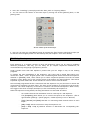
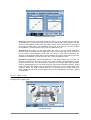
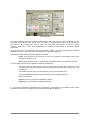
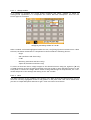
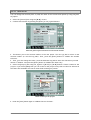
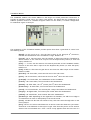
[Expr. Pedal]: This setting sets the modulation destinations from the expression pedal
input. As noted above, you can set the modulation amount for each connection and
scale it as either a Uni-polar or Bi-polar control, but in the case of using an expression
pedal, a Uni-polar setting seems to fit that mode of control. As with the other
suggestions above, you can make your own choice for each destination, depending on
the desired result.
-
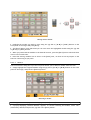
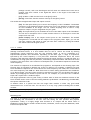
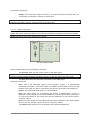
[Aftertouch]: The connections created here respond to aftertouch input. You can scale
each connection as either Uni-polar or Bi-polar controls, but in the case of using
aftertouch, a Uni-polar setting seems to map to that type of control. Bear in mind that
with the Origin Keyboard that this setting will be directly influenced by the general
[SETTINGS -> Velocity/Aftertouch] screen (described earlier in this document). The
number of voices that are affected by aftertouch modulation on the Origin Keyboard
will depend on the Duophonic Aftertouch settings. For the Origin Desktop unit, however,
these settings will affect all voices equally when aftertouch messages are sent to the
Program MIDI channel.
8.3.4 2D Envelope tab
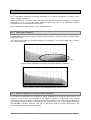
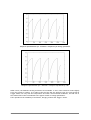
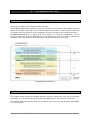
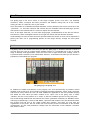
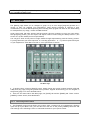
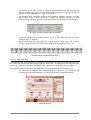
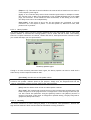
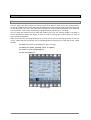
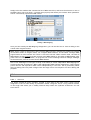
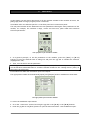
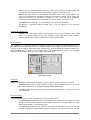
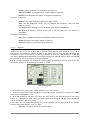
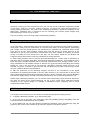
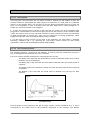
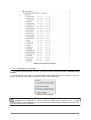
The advanced 2D Envelope provides a sophisticated loop-able multistage modulator that can shape 4
modulation destinations within a preset on the Program level.
The advanced 2D Envelope
ARTURIA – ORIGIN – USER’S MANUAL
69