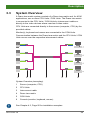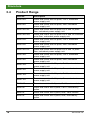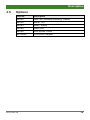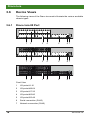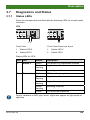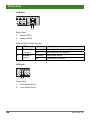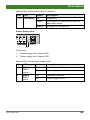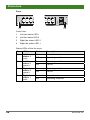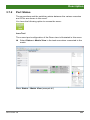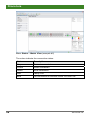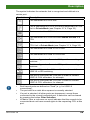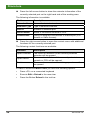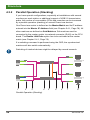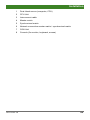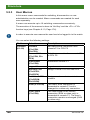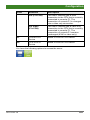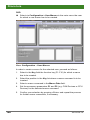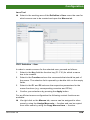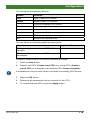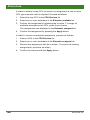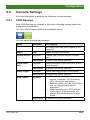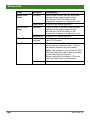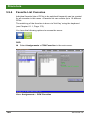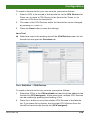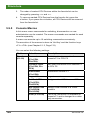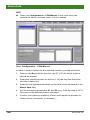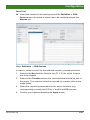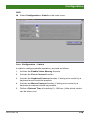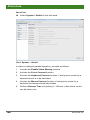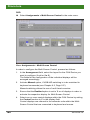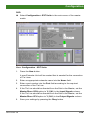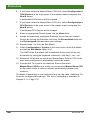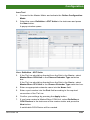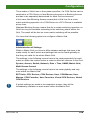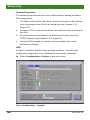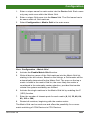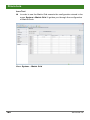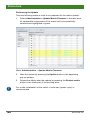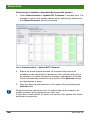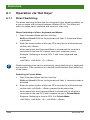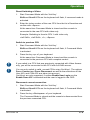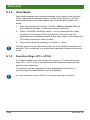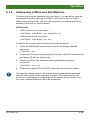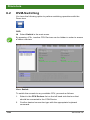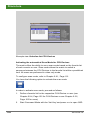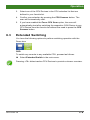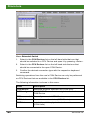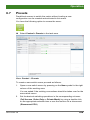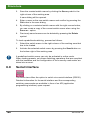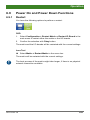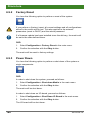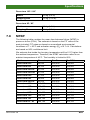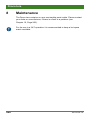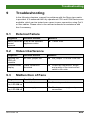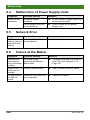
1
User Manual Edition: 2014-04-15 Draco tera Model: K480 Compact Series Firmware: V03.00 IHSE GmbH Maybachstrasse 11 88094 Oberteuringen Germany [email protected] www.ihse.de Tel. +49 7546-9248-0 Fax +49 7546-9248-48 Draco tera Copyright © 2014. All rights reserved. This information may not be reproduced in any manner without the prior written consent of the manufacturer. Information in this document is subject to change without notice. Trademarks All trademark and trade names mentioned in this document are acknowledged to be the property of their respective owners. Disclaimer While every precaution has been taken during preparation of this manual, the manufacturer assumes no liability for errors or omissions. Neither does the manufacturer assume any liability for damages resulting from the use of the information contained herein. The manufacturer reserves the right to change specifications, functions, or circuitry of the product without notice. The manufacturer cannot accept liability for damage due to misuse of the product or due to any other circumstances outside the manufacturer’s control (whether environmental or installation related). The manufacturer shall not be liable for any loss, damage, or injury arising directly, indirectly, incidentally, or consequently from the use of this product. 2 2014-04-15 Contents Contents 1 About This Manual ....................................................................... 8 1.1 Scope.................................................................................. 8 1.2 Validity ................................................................................ 8 1.3 Cautions and Notes ............................................................ 8 1.4 Spellings ............................................................................. 8 2 Safety Instructions ....................................................................... 9 3 Description ................................................................................. 10 3.1 Application ........................................................................ 10 3.2 Access Options ................................................................. 10 3.3 System Overview .............................................................. 11 3.4 Product Range .................................................................. 12 3.5 Options.............................................................................. 13 3.6 Device Views .................................................................... 14 3.7 3.6.1 Draco tera 80 Port............................................... 14 3.6.2 Draco tera 64 Port............................................... 16 3.6.3 Draco tera 48 Port............................................... 18 3.6.4 Draco tera 32 Port............................................... 20 3.6.5 Draco tera 16 Port............................................... 21 3.6.6 Draco tera 8 Port................................................. 22 3.6.7 Draco tera 8 Port Vario Module........................... 22 Diagnostics and Status ..................................................... 23 3.7.1 2014-04-15 Status LEDs ........................................................ 23 3.7.2 Port Status .......................................................... 27 3.7.3 Port Status Matrix Grid........................................ 31 3.7.4 Extender OSD..................................................... 32 3.7.5 Network Status.................................................... 33 3.7.6 Firmware Status Matrix ....................................... 36 3.7.7 Firmware Status Extender................................... 38 3.8 Trace Function .................................................................. 39 3.9 Syslog Monitoring ............................................................. 40 3 Draco tera 4 5 3.10 SNMP................................................................................ 42 3.11 System Check ................................................................... 46 Installation .................................................................................. 48 4.1 Package Contents............................................................. 48 4.2 System Setup.................................................................... 48 4.3 Example Applications........................................................ 50 4.3.1 KVM Matrix ......................................................... 51 4.3.2 Parallel Operation (Stacking) .............................. 52 4.3.3 Matrix Grid .......................................................... 54 Configuration.............................................................................. 56 5.1 Command Mode ............................................................... 56 5.2 Control Options ................................................................. 58 5.3 5.4 5.5 5.6 5.2.1 Control via OSD .................................................. 58 5.2.2 Control via Java Tool .......................................... 63 5.2.3 Control via Serial Interface.................................. 72 Assignment ....................................................................... 72 5.3.1 Virtual CPU ......................................................... 72 5.3.2 Virtual Console.................................................... 75 System Settings ................................................................ 78 5.4.1 System Data ....................................................... 78 5.4.2 Automatic ID ....................................................... 82 5.4.3 Access ................................................................ 85 5.4.4 Switch ................................................................. 89 5.4.5 Network............................................................... 93 5.4.6 Date and Time .................................................... 97 User Settings .................................................................. 100 5.5.1 User .................................................................. 100 5.5.2 Favorite List Users ............................................ 103 5.5.3 User Macros...................................................... 106 Extender Settings............................................................ 110 5.6.1 5.7 4 Flex-Port Extender Units ................................... 112 USB-2.0-Extender ........................................................... 113 2014-04-15 Contents 5.8 CPU Settings .................................................................. 116 5.9 Console Settings ............................................................. 121 5.10 5.11 5.9.2 Mouse and Keyboard ........................................ 126 5.9.3 Extender OSD................................................... 129 5.9.4 Favorite List Consoles ...................................... 132 5.9.5 Console Macros ................................................ 134 5.9.6 Parallel Operation ............................................. 138 5.9.7 Multi-Screen Control ......................................... 141 Saving and Loading of Configurations ............................ 145 5.10.1 Active Configuration .......................................... 145 5.10.2 Saving of Configurations (internal) .................... 145 5.10.3 Loading of Configurations (internal) .................. 148 5.10.4 Saving of Configurations (external) ................... 150 5.10.5 Loading of Configurations (external) ................. 151 Export and Import Options .............................................. 152 5.11.1 Export Options .................................................. 152 5.11.2 Import Options .................................................. 153 Matrix Cascading ............................................................ 154 5.13 Matrix Grid ...................................................................... 158 5.14 Firmware Update ............................................................ 163 5.14.1 Matrix Update.................................................... 163 5.14.2 Extender Update ............................................... 165 License Management...................................................... 170 Operation .................................................................................. 171 6.1 2014-04-15 CON Devices .................................................... 121 5.12 5.15 6 5.9.1 Operation via 'Hot Keys'.................................................. 172 6.1.1 Direct Switching ................................................ 172 6.1.2 Scan Mode........................................................ 174 6.1.3 Function Keys <F1>–<F16>.............................. 174 6.1.4 Addressing of Main and Sub Matrices .............. 175 6.2 KVM-Switching................................................................ 176 6.3 Extended Switching ........................................................ 179 5 Draco tera 6.4 6.5 Multi-Screen Control ....................................................... 187 6.6 USB 2.0 Switching .......................................................... 188 6.7 Presets............................................................................ 189 6.8 Serial Interface................................................................ 190 6.9 Power On and Power Down Functions ........................... 191 6.10 7 CON Switch .................................................................... 185 6.9.1 Restart .............................................................. 191 6.9.2 Factory Reset.................................................... 192 6.9.3 Power Down...................................................... 192 Summary of Keyboard Commands ................................. 193 Specifications ........................................................................... 195 7.1 7.2 Interfaces ........................................................................ 195 7.1.1 RJ45 (Network) ................................................. 195 7.1.2 RJ45 (Serial) ..................................................... 195 7.1.3 RJ45 (Interconnect) .......................................... 195 Interconnect Cable .......................................................... 196 7.2.1 7.3 Connector Pinouts .......................................................... 197 7.3.1 6 Cat X ................................................................. 196 I/O Port Cat X.................................................... 197 7.4 Power Supply.................................................................. 198 7.5 Environmental Conditions ............................................... 198 7.6 Size ................................................................................. 199 7.7 Shipping Weight .............................................................. 200 7.8 MTBF .............................................................................. 201 8 Maintenance ............................................................................. 202 9 Troubleshooting ....................................................................... 203 9.1 External Failure............................................................... 203 9.2 Video Interference........................................................... 203 9.3 Malfunction of Fans......................................................... 203 9.4 Malfunction of Power Supply Units ................................. 204 9.5 Network Error.................................................................. 204 9.6 Failure at the Matrix ........................................................ 204 2014-04-15 Contents 9.7 10 11 12 Blank Screen................................................................... 205 Technical Support .................................................................... 206 10.1 Support Checklist ............................................................ 206 10.2 Shipping Checklist .......................................................... 206 Certificates................................................................................ 207 11.1 CE Declaration Of Conformity......................................... 207 11.2 North American Regulatory Compliance ......................... 208 11.3 Product Safety ................................................................ 208 11.4 WEEE ............................................................................. 209 11.5 RoHS/RoHS 2................................................................. 209 Glossary.................................................................................... 210 12.1 Matrix specific Glossary .................................................. 213 Pos: 1 /806-IHSE/Zu diesem Handbuch/ATB_Zu diesem Handbuch @ 5\mod_1278573163276_6.doc @ 41510 @ 1222 @ 1 2014-04-15 7 Draco tera 1 About This Manual 1.1 Scope This manual describes how to install your Draco tera, how to operate it and how to perform trouble shooting. 1.2 Validity This manual is valid for all devices listed on the front page. The product code is printed on the base of the devices. 1.3 Cautions and Notes The following symbols are used in this manual: This symbol indicates an important operating instruction that should be followed to avoid any potential damage to hardware or property, loss of data, or personal injury. This symbol indicates important information to help you make the best use of this product. This symbol indicates best practice information to show recommended and optimal ways to use this product in an efficient way. Pos: 2 /806-IHSE/Zu diesem Handbuch/ATB_Schreibweisen @ 7\mod_1309932297321_6.doc @ 52440 @ 2 @ 1 1.4 Spellings The following spellings are used in the manual: Spelling Description <key> Description of a key on the keyboard <key> + <key> Press keys simultaneously <key>, <key> Press keys successively 2x <key> Press key 2x in quick succession (cf. mouse double click) Menu item Description of a menu item in the software Menu item > Menu item Select menu items successively Bold print Description of terms that are used in the device software Pos: 3 /806-IHSE/Sicherheitshinweise/480_Sicherheitshinweise @ 7\mod_1310643167940_6.doc @ 54240 @ 1 @ 1 8 2014-04-15 Safety Instructions 2 Safety Instructions To ensure reliable and safe long-term operation of your Draco tera please note the following guidelines: Installation Only use the device according to this User Manual. Failure to follow these procedures could result in damage to the equipment or injury to the user or installer. Only use in dry, indoor environments. The Draco tera and the power supply units can get warm. Do not install components in an enclosed space without any airflow. Do not obscure ventilation holes. Only use power supplies originally supplied with the product or manufacturer-approved replacements. Do not use a power supply if it appears to be defective or has a damaged chassis. Connect all power supplies to grounded outlets. In each case, ensure that the ground connection is maintained from the outlet socket through to the power supply's AC power input. Do not connect the link interface to any other equipment, particularly network or telecommunications equipment. Only connect devices to the serial interface that are protected against short circuit currents and incorrect voltages at the serial interface. To disconnect the Draco tera from the power supply, remove the power cord cables of all power supply units or switch supplies off. Take any required ESD precautions. In order to disconnect the device completely from the electric circuit, all power cables have to be removed. Repair Do not attempt to open or repair a power supply unit. Do not attempt to open or repair the Draco tera. There are no user serviceable parts inside. Please contact your dealer or manufacturer if there is a fault. Pos: 4 /806-IHSE/Beschreibung/UEB_Beschreibung @ 5\mod_1278573379151_6.doc @ 41546 @ 1 @ 1 2014-04-15 9 Draco tera 3 Description Pos: 5 /806-IHSE/Beschreibung/Verwendungszweck/480-xxC @ 8\mod_1345731714258_6.doc @ 67732 @ 2 @ 1 3.1 Application The Draco tera matrix is used to establish connections from consoles (monitor, keyboard, mouse, and other peripheral devices) to various sources (computer, CPU). In its maximum configuration, up to 48 independent ports can be defined and switched either as a console or a CPU. The Draco tera matrix is designed to operate with extenders that are able to transmit video, KVM and USB 2.0 signals. But it can also be used as a video matrix. The connection between the matrix and the peripheral devices, such as KVM extenders or video sources, can be made by Cat X cables. The matrix serves as a repeater and can be run at a maximum distance of 140 m from the consoles and 140 m from the sources. Pos: 6 /806-IHSE/Beschreibung/Zugriffsmöglichkeiten/480-xx @ 7\mod_1309933105946_6.doc @ 52477 @ 2 @ 1 3.2 Access Options The following options are available to configure and operate the Draco tera: Access Option Symbol OSD Java tool Serial interface Pos: 7 /806-IHSE/zz_Layout/Seitenumbruch @ 8\mod_1348581820516_0.doc @ 69462 @ @ 1 10 2014-04-15 Description Pos: 8 /806-IHSE/Beschreibung/System-Übersicht /480-xx @ 7\mod_1309933171196_6.doc @ 52495 @ 2 @ 1 4.3 3.3 System Overview A Draco tera matrix system consists of a Draco tera matrix and, for KVM applications, one or more CPU Units / CON Units. The Draco tera matrix is connected to the CPU Units / CON Units by interconnect cables or directly to the video devices where used as a video matrix. CPU Units are connected directly to the sources (computer, CPU) by the provided cables. Monitor(s), keyboard and mouse are connected to the CON Units. Communication between the Draco tera matrix and the CPU Units / CON Units occurs over the respective interconnect cables. 1 2 3 4 3 5 6 System Overview (exemplary) 1 Source (computer, CPU) 2 CPU Units 3 Interconnect cable 4 Draco tera matrix 5 CON Units 6 Console (monitor, keyboard, mouse) See Chapter 4.3, Page 50 for installation examples. Pos: 9 /806-IHSE/Beschreibung/Gerätetypen/480-xxC @ 8\mod_1345731907542_6.doc @ 67752 @ 2 @ 1 2014-04-15 11 Draco tera 3.4 Product Range Part No. Description K480-80C Draco tera matrix with 80 ports, Cat X, redundant power supply unit K480-80F Draco tera matrix with 80 ports, fiber, redundant power supply unit K480-48C32F Draco tera matrix with 48 ports Cat X and 32 ports fiber, redundant power supply unit K480-48C32U Draco tera matrix with 48 ports Cat X and 32 universal ports fiber, redundant power supply unit K480-64C Draco tera matrix with 64 ports, Cat X, redundant power supply unit K480-64F Draco tera matrix with 64 ports, fiber, redundant power supply unit K480-48C16F Draco tera matrix with 48 ports Cat X and 16 ports fiber, redundant power supply unit K480-48C Draco tera matrix with 48 ports, Cat X, redundant power supply unit K480-48F Draco tera matrix with 48 ports, fiber, redundant power supply unit K480-32C Draco tera matrix with 32 ports, Cat X, redundant power supply unit K480-32F Draco tera matrix with 32 ports, fiber, redundant power supply unit K480-16C Draco tera matrix with 16 ports, Cat X, redundant power supply unit K480-16F Draco tera matrix with 16 ports, fiber, redundant power supply unit B480-8C Draco tera matrix with 8 ports, Cat X, vario module K480-8C Draco tera matrix with 8 ports, Cat X, redundancy option B480-8F Draco tera matrix with 8 ports, fiber, vario module K480-8F Draco tera matrix with 8 ports, fiber, redundancy option Pos: 10 /806-IHSE/Beschreibung/Zubehör/480-xxC @ 8\mod_1345732015416_6.doc @ 67772 @ 2 @ 1 12 2014-04-15 Description 3.5 Options Part No. Description 480-B1 Java-Tool, Extended Switching, Presets 480-B2 480-B1, API 480-B3 SNMP, Syslog 480-B4 Matrix Grid 480-B5 Multi-Screen Control 459-ADAP RJ45/RS232 adapter Pos: 11 /806-IHSE/zz_Layout/Seitenumbruch @ 8\mod_1348581820516_0.doc @ 69462 @ @ 1 Pos: 12 /806-IHSE/Beschreibung/Geräteansichten/480_Geräteansichten @ 7\mod_1310643525018_6.doc @ 54278 @ 2 @ 1 2014-04-15 13 Draco tera 3.6 Device Views The following views of the Draco tera matrix illustrate the various available chassis types. Pos: 13 /806-IHSE/Beschreibung/Geräteansichten/480-xxC/Draco tera 80 Port @ 9\mod_1361804972253_6.doc @ 71150 @ 3 @ 1 3.6.1 Draco tera 80 Port 1 2 3 4 5 6 7 1 2 3 4 5 6 7 1 2 3 4 5 6 7 Front View 14 1 I/O ports #1-16 2 I/O ports #49-64 3 I/O ports #17-32 4 I/O ports #65-80 5 I/O ports #33-48 6 Serial connection (RJ45) 7 Network connection (RJ45) 2014-04-15 Description 1 2 3 Rear View 1 Connect to power supply (standard) 2 Connect to power supply (redundancy) 3 Grounding Pos: 14 /806-IHSE/zz_Layout/Seitenumbruch @ 8\mod_1348581820516_0.doc @ 69462 @ @ 1 2014-04-15 15 Draco tera Pos: 15 /806-IHSE/Beschreibung/Geräteansichten/480-xxC/Draco tera 64 Port @ 9\mod_1361805160557_6.doc @ 71170 @ 3 @ 1 3.6.2 Draco tera 64 Port 1 2 3 4 5 6 1 2 3 4 5 6 1 2 3 4 5 6 Front View 16 1 I/O ports #1-16 2 I/O ports #49-64 3 I/O ports #17-32 4 I/O ports #33-48 5 Serial connection (RJ45) 6 Network connection (RJ45) 2014-04-15 Description 1 2 3 Rear View 1 Connect to power supply (standard) 2 Connect to power supply (redundancy) 3 Grounding Pos: 16 /806-IHSE/zz_Layout/Seitenumbruch @ 8\mod_1348581820516_0.doc @ 69462 @ @ 1 2014-04-15 17 Draco tera Pos: 17 /806-IHSE/Beschreibung/Geräteansichten/480-xxC/Draco tera 48 Port @ 8\mod_1345732287371_6.doc @ 67793 @ 3 @ 1 3.6.3 Draco tera 48 Port 1 2 3 45 1 2 3 4 5 Front View 1 I/O ports #1-16 2 I/O ports #17-32 3 I/O ports #33-48 4 Serial connection (RJ45) 5 Network connection (RJ45) 1 2 3 Rear View 1 18 Connect to power supply (standard) 2 Connect to power supply (redundancy) 3 Grounding 2014-04-15 Description When mounting a Draco tera matrix with 16, 32 and 48 ports into a 19’’ rack, additional mounting support is recommended. It should be used in addition to the provided mounting brackets. Pos: 18 /806-IHSE/zz_Layout/Seitenumbruch @ 8\mod_1348581820516_0.doc @ 69462 @ @ 1 2014-04-15 19 Draco tera Pos: 19 /806-IHSE/Beschreibung/Geräteansichten/480-xxC/Draco tera 32 Port @ 8\mod_1345732576769_6.doc @ 67813 @ 3 @ 1 3.6.4 Draco tera 32 Port 1 2 34 1 2 34 Front View 1 I/O ports #1-16 2 I/O ports #17-32 3 Serial connection (RJ45) 4 Network connection (RJ45) 1 2 3 Rear View 1 Connect to power supply (standard) 2 Connect to power supply (redundancy) 3 Grounding Pos: 20 /806-IHSE/zz_Layout/Seitenumbruch @ 8\mod_1348581820516_0.doc @ 69462 @ @ 1 20 2014-04-15 Description Pos: 21 /806-IHSE/Beschreibung/Geräteansichten/480-xxC/Draco tera 16 Port @ 8\mod_1345732664643_6.doc @ 67833 @ 3 @ 1 3.6.5 Draco tera 16 Port 1 23 1 2 3 Front View 1 I/O ports #1-16 2 Serial connection (RJ45) 3 Network connection (RJ45) 1 2 3 Front View 1 Connect to power supply (standard) 2 Connect to power supply (redundancy) 3 Grounding Pos: 22 /806-IHSE/zz_Layout/Seitenumbruch @ 8\mod_1348581820516_0.doc @ 69462 @ @ 1 2014-04-15 21 Draco tera Pos: 23 /806-IHSE/Beschreibung/Geräteansichten/480-xxC/Draco tera 8 Port @ 9\mod_1360654296774_6.doc @ 71111 @ 3 @ 1 3.6.6 Draco tera 8 Port 1 23 4 1 5 23 4 5 Front View 1 I/O ports #1-8 2 Serial connection (RJ45) 3 Network connection (RJ45) 4 Connect to power supply 5 Connect to 5 V DC power supply (redundancy, optional) Pos: 24 /806-IHSE/Beschreibung/Geräteansichten/480-xxC/Draco tera 8 Port Vario-Modul @ 9\mod_1360654443120_6.doc @ 71129 @ 3 @ 1 3.6.7 Draco tera 8 Port Vario Module 1 23 1 23 Rear View 1 I/O ports #1-8 2 Serial connection (RJ45) 3 Network connection (RJ45) Pos: 25 /806-IHSE/Beschreibung/Status/UEB_Diagnose_und_Status @ 7\mod_1309935121461_6.doc @ 52641 @ 2 @ 1 22 2014-04-15 Description 3.7 Diagnostics and Status Pos: 26 /806-IHSE/Beschreibung/Diagnose LEDs/480-xxC @ 8\mod_1345732828365_6.doc @ 67853 @ 3 @ 1 3.7.1 Status LEDs Draco tera components are fitted with the following LEDs for overall status indication: CPU 12 12 Front View Front View Draco tera 8 port 1 Status LED 2 1 Status LED 2 2 Status LED 1 2 Status LED 1 Status LEDs for CPU: Pos. LED 1 2 Status 2 Status 1 Status Description White CPU board is in registration process Red flashing Registration of the matrix has started Off Operating condition White CPU board is in registration process Blue flashing Registration of the matrix has started Red flashing Registration in progress Green flashing Operating condition Green CPU board de-registered Due to variations in LED type "white" might also appear as light purple or light blue. 2014-04-15 23 Draco tera LAN Port 1 2 Rear View 1 Status LED 1 2 Status LED 2 Status LEDs of the LAN port: Pos. LED 1 2 Status Description Status 1 (orange) On Connection to network available Off No connection to network Status 2 (green) Flashing Data traffic active Off Data traffic not active I/O Ports 1 2 Front View 24 1 Link Status Port 1 2 Link Status Port 2 2014-04-15 Description Status LEDs at the ports of the I/O boards: Pos. LED 1 & 2 Link status Status Description Off Initialization Green Connection via interconnect cable ok, data traffic active Orange Extender not recognized Power Supply Unit 12 Front View 1 Power supply unit 1 status LED 2 Power supply unit 2 status LED Status LEDs of the power supply units: Pos. LED 1 3 2014-04-15 Status Description Status PSU 1 (green) On Operating condition Off Power supply unit off Status PSU 2 (blue) On Operating condition Off Power supply unit off 25 Draco tera Fans 12 34 Front View 1 Left fan status LED 1 2 Left fan status LED 2 3 Right fan status LED 2 4 Right fan status LED 1 Status LEDs of the fan trays: Pos. LED 1 2 3 4 Left fan status 1 (red) Left fan status 2 (green) Right fan status 2 (green) Right fan status 1 (red) Status Description On Error indication Off Operating condition On Operating condition Off Fan off On Operating condition Off Fan off On Error indication Off Operating condition Pos: 27 /806-IHSE/zz_Layout/Seitenumbruch @ 8\mod_1348581820516_0.doc @ 69462 @ @ 1 26 2014-04-15 Description Pos: 28 /806-IHSE/Beschreibung/Status/Port-Status/480-xxC @ 8\mod_1345734837197_6.doc @ 67873 @ 3 @ 1 3.7.2 Port Status The connections and the switching status between the various consoles and CPUs are shown in this menu. You have the following option to access the menu: Java Tool The current port configuration of the Draco tera is illustrated in this menu. Select Status > Matrix View in the task area when connected to the matrix. Menu Status – Matrix View (example #1) 2014-04-15 27 Draco tera Menu Status – Matrix View (example #2) The colors indicate the connection status: 28 Color Description Grey Port not connected Yellow Video connection Green KVM connection Red Faulty Port Blue Port connected to another matrix via Grid Line 2014-04-15 Description The symbol indicates the extender that is recognized and defined at a certain port: Symbol Description Port connected to a CPU Unit Port is connected to a CPU Unit that is switched to a CON Unit in Private Mode (see Chapter 3.7.4, Page 32). Port connected to a CON Unit Port connected to a CON Unit with Shared Access to a CPU Port is connected to a CON Unit that is connected to a CPU Unit in Private Mode (see Chapter 3.7.4, Page 32). Port connected to a USB 2.0 CPU Unit Port connected to a USB 2.0 CON Unit Port is configured as Cascade-CON port for cascading of matrices. Port is configured as Cascade-CPU port for cascading of matrices. Port is a UNI port of an I/O board that can be used for USB 3.0 or SDI switching. UNI port is configured as CON port in order to connect USB 3.0 CON extenders, for example. UNI port is configured as CPU port in order to connect USB 3.0 CPU extenders, for example. 2014-04-15 Red framed ports are defined as "fixed" (e. g. for USB 2.0 connections). The port with four static blue squares is currently selected. If a port is selected, all other ports are transparent, except those connected to the currently selected port. A selection can be cleared by pressing the button Clear Selection. In Matrix View, a red cross on a port indicates that the console to be connected does not have access rights to the respecting CPU at this port. 29 Draco tera Press the left mouse button to show the extender information of the currently selected port on the right hand side of the working area. The following information is available: Field Description Extender Name Name of selected extender Extender Type Type of selected extender Port ID Number of selected port Device Name Name of connected console or CPU Connections Listing of assigned connections to marked port (Full Access or Video Access) Press the right mouse button to open the context menu with additional functions for the currently selected port. The following context functions are available: Function Description Open Extender The menu for definition of the currently selected extender will be opened Open Device The menu for definition of the currently selected console or CPU will be opened Switch The menu for execution of switching operations will be opened In order to reload the Matrix View you have the following options: Press <F5> on a connected keyboard Execute Edit > Reload in the menu bar Press the Button Reload in the tool bar Pos: 29 /806-IHSE/Beschreibung/Status/Port-Status Matrix-Grid/480-xx @ 10\mod_1389080726637_6.doc @ 113070 @ 3 @ 1 30 2014-04-15 Description 3.7.3 Port Status Matrix Grid In this menu the connections and the switching status between the various CON and CPU Devices are shown within the Matrix Grid. The port view is divided into the different Grid matrices. As a result each matrix is displayed in an optimized view of 24 ports per line in order to be able to show also a larger number of ports. You have the following option to access the menu: Java Tool The current port configuration of the Matrix Grid is illustrated in this menu. Select Status > Grid Port View in the task area when connected to the matrix. Menu Status – Grid Port View Functions, colors and symbols used in the Grid Port View are identical to those in the port status of the Matrix View see Chapter 3.7.2, Page 27. Pos: 30 /806-IHSE/zz_Layout/Seitenumbruch @ 8\mod_1348581820516_0.doc @ 69462 @ @ 1 2014-04-15 31 Draco tera Pos: 31 /806-IHSE/Beschreibung/Status/Extender-OSD/480-xx @ 7\mod_1317829749536_6.doc @ 54621 @ 3 @ 1 3.7.4 Extender OSD All extenders used with the Draco tera are provided with their own OSD to display the connection status of the console. Example View Extender OSD The following information is shown in the OSD menu: Field Description CON Name of console CPU Name of currently connected CPU ACCESS SHARED 32 Full Access: Console has a KVM connection to the displayed CPU. Video Access: Console has a video only connection to the displayed CPU. Private Mode: Console has a Private Mode connection to the displayed CPU. not connected: Console is not connected to a CPU. x device(s) shows the exact number of devices that are connected to the current CPU of the console (e.g. 3 devices). If the field remains empty, no other devices are connected to the current CPU. 2014-04-15 Description If the options Mouse Connect or Keyboard Connect (see Chapter 5.4.4, Page 89) are used, the name of the console with keyboard / mouse control will be displayed on those consoles that do not have current K/M control. The console is displayed in yellow color under Access. Pos: 32 /806-IHSE/Beschreibung/Status/Netzwerk-Status/480-xx @ 7\mod_1309935505711_6.doc @ 52680 @ 3 @ 1 3.7.5 Network Status The current network configuration is shown in this menu. You have the following options to access the menu: The following information is shown in this menu: Field Description DHCP Information whether the network settings are applied dynamically. Display Y (Yes) or N (No) IP Address Information about the IP address as provided manually or via DHCP Subnet Mask Information about the subnet mask as provided manually or via DHCP Gateway Information about the gateway address as provided manually or via DHCP MAC ID Information about the MAC address of the matrix 2014-04-15 33 Draco tera OSD Select Status > Network in the main menu. Menu Status – Network 34 2014-04-15 Description Java Tool 1. Select Status > Matrix View in the task area. Menu Status – Matrix View 2. Use the left mouse button to click on the network port of the CPU board. The corresponding network status will be shown on the right hand side of the working area. Pos: 33 /806-IHSE/Beschreibung/Status/Firmware-Status/480-xx @ 7\mod_1309935560836_6.doc @ 52699 @ 33 @ 1 2014-04-15 35 Draco tera 3.7.6 Firmware Status Matrix The current firmware status of the installed boards is shown in this menu. You have the following options to access the menu: The following information is shown in this menu: Field Description Name Description of modules Type Type number Ports Number of ports Version Complete description of firmware version Date Date of firmware version Status Module status OSD Select Status > Firmware in the main menu. Menu Status – Firmware 36 2014-04-15 Description Java Tool 1. Select Status > Matrix Firmware in the task area. Menu Status – Matrix Firmware 2. In order to read out the firmware status and store it locally (file extension .dtf), select Matrix > Save Firmware Status to File.... 3. In order to read out the overall status of the matrix and store it locally (file extension .zip), select Matrix > Save Status to File... or press the respective button in the symbol bar. The various modules can expanded and retracted in the Name column by clicking with the left mouse button on the plus or minus symbols. By clicking on the plus resp. minus symbol in the upper right corner of the working area you can expand and retract all module information with one click of the left mouse button. 2014-04-15 37 Draco tera 3.7.7 Firmware Status Extender The current firmware status of connected extenders is shown in this menu. You have the following option to access the menu: The following information is shown in this menu: Field Description Name Description of firmware Type Description of extender module Ports Number of ports Cur. Version Description of current firmware version Cur. Date Date of current firmware version Select Status > EXT Firmware in the task area. Menu Status – EXT Firmware Pos: 34 /806-IHSE/Beschreibung/Funktion Trace/480-xx @ 7\mod_1309935652618_6.doc @ 52718 @ 2 @ 1 38 2014-04-15 Description 3.8 Trace Function All events, e.g. activities and switching operations of the Draco tera matrix, are logged and displayed in this menu. This function is used for diagnostic purposes. You have the option to request various trace views in the menu: The following information is shown in this menu: Field Description Date Date stamp Time Time stamp Message Detailed description of the event Trace possibilities Select Status > Trace IO Board in the main menu to check the events on your current I/O board. Select Status > Trace Matrix to check the matrix events. Pos: 35 /806-IHSE/zz_Layout/Seitenumbruch @ 8\mod_1348581820516_0.doc @ 69462 @ @ 1 2014-04-15 39 Draco tera Pos: 36 /806-IHSE/Beschreibung/Syslog Monitoring/480-xx @ 8\mod_1351496895799_6.doc @ 69482 @ 2 @ 1 3.9 Syslog Monitoring The complete logging of the Draco tera matrix activities, switching operations and surveillance of the function of critical components like fans or power supply units takes place in this menu. You have the following option to access the menu: In order to start Syslog Monitoring proceed as follows: Select the symbol Monitoring in the symbol bar. Menu Monitoring – Syslog Logging of system activities starts when the Monitoring menu is opened and remains active until the tab is closed. Syslog messages are transmitted via UDP. Therefore, port 514 within the used network should not be blocked, e.g. by a firewall. During logging the activities are written continuously into logging files and stored locally. This process can be set with various options. 40 2014-04-15 Description Options Select Extras > Options in the menu bar and open the tab Syslog. The following options are available: Option Description Log File Directory Default directory to store the log files Log File Name Default name of the log file Log File Extension Default extension for the log file Daily Logfiles Log files are stored every 24 hours (daily) Maximum Log File Size (KB) Allowed maximum size of log file Maximum Number of Log Files Allowed maximum number of log files Autostart When starting the Java Tool, the Syslog function will be started in the background Open Monitoring Tab When starting the Java Tool, the Monitoring tab will be opened When reaching the maximum log file size, a new log file will be created. When reaching the maximum number of log files, the oldest one will be overwritten with the new information. Filter Function In order to filter relevant messages out of a number of logged activities of the Draco tera, the Syslog Monitoring offers various filter options. In order to set and activate a filter, proceed as follows: 1. Set the desired filter option(s) by activating the respective checkbox(es). 2. Activate the filter settings by pressing the Filter button. 3. In order to deactivate an activated filter setting press the Clear button. The following filter options are available: Option Description Date Messages for a defined date range will be filtered Facility Messages for a defined facility will be filtered Severity Messages for a defined severity will be filtered Host Messages for a defined host will be filtered Message Messages with defined text parts will be filtered 2014-04-15 41 Draco tera Filter options are not valid within the locally stored log files. Recording Function All messages shown in the Syslog are equipped with various recording functions. In order to store messages shown in the Syslog (filtered or unfiltered), press the Save trace button. The messages will be stored in a .txt file. In order to remove messages shown in the Syslog, press the Clear trace button. In order to stop recording messages, press the Pause button. In order to continue press the button again. Pos: 37 /806-IHSE/Beschreibung/SNMP/480-xx @ 8\mod_1352794857131_6.doc @ 69602 @ 2 @ 1 3.10 SNMP The SNMP function allows all function-critical and safety-critical elements of the matrix to be monitored and queried. This function complies with the RFC 1157 conformal standard. When using SNMP monitoring, it is recommended that a dedicated network is used to maintain continuous access. You have the following options to configure the SNMP monitoring: 42 2014-04-15 Description OSD In order to activate the SNMP agent, proceed as follows: 1. Select Configuration > SNMP in the main menu. Menu Configuration – SNMP 2. Set the Enable option to Y (Yes) under SNMP Agent. By activating this option, the permission for an active query of the SNMP agent is granted. In order to configure a SNMP server, proceed as follows: 1. Select Configuration > SNMP in the main menu. 2. Set the Enable Traps option to Y (Yes) within SNMP Server. This function allows an active transmission of trap messages from the SNMP agent to the SNMP server. 3. Set the IP address of the SNMP server within Server Address. 4. Activate the requested traps by enabling them to Y (Yes). 2014-04-15 43 Draco tera You can select the following traps: Trap Description Status Notification about matrix status Temperature Notification about temperature within the matrix Insert Board Notification about insertion of a new I/O board into a slot Remove Board Notification about removal of an I/O board out of a slot Invalid Board Notification about a faulty I/O board Insert Extender Notification about a newly connected extender to the matrix, notification about a switched on extender, notification about a newly established link between extender and matrix Remove Extender Notification about a removed extender from the matrix, notification about a switched off extender, notification about an interrupted link between extender and matrix Switch Command Notification about a performed switching operation at the matrix Fan Tray #1 Notification about the status of fan tray #1 Fan Tray #2 Notification about the status of fan tray #2 Power Supply #1 Notification about the status of power supply unit #1 Power Supply #2 Notification about the status of power supply unit #2 Power Supply #3 Notification about the status of power supply unit #3 For an activation of the SNMP agent function or the SNMP server function, a restart of the matrix is necessary. 44 2014-04-15 Description Java Tool In order to activate the SNMP agent, proceed as follows: 1. Select System > Network in the task area. Menu System – Network 2. Activate the SNMP Agent option in the SNMP tab. By activating this option, the permission for an active query of the SNMP agent is granted. In order to configure a SNMP-Server, proceed as follows: 1. Select Configuration > Network in the task area. 2. Activate the Enable Traps option within SNMP Server. This function allows an active transmission of trap messages from the SNMP agent to the SNMP server. 3. Set the IP address of the SNMP within SNMP Server. 4. Activate the requested traps. To activate the SNMP agent function or the SNMP server function, a restart of the matrix is required. Pos: 38 /806-IHSE/Beschreibung/System Check/480_xx @ 9\mod_1375105102198_6.doc @ 78732 @ 2 @ 1 2014-04-15 45 Draco tera 3.11 System Check System Check offers a diagnostic function for checking the matrix configuration. The feature indicates suboptimal and faulty settings. System Check is exclusively used for a confidence check and does not make any active changes in the configuration. You have the following option to access the menu: The following configuration parts are checked: Matrix Firmware Extender Firmware Multi-Screen Control Ext Units CPU Devices CON Devices User System Configuration Matrix Grid The following notification levels can be shown: Level Description OK (green) System Check completed without any abnormalities WARNING (yellow) System Check revealed abnormalities in the configuration that point to incomplete parts of the configuration, firmware differences, duplications or unconnected extenders but without being system critical ERROR (red) System Check revealed errors in the configuration that can have both functional and system critical influences on the system. If the messages "WARNING" and "ERROR" are generated by the System Check function, the respective problem will be described and a basic guideline will be provided. 46 2014-04-15 Description In order to start System Check, proceed as follows: Select the System Check symbol in the symbol bar. Menu – System Check Pos: 39 /806-IHSE/Installation/UEB_Installation @ 5\mod_1278574971589_6.doc @ 41768 @ 1 @ 1 2014-04-15 47 Draco tera 4 Installation Pos: 40 /806-IHSE/Installation/Lieferumfang prüfen/480-xxC @ 8\mod_1345735167559_6.doc @ 67893 @ 2 @ 1 4.1 Package Contents Your package contains the following items: Draco tera matrix 1x power cord per built-in power supply unit 1x serial control cable 1x RJ45/RS232 adapter Mounting accessories Quick Setup 1x Cat X network cable (cross-wired) If anything is missing, contact your dealer. Pos: 41 /806-IHSE/Installation/System anschließen/480-xxC @ 8\mod_1345735496377_6.doc @ 67913 @ 2 @ 1 4.2 System Setup First time users are recommended to setup the system in the same room as a test setup. This will allow you to identify and solve any cabling problems, and experiment with your system more conveniently. Due to the construction of the matrix chassis it is recommended to use an additional subfloor below the matrix for the use in a 19“ rack. Setup of the matrix 1. Connect a CON Unit to an I/O port of the matrix for its configuration. 2. Connect keyboard, mouse and monitor to the CON Unit. 3. Connect the matrix and the CON Unit to the power supply. 4. Open OSD via keyboard command <'Hot Key'>, <o> and login with administrator rights in the main menu under configuration (see Chapter 5.2.1, Page 58). 5. Configure initially as requested. After the configuration of the system it is recommended to save the configuration by selecting Configuration > Save and restart the matrix by selecting Restart Matrix. 48 2014-04-15 Installation 6. Optional: Establish a network connection between the matrix and the Java Tool in order to set an extended configuration (see Chapter 5.2.2, Page 63). Setup of Extender 1. Connect the CON Units to the matrix by using the interconnect cables (Cat X). 2. Connect the CON Units to the input devices that has to be used (for example keyboard and mouse). 3. Connect the 5VDC power supply units to the CON Units. 4. Check the basic function of the CON Unit by opening the OSD via keyboard command <'Hot Key'>, <o>. 5. Connect the source (computer, CPU) to the CPU Unit of the extender using the provided connection cables. 6. Connect the CPU Unit to the matrix using the interconnect cables (Cat X). 7. Connect the 5VDC power supply units to the CPU Units. 8. Start the system. Pos: 42 /806-IHSE/zz_Layout/Seitenumbruch @ 8\mod_1348581820516_0.doc @ 69462 @ @ 1 2014-04-15 49 Draco tera Pos: 43 /806-IHSE/Installation/Installationsbeispiele/UEB_Installationsbeispiele_480-xx @ 7\mod_1311338893738_6.doc @ 54459 @ 2 @ 1 4.3 Example Applications The Draco tera supports a wide and flexible range of system configurations: Pos: 44 /806-IHSE/Installation/Installationsbeispiele/480-xxC_Installationsbeispiele @ 8\mod_1345736002254_6.doc @ 67933 @ @ 1 A part of the Draco tera can be configured as a Single-Head work station, a part as Dual-Head, as Quad-Head or even as a video matrix for example. In addition there are configurations with KVM and USB 2.0 available. In addition to OSD access by a keyboard connected to the CPU board or and extender CON Unit, other methods of control are available, including: Java Tool Serial interface A connection to common media controls is also possible. The following section shows typical exemplary installations of the Draco tera: Pos: 45 /806-IHSE/zz_Layout/Seitenumbruch @ 8\mod_1348581820516_0.doc @ 69462 @ @ 1 50 2014-04-15 Installation Pos: 46 /806-IHSE/Installation/Installationsbeispiele/480-xxC_KVM-Matrix @ 8\mod_1345736166554_6.doc @ 67953 @ 3 @ 1 4.3.1 KVM Matrix In Single-Head mode, up to 48 ports can be used either as an input or as an output port depending on components and equipment. Non-blocking access is available for all users, i.e. user access is not limited by the activities of another user. 1 2 3 4 3 5 6 Single-Head KVM Matrix 1 Source (computer, CPU) 2 CPU Unit 3 Interconnect cable 4 Draco tera matrix 5 CON Unit 6 Console (monitor, keyboard, mouse) If you have a Single-Head console, you can also get access to a DualHead or Quad-Head console for example. However control is only possible at monitor 1. Any signal source can be switched to any number of monitors that will show the video signal at the same time. Audio may also be switched if required. Pos: 47 /806-IHSE/Installation/Installationsbeispiele/480-xx/Parallelbetrieb (Stacking) @ 7\mod_1309936438040_6.doc @ 52846 @ 3 @ 1 2014-04-15 51 Draco tera 4.3.2 Parallel Operation (Stacking) If you have special configurations, especially at installations with several monitors per work station or additional support of USB 2.0 transmission paths, the number of connectable CPUs and consoles can be increased by a parallel operation (stacking) of several Draco tera devices. One Draco tera matrix is defined as the Master Matrix and its IP address entered into the Master IP Address field (see Chapter 5.4.1, Page 78). All other matrices are defined as Sub Matrices. Sub matrices must be connected to the master matrix via network connector (RJ45) on the CPU board. The Enable LAN Echo option has to be activated at the master matrix (see Chapter 5.4.1, Page 78). If a switching command is performed using the OSD, the synchronized matrices will also switch automatically. Switching of stacked devices might be delayed by several seconds. 1 2 3 4 5 6 3 7 8 Parallel Operation (Stacking) 52 2014-04-15 Installation 1 Dual-Head source (computer, CPU) 2 CPU Unit 3 Interconnect cable 4 Master matrix 5 Synchronized matrix 6 Network connection master matrix / synchronized matrix 7 CON Unit 8 Console (2x monitor, keyboard, mouse) Pos: 48 /806-IHSE/zz_Layout/Seitenumbruch @ 8\mod_1348581820516_0.doc @ 69462 @ @ 1 Pos: 49 /806-IHSE/Installation/Installationsbeispiele/480-xx/Matrix-Grid @ 10\mod_1389081890171_6.doc @ 113096 @ 3 @ 1 2014-04-15 53 Draco tera 4.3.3 Matrix Grid You can use a matrix grid for applications where the required number of ports is not sufficient or important connections need to be made to several matrices to provide redundancy. A matrix grid consists of one master matrix and at least one slave matrix. In its maximum configuration, it can consist of up to 16 matrices. In order to build a matrix grid, the grid matrices are interconnected by “Grid Lines”. In this case, the slave matrices can be connected directly to the master matrix or between themselves. When arranging the grid lines, various grid setups can be realized, for example: a ring setup, a hub & spoke setup or a fully connected setup of matrices. Grid lines can process signals bidirectional (Smart Connect). Per grid line, one KVM connection can be transmitted. Switching operations that extend beyond a single grid matrix are made by the grid master. Local switching operations will still be made by each sub matrix. To configure the matrix grid, see Chapter 5.13, Page 158. 54 2014-04-15 Installation Matrix Grid Pos: 50 /806-IHSE/Konfiguration/UEB_Konfiguration @ 5\mod_1278575517073_6.doc @ 41846 @ 1 @ 1 2014-04-15 55 Draco tera 5 Configuration Pos: 51 /806-IHSE/Konfiguration/Kommando-Modus/480-xx @ 7\mod_1309936855602_6.doc @ 52882 @ 2 @ 1 5.1 Command Mode The Draco tera includes a Command Mode that allows several functions to be controlled by keyboard commands during normal use. To enter Command Mode use a 'Hot Key' sequence and to exit Command Mode, press <Esc>. While in Command Mode, the LEDs Shift and Scroll on the console keyboard will flash. In Command Mode, normal keyboard and mouse operation will cease. Only selected keyboard commands are available. If there is no keyboard command executed within 10 s after activating Command Mode, it will be deactivated automatically. The following table lists the keyboard commands to enter and to exit Command Mode and to change the 'Hot Key' sequence: Function Keyboard Command Enter Command Mode (default) 2x <Left Shift> (or 'Hot Key') Exit Command Mode <Esc> Change 'Hot Key' sequence <current 'Hot Key'>, <c>, <new 'Hot Key' code>, <Enter> Until 2011-30-09: <Left Ctrl> + <Left Shift> + <c>, <'Hot Key' Code>, <Enter> <Key> + <Key> <Key>, <Key> 2x <Key> 56 Press keys simultaneously Press keys successively Press key quickly, twice in a row (similar to a mouse double-click) 2014-04-15 Configuration The 'Hot Key' sequence to enter Command Mode can be changed. The following table lists the 'Hot Key' Codes for the available key sequences: 'Hot Key' Code 'Hot Key' 0 Freely selectable (from 2012-01-12 on) 2 2x <Scroll> 3 2x <Left Shift> 4 2x <Left Ctrl> 5 2x <Left Alt> 6 2x <Right Shift> 7 2x <Right Ctrl> 8 2x <Right Alt> In a combined KVM matrix / U-Switch configuration, choose different 'Hot Keys' for the KVM matrix and the U-Switch. Set freely selectable 'Hot Key' (exemplary) In order to set a freely selectable 'Hot Key' (e.g. 2x <Space>), use the following keyboard sequence: <current 'Hot Key'>, <c>, <0>, <Space>, <Enter> Set 'Hot Key' for direct OSD Access Next to the 'Hot Key' for standard functions, this 'Hot Key' can be exclusively used for opening the OSD directly. In order to select a 'Hot Key' from the 'Hot Key' table for a direct opening of the OSD, use the following keyboard sequence: <current 'Hot Key'>, <f>, <'Hot Key' code>, <Enter> In order to select a freely selectable 'Hot Key' (e.g. 2x <Space>) for opening OSD directly, use the following keyboard sequence: <current 'Hot Key'>, <f>, <0>, <Space>, <Enter> Reset 'Hot Key' In order to set a 'Hot Key' back to default settings of the extender, press the key combination <Right Shift> + <Del> within 5 s after switching on the CON Unit or plugging in a keyboard. Pos: 52 /806-IHSE/Konfiguration/480_Ansteuerung/480-xx/Ansteuerungsoptionen @ 7\mod_1309936958868_6.doc @ 52902 @ 2 @ 1 2014-04-15 57 Draco tera 5.2 Control Options The Draco tera contains an internal CPU that allows you to control all functions from any console without the need for an external CPU or media control. You have the following options to access the Draco tera for configuration and operation: via OSD via Java Tool via serial interface Pos: 53 /806-IHSE/Konfiguration/480_Ansteuerung/480-xx/Ansteuerung via OSD @ 7\mod_1309937635540_6.doc @ 52920 @ 3 @ 1 5.2.1 Control via OSD Via OSD (On-Screen-Display) you set the configuration of the Draco tera operating system. The settings of the Configuration menu are described below. All other menus are described in later chapters. You have the following options to enter the OSD of the Draco tera: via keyboard connected to the CPU board via keyboard connected to a CON unit of an extender Entering OSD 1. Start Command Mode with the 'Hot Key' (see Chapter 5.1, Page 56). 2. Press <o> to open OSD. You will see a list of all available CPUs as a start menu. 3. Press <Esc> to enter the main menu. If the Enable CPU Selection option is enabled in the Configuration menu, the selection list for switching CPU Devices will be opened initially. This list can be skipped by pressing <F7>. 58 2014-04-15 Configuration Leaving OSD Press <Esc> in the main menu or simultaneously <Left Shift> + <Esc> anywhere within the OSD. The OSD will be closed without any further changes and the currently active CPU connection will be displayed. Menu Structure Example View The general layout of the OSD is structured into three areas: Upper status area (topmost two text lines) Working area Lower status area (lowest two text lines) 2014-04-15 59 Draco tera Keyboard control You can select the following keyboard commands: Function Keyboard Command Left cursor - only within an input field or a switching screen <Cursor Left> Right Cursor - only within an input field or a <Cursor Right> switching screen <Cursor Up> In input fields: Line down (with wrap around) In menus: Line down (without wrap around) <Cursor Down> Previous page in menus with more than one page <Page Up> Next page in menus with more than one page <Page Down> Next input field <Tab> Previous input field <Left Shift> + <Tab> Next option in selection fields <+> Previous option in selection fields <-> Switching in selection fields between two conditions, e. g. between ON / OFF or Y (Yes) / N (No) <Space> In menus with input fields: Save data In menus: Select menu item In menus with input fields: Cancel data <Esc> input without saving In menus with selection fields: Go back to the superior menu 60 In input fields: Line up (with wrap around) In menus: Line up (without wrap around) <Enter> 2014-04-15 Configuration Sorting Function Lists and tables in the Java Tool offer a sorting function for fast and smooth search. The following sorting functions are available: Function Keyboard Command Sort ID numbers in descending order by pressing the keyboard command once. Sort ID numbers in ascending order by pressing the keyboard command twice (ID). <F1> Sort ID names in descending order by pressing the keyboard command once. Sort ID names in ascending order by pressing the keyboard command twice (Name). <F2> Go to the next result in the list of results of the search field (Next). <F3> Go to the previous result in the list of results of the search field (Previous). <F4> Refresh the currently shown list (Refresh). <F5> Jump between the search field and the list of results (Find). <F6> 2014-04-15 61 Draco tera Password request You have to login with administrator rights to be able to set configurations. Menu Login Access to the configuration menu requires administrator rights. User login is mandatory. Field Input User admin Password admin By pressing <F10> in the main menu of the OSD, the login mask will be opened. In order to log out a user, press <F10> again. For security reasons, please change the administrator password as soon as possible (see Chapter 5.4.1, Page 78). Pos: 54 /806-IHSE/Konfiguration/480_Ansteuerung/480-xx/Ansteuerung via Java-Tool @ 7\mod_1309937697743_6.doc @ 52938 @ 3 @ 1 62 2014-04-15 Configuration 5.2.2 Control via Java Tool Requirements If you want to use the Java Tool, the following requirements have to be fulfilled: Computer with an executable Java Tool and an installed Java Runtime Environment (JRE, version 1.6 or higher) Java Tool software Available network connection between the Java Tool and the matrix Contact your system administrator concerning JRE and network connection. Installation of the Java Tool The Java Tool is available as a single executable program file that does not require a separate installation. Copy the tool after receiving the file to a directory on your computer. If you do not have a copy of the Java Tool, contact your dealer. Computer Connection to the Matrix For a direct connection between computer and matrix, a cross-wired network cable is required. For a connection between computer and matrix via switch or hub, a parallel assembled network cable is required. Do not use a network connection between Java Tool and the matrix that is primarily used for transmitting audio data. Connect the network cable to the RJ45 ports of computer and CPU board of the matrix. Start of the Java Tool Open the Java Tool by a double click on the program icon or use the <Enter> key of the keyboard. 2014-04-15 63 Draco tera Connection to the Matrix At least FTP rights are required. 1. Open the Java Tool. 2. Select Matrix > Connect in the menu bar. 3. Enter the IP address in the popup input field according to the network configuration of the Draco tera (see Chapter 5.2.3, Page 72). 4. Enter the user name and password for the Draco tera (see Chapter 5.4.1, Page 78). 5. Confirm your inputs with the button OK or reject with Cancel. Menu Connect Up to twelve connections between the matrix and the Java Tool can be established at the same time due to a limitation of available sockets. 64 2014-04-15 Configuration Menu structure Example View (System – System Data) The menu structure of the Java Tools is subdivided into various sections: Menu bar (top line) Toolbar (second line) Tab bar (third line) Task area (left menu section) Working area (right menu section) Status bar (bottom line section) Operating Instructions The operation of the Java Tool is intuitive and corresponds to the user interface of common operating systems. The Java Tool contains its own support function. The integrated help texts in the working area of the Java Tool can be activated or deactivated by the checkbox in the upper right corner. 2014-04-15 65 Draco tera Mouse Control You can select the following mouse commands: Function Mouse Command Menu selection, marking Left mouse button Open function specific selection menus Double click left mouse button Open context specific selection menus Right mouse button Keyboard Control You can select the following keyboard commands: Function Keyboard Command Cursor to the left <Cursor Left> Cursor to the right <Cursor Right> Line up <Cursor Up> Line down <Cursor Down> Previous page in input or status menus with more than one page <Page Up> Next page in input or status menus with more than one page <Page Down> Next field in input menus <Tab> Previous field in input menus <Left Shift> + <Tab> Switching in selection fields between <Space> two conditions (checkmark or not). Open already marked fields with editing or selecting possibility. In menus: Data saving Menu item selection <Enter> Leave tables Jump from tables into the next field <Ctrl> + <Tab> Leave tables Jump from tables into the previous field <Ctrl> + <Left Shift> + <Tab> Various functions within the menus in the menu bar can be executed with the provided keyboard commands (e. g. press <Ctrl> + <S> to execute Save) that are listed to the right of the respective menu item. 66 2014-04-15 Configuration Reload Options The information shown in the Java Tool can be reloaded in different ways. Via <F5> on the used keyboard Via Edit > Reload in the menu bar Via "Reload"-Symbol in the symbol bar Context Function The Java Tool offers several context functions that support user-friendly and effective operation. The context functions are described in the respective chapters. To execute a context function, use the right mouse button on the corresponding field and select the desired function. Sorting Function Lists and tables in the Java Tool offer a sorting function for fast and smooth search. 1. Ascending: Click left mouse button once on the header of the column to be sorted. The sort status is indicated by an arrow that points upwards. 2. Descending: Click left mouse button once on the header of the column to be sorted. The sort is displayed by an arrow that points downwards. 3. Cancel sort: Click left mouse button once or twice on the head of the sorted column. The arrow displayed disappears. Filter Function Lists and tables in the Java Tool offer a filter function that allows a fast and smooth search. 1. To activate a filter, use the right mouse button to click on the header of the column to be filtered and select Set Filter. 2. Write the word or part of a word that has to be filtered into the header. The filter results are shown immediately. 3. 2014-04-15 In order to delete a filter, use the right mouse button to click on the header of the column that has to be filtered and select Clear Filter. 67 Draco tera An active filter is indicated by an asterix in the header. The filter function is based on the functional principle of common web search engines. Offline Configuration Configuration and system settings via Java Tool can be changed in offline mode without a direct connection between matrix and Java Tool. In order to activate a matrix configuration, proceed as follows: 1. Select File > Upload in the menu bar. 2. Enter the IP address of the matrix (see Chapter 5.2.3, Page 72) and the name and password of the user authorization and select the storage location of the new configuration (default or config01-08) in the Select Configuration menu. 3. Select Matrix > Connect in the menu bar and enter the IP address of the matrix and the name and password for user authorization. 4. Select Administration > Activate Configuration in the task area and select the storage location that has been selected above. 5. Use the Activate button to open the selected configuration within the matrix. The connection and the open tab will be closed and the matrix will be restarted. During the activation of a configuration, the matrix is temporarily unavailable. 68 2014-04-15 Configuration Online Configuration Configurations and system settings can be also edited via Java tool in online mode with an active connection between matrix and Java tool. Menu System – System Data In order to edit a configuration in online mode, proceed as follows: 1. Select the menu item Matrix > Activate Online Configuration Mode. This setting will also be shown in the lower part of the working area. 2. Make any edits at the configuration and system settings and confirm them by pressing the Apply button. The changes will be applied immediately. 3. In order to deactivate the online mode, select the menu item Matrix > Deactivate Online Configuration Mode in the menu bar. 2014-04-15 69 Draco tera Options menu The Java Tool can be adapted and customised by editing various default settings. In order to activate or change the default settings, proceed as follows: Select Extras > Options in the menu bar. The Default Settings tab will open. The following default settings parameters can be changed: Option Description IP / Hostname Default IP address of the matrix required for connection User Default user name required for connection Configuration Directory Default directory for configuration files Firmware Directory Default directory for update files Status Directory Default directory for the firmware status Import / Export Directory Default directory for import and export files Presets Directory Default directory for macro files In order to set various font sizes for the Java tool, proceed as follows: 70 1. Select Extras > Options in the menu bar. 2. Open the Font tab. 3. Select the desired font size (normal or large). 2014-04-15 Configuration Report The Java Tool is equipped with a report function that shows the current switching status and all relevant parts of the matrix configuration in a PDF file. In order to create a report, proceed as follows: 1. Select File > Report... in the menu bar. A selection assistant will be opened. 2. Select contents that should be included in the report (Matrix View, EXT Units, CPU Devices, CON Devices and Users) and confirm with the button Next >. 3. Select the preferred location for storage of the report and confirm with the Finish button. The report will be created as a PDF file. Menu File > Report The report function can be used in both online or offline mode of the Java Tool. Pos: 55 /806-IHSE/Konfiguration/480_Ansteuerung/480-xx/Ansteuerung via serieller Schnittstelle @ 7\mod_1309937747180_6.doc @ 52956 @ 3 @ 1 2014-04-15 71 Draco tera 5.2.3 Control via Serial Interface The Draco tera operating system offers various functions for an operation via serial interface. There are telegrams for Switching single or all connections available, both unidirectional and bidirectional. In addition, there are telegrams for an overall definition of the total switching status and for saving and loading such switching states. The Draco tera optionally provides an echo of all affected switching operations via serial interface or network interface. This aids continuous tracking of a matrix configuration and enables your own applications to be updated. As an additional application you can parallely switch matrix clones as synchronized matrices (Stacking) via serial network interface. Pos: 56 /806-IHSE/Konfiguration/480_Zuordnung/480-xx/Zuordnung @ 7\mod_1309937797383_6.doc @ 52976 @ 2 @ 1 5.3 Assignment The Draco tera offers the option of a console specific or a CPU specific assignment. Assign virtual CPUs to real CPUs. Assign real consoles to virtual consoles. Pos: 57 /806-IHSE/Konfiguration/480_Zuordnung/480-xx/Virtuelle CPU @ 7\mod_1309937891305_6.doc @ 53012 @ 3 @ 1 5.3.1 Virtual CPU You can assign virtual to real CPUs in this menu. With this function the effort of switching several consoles to the same CPU can be reduced. If several consoles are connected to a virtual CPU that is assigned to a real CPU, you only have to change the real CPU once and all consoles will receive the video signal of the new CPU. You have the following options to access the menu: 72 2014-04-15 Configuration OSD Select Assignments > Virtual CPU Devices in the main menu. Menu Assignments – Virtual CPU Devices For an assignment, proceed as follows: 1. Select the virtual CPU in the Virtual Devices list that has to be assigned to a real CPU. 2. Press the Edit button. 3. Select the CPU in the Real Devices list that has to be assigned to the selected virtual CPU. 4. Press the Okay button to confirm the assignment. The assignment will be made. Only one virtual CPU can be assigned to a real CPU. 2014-04-15 73 Draco tera Java Tool Select Assignment > Virtual CPU Devices in the task area. Menu Assignment – Virtual CPU Devices For an assignment, proceed as follows: 1. Select a virtual CPU in the Virtual CPU list. 2. Double click in the Real CPU column to display a list of all available real CPUs. 3. Select a real CPU. You can select the following buttons: Button Function Send Send assignments to the matrix Reload Reload changes When the Auto Send function in the left lower corner of the work area is ticked, switching operations will be completed immediately without user confirmation by means of the Send button. 74 2014-04-15 Configuration The selection boxes in the Real CPU column contain a filter function for an easy selection of single consoles from a larger pool of consoles (see Chapter 5.2.2, Page 63). The Java tool offers the option to switch directly from the Assignment menu to the Definition menu to check specific settings for the respective console or CPU. Use the right mouse button to select the respective console or CPU and select Open CON Device or Open CPU Device. Pos: 58 /806-IHSE/Konfiguration/480_Zuordnung/480-xx/Virtuelle Konsole @ 7\mod_1309937842805_6.doc @ 52994 @ 3 @ 1 5.3.2 Virtual Console You can assign real consoles to virtual consoles in this menu. This function reflects changes in permission made to virtual consoles onto real consoles. Virtual consoles can be switched in the same way as real consoles. Real consoles that are assigned to a virtual console that is connected to a CPU will receive the video signal. The last-assigned console will also have control of the keyboard and mouse. You have the following options to access the menu: 2014-04-15 75 Draco tera OSD Select Assignments > Virtual CON Devices in the main menu. Menu Assignments – Virtual CON Devices For an assignment, proceed as follows: 1. Select the real console in the Real Devices list that has to be assigned to a virtual CPU. 2. Press the Edit button. 3. Select the virtual console in the Virtual Devices list that has to be assigned to the selected real console. 4. Press the Okay button to confirm the assignment. The assignment will be made. A virtual console can be assigned to more than one real consoles. 76 2014-04-15 Configuration Java Tool Select Assignment > Virtual CON Devices in the task area. Menu Assignment – Virtual CON Devices In order to place an assignment, proceed as follows: 1. Select the required real console in the Real Console table. 2. Double click in the Virtual Console column to display a list of all available virtual consoles. 3. Select the required virtual console. You can select the following buttons: Button Function Send Send assignments to the matrix Cancel Reject changes When the Auto Send function in the left lower corner of the work area is ticked, switching operations will be completed immediately without user confirmation by means of the Send button. 2014-04-15 77 Draco tera The selection boxes in the Virtual Console column contain a filter function for an easy selection of a single CPU from a larger pool of CPUs (see Chapter 5.2.2, Page 63). Pos: 59 /806-IHSE/Konfiguration/Systemeinstellung/480-xx/Systemeinstellungen @ 7\mod_1309937961274_6.doc @ 53032 @ 2 @ 1 5.4 System Settings You have the option to configure the following system settings at the Draco tera. The configuration of the system settings can only be done by users with administrator rights. Pos: 60 /806-IHSE/Konfiguration/Systemeinstellung/480-xx/System Data @ 7\mod_1309938005493_6.doc @ 53050 @ 3 @ 1 5.4.1 System Data The system configuration is set in this menu. You have the following options to access the menu: You can select the following settings: 78 Field Selection Description Device Text Enter the device name of the matrix (default: SWITCH_01) Name Text Enter the name of the configuration that is used to save the current settings (default: Standard) Info Text Additional text field to describe the configuration (default: Factory settings) Sub Matrix activated If the matrix is defined as a sub matrix in the OSD, the user will lose control. Control can be recovered by using the keyboard command <Shift>, <Shift>, <s>, <o>. The OSD for the matrix that has been defined as sub matrix will be reopened. deactivated Function not active (default) 2014-04-15 Configuration Field Selection Load Default activated Auto Save Enable COM Echo Enable LAN Echo Master IP Address 2014-04-15 Starting the matrix after a restart or a switch-on with the default configuration. deactivated Starting the matrix after a restart or a switch-on with the last saved configuration (default). activated Save the current configuration of the matrix in the flash memory periodically. Note: During the save operation, the matrix will not be operational. Saving takes place every 600 seconds, as long as changes of the configuration or switching operations have been executed in the meantime. deactivated Function not active (default) activated Send all switching commands performed in the matrix as an echo via serial interface. Note: This function should be enabled when using a media control via serial interface. deactivated Function not active (default) activated Send all switching commands performed in the matrix as an echo via LAN connection. Note: This function should be enabled when using a media control via LAN connection or when using stacking with two ore more matrices. deactivated Function not active (default) Synchronize activated Echo Only Description Synchronize the slave matrix to the switch status of the master matrix. deactivated Function not active (default) activated Synchronize the matrix according to the echo of a second matrix. Note: This is a bidirectional synchronization where both matrices have to be configured as Synchronize with the Master IP of the respective other matrix. deactivated Function not active (default) Numerical value Set the network address of the master matrix (default value: 000.000.000.000) 79 Draco tera Field Selection Description Ivalid IOBoards activated Keep I/O boards with incorrect or invalid firmware online in the matrix. deactivated Shut down I/O boards with incorrect or invalid firmware automatically (default). Hor. Mouse Speed 1/x 1-9 Adjustment of the horizontal mouse speed, 1 = slow, 9 = fast (default value: 4) Ver. Mouse Speed 1/x 1-9 Adjustment of the vertical mouse speed, 1 = slow, 9 = fast (default value: 5) Double Click 100-800 Time Adjustment of the time slot for a double click (default value: 200 ms) Keyboard layout Set the OSD keyboard layout according to the keyboard used (default: German (DE)) Region OSD Select Configuration > System in the main menu. Menu Configuration – System 80 2014-04-15 Configuration You can select the following buttons: Button Function Cancel Reject changes Save Save changes Java Tool Menu System – System Data Pos: 61 /806-IHSE/zz_Layout/Seitenumbruch @ 8\mod_1348581820516_0.doc @ 69462 @ @ 1 2014-04-15 81 Draco tera Pos: 62 /806-IHSE/Konfiguration/Systemeinstellung/480-xx/Automatic ID @ 7\mod_1309938041118_6.doc @ 53068 @ 3 @ 1 5.4.2 Automatic ID Settings for automatic creation of CPU and CON Devices when a new extender unit is connected are made in this menu. You have the following options to access the menu: You can select the following settings: Field Selection Description Enable Auto Config activated Automatic creation of a new CPU or CON Device if new extender units are connected (default) deactivated Function not active 82 ID Real CPU Device Numerical value Initial value of the automatic ID for real CPUs (default value: 1000) ID Virtual CPU Device Numerical value Initial value of the automatic ID for virtual CPUs (default value: 2000) ID Real CON Device Numerical value Initial value of the automatic ID for real CONs (default value: 3000) ID Virtual CON Device Numerical value Initial value of the automatic ID for virtual CONs (default value: 4000) 2014-04-15 Configuration OSD Select Configuration > System in the main menu. Menu Configuration – System You can select the following buttons: Button Function Cancel Reject changes Save Save changes 2014-04-15 83 Draco tera Java Tool Select the tab Automatic ID in System > System Data. Menu System – Automatic ID Pos: 63 /806-IHSE/zz_Layout/Seitenumbruch @ 8\mod_1348581820516_0.doc @ 69462 @ @ 1 84 2014-04-15 Configuration Pos: 64 /806-IHSE/Konfiguration/Systemeinstellung/480-xx/Zugang @ 7\mod_1309938080446_6.doc @ 53086 @ 3 @ 1 5.4.3 Access The access configuration is set in this menu. You have the following options to access the menu: You can select the following settings: Field Selection Description Force User Login activated The user has to login with a user name and a password once to enter OSD. Thereafter the user remains logged in until he explicitly logs out or an auto logout is effected. Note: When using the Force User Login function, console favorites and console macros still remain active. deactivated Function not active (default) Enable User ACL activated CPU access is restricted according to the permissions in the ACL (Access Control List). User login is required. Switching by keyboard 'Hot Keys' requires a prior login. deactivated Function not active (default) Enable Console ACL activated CPU access is restricted according to the permissions in the respective Console ACL (Access Control List). No login required deactivated Function not active (default) Enable new User activated Newly created users automatically receive access to all CPUs deactivated Function not active (default) Enable new CON activated Newly created CON Devices automatically receive access to all CPUs deactivated Function not active (default) 2014-04-15 85 Draco tera Field Selection Description Auto Disconnect activated Upon opening the OSD, the console will be automatically disconnected from the current CPU. deactivated Function not active (default) OSD Timeout 0-999 seconds Period of inactivity after which OSD will be closed automatically. Select 0 seconds for no timeout (default: 0 seconds) Auto Logout 0-999 minutes Period of inactivity of a logged-in user at a console after which he will be automatically logged out. There may be a disconnect because of the logout, depending on the defined rights in each CON and user ACL. Select 0 minutes for an automatic user logout when leaving OSD. – Using the setting -1 allows the user to be logged in permanently, until a manual logout is executed. The timer is not active as long as the OSD is open. (default: 0 minutes) 86 2014-04-15 Configuration OSD Select Configuration > Access in the main menu. Menu Configuration – Access You can select the following buttons: Button Function Cancel Reject changes Save Save changes 2014-04-15 87 Draco tera Java Tool Select System > Access in the task area. Menu System – Access Pos: 65 /806-IHSE/Konfiguration/Systemeinstellung/480-xx/Switch @ 7\mod_1309938125852_6.doc @ 53104 @ 3 @ 1 88 2014-04-15 Configuration 5.4.4 Switch The configuration of the switching parameters is set in this menu. You have the following options to access the menu: You can select the following settings: Field Selection Description Video Sharing activated The user can switch to any CPU as an observer, including ones that are already assigned to another user (observer without keyboard/mouse access). Note: Switching with the key <Space>, not <Enter>. The operator will not be informed if further users connect as an observer to the CPU that is connected to his console. deactivated Function not active (default) Force Connect activated The user can connect to every single CPU as an operator, including ones that are related to another user. Note: The previous user is set to video only status. To share K/M control, Force Connect has to be activated. deactivated Function not active (default) Force Disconnect activated Extension of Force Connect: If the user connects as an operator to a CPU already related to another user, the previous user will be disconnected. Note: To share K/M control Force Disconnect has to be deactivated. deactivated Function not active (default) 2014-04-15 89 Draco tera Field Selection Description CPU Auto Connect activated If a console is not connected to a CPU, you can establish an automatic connection to the next available CPU by hitting any key or mouse button. deactivated Function not active (default) CPU Timeout 0 – 999 minutes Period of inactivity after which a console will be automatically disconnected from its current CPU (default value: 0 minutes) Keyboard Connect activated Activate request of K/M control by keyboard event (key will be lost) deactivated Function not active (default) Mouse Connect activated Activate request of K/M control by mouse event deactivated Function not active (default) Release Time 0-999 seconds Period of inactivity of a connected console after which K/M control can be requested by other consoles connected to the CPU. Note: Set "0" for an immediate transfer in real-time. Only one console can have keyboard and mouse control at the same time. The other consoles that are connected to the same CPU have a video only status (default value: 10 seconds) If the Keyboard Connect and/or Mouse Connect options are activated, the Release Time condition will have to be met until a new user will gain control. 90 2014-04-15 Configuration OSD Select Configuration > Switch in the main menu. Menu Configuration – Switch You can select the following buttons: Button Function Cancel Reject changes Save Save changes 2014-04-15 91 Draco tera Java Tool Select System > Switch in the task area. Menu System – Switch Pos: 66 /806-IHSE/zz_Layout/Seitenumbruch @ 8\mod_1348581820516_0.doc @ 69462 @ @ 1 92 2014-04-15 Configuration Pos: 67 /806-IHSE/Konfiguration/Systemeinstellung/480-xx/Netzwerk (Network) @ 7\mod_1309938178305_6.doc @ 53122 @ 3 @ 1 5.4.5 Network The network configuration is set in this menu. You have the following options to access the menu: You can select the following settings: Field Selection Description DHCP activated The network settings are automatically supplied by a DNS server Note: If DHCP is activated and there is no physical network connection available, the boot times might increase. deactivated Function not active (default) IP address Byte Input of the IP address, if DHCP is not active (default: 192.168.100.99) Subnet Mask Byte Input of the subnet mask in the form "255.255.255.0", if DHCP is not active (default: 255.255.255.0) Gateway Byte Input of the subnet mask in the form "192.168.1.1", if DHCP is not active API Service activated LAN interface at the Draco tera activated for access via Java tool (API service port 5555) deactivated Function not active FTP Server activated FTP server for transmission of configuration files activated. deactivated Function not active Syslog activated Syslog server for status request is active deactivated Function not active (default) Syslog Server 2014-04-15 Byte Input of the IP address of the Syslog servers in the form “192.168.1.1” 93 Draco tera Field Selection Description Trace DEB Activate debug messages in Trace (default: NO) Note: The debug messages are exclusively for matrix diagnostics. They only should be activated after consultation with the manufacturer. Otherwise an increased traffic of data might limit the performance of the CPU board. INF Activate information messages in Trace (default: NO) NOT Activate notification messages in Trace (default: YES) WAR Activate warning messages in Trace (default: YES) ERR Activate error messages in Trace (default: YES) DEB Activate debug messages in Syslog (default: NO) Note: The debug messages are exclusively for matrix diagnostics. They only should be activated after consultation with the manufacturer. Otherwise an increased traffic of data might limit the performance of the CPU board. INF Activate information messages in Syslog (default: NO) NOT Activate notification messages in Syslog (default: YES) WAR Activate warning messages in Syslog (default: YES) ERR Activate error messages in Syslog (default: YES) Syslog Activate the modified network parameters by restarting the matrix. Consult your system administrator before modifying the network parameters. Otherwise unexpected results and failures can occur in combination with the network. 94 2014-04-15 Configuration OSD Select Configuration > Network in the main menu. Menu Configuration – Network You can select the following buttons: Button Function Cancel Reject changes Save Save changes 2014-04-15 95 Draco tera Java Tool Select System > Network in the task area. Menu System – Network Pos: 68 /806-IHSE/zz_Layout/Seitenumbruch @ 8\mod_1348581820516_0.doc @ 69462 @ @ 1 96 2014-04-15 Configuration Pos: 69 /806-IHSE/Konfiguration/Systemeinstellung/480-xx/Datum und Uhrzeit @ 7\mod_1309938224352_6.doc @ 53140 @ 3 @ 1 5.4.6 Date and Time Date and Time are set in this menu, based on Simple Network Time Protocol (SNTP). You have the following options to access the menu: You can select the following settings: Field Selection Description SNTP Client activated Enable network time server synchronization deactivated Function not active (default) SNTP Server Byte Input of the SNTP server IP address (default: 000.000.000.000) Time Zone Region Set your specific time zone Month 1–12 Enter month Date 1–31 Enter date Year 1–99 Enter year Day 1–7 Enter day of the week Hours 0–23 Enter hour Minutes 0–59 Enter minute Seconds 0–59 Enter second Date format according to the English notation. 2014-04-15 97 Draco tera OSD Select Configuration > Date+Time in the main menu. Menu Configuration – Date + Time In order to configure a time server, proceed as follows: 1. Set the SNTP Client option to Y (Yes). 2. Enter the IP address of your SNTP server in the SNTP Server field. 3. Select your time zone in the Time Zone field. 4. Press the Okay button to confirm your settings. 5. Restart the matrix. The system time will be now provided by the SNTP server. In order to set the real time clock without using SNTP, proceed as follows: 98 1. Set the current date in the Date field. 2. Set the current Day in the Day field. 3. Set the current time in the Time field. 4. Press the RTC button to confirm your settings. 2014-04-15 Configuration Java Tool Select System > Date and Time in the main menu. Menu Configuration – Date and Time In order to configure a time server, proceed as follows: 1. Enable SNTP option. 2. Enter the IP address of your SNTP server in the SNTP Server field. 3. Select your time zone in the Time Zone field. 4. Press the Apply button to confirm your settings. 5. Restart the matrix. The system time will be now provided by the SNTP server. In order to set the real time clock without using SNTP, proceed as follows: 1. Set the current date in the Date and Time field. 2. Set the current time in the Day and Time field. 3. Press the Apply button to set the system time. 4. Option: If you want to receive the time from your currently used computer, press the Get Local Time button. Pos: 70 /806-IHSE/zz_Layout/Seitenumbruch @ 8\mod_1348581820516_0.doc @ 69462 @ @ 1 2014-04-15 99 Draco tera Pos: 71 /806-IHSE/Konfiguration/480_Benutzereinstellungen/480-xx/Benutzereinstellungen @ 7\mod_1309938277711_6.doc @ 53160 @ 2 @ 1 5.5 User Settings You have the option to configure the following user settings: Pos: 72 /806-IHSE/Konfiguration/480_Benutzereinstellungen/480-xx/User @ 7\mod_1309938316977_6.doc @ 53178 @ 3 @ 1 5.5.1 User New users and their user settings and permissions are set in this menu. You have the following options to access the menu: You can select the following settings: Field Selection Description Name Text User name (case sensitive) Password Text User password (case sensitive) Repeat Password Text Repeat user password (case sensitive) FTP activated Access permission via FTP. This setting is necessary for file access from the Java tool or any web browser. deactivated Function not active (default). Power User activated User has user rights Permission to switch consoles to CPUs in Extended Switching according to the CON or User ACL deactivated Function not active. Super User activated Permission to switch any console to any CPU in Extended Switching. deactivated Function not active. Administrator activated Permission for system configuration and all switching operations User has administrator rights This setting is required for an online connection with the Java tool deactivated Function not active. 100 2014-04-15 Configuration OSD Select Configuration > User in the main menu. Menu Configuration – User You can select the following buttons: Button Function New Create a new user Edit Edit an existing user Delete Delete an existing user Cancel Reject changes Save Save changes 2014-04-15 101 Draco tera Java Tool Select Definition > User in the task area. Menu Definition – User You can select the following buttons: Button Function New Open a new user configuration Delete Delete an existing user Apply Create a new user account Cancel Reject changes In order to configure a user access rights for CPUs, proceed as follows: 102 1. Select a user in the User list. 2. By clicking the right mouse button once on a CPU in one of the respective access lists (Full Access, Video Access and No Access) two lists for selection will appear in which the respective CPU can be moved and the access rights can be changed. 3. Confirm the configuration with the Apply button. 2014-04-15 Configuration In order to create a new user, proceed as follows: 1. Press the New button. 2. Select a template of an existing user if applicable (Choose template). 3. Press the OK button. 4. Set a user name. 5. Set a password. 6. Set general access permissions. 7. Set user permissions for CPU access (paste function). 8. Set user favorites for OSD access. 9. Press the Apply button to save the new user settings. You can select the following keyboard commands: Function Keyboard Command Add CPU to list Full Access <F> Add CPU to list Video Access <V> Add CPU to list No Access <N> Pos: 73 /806-IHSE/Konfiguration/480_Benutzereinstellungen/480-xx/Favoritenliste Benutzer @ 7\mod_1321429770828_6.doc @ 54740 @ 3 @ 1 5.5.2 Favorite List Users Individual favorite lists of CPUs that will be switched frequently can be created for different users in this menu. A favorite list can contain up to eight different CPUs. The switching of the favorites is done via 'Hot Key' using the keyboard (see Chapter 6.1.1, Page 172). You have the following options to access the menu: 2014-04-15 103 Draco tera OSD Select Assignments > User Favorites in the main menu. Menu Assignments – User Favorites To create a favorite list for you own user, proceed as follows: 104 1. Select a CPU to be moved to the favourite list on the CPU Devices list. Press <a> to move a CPU Device to the favourite list. Remove a CPU by pressing <r>. 2. The order of the CPU Devices within the favorite list can be changed by pressing <+> and <->. 3. Press the Save button to save the settings. 2014-04-15 Configuration Java-Tool Select the respective user in the working area of the User menu for the favorite list and open the Favorites tab. Menu Definition – User To create a favorite list for any user, proceed as follows: 1. Select the CPUs in the CPU available list that should be added to the favorite list (CPU assigned). By pressing <Ctrl> at the same time, more than one CPU device can be marked. 2. Press the > button to move the marked CPU Devices to the favorite list. If you press the >> button, the first eight CPU Devices from the CPU available list will be moved to the favorite list (CPU assigned). 3. The order of marked CPU Devices within the favorite list can be changed by pressing <+> and <->. 4. In order to remove marked CPU Devices from the favorite list, press the < button. If you press the << button, all CPU Devices will be removed from the favorite list. Pos: 74 /806-IHSE/Konfiguration/480_Benutzereinstellungen/480-xx/Benutzer-Makros @ 7\mod_1330938207784_6.doc @ 57881 @ 3 @ 1 2014-04-15 105 Draco tera 5.5.3 User Macros In this menu macro commands for switching, disconnection or user administration can be created. Macro commands are created for each user separately. A macro can execute up to 16 switching commands successively. The execution of the macros is done via 'Hot Key' and the <F1>-<F16> function keys (see Chapter 6.1.3, Page 174). In order to execute user macros the user has to be logged in to the matrix. You can select the following settings: 106 Field Selection Description Function (01–16) Connect (P1=CON, P2=CPU) Set bidirectional connection from console P1 to CPU P2 Connect Video (P1=CON, P2= CPU) Set video connection from console P1 to CPU P2 Disconnect (P1=CON) Disconnect console P1 Logout User Logout current user Set Real CPU (P1=VCPU, P2=RCPU) Assign a virtual CPU to a real CPU Set Virtual CON (P1=RCON, P2=VCON) Assign a real console to a virtual console Push (P1=CON) The user’s KVM connection is forwarded to console P1 and is changed to a video only connection. Push Video (P1=CON) The video signal of the current connection (KVM or video only) is forwarded to console P1. The user’s connection remains unchanged (KVM or video only). 2014-04-15 Configuration Field Selection Description Get (P1=CON) The user’s console gets a KVM connection to the CPU that is currently connected to console P1. The connection of console P1 is changed into a video only connection. Get Video (P1=CON) The user’s console gets a video only connection to the CPU that is currently connected to console P1. The connection of console P1 remains unchanged (KVM or video only). P1 CON or CPU Device Name of CON or CPU Device P2 CPU or CPU Device Name of CON or CPU Device You have the following options to access the menu: 2014-04-15 107 Draco tera OSD Select via Configuration > User Macros in the main menu the user for which a user macro has to be created. Menu Configuration – User Macros In order to create a macro for the selected user, proceed as follows: 108 1. Select in the Key field the function key (F1-F16) for which a macro has to be created. 2. Select the position in the Key list where a macro command is to be inserted. 3. Select a macro command in the Macro Data field. 4. Set the necessary parameters P1 and P2 (e.g. CON Devices or CPU Devices) for the selected macro command. 5. Confirm your selection by pressing <Enter> and repeat the process for further macro commands, if necessary. 2014-04-15 Configuration Java-Tool Select in the working area of the Definition > User menu the user for which macros are to be created and open the Macros tab. Menu Definition – User In order to create a macro for the selected user, proceed as follows: 1. Select in the Key field the function key (F1-F16) for which a macro has to be created. 2. Select in the Function column the commands that should be part of the macro. The selection list is opened by a double click on the empty fields. 3. Select in the P1 and P2 columns the respective parameters for the macro functions (e.g. corresponding consoles and CPUs). 4. Confirm your selections by pressing the Apply button. For an efficient macro configuration the following context functions are available: Via right click on the Macros tab, macros can be assigned to other users by using the Assign Macros to ... function and can be copied from other users by using the Copy Macros from ... function. 2014-04-15 109 Draco tera Via right click on the macro list, macros of the selected key can be copied into the cache by using the Copy Key Macros function. You can paste the macros from the cache into a key by using the Paste Key Macros function and you can reset all macros of the selected key by using the Reset Key Macros function. Pos: 75 /806-IHSE/Konfiguration/480_Extender-Einstellungen/480-xx @ 7\mod_1309938366618_6.doc @ 53197 @ 2 @ 1 5.6 Extender Settings All extender units are managed in this menu. This includes the creation of new extender units and the deletion of existing extender units. The extender unit describes the connection of an physical extender to the matrix. Every extender board with a direct cable connection to the matrix is recognized as an extender unit. Dual-Head KVM extenders will be recognized as two independent extender units. KVM Extenders automatically create extender units inside the matrix. You have the following options to access the menu: You can select the following settings: Field Selection Description ID Text Numerical value of the extender ID (KVM extenders: ID is provided by extender unit (Serial No.) and cannot be changed) Name Text Name of the extender unit Fixed activated Create an extender unit with a fixed port assignment (default) deactivated Function not active. Port 110 1–288 (depending on the matrix) Port number of the extender unit 2014-04-15 Configuration OSD Select Configuration > EXT Units in the main menu. Menu Configuration – EXT Units You can select the following buttons: Button Function New Create a new extender unit Edit Edit an existing extender unit Delete Delete an existing extender unit Cancel Reject changes Save Save changes The settings for the tab OSD Data are described in Chapter 5.9.2, Page 126. 2014-04-15 111 Draco tera Java Tool Select Definition > EXT Units in the task area. Menu Definition – EXT Units You can select the following buttons: 5.6.1 Button Function New Create a new extender unit Delete Delete an existing unit Apply Confirm changes of an extender unit Cancel Reject changes Flex-Port Extender Units Extenders with auto-ID functionality are automatically recognized and cannot be created manually. This is the Flex Port function of the matrix. The connection of a fixed port extender unit (e. g. USB 2.0) to a Flex-Port can cause unintended results. Pos: 76 /806-IHSE/zz_Layout/Seitenumbruch @ 8\mod_1348581820516_0.doc @ 69462 @ @ 1 112 2014-04-15 Configuration Pos: 77 /806-IHSE/Konfiguration/480_USB-Extender/USB-2.0-Extender anlegen @ 10\mod_1389085100598_6.doc @ 113124 @ 2 @ 1 5.7 USB-2.0-Extender This chapter helps you to configure and use your USB 2.0 extenders. These extenders will have to be connected to standard I/O boards in this case. USB 2.0 extenders can be configured for independent switching or can be assigned to already existing KVM extenders. You have the following options to configure the extenders: OSD Select Configuration > EXT Units in the main menu. Menu Configuration – EXT Units 1. In order to configure a USB 2.0 extender unit, press the New button. An extender with an eight-digit ID will be created, starting with digit 9. 2. 2014-04-15 Assign an appropriate name to the extender in the Name field. 113 Draco tera 3. Enter the port number of the matrix physically connected to the USB 2.0 extender unit into the Port field. 4. In order to configure the created extender as a CON Unit, set the USB-CON (standalone) option to Y (C#1 in the Input Signals column) and confirm by pressing the Okay button. 5. In order to configure the created extender as a CON Unit, set the USB-CPU (standalone) option to Y (C#1 in the Output Signals column) and confirm by pressing the Okay button. 6. In order to create an individually switchable Device for the USB 2.0 CON extender, select Configuration > CON Devices and press the New R button. Alternatively, you can assign the USB 2.0 CON extender to an already existing CON Device. For this purpose, select the Device and move the USB 2.0 CON extender from the EXT available field into the EXT assigned field. 7. Give an appropriate name to the new Device in the Name field. 8. Repeat the steps 6. and 7. for all USB 2.0 CPU extenders in the Configuration > CPU Devices menu. 9. If you use parallel operation within the matrix, set the Release Time in the Configuration > Switch menu to 10 s or more (see Chapter 5.9.6, Page 138). 10. Restart all I/O boards on which USB 2.0 extenders have been configured or alternatively restart the matrix. The USB 2.0 extender are now configured and can be used. 114 2014-04-15 Configuration Java Tool Select Definition > EXT Units in the task area. Menu Definition – EXT Units 1. Press the New button. A popup window opens. 2. Select (Templates) in the selection box, if you want to use a template for a USB 2.0 CON Unit (USB CON Unit) or a USB 2.0 CPU Unit (USB CPU Unit). An extender with an eight-digit ID will be created, starting with digit 9. 3. Give an appropriate name to the extender in the Name field. 4. Enter the port number of the matrix physically connected to the USB 2.0 extender unit into the Port field. 5. Confirm your settings by pressing the Apply button. 6. The USB 2.0 CON extenders now has to be either assigned to an existing CON Device in the menu Definition > CON Devices or a new CON Device has to be created for the assignment by pressing the New button. 2014-04-15 115 Draco tera 7. The USB 2.0 CPU extenders now has to be either assigned to an existing CON Device in the Definition > CPU Devices menu or a new CON Device has to be created for the assignment by pressing the New button. 8. If you use parallel operation within the matrix, set the Release Time in the Configuration > Switch menu to 10 s or more (see Chapter 5.9.6, Page 138). 9. Restart all I/O boards on which USB 2.0 extenders have been configured or alternatively restart the matrix. The USB 2.0 extenders are now configured and can be used. Created extender units are always set as fixed port extenders. This configuration is necessary if you want to switch e.g. USB 2.0 connections via the matrix. In order to make a fixed port available again for Flex-Port extender units after deleting a fixed port extender unit, a restart of the I/O board is necessary. Pos: 78 /806-IHSE/Konfiguration/480_CPU-Einstellungen/480-xx @ 7\mod_1309938442055_6.doc @ 53216 @ 2 @ 1 5.8 CPU Settings New CPU devices are configured in this menu including their assignment to extenders. The assignment helps to describe and switch more complex computer configurations (e.g. Quad-Head with USB 2.0) in the matrix. You have the following options to access the menu: You can select the following settings: Field Selection Description ID Text ID of the CPU Unit (see Chapter 5.4.2, Page 82). Name Text Name of the CPU Device. Virtual Device activated Create new CPU Device as a virtual one. deactivated Function not active (default). 116 2014-04-15 Configuration Field Selection Description Allow Private activated Allow switching to the respective CPU Device in Private Mode deactivated Function not active (default). Force Private activated Force switching to the respective CPU only in Private Mode. deactivated Function not active (default). Fix Frame activated Force showing a red frame when switching to the respective CPU. deactivated Function not active (default). OSD Select Configuration > CPU Units in the main menu. Menu Configuration – CPU Devices 2014-04-15 117 Draco tera You can select the following buttons: Button Function New R. Create a new real CPU Device New V. Create a new virtual CPU Device Edit Edit an existing CPU Device Delete Delete an existing CPU Device Cancel Reject changes Save Save changes Java Tool Select Definition > CPU Devices in the task area. Menu Definition – CPU Devices 118 2014-04-15 Configuration You can select the following buttons: Button Function New Open a new CPU Device Delete Delete a new CPU Device Apply Confirm a created CPU Device Cancel Reject changes > Assign selected extender units >> Assign all available extender units < Remove selected extender units << Remove all extender units You can select the following keyboard commands: Function Keyboard Command Change assignment number of EXT unit upwards <+> Change assignment number of EXT unit downwards <-> In order to create a new CPU Device, proceed as follows: 1. Press the New button. 2. Select a real CPU (Create a real CPU) or a virtual CPU (Create a virtual CPU) or a template of an existing CPU (Choose template). A template can only be used if there is at least one existing CPU Device. 3. Press the OK button. 4. Determine all parameters that are relevant for the CPU. 5. To confirm the new CPU, press the Apply button. 2014-04-15 119 Draco tera In order to access a new CPU via matrix, an assignment of one or more CPU type extender units is required. Proceed as follows: 1. Select the new CPU in the CPU Devices list. 2. Select one or more extenders in the Extender available list. 3. Perform the assignment by pressing the > button. To assign all available extenders to the CPU, press the >> button. The assignments are displayed in the Extender assigned list. 4. Confirm the assignment by pressing the Apply button. In order to remove an extender assignment, proceed as follows: 1. Select a CPU in the CPU Devices list. 2. Select one or more extenders in the Extender assigned list. 3. Remove the assignment with the < button. To remove all existing assignments, press the << button. 4. Confirm the removal with the Apply button. Pos: 79 /806-IHSE/Konfiguration/480_Konsolen-Einstellungen/480-xx/Konsolen-Einstellungen @ 7\mod_1309938518774_6.doc @ 53236 @ 2 @ 1 120 2014-04-15 Configuration 5.9 Console Settings You have the option to perform the following console settings: Pos: 80 /806-IHSE/Konfiguration/480_Konsolen-Einstellungen/480-xx/CON Devices @ 7\mod_1309938548274_6.doc @ 53254 @ 3 @ 1 5.9.1 CON Devices New CON Devices are created in this menu including access rights and assignment to extenders. You have the following options to access the menu: You can select the following settings: Field Selection Description ID Text ID of the CON Unit (see Chapter 5.4.2, Page 82). Name Text Name of the CON Device. activated Create new CON Device as a virtual one. deactivated Function not active (default). activated Allow activation of the User ACL at the local console. deactivated Function not active (default). activated Force user login at this CON Device. deactivated Function not active (default). activated Virtual Device Allow User ACL Force Login LOS Frame deactivated 2014-04-15 When the video signal between source (computer, CPU) and the CPU Unit or the connection between matrix and the CON Unit is lost, an orange frame will be displayed. When switching to a CPU without video signal, a blank screen will appear surrounded by an orange frame. Function not active (default). 121 Draco tera 122 Field Selection Description Allow CPU Scan activated Allow a scan mode with an automatic change of the video signal for the favorite list (CPU Devices) of the respective console or a logged in user. deactivated Function not active (default). Force CPU Scan activated Force a scan mode with an automatic change of the video signal for the favorite list (CPU Devices) of the respective console or a logged in user. deactivated Function not active (default). Scan Time 0-99 seconds Retention period until switching to the next CPU Device. Port Mode activated The favorite list will be replaced by a port list where the ports from 1-99 can be directly selected at each matrix. Note: The selection only works for CPU Devices and has to be made according to the switching of favorites. When using the Port Mode, CON and User favorites will be deactivated. deactivated Function not active (default). 2014-04-15 Configuration OSD Select Configuration > CON Devices in the main menu. Menu Configuration – CON Devices You can select the following buttons: Button Function New R. Create a real console New V. Create a virtual console Edit Edit an existing console Delete Delete an existing console Cancel Reject changes Save Save changes 2014-04-15 123 Draco tera Java Tool Select Definition > CON Devices in the task area. Menu Definition – CON Devices You can select the following buttons: 124 Button Function New Open a new CON Device Delete Delete a new CON Device Apply Confirm a created CON Device Cancel Reject changes > Assign selected extender units >> Assign all available extender units < Remove the selected extender units << Remove all extender units 2014-04-15 Configuration You can select the following keyboard commands: Function Keyboard Command Decrease assignment number of the extender unit <+> Increase assignment number of the extender unit <-> In order to create a new console, proceed as follows: 1. Press the New button. 2. Select a real console (Create a real Console) or a virtual console (Create a virtual Console) or a template of an existing console (Choose template). A template can only be used, if there is at least on existing CON Device. 3. Press the OK button. 4. Determine all parameters that are relevant for the console. 5. To confirm a created console, press the Apply button. To run a CPU via a matrix, one or more CON Units (extender) must be assigned. To place an assignment, proceed as follows: 1. Select the console in the CON Devices list that has to be assigned to an extender. 2. Select the extender in the Extender available list that should be assigned to the CON. 3. Perform the assignment by pressing the > button. To assign all available extenders to the console, press the >> button. The assignments are displayed in the Extender assigned list. 4. Confirm the assignment by pressing the Apply button. In order to remove an extender assignment, proceed as follows: 1. Select the console in the CON Devices list to be modified. 2. Select the extender(s) in the Extender assigned list to be removed. 3. Remove the assignment with the < button. To remove all existing assignments, press the << button. 4. Confirm the changes by pressing the Apply button. 2014-04-15 125 Draco tera In order to configure CPU access rights of consoles, proceed as follows: 1. Select a console in the CON Devices list. 2. Open the CPU Access Control tab. 3. Assign new access rights by using the right mouse button or the respective keyboard commands (cf. below). 4. Confirm the configuration by pressing the Apply button. You can select the following keyboard commands: Function Keyboard Command Add CPU to list Full Access <F> Add CPU to list Video Access <V> Add CPU to list No Access <N> Pos: 81 /806-IHSE/Konfiguration/480_Konsolen-Einstellungen/480-xx/Maus und Tastatur @ 7\mod_1309938591211_6.doc @ 53272 @ 3 @ 1 5.9.2 Mouse and Keyboard The OSD configuration for mouse and keyboard is made in this menu. You have the following options to access the menu: You can select the following settings: Field Selection Description Hor. Speed 1/x 1–9 Adjustment of the horizontal mouse speed, 1 = slow, 9 = fast (default value: 4) Ver. Speed 1/x 1–9 Adjustment of the vertical mouse speed, 1 = slow, 9 = fast (default value: 5) Double Click 100–800 Adjustment of the time slot for a double click (default value: 200 ms) Keyboard layout Region Set the OSD keyboard layout according to the used keyboard (default: German (DE)) Video Mode Variable or specific resolution Resolution that is used when opening OSD The mouse and keyboard settings are console specific and can be set separately for each console. 126 2014-04-15 Configuration OSD Select Configuration > EXT Units in the main menu. Menu Configuration – EXT Units You can select the following buttons: Button Function Cancel Reject changes Save Save changes 2014-04-15 127 Draco tera Java Tool Select Definition > EXT Units in the task area. Mouse and keyboard settings are made in the OSD Data tab. Menu Definition – EXT Units Pos: 82 /806-IHSE/zz_Layout/Seitenumbruch @ 8\mod_1348581820516_0.doc @ 69462 @ @ 1 128 2014-04-15 Configuration Pos: 83 /806-IHSE/Konfiguration/480_Konsolen-Einstellungen/480-xx/Extender OSD @ 8\mod_1351502028499_6.doc @ 69501 @ 3 @ 1 5.9.3 Extender OSD In this menu the settings for the Extender OSD can be adjusted. These are local settings that can be made individually for each console. You can select the following Extender OSD settings: Field Selection Description Enable CPU Selection activated When executing the key sequence for opening the OSD, a selection list for switching CPU devices will be displayed in the center of the monitor. Pressing <F7> within the selection list opens the standard OSD. deactivated Function not active (default) Enable Connection Info activated Update Connection Info activated Display Time 0-999 seconds Duration of OSD fade-in (default: 10) Horizontal Position 10 pixels Horizontal OSD position (default: -2) Vertical Position 10 pixels Vertical OSD position (default: 2) Enable Extender OSD (default: YES) deactivated Function not active Update connection changes during fadein of Extender OSD (default: YES) deactivated Function not active When setting the horizontal OSD position, a prefixed minus describes the orientation to the right edge of the monitor, e.g. -2 means 2 x 10 = 20 pixels to this edge. When setting a vertical position, a prefixed minus describes the orientation to the bottom edge of the monitor. If the Update Connections function is deactivated, the Extender OSD only appears when switching via OSD. You have the following options to access the menu: 2014-04-15 129 Draco tera OSD Select Configuration > EXT Units in the main menu. Menu Configuration – EXT Units In order to change the Extender OSD settings, proceed as follows: 130 1. Select the console extender in the EXT Units list whose Extender OSD settings has to be adjusted. 2. When confirming the selection by pressing <Enter>, the respective console extender will be enabled for editing. 2014-04-15 Configuration Java-Tool Select Definition > EXT Units in the task area. Menu Definition – EXT Units In order to change the Extender OSD settings, proceed as follows: 1. Select the console extender in the EXT Units list for which the Extender OSD settings are to be adjusted. 2. Open the Extender OSD Data tab. 3. Adjust the desired settings and confirm your changes by pressing the Apply button. Pos: 84 /806-IHSE/zz_Layout/Seitenumbruch @ 8\mod_1348581820516_0.doc @ 69462 @ @ 1 2014-04-15 131 Draco tera Pos: 85 /806-IHSE/Konfiguration/480_Konsolen-Einstellungen/480-xx/Favoritenliste Konsolen @ 7\mod_1321435290266_6.doc @ 54758 @ 3 @ 1 5.9.4 Favorite List Consoles Individual favorite lists of CPUs to be switched frequently can be created for all consoles in this menu. A favorite list can contain up to 16 different CPUs. The switching of the favorites is done via 'Hot Key' using the keyboard (see Chapter 6.1.1, Page 172). You have the following options to access the menu: OSD Select Assignments > CON Favorites in the main menu. Menu Assignments – CON Favorites 132 2014-04-15 Configuration To create a favorite list for your own console, proceed as follows: 1. Select a CPU to be moved to the favorite list on the CPU Devices list. Press <a> to move a CPU Device to the favorite list. Press <r> to remove a CPU from the favorite list. 2. The order of the CPU Devices within the favorite list can be changed by pressing <+> and <->. 3. Press the Save button to save the settings. Java-Tool Select the user in the working area of the CON Devices menu for the favorite list and open the Favorites tab. Menu Definition – CON Devices To create a favorite list for any console, proceed as follows: 1. Select the CPUs in the CPU available list that should be added to the favorite list (CPU assigned). At the same time, multiple CPU Devices can be marked by pressing and holding <Ctrl>. 2. Press the > button to move the marked CPU Devices to the favorite list. If you press the >> button, the first eight CPU Devices from the list will be moved to the favorite list (CPU assigned). 2014-04-15 133 Draco tera 3. The order of marked CPU Devices within the favorite list can be changed by pressing <+> and <->. 4. To remove marked CPU Devices from the favorite list, press the < button. If you press the << button, all CPU Devices will be removed from the favorite list. Pos: 86 /806-IHSE/Konfiguration/480_Konsolen-Einstellungen/480-xx/Konsolen-Makros @ 7\mod_1330939768963_6.doc @ 57900 @ 3 @ 1 5.9.5 Console Macros In this menu macro commands for switching, disconnection or user administration can be created. The macro commands are created for each console separately. A macro can execute up to 16 switching commands successively. The execution of the macros is done via 'Hot Key' and the function keys <F1>-<F16> (see Chapter 6.1.3, Page 174). You can select the following settings: 134 Field Selection Description Function (01–16) Connect (P1=CON, P2=CPU) Set bidirectional connection from console P1 to CPU P2 Connect Video (P1=CON, P2= CPU) Set video connection from console P1 to CPU P2 Disconnect (P1=CON) Disconnect console P1 Logout User Logout current user Set Real CPU (P1=VCPU, P2=RCPU) Assign a virtual CPU to a real CPU Set Virtual CON (P1=RCON, P2=VCON) Assign a real console to a virtual console Push (P1=CON) The KVM connection is forwarded to console P1 and is changed to a video only connection. 2014-04-15 Configuration Field Selection Description Push Video (P1=CON) The video signal of the current connection (KVM or video only) is forwarded to console P1. The connection remains unchanged (KVM or video only). Get (P1=CON) The console gets a KVM connection to the CPU that is currently connected to console P1. The connection of console P1 is changed into a video only connection. Get Video (P1=CON) The console gets a video only connection to the CPU that is currently connected to console P1. The connection of console P1 remains unchanged (KVM or video only). P1 CON or CPU Device Name of CON or CPU Device P2 CPU or CPU Device Name of CON or CPU Device You have the following options to access the menu: 2014-04-15 135 Draco tera OSD Select via Configuration > CON Macros in the main menu the console for which a console macro is to be created. Menu Configuration – CON Macros In order to create a macro for the selected console, proceed as follows: 136 1. Select in the Key field the function key (F1-F16) for which a macro should be created. 2. Select the respective place on the list (1-16) the key that should be set with a macro key. 3. Select for the highlighted position on the list a macro command in the Macro Data field. 4. Set the necessary parameters P1 and P2 (e.g. CON Devices or CPU Devices) for the selected macro command. 5. Confirm your inputs by pressing <Enter> and repeat the process for further macro commands, if necessary. 2014-04-15 Configuration Java-Tool Select the console in the working area of the Definition > CON Devices menu for which a macro has to be created and open the Macros tab. Menu Definition – CON Devices In order to create a macro for the selected console, proceed as follows: 1. Select in the Key field the function key (F1-F16) for which a macro has to be created. 2. Select in the Function column the commands that should be part of the macro. The selection list will be opened by a double click on the empty fields. 3. Select the respective parameters for the macro functions (e.g. corresponding consoles and CPUs) in the P1 and P2 columns. 4. Confirm your inputs by pressing the Apply button. 2014-04-15 137 Draco tera For an efficient macro configuration the following context functions are available: When clicking on the Macros tab, macros can be assigned to other consoles by using the Assign Macros to ... function and can be copied from other consoles by using the Copy Macros from ... function. When clicking on the macro list, macros of the selected key can be copied into the cache by using the Copy Key Macros function. You can paste the macros from the cache into a key by using the Paste Key Macros function and you can reset all macros of the selected key by using the Reset Key Macros function. Pos: 87 /806-IHSE/Konfiguration/480_Konsolen-Einstellungen/480-xx/Konkurrierende Bedienung @ 9\mod_1375170037949_6.doc @ 79211 @ 3 @ 1 5.9.6 Parallel Operation This menu enables parallel operation of a CPU Device by two or more CON Devices. A CPU Device can be controlled by only one CON Device at a time but can be taken over successively by other CON Devices. Control of a CPU Unit by a CON Unit is relinquished after the expiry of an inactivity timer associated with the controlling CON Device. The mouse or keyboard may also be used to take control. In order to allow a smooth and accurate function of the parallel operation, you should use identical mice and keyboards. They should be connected to the same USB-HID ports of each CON Unit. When taking over control within 10 s, any assigned USB 2.0 / 3.0 extenders, if available, will not be switched due to security and stability aspects. The alternative is using the USB-HID Ghosting (see Chapter 6.10, Page 193). You have the following options to configure parallel operation: 138 2014-04-15 Configuration OSD Select Configuration > Switch in the main menu. Menu Configuration – Switch In order to configure parallel operation, proceed as follows: 1. Activate the Enable Video Sharing function. 2. Activate the Force Connect function. 3. Activate the Keyboard Connect function, if taking over control by a keyboard event should be possible. 4. Activate the Mouse Connect function, if taking over control by a keyboard movement should be possible. 5. Define a Release Time of inactivity (0 - 999 sec.) after which control can be taken over. 2014-04-15 139 Draco tera Java-Tool Select System > Switch in the task area. Menu System – Switch In order to configure parallel operation, proceed as follows: 1. Activate the Enable Video Sharing function. 2. Activate the Force Connect function. 3. Activate the Keyboard Connect function, if taking over control by a keyboard event is to be permitted. 4. Activate the Mouse Connect function, if taking over control by a keyboard movement should be possible. 5. Define a Release Time of inactivity (0 - 999 sec.) after which control can be taken over. Pos: 88 /806-IHSE/Konfiguration/480_Konsolen-Einstellungen/480-xx/Multi-Screen-Kontrolle @ 8\mod_1360595667772_6.doc @ 71051 @ 3 @ 1 140 2014-04-15 Configuration 5.9.7 Multi-Screen Control This menu configures the USB-HID switching operation, allowing a CON Device with several monitors to control several connected sources (computers, CPUs). Smooth switching can be performed for up to four connected sources by dragging the mouse pointer beyond the respective monitor to an adjacent one. Monitors can be arranged side-by-side or in a grid layout. When using sources (computers, CPUs) in multi-head operation (e.g. dual-head), switching only works manually via keyboard commands. Noncompliance may have a negative influence on the stability of the system. When using CON Units with the possibility to connect a local source (computer, CPU) in a Multi-Screen Control environment, the local switching will be disabled. In order to enable Multi-Screen Control, all Extender Units assigned to the related CON Device, must be physically connected to the same block of 4 ports on the I/O board of the matrix. CON Units that have been already configured for Multi-Screen Control can be connected together to other blocks of 4 ports. In this case any further configuration is not necessary, their functionality will remain as set previously. You have the following options to access the menu: 2014-04-15 141 Draco tera OSD Select Assignments > Multi-Screen Control in the main menu. Menu Assignments – Multi-Screen Control In order to configure the Multi-Screen Control, proceed as follows: 1. In the Arrangement field, select the layout for the CON Device you want to configure (1 x 4 or 2 x 2). The fields for the configuration of the individual displays will be arranged accordingly. 2. Activate Manual option, if USB-HID switching is to be restricted to keyboard commands (see Chapter 6.5, Page 187). Manual switching allows the use of multi-head consoles. 142 3. Ensure that the Enabled option is set to Y on all displays in order to activate the respective display for Multi-Screen Control. 4. Select one or more control displays within the CON Device by setting the Control function to Y in the display field. Control displays are referred to the extender units within the MultiScreen Control that are connected to keyboard and mouse. 2014-04-15 Configuration 5. When using the Owner function, you can determine which control display is permitted for USB-HID switching to the different displays. Select that display from the list. In order to make a display accessible to all neighboring control displays, set the Owner function to shared. 6. Use the Frame function to configure a red frame that shows the current display with mouse control after the expiration of a selectable timer. The frame to fade in can be individually activated by using a timer >0 seconds. Java-Tool Select Assignment > Multi-Screen Control in the main menu. Menu Assignment – Multi-Screen Control In order to configure the Multi-Screen Control, proceed as follows: 1. 2014-04-15 Select the block of 4 ports in the list of the working area that should be configured for Multi-Screen Control. Only blocks of 4 ports that contain at least one CON Unit are shown. 143 Draco tera 2. Activate Manual option, if the USB-HID switching is to be restricted to keyboard commands (see Chapter 6.5, Page 187). Manual switching allows the use of multi-head consoles. 3. In the Arrangement field, select the layout for the CON Devices you want to configure (1 x 4 or 2 x 2). The fields for the configuration of the individual displays will be arranged accordingly. 4. Select one or more control displays within the CON Device by setting the Control function to Y in the respective display field. Control displays are referred to the extender units within the MultiScreen Control that are connected to keyboard and mouse. 5. When using the Owner function, you can determine which control display is permitted for USB-HID switching to the different displays. Select that display from the list. In order to make a display accessible for all neighboring control displays, set the Owner function to shared. 6. Use the Frame function to configure a red frame that shows the current display with mouse control after the expiration of a selectable timer. The frame to fade in can be individually activated by using a timer >0 seconds. Pos: 89 /806-IHSE/Konfiguration/480_Speichern und Laden von Konfigurationen/480-xx/Speichern und Laden von Konfigurationen @ 7\mod_1309938757899_6.doc @ 53292 @ 2 @ 1 144 2014-04-15 Configuration 5.10 Saving and Loading of Configurations You have the option to set the following administration of configurations: Pos: 90 /806-IHSE/Konfiguration/480_Speichern und Laden von Konfigurationen/480-xx/Zwischenspeichern von Konfigurationen @ 7\mod_1309945736118_6.doc @ 54172 @ 3 @ 1 5.10.1 Active Configuration You have the following option to access the menu: Select Configuration > Save in the main menu. By selecting this menu item, the active configuration of the matrix is saved to the permanent matrix memory. By default, the last configuration that has been saved in this way will be restored after a restart of the matrix. Changing or saving configurations blocks the matrix memory and leads to a freeze of all OSD menus for a few seconds. The switching connections are not affected by this freeze. If you select Auto Save within the system settings an additional automatic saving of the configuration will be periodically performed (see Chapter 5.3.2, Page 75). Pos: 91 /806-IHSE/Konfiguration/480_Speichern und Laden von Konfigurationen/480-xx/Speichern von Konfigurationen (intern) @ 7\mod_1309938789321_6.doc @ 53310 @ 3 @ 1 5.10.2 Saving of Configurations (internal) In this menu the current matrix configuration is saved to predefined storage locations. However, it does not replace the buffering of configuration (see Chapter 5.10.1, Page 145). You have the following options to access the menu: In Active, the name and detailed information of the current configuration are shown. This configuration can be saved. In Default and File #1 to File #8, the name and detailed information of the respective saved configuration are shown. These storage locations can be overwritten. 2014-04-15 145 Draco tera The storage location to be overwritten by the current configuration must be selected explicitly. The current configuration will be saved to this storage location and will be shown immediately in the menu. The previously saved configuration saved to this storage location is deleted. OSD You have the possibility to save the created configuration within eight storage locations in the matrix (File #1 – File #8). Additionally a configuration can also be saved as default configuration. 1. Select Configuration > Save As… in the main menu. 2. Select the required storage location (File #1 – File #8) or Default. Menu Configuration – Save as 146 2014-04-15 Configuration Java Tool In order to save the configuration into the internal matrix memory, proceed as follows: 1. Select File > Upload in the menu bar. 2. Enter the IP address of the matrix, your user name and your password and confirm your inputs with the Next button. 3. Select the storage location in that the configuration has to be saved (default or config01 – config08) and confirm with the OK button. Menu File – Upload Pos: 92 /806-IHSE/zz_Layout/Seitenumbruch @ 8\mod_1348581820516_0.doc @ 69462 @ @ 1 2014-04-15 147 Draco tera Pos: 93 /806-IHSE/Konfiguration/480_Speichern und Laden von Konfigurationen/480-xx/Laden von Konfigurationen (intern) @ 7\mod_1309938889118_6.doc @ 53346 @ 3 @ 1 5.10.3 Loading of Configurations (internal) Previously saved configurations are loaded in this menu. You have the following options to load configurations from files: In Active, the currently loaded configuration is displayed. In addition to the default configuration, up to eight further configurations can be loaded. The selection of the configuration to be loaded can be made between eight personalizable configurations and the default settings. The selected configuration is immediately loaded and displayed in the menu as Active. The previously active configuration is deleted. OSD 1. Select Configuration > Open in the main menu. 2. Select the desired configuration. 3. Load the configuration by pressing <Enter>. Menu Configuration – Open... 148 2014-04-15 Configuration Java Tool 1. Select Administration > Activate Configuration during online-mode in the task area 2. Select the desired configuration. 3. Load the configuration by pressing the Activate button. Menu Administration – Activate Configuration Pos: 94 /806-IHSE/zz_Layout/Seitenumbruch @ 8\mod_1348581820516_0.doc @ 69462 @ @ 1 2014-04-15 149 Draco tera Pos: 95 /806-IHSE/Konfiguration/480_Speichern und Laden von Konfigurationen/480-xx/Speichern von Konfigurationen (extern) @ 7\mod_1309938846930_6.doc @ 53328 @ 3 @ 1 5.10.4 Saving of Configurations (external) Configurations can be saved as a files that can be stored independent of the matrix. You have the following option to access the menu: 1. Select File > Save As in the menu bar. 2. Enter a name for the configuration. 3. Select the directory of the configuration on your storage medium where it is to be saved. Configurations are always saved in a file with the ending dtc. Menu File – Save As Pos: 96 /806-IHSE/Konfiguration/480_Speichern und Laden von Konfigurationen/480-xx/Laden von Konfigurationen (extern) @ 7\mod_1309938925211_6.doc @ 53364 @ 3 @ 1 150 2014-04-15 Configuration 5.10.5 Loading of Configurations (external) Externally saved configurations are opened and activated in this menu. You have the following option to load configurations from files: 1. Select File > Open… during offline-mode and select the storage location of the configuration file that has to be opened. 2. Open the configuration by pressing the Open button. 3. Select File > Upload in the menu bar to transfer the opened configuration to the matrix. Enter the necessary parameters. 4. Select Matrix > Connect in the menu bar to make a connection between the matrix and the Java Tool. Enter the necessary parameters. 5. Select Administration > Activate Configuration and select the configuration to be activated. 6. Confirm the process with the Activate button. The opened configuration is activated. Menu File – Open… Pos: 97 /806-IHSE/Konfiguration/480_Export und Import von Listen/480-xx/Export und Import von Listen @ 7\mod_1309939181868_6.doc @ 53390 @ 2 @ 1 2014-04-15 151 Draco tera 5.11 Export and Import Options The Draco tera offers the ability to read out available configuration lists (extender, CPUs, consoles and users) for export and import again via Java tool. You have the following option to handle configuration lists. Exported configuration lists are always saved in .csv format that allows offline editing with common spreadsheet applications. You have the following option to export or import configuration lists: Pos: 98 /806-IHSE/Konfiguration/480_Export und Import von Listen/480-xx/Export von Listen @ 7\mod_1309939231696_6.doc @ 53408 @ 3 @ 1 5.11.1 Export Options Configuration lists are exported in this menu. In order to export, proceed as follows: 1. Select File > Export in the menu bar. 2. After opening the menu, select the list to export (Extender, CPU, Console or User). 3. Select the storage location for the export file. 4. Confirm the export with the Finish button. Menu File – Export 152 2014-04-15 Configuration Pos: 99 /806-IHSE/Konfiguration/480_Export und Import von Listen/480-xx/Import von Listen @ 7\mod_1309939264649_6.doc @ 53426 @ 3 @ 1 5.11.2 Import Options Configuration lists are imported in this menu. In order to import, proceed as follows: 1. Select File > Import in the menu bar of an offline configuration. 2. After opening the menu, select the list to import (Extender, CPU, Console or User). 3. Select the directory of the list to import. 4. Confirm the import with the Finish button. Importing configuration lists is only possible in offline configurations. Menu File – Import... Pos: 100 /806-IHSE/Konfiguration/480_Matrix/Matrix-Kaskadierung @ 10\mod_1389089960786_6.doc @ 113174 @ 2 @ 1 2014-04-15 153 Draco tera 5.12 Matrix Cascading This simple method of cascading allows a switchable connection between two matrices via so called Tie Lines. The Matrix Cascading does not require Bundle 4. This kind of configuration may become necessary, if the number of ports in the entire system has to be increased or if certain important connections should be distributed to several matrices due to reasons of redundancy. The Tie Lines are unidirectional and can only be used in one direction according to their configuration. For a bidirectional use of the cascading you have to configure opposite Tie Lines. In order to connect Tie Lines to the matrices, you have to create intended Master/Slave CON und Master/Slave CPU Devices that have to be switched within the cascaded environment. You have the following options to configure Matrix Cascading: General Preparation 154 1. Define a Master Matrix. All further matrices will be configured as Sub Matrices in the configuration process. 2. Ensure that the Tie Lines will only connected after finishing the configuration. 2014-04-15 Configuration OSD Select Configuration > EXT Units in the main menu of the master matrix. Menu Configuration - EXT Units 1. Press the New button. A new Extender Unit will be created that is needed for the connection of Tie Lines. 2. Enter an appropriate extender name into the Name field. 3. Enter a port number into the Port field according to the required connection of the Tie Line. 4. If the Tie Line should be directed from the Sub to the Master, set the Master/Slave CON option to Y (C#1) in the Input Signals column. If the Tie Line should be directed from the Sub to the Master, set the Master/Slave CPU option to Y (C#1) in the Output Signals column. 5. Save your settings by pressing the Okay button. 2014-04-15 155 Draco tera 6. If you have created a Master/Slave CON Unit, select Configuration > CON Devices in the main menu of the master matrix and press the New R button. A switchable CON Device will be created. 7. If you have created a Master/Slave CPU Unit, select Configuration > CPU Devices in the main menu of the master matrix and press the New R button. A switchable CPU Device will be created. 8. Enter an appropriate Device name into the Name field. 9. Assign the previously configured Extender Unit to the just created Device by moving the Extender Unit from the Ext available field into the Ext assigned field and save your settings. 10. Repeat steps 1 to 9 for the Sub Matrix. 11. Select Configuration > System in the main menu of the Sub Matrix and set the Sub Matrix option to Y. The OSD of the Sub Matrix will immediately freeze and will be only accessible by using the keyboard command <'Hot Key'>, <s>, <o>. 12. Restart all I/O boards on which any Master/Slave CON or CPU Units have been configured or alternatively restart the matrix. 13. Connect the Tie Lines to the matrices. Ensure that each Master/Slave CON on one matrix is connected to Master/Slave CPU on the other matrix in order to achieve switchability between two matrices. The Matrix Casacading is now configured and can be used. Additional Tie Lines are configured accordingly. The use of cascading is described in Chapter 6.1.4, Page 175. 156 2014-04-15 Configuration Java Tool 1. Connect to the Master Matrix and activate the Online Configuration Mode. 2. Select the menu Definition > EXT Units in the task area and press the New button. A popup window opens. Menu Definition - EXT Units 3. If the Tie Line should be directed from the Sub to the Master, select Master/Slave CON Unit in the Choose Extender Type selection box. If the Tie Line should be directed from the Sub to the Master, select Master/Slave CPU Unit in the Choose Extender Type selection box. 4. Enter an appropriate extender name into the Name field. 5. Enter a port number into the Port field according to the required connection of the Tie Line. 6. Confirm your settings by pressing the Apply button. 7. If you have created a Master/Slave CON Unit, select Definition > CON Devices in the task area of the master matrix and press the New button. A switchable CON Device will be created. 2014-04-15 157 Draco tera 8. If you have created a Master/Slave CPU Unit, select Definition > CPU Devices in the task area of the Master Matrix and press the New button. A switchable CPU Device will be created. 9. Enter an appropriate extender name into the Name field. 10. Assign the previously configured Extender Unit to the just created Device by moving the Extender Unit from the Extender available field into the Extender assigned field and save your settings by pressing the Apply button. 11. Connect to the Sub Matrix and repeat steps 1 to 10. 12. Select System > System Data in the task area of the Sub Matrix and activate the Sub Matrix option. The OSD of the Sub Matrix will immediately freeze and will be only accessible by using the keyboard command <'Hot Key'>, <s>, <o>. 13. Restart all I/O boards on which any Master/Slave CON or CPU Units have been configured or alternatively restart the matrix. 14. Connect the Tie Lines to the matrices. Ensure that each Master/Slave CON on one matrix is connected to Master/Slave CPU on the other matrix in order to achieve switchability between two matrices. The Matrix Cascading is now configured and can be used. Additional Tie Lines are configured accordingly. The use of cascading is described in Chapter 6.1.4, Page 175. Pos: 101 /806-IHSE/Konfiguration/480_Matrix/Matrix-Grid @ 10\mod_1389091114008_6.doc @ 113198 @ 2 @ 1 5.13 Matrix Grid In this menu you can configure a Matrix Grid in order to connect two or more matrices. This kind of configuration may become necessary if the number of ports in the entire system has to be increased or if certain important connections should be distributed to several matrices due to reasons of redundancy. The connections between two matrices have to be established by so called Grid Lines that are connected between particular I/O ports as connecting links. The Grid Lines can be used bidirectionally and can respectively handle a full access connection of a CON Device to a CPU Device. 158 2014-04-15 Configuration The number of Grid Lines in the system specifies, if a CON Device can be switched to a CPU Device in Non-Blocking Access or in Blocking Access and has to be separately determined for each Grid environment. In this case Non-Blocking Access means that a Grid Line for a crossmatrix switching operation of a CON Device to a CPU Device is available at any time. Whereas Blocking Access means that for a certain switching operation no Grid Line may be available according to the switching status within the Grid. The result will be that no cross-matrix switching will be possible. You have the following options to configure a Matrix Grid: Administration of Settings Within a Matrix Grid you have to differ between settings that have to be made locally for each matrix and settings that can be made globally so that they are valid for the whole Matrix Grid. The settings in the following menus have to be made separately for each matrix or within the master matrix in order to affect all matrices in the Grid: System, Access, Switch, Network, Date + Time, SNMP, Matrix Grid, Multi-Screen Control The settings in the following menus have to be made globally and only once within the Matrix Grid: EXT Units, CPU Devices, CON Devices, User, CON Macros, User Macros, CON Favorites, User Favorites, Virtual CPU Devices, Virtual CON Devices If global settings are made in the respective menus, they will be immediately available on each matrix within the Matrix Grid. 2014-04-15 159 Draco tera General Preparation The following requirements have to be fulfilled before starting the Matrix Grid configuration: 1. The Matrix Grid function (Bundle 4) must be activated on all matrices to be connected to the Grid by a license key (see Chapter 5.15, Page 170). 2. Firmware V03.10 must be installed on all matrices to be connected to the Grid. 3. All matrices to be connected to the Grid must be within the same TCP/IP network (see Chapter 5.4.5, Page 93). 4. The port 5556 needed for network communication must not be blocked by a firewall. OSD In order to configure a Matrix Grid, proceed as follows. The following configuration steps have to be repeated for each matrix separately: Select Configuration > System in the main menu. Menu Configuration – System 160 2014-04-15 Configuration 1. Enter a unique name for each matrix into the Device field. Each name only may exist once within the Matrix Grid. 2. Enter a unique Grid name into the Name field. The Grid name has to be same within all Grid matrices. 3. Select Configuration > Matrix Grid in the main menu. Menu Configuration – Matrix Grid 4. Activate the Enable Matrix Grid function. 5. Write all device names of the Grid matrices into the Matrix Grid list, starting in the left column. Based on the listings, a Grid master will be automatically determined for the Matrix Grid. The more on the top a matrix is listed in the matrix Grid list, the more likely the matrix is considered in the automatic master selection, provided that certain criteria like system availability are fulfilled. 6. Activate the single matrices in the Matrix Grid list by enabling the Y (YES) function. 7. Enter the number of chassis ports for each matrix (8, 16, 32, 48, 64, 80, 160 or 288). 8. Restart all matrices, beginning with the master matrix. The Matrix Grid can be used now and offers the possibility for a crossmatrix switching of CON Devices to CPU Devices. 2014-04-15 161 Draco tera Java Tool In order to use the Matrix Grid execute the configuration wizard in the menu System > Matrix Grid. It guides you through the configuration of Matrix-Grids. Menu System – Matrix Grid Pos: 102 /806-IHSE/Konfiguration/480_Firmware Aktualisierung/480-xx/Firmware-Aktualisierung @ 7\mod_1313482000731_6.doc @ 54542 @ 233 @ 1 162 2014-04-15 Configuration 5.14 Firmware Update 5.14.1 Matrix Update The firmware of the matrix can be updated in this menu. You have the following option to access the menu: Java Tool Only use computers to update the matrix that are not integrated into the KVM extender / matrix setup. Ensure that the computer used for the update is not set into stand by mode or sleep mode during the update. Ensure that your configuration has been saved externally before you start the update. For reasons of network stability, an update via WLAN is not recommended. Preparation Take the following steps in order to be prepared for the matrix update: 1. Save the matrix configuration externally (see Chapter 5.10.4, Page 150). 2. Open Extras > Options in the menu bar and insert in the setting Firmware Directory the directory from which the update files should be standardly sourced. 3. Put all hot spare boards into the matrix. 4. Activate the Syslog function (see Chapter 5.10.4, Page 150) for the monitoring of the update, if unlocked via license key. Ensure that all USB 2.0 extenders are only connected to the provided ports (fixed ports) before you start the matrix update. Non-compliance may affect the stability of the update. 2014-04-15 163 Draco tera Performing the Update Take the following steps in order to be prepared for the matrix update: 1. Select Administration > Update Matrix Firmware in the task area. All updateable components of the matrix will be automatically selected and highlighted in green. Menu Administration – Update Matrix Firmware 2. Start the update by pressing the Update button in the appearing pop up window. 3. Restart the Matrix after the update by pressing the Restart matrix button in the lower part of the working area. For a safe initialisation of the matrix, a cold start (power cycle) is recommended. 164 2014-04-15 Configuration 5.14.2 Extender Update The firmware of the extenders connected to the matrix can be updated in this menu. You have the following option to access the menu: Preparation Take the following steps in order to be prepared for the extender update: 1. Save the matrix configuration externally (see Chapter 3.9, Page 40). Open Extras > Options in the menu bar and insert the name of the directory from which the update files should be sourced in Firmware Directory. 2. Connect all hot spare extenders to the matrix. For reasons of network stability, an update via WLAN is not recommended. 2014-04-15 165 Draco tera Performing the Update in Standard Mode (parallel Update) 1. Select Administration > Update EXT Firmware in the task area. The standard mode for the parallel update will be selected by default and the Upload Firmware tab will be opened. Menu Administration – Update EXT Firmware 2. Before the actual update process, all firmware files have to be uploaded to the respective I/O boards on that extenders will have to be updated. If a newer firmware is available, appropriate I/O boards will be automatically selected for the upload in the Selected column and highlighted in green. 3. Start the upload and distribution of the update files by pressing the Upload button. By performing the upload process, no update files will be installed. the update process can be performed at a later time. If there are not selected all I/O cards, the upload of the update files will be performed in sequence. 166 2014-04-15 Configuration 4. After finishing the upload process successful completion will be confirmed by a popup message. If you want to directly start the actual update process, you will have to confirm this by pressing the Yes button. You will be immediately forwarded to the Update Firmware tab. When updating an identical or an older firmware version than the version currently installed, the Force Update option in the lower part of the working area must be enabled. Menu Administration – Update EXT Firmware 5. Start the actual update process by pressing the Update button. Just before the update process, all affected I/O boards will be set into Service Mode and retrieved gradually after finishing the respective updates. 2014-04-15 167 Draco tera Performing the Update in Expert Mode (sequential Update) Take the following steps in order to be prepared for the extender update: 1. Select Administration > Update EXT Firmware and select Expert Mode in the upper part of the working area. All updateable extenders will be automatically selected and highlighted in green. Menu Administration – Update EXT Firmware 2. Set the matrix into Service Mode upon request in the popup window or via Matrix > Activate Service Mode in the menu bar. During activation, all matrix functions are disabled on the I/O boards on which an update is currently performed. An OSD picture indicates the activation of the Service Mode and is displayed on all monitors that are connected to the matrix via a CON Device. In addition, the Service Mode is indicated by a red tool icon in the lower part of the working area. 168 2014-04-15 Configuration OSD View Service Mode 3. Start the update by pressing the Update button in the lower part of the working area. 4. Quit Service Mode after updating after responding to the confirmation request in the popup window or via Matrix > Deactivate Service Mode in the task area. 5. Verify after the update in the Java tool via Administration > Update EXT Firmware in the Protocol tab of the Expert Mode, if the updates for all extenders have been installed correctly. Pos: 103 /806-IHSE/Konfiguration/480_Lizenzmanagement/480-xx @ 8\mod_1352795644169_6.doc @ 69622 @ 2 @ 1 2014-04-15 169 Draco tera 5.15 License Management In this menu the matrix can be upgraded with new function bundles by installation of license keys. To obtain license keys to upgrade matrix functions, contact your distributor. You have the following option to access the menu: Java Tool In order to activate a function bundle, proceed as follows: 1. Select Administration > License Management in the task area. Menu Administration – License Management 2. Enter your license key in the working area under Activate Bundles in the License Key field. 3. In order to activate the license key press the Activate button. The new functions will be immediately enabled, a restart of the matrix will not be necessary. Pos: 104 /806-IHSE/Betrieb/UEB_Betrieb @ 5\mod_1278577614980_6.doc @ 41970 @ 1 @ 1 170 2014-04-15 Operation 6 Operation Pos: 105 /806-IHSE/Betrieb/480-xx @ 7\mod_1309939496086_6.doc @ 53444 @ @ 1 The Draco tera can be operated in three different ways: 1. Direct Switching via a keyboard connected to a CON port and the favorites by a macro keyboard connected to a console port 2. OSD via keyboard/mouse directly connected to the CPU board of the matrix via keyboard/mouse connected to a CON Unit and the OSD 3. External Switching Commands: via an external computer via Java tool (network connection required) via a media control (network or serial connection required) Pos: 106 /806-IHSE/zz_Layout/Seitenumbruch @ 8\mod_1348581820516_0.doc @ 69462 @ @ 1 2014-04-15 171 Draco tera Pos: 107 /806-IHSE/Betrieb/Bedienung über HotKeys/480-xx/UEB_Bedienung_über_Hotkeys @ 7\mod_1309939558243_6.doc @ 53464 @ 2 @ 1 6.1 Operation via 'Hot Keys' Pos: 108 /806-IHSE/Betrieb/Bedienung über HotKeys/480-xxC_Direktumschaltung @ 8\mod_1345793277182_6.doc @ 68001 @ 3 @ 1 6.1.1 Direct Switching The direct switching by favorites on a keyboard is the fastest possibility for a user to switch at his console between different CPUs. This offers the option to switch video, keyboard and mouse or video only. Direct Switching of Video, Keyboard and Mouse 1. Start Command Mode with the 'Hot Key'. Shift and Scroll LEDs on the keyboard will flash, if Command Mode is activated. 2. Enter the index number of the new CPU from the list of favorites and confirm with <Enter>. At the same time the Command Mode is closed and the console is connected to the new CPU which takes over complete control. Example: Switching to favorite CPU 7 with video, keyboard and mouse <left Shift>, <left Shift>, <7>, <Enter> Fastest switching time can be achieved by using identical mice, keyboards and monitors. This contributes to a smooth and seamless direct switching of the matrix. Switching in Private Mode 1. Start Command Mode with the 'Hot Key'. Shift and Scroll LEDs on the keyboard will flash, if command mode is activated. 2. Enter the index number of the new CPU from the list of favorites and confirm with <left Shift>, <Enter> pressed at the same time. At the same time the Command Mode is closed and the console is connected to the new CPU with complete control in Private Mode. Example: Switching to favorite CPU 3 in Private Mode <left Shift>, <left Shift>, <3>, <left Shift>, <Enter> 172 2014-04-15 Operation Direct Switching of Video 1. Start Command Mode with the 'Hot Key'. Shift and Scroll LEDs on the keyboard will flash, if command mode is activated. 2. Enter the index number of the new CPU from the list of favorites and confirm with <Space>. At the same time Command Mode is closed and the console is connected to the new CPU with video only. Example: Switching to favorite CPU 1 with video only <left Shift>, <left Shift>, <1>, <Space> Switch to previous CPU 1. Start Command Mode with the 'Hot Key'. Shift and Scroll LEDs on the keyboard will flash, if Command Mode is activated. 2. Press the key <p> of your keyboard. At the same time Command Mode is closed and the console is connected to the previous CPU with complete control. If you switch to a CPU that was previously connected with Video Access only, you will be connected to this CPU with full KVM access. You can only switch to valid, unused CPUs using 'Hot Keys'. The options Force Connect and Force Disconnect as well as the restrictions of the User ACL and CON ACL are taken into account. 'Hot Keys' are only supported, if neither Enable User Login nor the Enable User ACL is selected and the user is logged in the OSD. Disconnect current connection 1. Start Command Mode with the 'Hot Key'. Shift and Scroll LEDs on the keyboard will flash, if Command Mode is activated. 2. Press the key <Backspace> of your keyboard. The Command Mode is closed and the console is disconnected from the previous connected CPU. Pos: 109 /806-IHSE/zz_Layout/Seitenumbruch @ 8\mod_1348581820516_0.doc @ 69462 @ @ 1 2014-04-15 173 Draco tera Pos: 110 /806-IHSE/Betrieb/Bedienung über HotKeys/480-xx/Scan-Modus @ 7\mod_1309940746290_6.doc @ 53508 @ 3 @ 1 6.1.2 Scan Mode Scan Mode enables fast switching between video signals from different CPUs registered as favorites without continuously using the 'Hot Key'. Switching between two video signals can even take place within one frame. 1. Start command mode with the 'Hot Key'. Shift and Scroll LEDs on the keyboard will flash, if command mode is activated. 2. Press <Left Shift> and hold it down. You can now enter the index numbers of the various CPUs from the list of favorites with the keyboard and immediately switch to the video signal of the respective CPU after entering the index number. 3. Leave Scan Mode by pressing <Left Shift> + <Esc>. Optimal results can be achieved by the use of as identical resolutions as possible. This contributes to a smooth and seamless function of the scan mode. Pos: 111 /806-IHSE/Betrieb/Bedienung über HotKeys/480-xxC_Funktionstasten <F1> - <F16> @ 8\mod_1345793800423_6.doc @ 68021 @ 3 @ 1 6.1.3 Function Keys <F1>–<F16> In Command Mode you can retrieve the macros 1–16 with the function keys <F1>–<F16> on the connected standard keyboard instead of the special macro keyboard. The stored command sequence for the appropriate function key is executed and Command Mode is left immediately. It is not necessary to use <Enter> to confirm selection of macros. Pos: 112 /806-IHSE/zz_Layout/Seitenumbruch @ 8\mod_1348581820516_0.doc @ 69462 @ @ 1 174 2014-04-15 Operation Pos: 113 /806-IHSE/Betrieb/Bedienung über HotKeys/480-xx/Adressierung von Main-Matrix und Sub-Matrix @ 7\mod_1309940780680_6.doc @ 53526 @ 3 @ 1 6.1.4 Addressing of Main and Sub Matrices The Draco tera can be cascaded over two levels. You can either send the commands (including opening the OSD) to the main or the sub matrix. When in command mode, you can select whether commands should be handled in the main or the sub matrix. OSD Access OSD access to the main matrix: <Left Shift>, <Left Shift>, <m> (optional), <o> OSD access to the sub matrix: <Left Shift>, <Left Shift>, <s>, <o> In order to do a cross-matrix switching, proceed as follows: 1. Open the OSD of the master matrix with the following keyboard sequence: <'Hot Key'>, <o> 2. Select the CPU device configured as Tie Line in the CPU selection list and press <Enter> to switch onto. 3. Open the OSD of the sub matrix with the following keyboard command: <'Hot Key'>, <s>, <o> 4. Select your target CPU in the CPU selection list of the sub matrix. The selected master matrix / sub matrix mode is permanently activated until the other mode will be manually activated. This means that if you select <s>, all prospective commands will be sent to the sub matrix, but not if the Command Mode is left in the meantime. Pos: 114 /806-IHSE/zz_Layout/Seitenumbruch @ 8\mod_1348581820516_0.doc @ 69462 @ @ 1 2014-04-15 175 Draco tera Pos: 115 /806-IHSE/Betrieb/KVM-Schaltung/480-xx @ 7\mod_1309940863555_6.doc @ 53563 @ 22 @ 1 6.2 KVM-Switching You have the following option to perform switching operations with the Draco tera: OSD Select Switch in the main menu. By pressing <F8>, inactive CPU Devices can be hidden in order to ensure a better overview. Menu Switch To switch the console to any available CPU, proceed as follows: 176 1. Select in the CPU Devices list on the left hand side that one that should be connected to the CON Device. 2. Confirm desired connection type with the appropriate keyboard command. 2014-04-15 Operation Switching operations from the own CON Device can only be performed on CPU Devices that are available in the CPU Devices list. Listed CPU Devices highlighted in red color are currently connected in Private Mode and are blocked by the connected CON Device. Switching via Selection List for CPU Devices The matrix offers the ability to execute KVM switching operations by means of a selection list for CPU Devices next to the OSD in full screen. In order to use the selection list for CPU Devices, proceed as follows: 1. Activate the Enable CPU Selection option in the Configuration menu for those consoles where the selection list for CPU Devices should be available. 2. Execute the key sequence for opening the OSD. The selection list immediately appears in the preset position of the extender OSD. Pressing <F8> hides inactive CPU Devices to provide a clearer overview. 3. Execute the desired switching operation by pressing the respective key (see Chapter 6.3, Page 179). In order to prevent a switching operation and access OSD, press <F7>. In order to close the selection list, press <Esc>. 2014-04-15 177 Draco tera Example view Selection list CPU Devices Activating the automatical Scan Mode for CPU Devices The matrix offers the ability to use a scan mode based on the favorite list of each console or user. Scan mode allows the matrix to switch in sequence between the CPU Devices in the favorite list within a predefined time. All scans are performed in video only mode. To configure scan mode, refer to Chapter 5.9.1, Page 121. You have the following option to activate the scan mode: In order to activate scan mode, proceed as follows: 1. Define a favorite list for the respective CON Device or user (see Chapter 5.9.4, Page 132 for CON Devices or see Chapter 5.5.2, Page 103 for users) 2. 178 Start Command Mode with the 'Hot Key' and press <o> to open OSD. 2014-04-15 Operation 6.3 3. Select one of the CPU Devices in the CPU selection list that are defined in your favorite list. 4. Confirm your selection by pressing the CPU Scanner button. The scan will automatically start. 5. If you have enabled the Force CPU Scan option, the scan will automatically start after switching the respective CON Device to any CPU Device from the favorite list without the need to press the CPU Scanner button. Extended Switching You have the following options to perform switching operation with the Draco tera: OSD To switch any console to any available CPU, proceed as follows: Select Extended Switch in the main menu. Pressing <F8> hides inactive CPU Devices to provide a clearer overview. 2014-04-15 179 Draco tera Menu Extended Switch 1. Select in the CON Devices list on the left hand side that one that should be switched to a CPU Device and open it by pressing <Enter>. 2. Select in the CPU Devices list on the left hand side that one that should be connected to the open CON Device. 3. Confirm the desired connection type with the respective keyboard command. Switching operations from the user’s CON Device can only be performed on CPU Devices that are available in the CPU Devices list. The following information is shown in this menu: Field Description CON device Assigned physical extender unit (CON Unit) CON assigned Virtual CON Device that is assigned to the real CON Device CPU connected Currently connected CPU Device 180 CON status Current connection status (CON Device) EXT list List of all available physical extender units (CON Units) 2014-04-15 Operation Field Description CPU device Assigned physical extender unit (CPU Unit) CPU assigned Real CPU Device that is assigned to a virtual CPU Device CON connected Currently connected CON Device CPU status Current connection status (CPU Device) EXT list List of all available physical extender units (CPU Units) You can select the following switching functions: Function Keyboard Command Set a video only connection. <Space> Set a KVM connection. <Enter> Set a KVM connection in private mode (video sharing disabled). <Shift> + <Enter> Disconnect own CON Device from CPU Device. <Backspace> 2014-04-15 181 Draco tera Java Tool You have two options to perform switching operations for the Draco tera via Java Tool: Possibility 1: Select Control > Extended Switch in the task area. Menu Control – Extended Switch All connected consoles and the associated CPU connections are shown in columns in the working area in this menu. Switching operations can only be performed in online mode. That means an active network connection is required between the matrix and the Java Tool. 182 2014-04-15 Operation In order to set a KVM connection between a console and a CPU, double-click on the corresponding selection box within the Full Access column and select the requested CPU. In order to set a video connection between a console and a CPU, double-click on the corresponding selection box within the Video Only column and select the requested CPU. In order to set a Private Mode connection between a console and a CPU, double-click on the corresponding selection box within the Private Mode column and select the requested CPU. If a CPU console does not have access rights, it will not appear in the list. The following symbols are shown in the connection overview: Symbol Description CON Device is connected via Shared Access with at least one further console to the same CPU. The CON Device has Full Access at the moment. CON Device is connected via Shared Access with at least one further console to the same CPU. The CON Device has a Video Access connection at the moment. You can use the following buttons to perform a switching operation: Button Function Send Send effected switching operations to the matrix Reset Disconnect all existing connections within the matrix Reload Reload switching status When the Auto Send function in the left lower corner of the work area is ticked, switching operations will be completed immediately without user confirmation by means of the Send button. When the Hide Devices w/o Extender Assignment function in the left lower corner of the work area is ticked, only CON and CPU Devices that are assigned to extenders are shown. 2014-04-15 183 Draco tera Possibility 2: Select Status > Matrix View in the task area or select Status > Grid Port View when using a Matrix Grid. Menu Status – Matrix View In order to perform switching operations between CON and CPU Devices proceed as follows: 1. Move the mouse cursor to the port that has to be switched. 2. Hold down the left mouse button and move the cursor to the port that has to be connected to the initial port. The current cursor movement will be displayed by a black auxiliary line. 3. Release the left mouse button. A popup to select the available switching type (Full Access, Video Access or Private Mode) will be opened. 4. Select the desired switching type. The switching operation will be immediately executed. At the same time all extender units that are assigned to the involved devices will be switched. If a port is shown with a red cross on Matrix View, the console does not have access rights to the CPU connected to that port. 184 2014-04-15 Operation In order to disconnect existing connection between CON and CPU Devices proceed as follows: 1. Click on the port that is to be disconnected by using the right mouse button. 2. Select the Disconnect function in the popup that appears. The connected ports will be immediately disconnected. At the same time all further connections of the extenders assigned to the involved devices will be disconnected. Pos: 116 /806-IHSE/Betrieb/480_CON Switch/480_CON Switch @ 9\mod_1375172364133_6.doc @ 79232 @ 2 @ 1 6.4 CON Switch KVM extender CON Units connected to a local source (computer, CPU) can be locally switched via the matrix. Switching is performed between the local source and the KVM connection and can be executed via 'Hot Keys' or via OSD. If you switch to the local source, the KVM connection will be automatically disconnected. When using CON Units with the possibility to connect a local source (computer, CPU) in a Multi-Screen Control environment, the local switching will be disabled. You have the following option to switch to the local source: 2014-04-15 185 Draco tera OSD Select Switch in the main menu. Menu – CON Switch In order to switch to a local source, proceed as follows: 1. If you are not in the Switch menu of the OSD, start Command Mode with the 'Hot Key' (see Chapter 5.1, Page 56). 2. Press <o> to open OSD. You will see a list of all available CPUs as a start menu. 3. Switch to the CPU in the Local CPU list. The switching operation to the local source will be performed immediately. The local source (computer, CPU) will be only shown in the OSD, if the connected CON Unit includes the option for a local connection. 186 2014-04-15 Operation As an alternative, the following keyboard commands are available to switch to the local source: Function Keyboard Command Switching to extender connection <'Hot Key'>, <k>, <1>, <Enter> Switching to extender connection 2 (only with redundant CON Units) <'Hot Key'>, <k>, <2>, <Enter> Switching to the local source (computer, CPU) <'Hot Key'>, <l>, <Enter> Pos: 117 /806-IHSE/Betrieb/480_Multi-Screen_Kontrolle/480_Multi-Screen-Kontrolle @ 8\mod_1360600488238_6.doc @ 71072 @ 2 @ 1 6.5 Multi-Screen Control The Multi-Screen function contains a switching of the USB-HID signal between different statically connected sources (computer, CPU) within a CON Device and can be performed in two different ways: Switching via Mouse The switching of the USB-HID signal can be made by a movement of the mouse pointer beyond the edge of the current display to a neighboring display (see Chapter 5.9.7, Page 141). In order to perform a switching operation by movement of the mouse pointer, proceed as follows: 1. Move the mouse pointer to that edge of the display which borders vertically or horizontally to the neighboring display. 2. Move the mouse pointer beyond the edge of the display. The mouse pointer will appear on the adjacent display. The switching operation has been performed and the USB-HID signal will be now available at the target display. Switching via Keyboard Switching of the USB-HID signal can also be achieved using the keyboard (configuration see Chapter 5.9.7, Page 141). In order to perform a switching operation via keyboard command, proceed as follows: 1. 2014-04-15 Start Command Mode with the 'Hot Key' (see Chapter 5.1, Page 56). 187 Draco tera 2. Select the target display by pressing the respective key on the numeric pad of the keyboard. The switching operation will be performed and the USB-HID signal will be available at the target display. You can select the following switching operations: Keyboard Command Function <current 'Hot Key'>, <Num 0> Switching of the USB-HID signal to the own display (CON Unit with keyboard and mouse) <current 'Hot Key'>, <Num 1> Switching of the USB-HID signals to display #1 <current 'Hot Key'>, <Num 2> Switching of the USB-HID signals to display #2 <current 'Hot Key'>, <Num 3> Switching of the USB-HID signals to display #3 <current 'Hot Key'>, <Num 4> Switching of the USB-HID signals to display #4 Pos: 118 /806-IHSE/Betrieb/USB-2.0-Umschaltung/480_USB-2.0-Umschaltung @ 8\mod_1345794455672_6.doc @ 68043 @ 2 @ 1 6.6 USB 2.0 Switching Switching of USB 2.0 extender basically works like switching of KVM extenders. The following scenarios to switch USB 2.0 extenders are possible. 1. An extender unit with USB 2.0 will be created and assigned to an already existing device with existing KVM extender units (see Chapter 5.8, Page 116 or Chapter 5.9.1, Page 121). 2. A separate device for the extender unit with USB 2.0 will be created without assigning a KVM extender unit to that device. This possibility offers a separate switching of the USB 2.0 signal (see Chapter 5.8, Page 116 or Chapter 5.9.1, Page 121). Switching of USB 2.0 signals uses Extended Switching functionality (see Chapter 6.3, Page 179). When using parallel operation within the matrix, set the Release Time in the Configuration > Switch menu to 10 s or more (see Chapter 5.9.6, Page 138). Otherwise the connection of the USB 2.0 extender will not be established due to security and stability reasons. Pos: 119 /806-IHSE/zz_Layout/Seitenumbruch @ 8\mod_1348581820516_0.doc @ 69462 @ @ 1 188 2014-04-15 Operation Pos: 120 /806-IHSE/Betrieb/Schaltmakros/480-xx @ 7\mod_1324449399385_6.doc @ 56882 @ 2 @ 1 6.7 Presets Predefined macros to switch the matrix without loading a new configuration can be created and activated in this menu. You have the following option to access the menu: Select Control > Presets in the task area. Menu Control – Presets To create a new switch macro proceed as follows: 1. Open a new switch macro by pressing on the New symbol in the right column of the working area. You are asked if the existing connections should be taken over for the new switch macro. 2. 2014-04-15 Set the desired switching operations in the corresponding columns (Full Access, Video Only or Private Mode) by using a double click on the appropriate selection box or use the function for a disconnect (Disconnect CPU). 189 Draco tera 3. Save the created switch macro by clicking the Save symbol in the right column of the working area. A save dialog will be opened. 4. Enter a name or the new switch macro and confirm by pressing the Ok button in the save dialog. 5. By clicking on a selected switch macro with the right mouse button, you can create a copy of the current switch macro when using the Save as... option. 6. Previously saved macros can be deleted by pressing the Delete symbol. To load a predefined switching, proceed as follows: 1. Select the switch macro in the right column of the working area that has to be loaded. 2. Activate the selected switch macro by pressing the Send button on the bottom right of the working area. A predefined switch macro can only be activated in online mode. When loading presets, only those switching operations that are compliant with the hardware and the configuration of the currently used matrix are taken into account. Pos: 121 /806-IHSE/Betrieb/Serielle Schnittstellen/480-xx @ 7\mod_1309940914961_6.doc @ 53582 @ 2 @ 1 6.8 Serial Interface The Draco tera offers the option to switch via a serial interface (RS232). Detailed information for the serial interface and the corresponding switching commands are available in form of an API (application programming interface) upon request. Pos: 122 /806-IHSE/zz_Layout/Seitenumbruch @ 8\mod_1348581820516_0.doc @ 69462 @ @ 1 190 2014-04-15 Operation Pos: 123 /806-IHSE/Betrieb/Ein- und Ausschaltfunktionen/UEB_Ein-_und_Ausschaltfunktionen @ 7\mod_1309940964258_6.doc @ 53601 @ 2 @ 1 6.9 Power On and Power Down Functions Pos: 124 /806-IHSE/Betrieb/Ein- und Ausschaltfunktionen/480-xx/Neustart @ 7\mod_1309941015165_6.doc @ 53620 @ 3 @ 1 6.9.1 Restart You have the following options to perform a restart: OSD 1. Select Configuration > Restart Matrix or Restart IO Board in the main menu to restart either the matrix or the I/O boards. 2. Confirm the selection with Okay button. The matrix and the I/O boards will be restarted with the current settings. Java Tool Select Matrix > Restart Matrix in the menu bar. The matrix will be restarted with the current settings. The boot process of the matrix might take longer, if there is no physical network connection available. Pos: 125 /806-IHSE/zz_Layout/Seitenumbruch @ 8\mod_1348581820516_0.doc @ 69462 @ @ 1 2014-04-15 191 Draco tera Pos: 126 /806-IHSE/Betrieb/Ein- und Ausschaltfunktionen/480-xx/Factory Reset @ 7\mod_1309941081774_6.doc @ 53638 @ 3 @ 1 6.9.2 Factory Reset You have the following option to perform a reset of the system: If you perform a (factory) reset, all current settings and all configurations stored in the matrix will be lost. This also applies to the network parameters (reset to DHCP) and the admin password. If a firmware update has been installed since the delivery, the matrix will be set to the state defined there. OSD 1. Select Configuration > Factory Reset in the main menu. 2. Confirm the selection with the Okay button. The matrix will be reset to factory settings. Pos: 127 /806-IHSE/Betrieb/Ein- und Ausschaltfunktionen/480-xx/480_Ausschalten @ 7\mod_1310646450471_6.doc @ 54300 @ 3 @ 1 6.9.3 Power Down You have the following option to perform a shut down of the system or single components: OSD In order to shut down the system, proceed as follows: 1. Select Configuration > Shut down Matrix in the main menu. 2. Confirm the selection with the Okay button. The matrix will be shut down. In order to shut down an I/O board, proceed as follows: 1. Select Configuration > Shut Down IO Board in the main menu. 2. Confirm the selection with the Okay button. The I/O board will be shut down. Pos: 128 /806-IHSE/Betrieb/480_Zusammenfassung Tastaturkommandos/480_Zusammenfassung Tastatur Kommandos @ 9\mod_1360601486169_6.doc @ 71092 @ 2 @ 1 192 2014-04-15 Operation 6.10 Summary of Keyboard Commands In the following you find a summary of keyboard commands that can activate extender and matrix functions after executing the 'Hot Key'. Extender Keyboard Command Description <'Hot Key'>, <a> Download of DDC information for the monitor connected to the CON Unit into the CPU Unit <'Hot Key'>, <k>, <1>, <Enter> Switch to the KVM connection 1 (only with HDMI CON Units with available connection for a local source) <'Hot Key'>, <k>, <2>, <Enter> Switch to the KVM connection 2 (only with HDMI CON Units with available connection for a local source and a redundant interconnection) <'Hot Key'>, <l>, <Enter> Switch to local source (computer, CPU) (only with HDMI CON Units with available connection for a local source) <'Hot Key'>, <h>, <w>, <Enter> USB-HID Ghosting: Write device descriptions of the input devices connected to the CON Unit into the CPU Unit. Activate the emulation in the CPU Unit. <'Hot Key'>, <h>, <e>, <Enter> Activate the emulation of already stored device descriptions in the CPU Unit <'Hot Key', <h>, <d>, <Enter> Deactivate the emulation of active device descriptions in the CPU Unit. The input devices connected to the CON Unit will be passed transparently to the source (computer, CPU). <'Hot Key', <h>, <r>, <Enter> Deactivate the emulation of active device descriptions in the CPU Unit. Delete the descriptions out of the CPU Unit. The input devices connected to the CON Unit will be passed transparently to the source (computer, CPU). Matrix Keyboard Command Description <'Hot Key'>, <o> Open OSD <‘Hot Key‘>, <m>, <o> Open OSD of the master matrix in a cascaded environment 2014-04-15 193 Draco tera Keyboard Command Description <‘Hot Key‘>, <s>, <o> Open OSD of the sub matrix in a cascaded environment <'Hot Key'>, <Enter> Set a KVM connection (keyboard, mouse and video) to the selected source (computer, CPU) <'Hot Key'>, <Space> Set a video only connection to the selected source (computer, CPU) <'Hot Key'>, <Left Shift> + <Enter> Set a Private Mode connection to the selected source (computer, CPU) <'Hot Key'>, <Backspace> Close the current connection of the own console <'Hot Key'>, <p> Switch back to the previous connected source (computer, CPU) with a KVM connection <'Hot Key'>, <1> ... <16>, <Enter> (<Space> or <Left Shift> + <Enter>) Switch to a source (computer, CPU) stored in the Favorite List with a KVM connection (video only or Private-Mode connection) <'Hot Key'>, <F1> ... <F16> Execute a predefined macro <'Hot Key'>, <c>, <new Change the 'Hot Key' according to the 'Hot Key'-Code>, predefined 'Hot Key' table <Enter> <'Hot Key'>, <c>, <0>, <new 'Hot Key' key >, <Enter> Define freely selectable 'Hot Key' <'Hot Key'>, <f>, <new 'Hot Key'-Code>, <Enter> Change the 'Hot Key' for direct OSD access according to the predefined 'Hot Key' table <'Hot Key'>, <f>, <0>, <new 'Hot Key' key>, <Enter> Define freely selectable 'Hot Key' for direct OSD access <'Hot Key'>, <Num 0> Switch the USB-HID signal to the user’s display (CON Unit with keyboard and mouse) <'Hot Key'>, <Num 1> Switching of the USB-HID signals to display #1 <'Hot Key'>, <Num 2> Switching of the USB-HID signals to display #2 <'Hot Key'>, <Num 3> Switching of the USB-HID signals to display #3 <'Hot Key'>, <Num 4> Switching of the USB-HID signals to display #4 Pos: 129 /806-IHSE/Technische Daten/UEB_Technische Daten @ 5\mod_1278578165261_6.doc @ 42096 @ 1 @ 1 194 2014-04-15 Specifications 7 Specifications Pos: 130 /806-IHSE/Technische Daten/Schnittstellen/UEB_Schnittstellen @ 5\mod_1278578201870_6.doc @ 42114 @ 2 @ 1 7.1 Interfaces Pos: 131 /806-IHSE/Technische Daten/Schnittstellen/RJ45 (Netzwerk) @ 7\mod_1309942049133_6.doc @ 53692 @ 3 @ 1 7.1.1 RJ45 (Network) The communication of the Cat X devices requires a 1000BASE-T connection. The cabling has to be done according to EIA/TIA-568-B (1000BASE-T) with RJ45 connectors at both ends. All four wire pairs are used in both directions. The cabling is suitable for a full duplex operation. For the cable connection to a source (computer, CPU), a crossed network cable (cross cable) has to be used. Pos: 132 /806-IHSE/Technische Daten/Schnittstellen/RJ45 (seriell) @ 8\mod_1345795550934_6.doc @ 68062 @ 3 @ 1 7.1.2 RJ45 (Serial) Communication takes place with a transmission speed of 115.2 KBaud, regardless of the file format. The transmission takes place with eight data bits and a stop bit, but without a parity bit. Limited hardware handshake (DSR) is possible. Pos: 133 /806-IHSE/Technische Daten/Schnittstellen/RJ45 (Gerätekommunikation) @ 5\mod_1278578339308_6.doc @ 42186 @ 3 @ 1 7.1.3 RJ45 (Interconnect) Communication of Cat X devices requires a 1000BASE-T connection. Connector wiring must comply with EIA/TIA-568-B (1000BASE-T), with RJ45 connectors at both ends. All four cable wire pairs are used. Pos: 134 /806-IHSE/zz_Layout/Seitenumbruch @ 8\mod_1348581820516_0.doc @ 69462 @ @ 1 2014-04-15 195 Draco tera Pos: 135 /806-IHSE/Technische Daten/Verbindungskabel/UEB_Verbindungskabel @ 5\mod_1279191107845_6.doc @ 43870 @ 2 @ 1 7.2 Interconnect Cable Pos: 136 /806-IHSE/Technische Daten/Verbindungskabel/Verbindungskabel (Cat X) @ 5\mod_1278578406026_6.doc @ 42205 @ 3 @ 1 7.2.1 Cat X A point-to-point connection is required. Operation with several patch fields is possible. Routing over an active network component, such as an Ethernet Hub, Router or Matrix, is not allowed. Avoid routing Cat X cables along power cables. If the site has 3-phase AC power, try to ensure that CPU Unit and CON Unit are on the same phase. To maintain regulatory EMC compliance, correctly installed shielded Cat X cable must be used throughout the interconnection link. To maintain regulatory EMC compliance, all Cat X cables need to carry ferrites on both cable ends close to the device. Type of Interconnect Cable The Draco tera requires interconnect cabling specified for Gigabit Ethernet (1000BASE-T). The use of solid-core (AWG24), shielded, Cat 5e (or better) is recommended. Cat X Solid-Core Cable AWG24 S/UTP (Cat 5e) cable according to EIA/TIA568-B. Four pairs of wires AWG24. Connection according to EIA/TIA-568-B (1000BASE-T). Cat X Patch Cable AWG26/8 S/UTP (Cat 5e) cable according to EIA/TIA568-B. Four pairs of wires AWG26/8. Connection according to EIA/TIA-568-B (1000BASE-T). The use of flexible cables (patch cables) type AWG26/8 is possible, however the maximum possible extension distance is halved. Pos: 137 /806-IHSE/Technische Daten/Verbindungskabel/Verbindungskabel (Cat X)_Kabellänge 477-xx @ 5\mod_1278937761105_6.doc @ 43167 @ @ 1 Maximum Acceptable Cable Length Cat X Installation Cable AWG24 140 m (400 ft) Cat X Patch Cable AWG26/8 70 m (200 ft) Pos: 138 /806-IHSE/Technische Daten/Unterstützte Peripherie/UEB_Unterstützte Peripherie @ 5\mod_1278578478761_6.doc @ 42242 @ 2 @ 1 Pos: 141 /806-IHSE/Technische Daten/Pinbelegungen/UEB_Pinbelegungen @ 5\mod_1278578683636_6.doc @ 42315 @ 2 @ 1 196 2014-04-15 Specifications 7.3 Connector Pinouts Pos: 142 /806-IHSE/Technische Daten/Pinbelegungen/RJ45 (seriell) @ 8\mod_1345796346068_6.doc @ 68121 @ @ 1 RJ45 (Serial) Picture 8..........1 Pin Signal Pin Signal 1 DCD 5 RxD 2 DSR 6 TxD 3 RTS 7 CTS 4 GND 8 DTR Pin Signal Pin Signal 1 D1+ 5 n.c 2 D1– 6 D2– 3 D2+ 7 n.c 4 n.c 8 n.c Pin Signal Pin Signal 1 D1+ 5 D3– 2 D1– 6 D2– 3 D2+ 7 D4+ 4 D3+ 8 D4– Pos: 143 /806-IHSE/Technische Daten/Pinbelegungen/480-xxC/RJ45 @ 8\mod_1345796444458_6.doc @ 68142 @ @ 1 RJ45 Picture 8..........1 Pos: 144 /806-IHSE/Technische Daten/Pinbelegungen/UEB_E/A Port Cat X @ 8\mod_1346319740686_6.doc @ 69161 @ 3 @ 1 7.3.1 I/O Port Cat X Pos: 145 /806-IHSE/Technische Daten/Pinbelegungen/RJ45 @ 5\mod_1278578820011_6.doc @ 42405 @ @ 1 RJ45 Picture 8..........1 Pos: 146 /806-IHSE/Technische Daten/Stromversorgung/480-xxC @ 8\mod_1345796871274_6.doc @ 68162 @ 2 @ 1 2014-04-15 197 Draco tera 7.4 Power Supply Maximum Current / Voltage Draco tera 48C, 48F, 32C, 32F, 16C, 16F 1.4 A, 100-240 Vac, 50/60 Hz Draco tera 80C, 80F, 48C32F, 48C32U, 64C, 64F, 48C16F 2.3 A, 100-240 Vac, 50/60 Hz Power Requirement Draco tera 80C / 80F max. 125 W Draco tera 48C32F max. 125 W Draco tera 48C32U max. 125 W Draco tera 64C / 64F max. 105 W Draco tera 48C16F max. 105 W Draco tera 48C / 48F max. 90 W Draco tera 32C / 32F max. 65 W Draco tera 16C / 16F max. 40 W Draco tera 8C / 8F max. 13 W Pos: 147 /806-IHSE/Technische Daten/Einsatzbedingungen/ATB_Einsatzbedingungen @ 5\mod_1278578980026_6.doc @ 42480 @ 2 @ 1 7.5 Environmental Conditions Operating Temperature 41 to 113°F (5 to 45°C) Storage Temperature –13 to 140°F (–25 to 60°C) Relative Humidity Max. 80% non-condensing Pos: 148 /806-IHSE/zz_Layout/Seitenumbruch @ 8\mod_1348581820516_0.doc @ 69462 @ @ 1 198 2014-04-15 Specifications Pos: 149 /806-IHSE/Technische Daten/Abmessungen/480-xxC @ 8\mod_1345797036853_6.doc @ 68182 @ 2 @ 1 7.6 Size Draco tera 80C / 80F Matrix 443 x 435 x 90 mm (17.4" x 17.1" x 3.5") Shipping Box 602 x 526 x 200 mm (23.7" x 20.7" x 7.9") Draco tera 48C32F Matrix 443 x 435 x 90 mm (17.4" x 17.1" x 3.5") Shipping Box 602 x 526 x 200 mm (23.7" x 20.7" x 7.9") Draco tera 48C32U Matrix 443 x 435 x 90 mm (17.4" x 17.1" x 3.5") Shipping Box 602 x 526 x 200 mm (23.7" x 20.7" x 7.9") Draco tera 64C / 64F Matrix 443 x 435 x 90 mm (17.4" x 17.1" x 3.5") Shipping Box 602 x 526 x 200 mm (23.7" x 20.7" x 7.9") Draco tera 48C16F Matrix 443 x 435 x 90 mm (17.4" x 17.1" x 3.5") Shipping Box 602 x 526 x 200 mm (23.7" x 20.7" x 7.9") Draco tera 48C / 48F Matrix 443 x 435 x 45 mm (17.4" x 17.1" x 1.8") Shipping Box 602 x 526 x 154 mm (23.7" x 20.7" x 6.1") Draco tera 32C / 32F Matrix 443 x 435 x 45 mm (17.4" x 17.1" x 1.8") Shipping Box 602 x 526 x 154 mm (23.7" x 20.7" x 6.1") Draco tera 16C / 16F Matrix 443 x 435 x 45 mm (17.4" x 17.1" x 1.8") Shipping Box 602 x 526 x 154 mm (23.7" x 20.7" x 6.1") 2014-04-15 199 Draco tera Draco tera 8C / 8F Matrix 220 x 146 x 45 mm (8.7" x 5.7" x 1.8") Shipping Box 550 x 365 x 115 mm (21.7" x 14.4" x 4.5") Pos: 150 /806-IHSE/Technische Daten/Transportgewicht /480-xxC @ 8\mod_1345797215021_6.doc @ 68202 @ 2 @ 1 7.7 Shipping Weight Draco tera 80C / 80F Matrix 7.2 kg (15.9 lb) Shipping Box 9.6 kg (21.1 lb) Draco tera 48C32F Matrix 7.2 kg (15.9 lb) Shipping Box 9.6 kg (21.1 lb) Draco tera 48C32U Matrix 443 x 435 x 90 mm (17.4" x 17.1" x 3.5") Shipping Box 602 x 526 x 200 mm (23.7" x 20.7" x 7.9") Draco tera 64C / 64F Matrix 7.0 kg (15.4 lb) Shipping Box 9.4 kg (20.7 lb) Draco tera 48C16F Matrix 7.0 kg (15.4 lb) Shipping Box 9.4 kg (20.7 lb) Draco tera 48C / 48F Matrix 4.1 kg (9.0 lb) Shipping Box 6.0 kg (13.2 lb) Draco tera 32C / 32F 200 Matrix 4.0 kg (8.8 lb) Shipping Box 5.9 kg (13.0 lb) 2014-04-15 Specifications Draco tera 16C / 16F Matrix 3.9 kg (8.6 lb) Shipping Box 5.8 kg (12.8 lb) Draco tera 8C / 8F Matrix 0.9 kg (1.9 lb) Shipping Box 3.4 kg (7.5 lb) Pos: 151 /806-IHSE/Technische Daten/MTBF/480-xxC_MTBF @ 9\mod_1375259363271_6.doc @ 79901 @ 2 @ 1 7.8 MTBF The following table contains the mean time between failure (MTBF) in power-on hours (POH). The estimate is based on the FIT rates of the parts included. FIT rates are based on normalized environmental conditions of T = 60°C and activation energy (Ea) of 0.7 eV. Calculations are based on 90% confidence limit. We estimate that inside the housing, temperature will be 15°C higher than the ambient temperature. Therefore, the MTBF calculation refers to an ambient temperature of 45°C. The humidity is limited to 60%. Matrix Chassis Per Fan Per PSU Draco tera 80C 90,690 280,000 238,800 Draco tera 80F 83,350 280,000 238,800 Draco tera 48C32F 87,250 280,000 238,800 Draco tera 48C32U 87,250 280,000 238,800 Draco tera 64C 97,300 280,000 238,800 Draco tera 64F 92,900 280,000 238,800 Draco tera 48C16F 95,600 280,000 238,800 Draco tera 48C 140,000 280,000 295,700 Draco tera 48F 133,400 280,000 295,700 Draco tera 32C 165,300 280,000 295,700 Draco tera 32F 161,200 280,000 295,700 Draco tera 16C 208,322 280,000 295,700 Draco tera 16F 206,100 280,000 295,700 Draco tera 8C / 8F 684,700 280,000 309,700 Pos: 152 /806-IHSE/Wartung/Wartung @ 8\mod_1345798255747_6.doc @ 68271 @ 1 @ 1 2014-04-15 201 Draco tera 8 Maintenance The Draco tera contains no user serviceable parts inside. Please contact your dialer or manufacturer, if there is a fault or a problem (see Chapter 10, Page 206). For the use in a 24/7 operation it is recommended to keep a hot spare matrix available. Pos: 153 /806-IHSE/Hilfe im Problemfall/UEB_Hilfe im Problemfall @ 5\mod_1278579113839_6.doc @ 42536 @ 1 @ 1 202 2014-04-15 Troubleshooting 9 Troubleshooting Pos: 154 /806-IHSE/Hilfe im Problemfall/Hilfe im Problemfall (480-xx) @ 7\mod_1309943852774_6.doc @ 54002 @ @ 1 In the following chapters, support for problems with the Draco tera matrix is provided. It is assumed that fully operational CPU and CON Devices are available, which can be tested over a peer-to-peer connection using Cat X or fibre cables. Please refer to the relevant manuals for assistance with this if necessary. Pos: 155 /806-IHSE/Hilfe im Problemfall/Externe Störung/480-xx @ 7\mod_1309944289555_6.doc @ 54021 @ 2 @ 1 9.1 External Failure Diagnosis Possible Reason Matrix cannot be Fuse at the standard started appliance outlet. anymore. Measure Check fuse. Pos: 156 /806-IHSE/Hilfe im Problemfall/Bildstörung/480-xx @ 7\mod_1309944461727_6.doc @ 54076 @ 2 @ 1 9.2 Video Interference Diagnosis Possible Reason Measure Opening the OSD not possible No OSD jumper set Set jumper 11 on the CON unit. Incorrect video display Cable connection disturbed Check the connection, length and quality of the interconnect cable to the units. Pos: 157 /806-IHSE/Hilfe im Problemfall/Lüfterstörung/480-xxC @ 8\mod_1351515607042_6.doc @ 69538 @ 2 @ 1 9.3 Malfunction of Fans Diagnosis Possible Reason Measure Fans do not Fans defective run, LED OK on Contact your dealer. Fans do not Power supply run, LED OK off Check power supply and power connection. Pos: 158 /806-IHSE/Hilfe im Problemfall/Störung der Netzteile/480-xxC @ 8\mod_1351515683998_6.doc @ 69558 @ 2 @ 1 2014-04-15 203 Draco tera 9.4 Malfunction of Power Supply Units Diagnosis Possible Reason Measure Matrix cannot be started No power supply available Check if power supply cables are connected correctly. Power supply units are not switched on Check switch on the power supply units. Pos: 159 /806-IHSE/Hilfe im Problemfall/Netzwerkstörung/480-xx @ 7\mod_1309944607415_6.doc @ 54133 @ 2 @ 1 9.5 Network Error Diagnosis Possible Reason Measure Network settings are not assumed after editing. Restart of the matrix not yet completed. Restart the matrix. Pos: 160 /806-IHSE/Hilfe im Problemfall/Störung an der Matrix/480-xx @ 7\mod_1309944331383_6.doc @ 54040 @ 2 @ 1 9.6 Failure at the Matrix Diagnosis Possible Reason Measure Serial control impossible or only restrictedly possible. CPU and matrix operating at different Baud rates. Change Baud rate in the matrix and CPU (see Chapter 5.3.2, Page 75). Serial control via Wrong network cable. RJ45 port not possible. Use a crossed network cable Port definitions as USB 2.0 invalid. Restart the matrix. Restart of the matrix not yet completed. Pos: 161 /806-IHSE/Hilfe im Problemfall/Bildausfall/480-xxC @ 8\mod_1345797708512_6.doc @ 68242 @ 2 @ 1 204 2014-04-15 Troubleshooting 9.7 Blank Screen 1 2 3 3 Rear View Front View Diagnosis Possible Reason Measure Monitors remains dark after switching operation Switching to a CPU Port without active Source (computer, CPU). Switching to a CPU Port with an active source (computer, CPU). LED 1 on or LED 2 off Connections CON Unit, matrix and CPU Unit. Check connecting cables and connectors. (No cable, cable break, CPU/CON Unit offline, CPU/CON Unit connected to the wrong port) LED 3 off Power supply Check power supply units and the connection to the power network. Pos: 162 /806-IHSE/Technische Unterstützung/ATB_Technische Unterstützung @ 5\mod_1278579487089_6.doc @ 42650 @ 122 @ 1 2014-04-15 205 Draco tera 10 Technical Support Prior to contacting support please ensure you have read this manual, and then installed and set-up your Draco tera as recommended. 10.1 Support Checklist To efficiently handle your request it is necessary that you complete a support request checklist (Download). Please ensure that you have the following information available before you call: 10.2 Company, name, phone number and email Type and serial number of the device (see bottom of device) Date and number of sales receipt, name of dealer if necessary Issue date of the existing manual Nature, circumstances and duration of the problem Components included in the system (such as graphic source/CPU, OS, graphic card, monitor, USB-HID/USB 2.0 devices, interconnect cable) including manufacturer and model number Results from any testing you have done Shipping Checklist 1. To return your device, contact your dealer to obtain a RMA number (Return-Material-Authorization). 2. Package your devices carefully, preferably using the original box. Add all pieces which you received originally. 3. Note your RMA number visibly on your shipment. Devices that are sent in without a RMA number cannot be accepted. The shipment will be sent back without being opened, postage unpaid. Pos: 163 /806-IHSE/Zertifikate/UEB_Zertifikate @ 5\mod_1278579534933_6.doc @ 42668 @ 1 @ 1 206 2014-04-15 Certificates 11 Certificates Pos: 164 /806-IHSE/Zertifikate/ATB_Europäische Konformitätserklärung @ 5\mod_1278579640901_6.doc @ 42686 @ 2 @ 1 11.1 CE Declaration Of Conformity The products listed below in the form as delivered comply with the provisions of the following European Directives: 2004/108/EG Council Directive on the approximation of the laws of the Member States relating to electromagnetic compatibility CE Marking 2009 Product list: K480 Compact Serie The products comply with the following harmonized standards for Information Technology Equipment: EN 55022:2006 + A1:2007 (Class A) EN 55024:1998 + A1:2001 + A2:2003 This declaration certifies the conformity to the specified directives but contains no assurance of properties. The safety instructions and installation guidelines noted in this manual shall be considered in detail. Compliance with the specifications for cable lengths and types is mandatory. Manufacturer: Oberteuringen, 26 January 2010 IHSE GmbH Maybachstrasse 11 88094 Oberteuringen Deutschland The Management Use in a Domestic Environment This is a Class A product. In a domestic environment, this product may cause radio interference in which case the user may be required to take adequate measures. 2014-04-15 207 Draco tera 11.2 North American Regulatory Compliance This equipment has been found to comply with the limits for a Class A digital device, pursuant to Part 15 of the FCC Rules. These limits are designed to provide reasonable protection against harmful interference when the equipment is operated in a commercial environment. This equipment generates, uses, and can radiate radio frequency energy and, if not installed and used in accordance with the instruction manual, may cause harmful interference to radio communications. Operation of this equipment in a residential area is likely to cause harmful interference in which case the user will be required to correct the interference at his own expense. Changes or modifications not expressly approved by the party responsible for compliance could void the user’s authority to operate the equipment. Shielded cables must be used with this equipment to maintain compliance with radio frequency energy emission regulations and ensure a suitably high level of immunity to electromagnetic disturbances. All power supplies are certified to the relevant major international safety standards. Pos: 165 /806-IHSE/Zertifikate/474-xx_Produktsicherheit @ 9\mod_1373964601786_6.doc @ 77511 @ 2 @ 1 11.3 Product Safety The product safety of the devices is proven by the compliance to the following standards: IEC 60950-1A1:2010 EN 60950-1/A12:2011 UL 60950-1-2007 CAN/CSA-C22.2 60950-1-07 The compliance is verified and confirmed by TÜV Süd, Germany. Pos: 166 /806-IHSE/Zertifikate/ATB_WEEE @ 5\mod_1278579673292_6.doc @ 42704 @ 2 @ 1 208 2014-04-15 Certificates 11.4 WEEE The manufacturer complies with the EU Directive 2012/19/EU on the prevention of waste electrical and electronic equipment (WEEE). The device labels carry a respective marking. Pos: 167 /806-IHSE/Zertifikate/ATB_RoHS @ 5\mod_1278579714214_6.doc @ 42722 @ 2 @ 1 11.5 RoHS/RoHS 2 This device complies with the Directive 2011/65/EU of the European Parliament and of the council of 8 June 2011 on the restriction of the use of certain hazardous substances in electrical and electronic equipment (RoHS 2, RoHS II). The device labels carry a respective marking. Pos: 168 /806-IHSE/Glossar/ATB_Glossar @ 5\mod_1278576825433_6.doc @ 41890 @ 1 @ 1 2014-04-15 209 Draco tera 12 Glossary The following terms are commonly used in this guide or in video and KVM technology: Term Explanation AES/EBU Digital audio standard that is officially known as AES3 and that is used for carrying digital audio signals between devices. Cat X Any Cat 5e (Cat 6, Cat 7) cable CGA The Color Graphics Adapter (CGA) is an old analog graphic standard with up to 16 displayable colors and a maximum resolution of 640x400 pixels. Component Video Component Video (YPbPr) is a high-quality video standard that consists of three independently and separately transmittable video signals, the luminance signal and two color difference signals. Composite Video Composite Video is also called CVBS and it is part of the PAL TV standard. 210 CON Unit Component of a Draco tera or Media Extender to connect to the console (monitor(s), keyboard and mouse; optionally also with USB 2.0 devices) Console Keyboard, mouse and monitor CPU Unit Component of a Draco tera or Media Extender to connect to a source (computer, CPU) CVBS The analog color video baseband signal (CVBS) is also called Composite Video and it is part of the PAL TV standard. DDC Display Data Channel (DDC) is a serial communication interface between monitor and source (computer, CPU). It allows a data exchange via monitor cable and an automatic installation and configuration of a monitor driver by the operating system. Dual Access A system to operate a source (computer, CPU) from two consoles Dual Link A DVI-D interface for resolutions up to 2560x2048 by signal transmission of up to 330 MPixel/s (24-bit) Dual-Head A system with two video connections 2014-04-15 Glossary Term Explanation DVI Digital video standard, introduced by the Digital Display Working Group (http://www.ddwg.org). Single Link and Dual Link standard are distinguished. The signals have TMDS level. DVI-I A combined signal (digital and analog) that allows running a VGA monitor at a DVI-I port – in contrast to DVI-D (see DVI). EGA The Enhanced Graphics Adapter (EGA) is an old analog graphic standard, introduced by IBM in 1984. A D-Sub 9 connector is used for connection. Fiber Single-mode or multi-mode fiber cables HDMI An interface for an all-digital transmission of audio and video data. It is differentiated between the HDMI standards 1.0 to 1.4a. The signals have TMDS level. KVM Keyboard, video and mouse Mini-XLR Industrial standard for electrical plug connections (3 pole) for the transmission of digital audio and control signals Multi-mode 62.5µ multi-mode fiber cable or 50µ multi-mode fiber cable OSD The On-Screen-Display is used to display information or to operate a device. Quad-Head A system with four video connections RCA (Cinch) A non-standard plug connection for transmission of electrical audio and video signals, especially with coaxial cables S/PDIF A digital audio interconnect that is used in consumer audio equipment over relatively short distances. SFP SFPs (Small Form Factor Pluggable) are pluggable interface modules for Gigabit connections. SFP modules are available for Cat X and fiber interconnect cables. Single Link A DVI-D interface for resolutions up to 1920x1200 by signal transmission of up to 165 MPixel/s (24-bit). Alternative frequencies are Full HD (1080p), 2K HD (2048x1080) and 2048x1152. Single-Head A system with one video connection Single-mode 9µ single-mode fiber cable 2014-04-15 211 Draco tera Term Explanation S-Video (Y/C) S-Video (Y/C) is a video format transmitting luminance and chrominance signals separately. Thereby it has a higher quality standard than CVBS. TOSLINK Standardized fiber connection system for digital transmission of audio signals (F05 plug connection) Triple-Head A system with three video connections USB-HID USB-HID devices (Human Interface Device) allow for data input. There is no need for a special driver during installation; "New USB-HID device found" is reported. Typical HID devices include keyboards, mice, graphics tablets and touch screens. Storage, video and audio devices are not HID. VGA Video Graphics Array (VGA) is a computer graphics standard with a typical resolution of 640x480 pixels and up to 262,144 colors. It can be seen as a follower of the graphics standards MDA, CGA and EGA. Pos: 169 /806-IHSE/zz_Layout/Seitenumbruch @ 8\mod_1348581820516_0.doc @ 69462 @ @ 1 212 2014-04-15 Glossary Pos: 170 /806-IHSE/Glossar/480-xx @ 7\mod_1309944815290_6.doc @ 54151 @ 2 @ 1 12.1 Matrix specific Glossary Term Explanation Auto Disconnect Matrix function that allows an automatic disconnect between a console and a CPU, if OSD is opened via this console. Auto Logout Matrix function that describes the duration of inactivity after the user has been logged out from the OSD at this console. CON Device Logical term that summarizes several physical extenders to switch more complex console systems via matrix. CON Timeout Matrix function that allows an automatic disconnect of the own console from the connected CPU after a predefined time. Console ACL Console Access Control List is a list that shows the respective switching rights for the various consoles. CPU Auto Connect Matrix function that allows an automatic connection establishment between the own console and a random CPU that is available. CPU Device Logical term that summarizes several physical extenders to switch more complex CPU systems via matrix. CPU Timeout Matrix function that allows the user to disconnect after a predefined period of time of inactivity from the respective CPU. EXT Unit Part or extender board of a CON or CPU unit with a connection to the matrix. A CON or CPU unit can consist of several EXT devices. Force Connect Matrix function that allows to switch with the own console to a CPU that is already used and in doing so to take keyboard and mouse control. The connected console so far loses K/M control, but keeps video. Force Disconnect Matrix function that allows to switch with the own console to a CPU that is already used and in doing so to take KVM control. The connected console so far loses complete KVM control. Java Tool Java based control and configuration tool for the Draco tera matrix. 2014-04-15 213 Draco tera Term Explanation Keyboard Connect Matrix function that allows taking over the keyboard control of an inactive console. Macro Keys Programmable keys that can execute a stringing together of commands to the matrix. Mouse Connect Matrix function that allows taking the mouse control of an inactive console. Non-BlockingAccess Matrix configuration where no user can be disturbed by an activity of another user. OSD Timeout Matrix function that closes the OSD automatically after a predefined period of time of inactivity. Release Time Matrix function that allows a console that is connected with the same CPU to release the K/M control after a predefined time. Service Mode Defined maintenance condition that allows updating of extenders that are connected to the matrix. Tie Line Communication connection to and between extension modules in a network environment. User ACL User Access Control List is a list that shows the respective switching rights for the various users. Video Sharing Matrix function that allows switching from the own console to any CPU with video. === Ende der Liste für Textmarke Inhalt === 214 2014-04-15