1
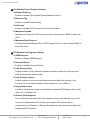
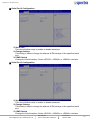
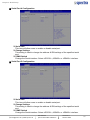
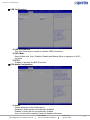
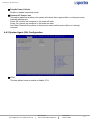
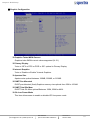
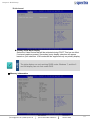
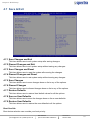
Chapter 4: BIOS Setup ■ PCI Express Device Register Settings Relaxed Ordering Enable or disable PCI Express Device Relaxed Ordering. Extended Tag Enable or disable Extended Tag. No Snoop Enable or disable PCI Express Device No Snoop option. Maximum Payload Set Maximum Payload of PCI Express Device or allow System BIOS to select the value. Maximum Read Request Set Maximum Read Request Size of PCI Express Device or allow System BIOS to select the value. ■ PCI Express Link Register Settings ASPM Support Enable or disable ASPM Support Extended Synch Enable or disable Extended Synch Link Training Retry Defines number of retry attempts software will take to retrain the link if previous training attempt was unsuccessful. Link Training Timeout Defines number of micro-seconds software that will wait before polling "Link Training " bit in link status register. Values range from 10 to 1000 uS. Unpopulated Links In order to save power, software will disable unpopulated PCI Express links, if this option set to 'Disable Link'. Restore PCIE Registers On non-PCI Express aware OS's (Pre Windows Vista) some devices may not be correctly reinitialized after S3. Enabling this register PCI Express device configurations on S3 resume. Warning: Enabling this may cause issues with other hardware after S3 resume. Spectra GmbH & Co. KG [email protected] | www.spectra.de User Manual Spectra PowerBox 3000‐Serie Version 1.0 Oktober 2014 95