1
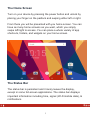
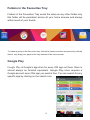
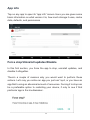
The Home Screen
Turn on your device by pressing the power button and unlock by
placing your finger on the padlock and swiping either left or right.
From there you will be presented with you home screen. You can
have as many home screens as you want, which you simply
swipe left/right to access. You can place a whole variety of app
shortcuts, folders, and widgets on your home screen.
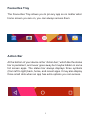
The Status Bar
The status bar is persistent and it rarely leaves the display,
except in some full-screen applications. The status bar displays
important information including time, signal (Wi-Fi/mobile data), &
notifications
3