1
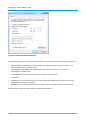
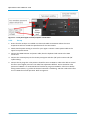
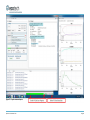
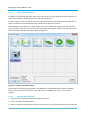
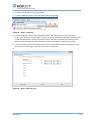
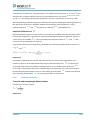
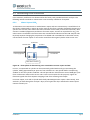
9. From the Validation Menu, select Run OVP Tests. Make sure “Print Report automatically” is NOT
selected and that “Show Report automatically” IS selected. Refer to Figure 31.
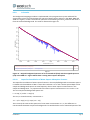
Figure 31 – OPUS – run OVP tests
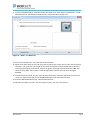
10. Click “Run selected Tests”. This will take several minutes.
11. When each report pops up, the user may print to pdf to save a copy of the results. Ensure that all
tests pass. If any test fails, send a pdf of the results to Ecotech via email with details of how the
test was performed all tests passed, click on the green status light and note that the CUBE now
shows as okay rather than inactive. It will change back to inactive once the tests are again
disabled.
12. Once the test has passed, the user must deactivate the tests. Failure to deactivate the tests will
result in a yellow status light and an EXPIRED message on the cube after 24 hours.
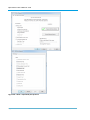
13. From the OPUS Validation menu, select Setup OVP tests.
14. Deselect “Run PQ Test every” and “Run OQ test every”, the click save and exit.
Maintenance
Page 55