1
Installation and Overview
About this Manual
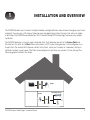
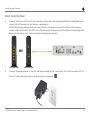
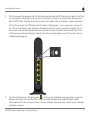
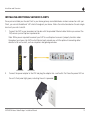
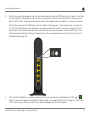
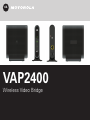
This manual provides you with instructions on how to install your VAP2400 series video bridge. Motorola
designed the VAP2400 series to install and integrate easily with your set-top box and home network. If you
encounter any difficulties during the installation process, refer to the Troubleshooting section at the end of this
manual.
Box Contents
Your box should contain the following:
Single Unit Bundle (for additional Clients)
Dual Unit Bundle (for initial installation)
One VAP2400 Series
connection kit
Two VAP2400 Series
connection kits
One Ethernet Cable
Two Ethernet Cables
One Power Adapter
Two Power Adapters
VAP2400 Wireless Video Bridge • Installation Manual 6