1
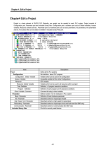
Chapter 5. Edit a Program 1) Cut After selecting a block, Select Edit-Copy(Ctrl+X, ). 2) Copy After selecting a block, Select Edit-Copy(Ctrl+C, ). 3) Paste After copying or cutting a block, In LD program window, move the cursor to the position that you want to paste on. Select Edit-Paste(Ctrl+V, ). 4) Delete After selecting a block, Select Edit-delete(Delete, ). 5.6.12. Find This command allows you to find a variable name, position of contact and etc, which are used in the program Call Find dialog box by selecting Edit-Find ( ). 5-17