1
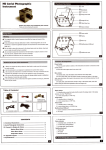
Preparing The Camera
Set the camera's recording program to [underwater ] to ensure your recordings have natural
looking colors with toned-down blues.
Before using the camera underwater, make sure you save your important recordings to a
computer. See saving and sharing your recordings in the camera's instruction manual.
1 Insert a memory card (if necessary) and attach a fully-charged battery pack
2 Remove the grip belt and the optional wrist or shoulder strap, if attached
3 Turn on the camera and change in advance the camera s settings as necessary
* Set the recording program to [underwater]. See Special Scene ecording program in
the camera's instruction manual
* Check that the image stabilizer is set to [Dynamic]. See dvanced mage Stabilization in
the camera's instruction manual.
* Check that simultaneous recording is not turned off if you want to take photos with
an aspect ratio of 16:9 while you record movies. See aking hotos While ecording ovies
(Simultaneous recording) in the camera's instruction manual.
* Check that the wireless controller is not turned off if you want to access menus and
settings while the camera is secured in the waterproof case. See [Wireless emote ontrol]
under the system setup menu in the camera's instruction manual.
11