1
TECHNICAL BULLETIN
MDC SYSTEM COMPUTER CONFIGURATION
ENGINEERING REPORT
01-001
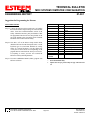
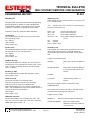
Suggestions for Programming the Esteems
SETUP PROCEDURE:
Step #1: Connect the ESTeem wireless modem to a PC running
the ESTeem Utilities Program using one of the interface
cables. Enter the Terminal Emulation section of the
Utility. Match the baud rate, parity and number of data
bits programmed into the RS-232 Setup Switch on the
rear of the modem to the port settings on the Terminal
Emulation section of the ESTeem Utility.
Step #2: Turn Bit 8 off on the RS-232 Setup Switch. Reset
(RST) the ESTeem from the front panel switch. On the
keyboard, type FA (FACTORY DEFAULT) carriage
return <cr> from the keyboard. Your key strokes may
or may not be echoed on the screen depending on the
program that was in the ESTeem when you received it.
If everything is correct, you have now restored the
ESTeem to Factory Default parameters.
Step #3: From the COMMAND MODE (CMD), program each
ESTeem as follows:
ELECTRONIC SYSTEMS TECHNOLOGY
415 N. QUAY STREET • KENNEWICK, WA 99336
Remote
FA
ADD
* SETC
• TERMC
• TERMT
• SENDP
• PACKL
MULTID
AUTOLF
EDIT
TYPSYSTE
ECHO
SAVE
BIT 8 (RS-232)
RESET
ESTEEM
*
•
Page 2 of 2
Value
XXX
255
ON
10
XX
XXX
ON
OFF
OFF
OFF
OFF
ON
Definition
Restore Factory Defaults
Sets ESTeem Address to
XXX
Enable Global Feature
Set Termination Timer
Set Termination Time
Set Sendpack Character
Set Packet Length
Enable Multi-ID
Disables Auto Linefeeds
Disables Edit Commands
Disables Type System
Disables Character Echoes
Saves Configuration
Enable Autoconnect
Reset ESTeem
Set In Global Mode Only
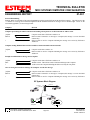
Defines the end of a packet. Only one type will need to be
set.
509-735-9092 (O)
www.esteem.com
Revised: 17 March 03