1
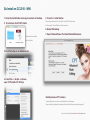
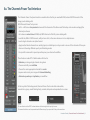
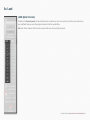
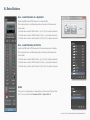
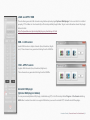
Delete (bin icon) - Channels loaded
Delete only those alpha channelsthat have been created by LOAD and/or ALL- Load Channels on this file
(this is an option of ALL button) from your active document.
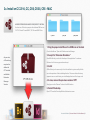
Delete (bin icon) - alpha Channels
Delete all alpha channels, even those created outside CPT, from your active document.
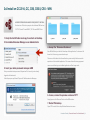
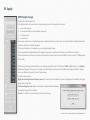
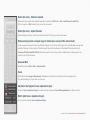
Stamp on top (create a merged copy of visible layers on top of the actual stack)
Create a merged (composite) version of the file and place it on the top of the layer stack. Invisible layers are ignored
and don’t take part in the creation of the final result. Despite the behaviour of the default Photoshop shortcut
Command/Ctrl+Option/Alt+Shift+E this button works fine even if you select a hidden layer, and always put the
result on top of the oter layers.
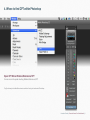
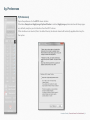
Gaussian Blur
Recalls Photoshop Filter > Blur > Gaussian Blur.
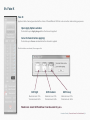
Curve
Recalls Photoshop Image >Adjustments > Curves. It is a destructive function, and can be applied only
to a pixel-based layer, a layer mask or a channel.
Adj Curve float (adjust Curves adjustment layer)
Creates a Curves adjustment layer (non-destructive) and opens Curves floating window for a better control.
Edit C (edit Curves adjustment layer)
Let you edit an existing Curves adjustment layer.
KnowHowTransfer | Channels Power Tool User Manual | 23