1
EarthLCD.com
ezLCD-30x User Manual
1.0 Introduction
2.0 About This Manual
2.1 One Hundred Dollars - The e.z. way!
3.0 How the ezLCD-30x Works
4.0 Installation and Getting Started
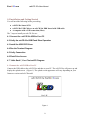
4.1 Connect the ezLCD USB to Your PC
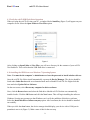
4.2 Verify the ezLCD USB Flash Drive Operation
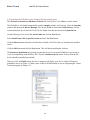
4.3a Installing the USB Driver on a Windows 7 Operating System
4.3b Installing the USB Driver on a Windows XP Operating System
4.4 Run the “Termie” Terminal Program
4.5 Verify Connection
4.6 Flash Drive Access
5.0 Command your ezLCD with EarthSEMPL
5.1 ezLCD-30x Grammar
5.2 Creating and Saving Macros
5.3 Comment Always
6.0 EarthSEMPL Macros
6.1 STARTUP.EZM - Your Most Important Macro
7.0 Images
7.1 Resizing an Image in Photoshop
7.2 Resizing an Image in Windows Paint
8.0 Colors
8.1 Set Current Color
8.2 Set Custom Color
9.0 Drawing
9.1 Drawing a single pixel
9.2 Drawing a line
9.3 Drawing a box
2