1
Table of Contents
Preface
Manual contents............................................................................. xxvii
Conventions.................................................................................... xxviii
C h a pter 1
Introduction
Equipment checklist...................................................................... 1-1
Special features.............................................................................. 1-9
TOSHIBA Value Added Package................................................... 1-12
Utilities and Applications............................................................... 1-13
Options............................................................................................ 1-17
C h a pter 2
The Grand Tour
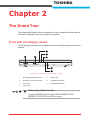
Front with the display closed........................................................ 2-1
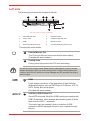
Left side........................................................................................... 2-3
Right side........................................................................................ 2-5
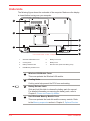
Underside........................................................................................ 2-8
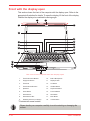
Front with the display open........................................................... 2-10
Optical Disc Drive........................................................................... 2-13
AC adaptor...................................................................................... 2-14
C h a pter 3
Getting Started
Connecting the AC adaptor........................................................... 3-2
Opening the display....................................................................... 3-4
Turning on the power..................................................................... 3-5
Windows® 7 setup.......................................................................... 3-5
Turning off the power..................................................................... 3-6
Restarting the computer................................................................ 3-10
System Recovery Options............................................................. 3-10
ii
User ’s Manual