1
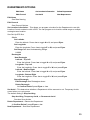
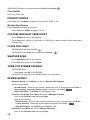
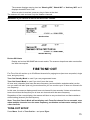
Start/Stop Recording
While scanning, press Func then Replay.
Note: Resets to Off when you turn off the scanner.
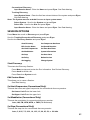
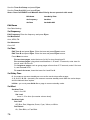
Advanced Channel Menu
While the channel is in the display, press E/yes.
Edit Current Channel - See Channel Options.
Add to Favorites List - Press E/yes or ./no.
At Select Favorites List, scroll to the Favorites List and press E/yes.
Save Sub Audio/P25 NAC - CTCSS Tone or DCS/NAC Code (blinking)
At Are you sure?, press E/yes.
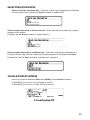
Save Talk Group ID - Unknown Talk Group ID with ID Search
At Are you sure?, press E/yes or .No.
At Select Department, scroll to the Department and press E/yes.
Save Unit ID - Unknown Unit ID
At Are you sure?, press E/yes or .No.
Store a Search Frequency (Search with Scan)
Press E/yes.
Then see Storing Frequencies.
Adding Systems From the Database
Press E/yes to store a frequency.
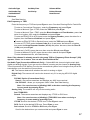
Attenuation
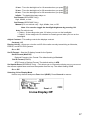
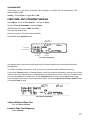
Channel Attenuation - Press Channel to hold on the channel and press Func then 4(ATT)
to toggle attenuation.
Global Attenuation - Press Channel to hold on any channel then press Func then press
and hold 4(ATT) to toggle global attenuation.
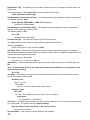
Modulation
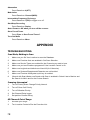
Conventional Channel Modulation
Press Channel to hold on the channel.
Press Func then Channel(MOD) to toggle modulation.
Press Channel to release hold mode.
Site Modulation
Press Func then Dept to hold on the Site.
Press Channel to hold on any channel.
Press Func then Channel(MOD) to toggle modulation.
Press Channel to release hold mode.
Press Func then Dept to release Site hold mode.
55