1
TIME & ATTENDANCE SYSTEM
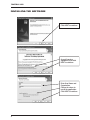
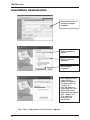
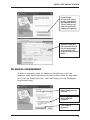
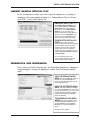
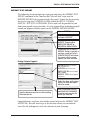
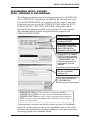
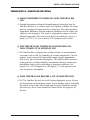
MATCH ONLY ON EMPLOYEE ID:
The import will only match Employee ID’s.
UNIQUELY MATCH: The import will do a
cross reference on all employee data to ensure it
is correct (Pyramid strongly recommends use of
this option).
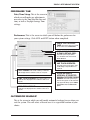
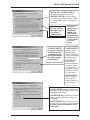
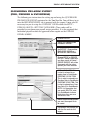
Check this option
to have TimeTrax
Bio update your
QuickBooks
Employee data.
Check this
option to have
QuickBooks
update your
TimeTrax Bio
employee data.
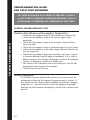
(PYRAMID STRONGLY RECOMMENDS
USE OF THIS
OPTION).
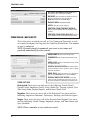
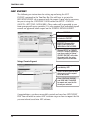
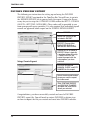
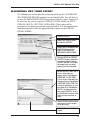
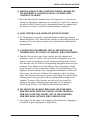
If ALWAYS IMPORT
is selected, you have
the option to select
an employee group
that all new employees will be entered
into by default.
ALWAYS IMPORT:
When selected, this
option will always
import the QuickBooks
employee into TimeTrax
Bio without asking.
ASK BEFORE:
When selected,
the system will always
ask before it imports
any employee into
TimeTrax Bio (Pyramid
strongly recommends
use of this option).
NEVER IMPORT:
When selected, the
system will never
import any employees
into TimeTrax Bio.
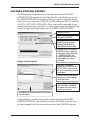
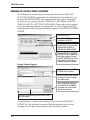
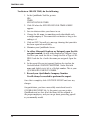
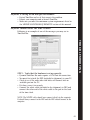
ALWAYS IMPORT: When selected, this option
will always import the QuickBooks employee into
TimeTrax Bio without asking.
ASK BEFORE: When selected, the system will
always ask before it imports any employee into
TimeTrax Bio.
NEVER EXPORT: When selected, the system
will never export any employees from TimeTrax Bio
(PYRAMID STRONGLY RECOMMENDS USE OF
THIS OPTION).
25