1
Getting Started
System Requirements
To be able to use Polar Explorer, you need:
o IBM PC, XT, AT, PS/2, or compatible
o 512 kb RAM memory
o At least one floppy drive (double-sided, low or high density)
o VGA graphics card
o MS-DOS or PC-DOS version 3.0 or later or any version of WIndows.
Installing Polar Explorer 2.2 on a Hard Disk
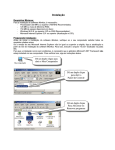
Simply unzip the contents of Polar_Explorer_22.zip file to a new folder on your hard drive
and place a shortcut to the PE22.EXE file on your desktop. That should do it.
Polar Explorer's Files
Polar Explorer Version 2.2 distribution file (Polar_Explorer_22.zip) contains the following
files:
PE22.EXE
Polar Explorer program file. Note that this is a MS-DOS program and
it will best tun in a DOS window.
TUTORIAL.BAT
Batch file that starts Polar Explorer 2.2 and invokes the 0-INTRO
introductory tutorial script. It also tests if all the files needed for
playing the 0-INTRO script are present on the current directory.
TUTORIAL.GL?
These three files (.GL0, .GL1 and .GL2) contain the tutorial glider
library required for playing tutorial scripts.
TUTORIAL.PE?
These three files (.PE0, .PE1 and .PE2) contain the tutorial sheet
library required for playing tutorial scripts.
*.{S}
Files containing tutorial scripts with around 7 hours of online
instructions.
POLAR.GL?
Glider library with over 150 glider definitions, mostly based on flight
test data published by Johnson and Zacher.
POLAR.PE?
Sheet library with sample data sheets.
*.SCR
Source files of tutorial scripts. You can use them to customize tutorial
scripts any way you wish.
MSC.EXE
Macro Script Compiler/decompiler program used to compile .SCR
source files into .{S} script files and vice versa.
Running Polar Explorer
Rnning Polar Explorer in a DOS Command Window
To run Polar Explorer 2.2 in a DOS command window, first change to the drive and
directory set up for it. Next, type PE22 and press [Enter].
You can also use several command line parameters with the following effects:
/M
Runs Polar Explorer in mono mode (suitable for some laptops).
/S:xxxx
Automatically starts executing a command script, where xxxx is the
name of the script. Do not include the extension, it is assumed to be
.{S}.
/T:yy
Sets the time delay constant ('T delay') to the value specified by yy.
This parameter is normally used together with /S:xxxx. See the next
chapter for details on 'T delay'.
Rnning Polar Explorer Directly from Windows
To run Polar Explorer 2.2 directly from Window, simply double-click on PE22.EXE in the
Windows explorer, or double-click on the shortcut to PE22.EXE on your desktop.
Polar Explorer Version 2.2 Short Guide
6