1
1. Product Description
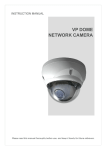
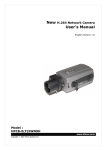
This manual applies to the Network Camera.
The Network Camera supports the network service for an existing analog camera. An
analog image entered can be monitored on a real-time screen regardless of distances and
locations. By using its dedicated program, many users are able to have an access to the
Network Camera at once or a single user can monitor various network cameras at the same
time. It also enables users to play, store and retrieve a monitoring image by using a PC. All
the settings and real-time monitoring screens are also provided through an access to the
web.
The Network Camera is a one-port video Camera including two-way audio, fully featured for
security surveillance and remote monitoring needs. It is based on the DSP compression chip,
and can digitize one analog video source and make it available on the network as real-time,
full frame rate Motion JPEG and H.264 (or MPEG-4) video streams.
The alarm input and alarm output can be used to connect various third party devices, such
as, door sensors and alarm bells.
Installation Steps
Follow these steps to install the Network Transmitter on your local network (LAN):
1.
2.
3.
4.
Check the package contents against the list below.
Connect the Network Camera. See page 4.
Set an IP address. See page 5.
Set the password. See page 6.
Package Components
The system comes with the following components:
Network Camera unit
Installation CD
Contents in the installation CD
1.
2.
3.
4.
5.
The
The
The
The
The
Network Camera User’s Manual
NautilusClient16 User’s Manual
Nautilus Server User’s Manual
NautilusClient16 Installation software
Nautilus Server Installation software
2
Installation Guide