1
bb104614.book Page 148 Friday, March 22, 2002 10:27 AM
Chapter 6 – Storing and Recalling Data
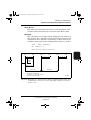
Storing Measurement Data
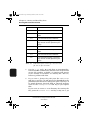
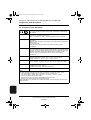
File Extension
File Content
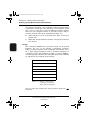
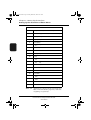
S1A
1/1-octave bands with statistics
S1B
1/1-octave bands without spectrum statistics
S1C
1/1-octave bands without statistics
S1D
1/1-octave band logging or event logging with file contents specified by the
set-up
S3A
1/3-octave bands with statistics
S3B
1/3-octave bands without spectrum statistics
S3C
1/3-octave bands without statistics
S3D
1/3-octave band logging or event logging with file contents specified by the
set-up
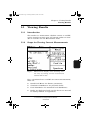
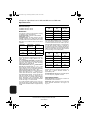
Table 6.1 Indication of the content of a measurement
file via its file extension
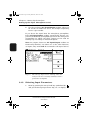
> and <
> soft keys to increment/decrement the file number. The default value is the lowest
vacant file number available. A warning will appear
if you attempt to overwrite an existing file. You can,
however, persist with this.
5.
Use the <
6.
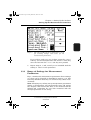
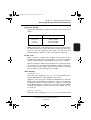
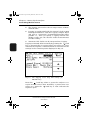
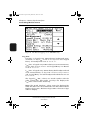
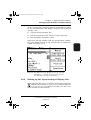
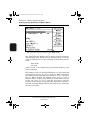
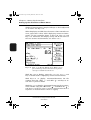
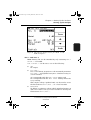
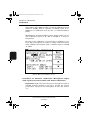
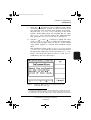
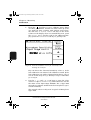
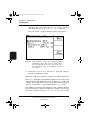
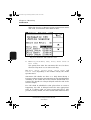
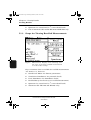
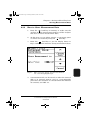
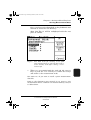
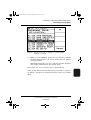
If you want to change the path press the <New Path>
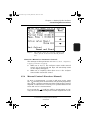
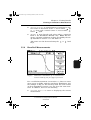
soft key to get Fig. 6.2 and proceed as described in the
platform’s user manual to change the path. Use Fig. 6.2
to switch between internal disk or external memory
card via the <Change Drive> soft key if you require
this.
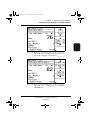
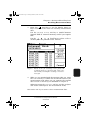
If you want to create a new directory for storing the
file, press the <Create. Dir.> soft key in Fig. 6.2 to get
148
Sound Analysis Software BZ 7210/BZ 7219 and
Enhanced Sound Analysis Software BZ 7206
User Manual
Brüel & Kjær