1
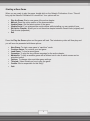
Starting a New Game When you are ready to play the game, double-click on the Galactic Civilizations II icon. This will bring up the Galactic Civilizations II LaunchPad. Your options will be: Play the Game: Start a new game of the active chapter. Manual: Read the online version of the documentation. Update Game: Get the latest version of the game. Update Serial: If you mistyped the serial number while installing you can update it here. Set Active Chapter: Allows you to set the active chapter between Dread Lords (original) and Dark Avatar (expanded). Exit Press the Play the Game option and the game will load. The introductory video will then play and you will soon be presented with these options: New Game: T o sta rt a n e w g a m e in ―sa n d b ox‖ m o d e . Continue Game: To continue your last game. Load Game: To load a saved game. Campaign: To play the story-driven campaign for the active chapter. Metaverse: To play a sandbox game with a defined set of rules in which scores can be submitted online. Options: To change video and other game settings. Tutorials: Video tutorials on how to play the game. Credits: W h o ’s re sp on sible for this thing ? Quit 7