1
English
2.3.5
Adjusting the Volume
1
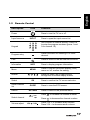
Press VOL+ on the control panel or
volume.
2
Press VOL- on the control panel or
the volume.
3
Press
MUTE
VOL
VOL
on the remote control to increase the
on the remote control to decrease
to eliminate sounds, and press
MUTE
again or press the volume
buttons to restore the original volume.
2.3.6
Editing Channel Table or Favorite Channel
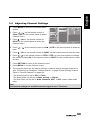
1
Press MENU on the control panel or remote control, then select to enter the
Channel menu.
2
Select Channel List.
3
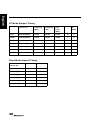
If you want to add or remove channel from channel table, please select the
channel and press OK to mark "S" column. If you want to add or remove
favorite channel, please select the channel and press OK to mark "F"
column.
29