1
6
PRIME TIME COMPUTER CLUB
CODEC
A codec is a file or a program that encodes and
decodes audio or video. When you try to play certain files on your computer you need a codec for
that type of file. If you try to play a DVD on your
compute,r Windows Media Player may not have
the proper codec needed.
Media player can search on line for a codec automatically. If there is no free codec available it may
direct you to a web site to purchase a codec.
There are free codec’s available most of the time.
You need to be very careful where the codec
comes from as there are viruses and spyware that
can infect your compute when installing a codec.
If Windows media player does not open the file,
look to see if you have another program installed
such as Win DVD or Nero Showtime and try to play
the DVD with one of them.
I would suggest that you don’t install any codecs
unless you cannot play a video on your computer.
I used the K-lite Codec Pack
http://www.majorgeeks.com/KLite_Codec_Pack_Full_d4844.html . It will install
the most common codecs needed for most video
and audio files including the Media Player Classic.
You can elect not to install it and just use the Windows Media Player.
If you download a file, scan the
file before running it. Most
antivirus programs allow you to
scan individual files. With AVG
and most other antivirus software you can right click on the file and select
SCAN before opening the file.
If you do not have a DVD burner you can add or
replace your existing CD Drive with a DVD Burner
for under $50 -- if you are not afraid to open
your computer.
You can purchase DVD burners from Walmart,
Bestbuy, Office Depot or Office Max and many
on line retailers. If you purchase on line make
sure there is software included for the drive.
Check your computer manual before adding or
replacing any drives and to make sure you do
not void any warranties.
Hope to see you at our next meeting and at the
Computer Expo 2008. Bring any questions you
may have or suggestions for future programs or
topics and I look forward to seeing everyone
again.
Aaron
Installing CODECS improperly or an unknown CODEC may result in files not opening correctly or
your computer getting infected with spyware or
viruses. If you need a codec find the correct one
and you will have no problems viewing the videos
on your PC.
Remember to keep your antivirus/antispyware
software up to date and make sure you do a full
system scan after you have updated your virus
and spyware definitions.
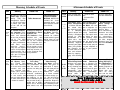
The following 2 pages are the
Schedule of Events for the Expo.
It is designed to print on both sides of one
sheet of paper, then tri-folded.