1
M1 Series – PC
Instruction Manual 9R000035-IR
E.O. 6409 JAN 2008
For pressure measurements:
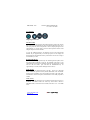
• Selecting the HOLD mode (HOLD icon) will immediately freeze the
displayed pressure measurement.
• Selecting the MIN/MAX mode (the MAX or MIN icon) will display the
MAX and MIN pressures since power on or since the MAX and/or MIN
value was Zeroed (see next).
o the UNIT key will toggle between the MAX and MIN pressure
measurement
o the Zero function (F and U) will zero (or reset) the MAX and/or MIN
values individually
• Selecting the AVE mode (AVE icon) will begin averaging the pressure
measurements. While in this mode, the displayed pressure is the average of
all the pressure measurements since entering AVE mode or since restarting
AVE mode (see next). This mode can be used to display a stable pressure
reading that may be fluctuating or noisy.
o the UNIT key will restart (or reset) the averaging
The red backlight will illuminate when the M1 is measuring pressure values
outside its calibrated range. When the red backlight is on, the accuracy of
these measurements is uncharacterized.
Beyond 110% of the calibrated range, “----” will be displayed. The red
backlight will be illuminated in both cases.
The minimum and maximum pressure the M1 has measured is
permanently recorded for factory warranty issues.
For temperature measurements:
• Selecting the TEMP mode (the °F or °C icon) will display the internal
ambient temperature of the M1.
o the UNIT key will toggle between °F and °C
The minimum and maximum temperature the M1 has measured is
permanently recorded for factory warranty issues.
www.meriam.com
Page 6 of 18