1
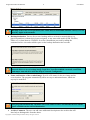
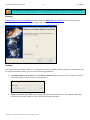
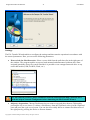
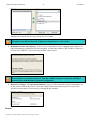
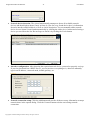
Paragon Rescue Kit™ for Mac OS X 8 User Manual Backup of the GPT service partition (also called EFI) is unavailable, but don’t worry, it’s not used by Apple at the moment. Backup destination. You are free to save backup archives to local or network drives, to physical partitions (without drive letters assigned), to any removable media (USB, FireWire, Flash, etc.) or burn them to CD/DVD. So select a destination you need by taking the estimated archive size and available space on the backup destination into account. Select the Save data to local drives or physical partitions option and then choose a mapped network drive to save a backup image on the net. You can establish a network connection and map a network drive with the help of Network Configurator. Name and location of the resulted image. Provide a file name for the new image and its exact location. The program automatically offers an easy to understand name, which can anyway be modified. The program automatically calculates size of the future archive and informs the user about space available on the selected destination. Archive Comment. The user can add some additional description to the archive that will later help to distinguish it from the others. Copyright© 1994-2008 Paragon Software Group. All rights reserved.