1
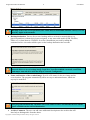
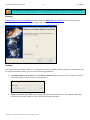
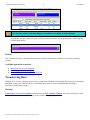
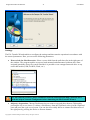
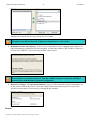
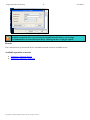
Paragon Rescue Kit™ for Mac OS X 9 User Manual In addition, you can activate an advance mode by marking the appropriate checkbox at the foot of the second page of the wizard (i.e. the What to back up page). When it is marked, the next page allows you to define: Whether the archive integrity will be controlled. Checking archive integrity enables to guarantee that all backup images created with the program are 100 percent flawless. Nevertheless if you decided not to control the archive integrity, the backup operation would take about 3-5% less time. Whether image file names will be set automatically in complex archives. Compression level for the backup image (including the No compression variant). Whether the archive will be split (if this is the case the user can set the maximum size for the archive files). Splitting images enables to tackle issues caused by a file size limitation of some file systems. Whether the archive will be protected by password. Whether the selected partition will be copied in the sector-to-sector mode (including unused sectors as well). Whether the OS auxiliary files (pagefile.sys, hyberfil.sys) will be included in the backup image. Recording speed when the user wants to burn the backup image onto CD/DVDs. Results After the backup operation is completed you will receive an image of the selected partition. This image will be placed into the specified destination (a local or network disk, CD/DVD, etc.), its features defined by the wizard. Available operation scenarios: Backup to a Local Partition Backup to a Network Drive Backup to External Media (CD/DVD) Restoring System and Data Actually it is the reverse of the backup operation, thus without having a previously made backup image, you will not be able to use it. However it is the most efficient and easy to use way to recover your system and data. Copyright© 1994-2008 Paragon Software Group. All rights reserved.