1
Configuring PTZ Preset Sequence
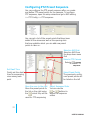
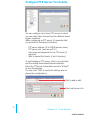
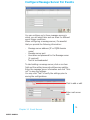
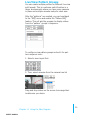
You can configure the PTZ preset sequence after you create
and define PTZ preset points for the cameras. To configure
PTZ sequence, open the setup wizard and go to NVR setting
>> PTZ Config >> PTZ sequence
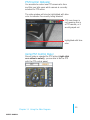
You can get a list of the preset points that have been
added to the camera as well as the opening slots
that are available which you can add new preset
points to later on.
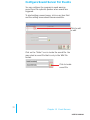
Select an NVR first
Select an NVR from
the drop down menu
first
1.
2.
5.
Set Dwell Time
Finally set the dwell
time for sequencing
view among each
point
6.
3.
4.
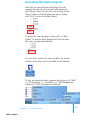
Select a PTZ Camera
Select a PTZ camera
to confirm PTZ
sequence.
5.
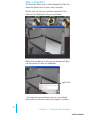
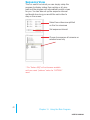
Select Preset Points
The previously configured preset points will
be listed on the left
Move the ones to the right
Move the preset points to
the list on the right using
the
which they will be
Adjust Sequence Order
You can use the
or
buttons to
adjust the sequence
orders
used for PTZ sequencing
19
USER’S MANUAL