1
Chapter 3: Descriptions on setting parameters/functions
User's Manual for TB128 V2.0
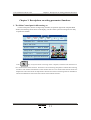
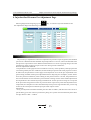
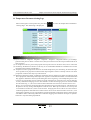
3. Pressure holding/mold opening & closing/plastic pumping data setting
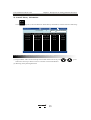
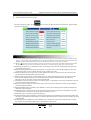
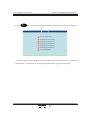
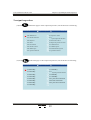
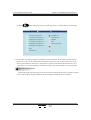
Press
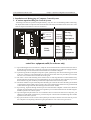
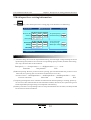
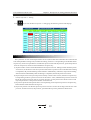
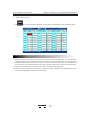
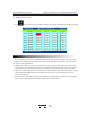
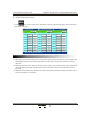
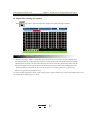
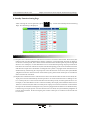
key twice, and you will enter the pressure holding/mould openin g & closing/ plastic
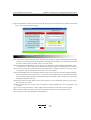
pumping d ata setting page; th e follow ing is s howed on the page:
2010-03 -28
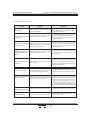
*Mold seting*
20:38:08
hold pressure 1 hold pressure 2 Mold close 2 mold open2 Suck back
Pressure (bar) 55.0
55.0
43.0
43.0
30.0
Flux(%) 20.0
25.0
30.0
23.0
25.0
Place(mm) 10.0
****
****
2.0
22.0
Injector total time 10.0
Feed delay 2.0
Turn to pressure holding Location
Feed limit
22.0
Mold close 2 Disable
Note:0.location 1.time
mold close slow
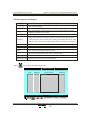
Descriptions on setting parameters/process/function mode
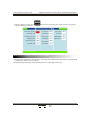
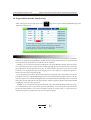
(1) Pressure holding: After the plastic pumping is completed, the pressure holding action will be
performed in two stages and respectively controlled via time.
(2) Mold closing 2: In automatic mode, the closing 2 action will be performed after mould locking;
such action will not end until the mould travels to X31.
(3) Mold opening 2: In automatic mode, the opening action can not be performed until the molding
opening 2 is completed; such opening action will not end until the mould travels to X31.
(4) Plastic pumping: The pumping follows plastic melting and will stop when the time is up or the
electric ruler reaches the set position.
(5) Total injection time: For the injection controlled by an electric ruler, the injection action time
can not exceed this set time.
(6) Plastic melting delay: It means the melting action can be performed after this set time.
(7) Plastic melting time limit: The melting time can not exceed this set time, or an alarm will be
given and the machine will stop.
(8) Mo ld closing 2 selection: For se tting this op tion, you may select use o r non-use of mold lock ing
2 and m old op ening 2 a ctions .
R
15