1
V3
SOUND
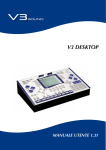
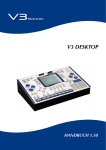
V3 DESKTOP
USER MANUAL 2.0
TABLE OF CONTENTS
Page
Safety precautions, technical specifications, copyright
2
Quick start
4-5
User interface and ports
6-7
Setup
8
Overview – SOUND – COMBI – REGIST modes
9
Selecting a registration
10
Factory registrations
11 - 13
Style arranger
14 - 15
MP3 and MIDI file players
16
Foot pedal, volume pedal, and transpose
17
REGISTRATION - Top 5 parameters of registrations
Sound change
18
Sound on/off
19
Sound volume and reverb
20
Playback volume – Track on/off – Track plan – Save
21
OVERVIEW – MORE MUSIC
Sound scenes: Sound change during play
22 - 23
LINK function: Switch sounds and style variations with one click
24 - 25
Selecting an instrumentation
26 - 27
SOUND mode
28
REFERENCE MANUAL
REGIST and COMBI modes in comparison
30
Categories – REGIST
31
Registration: Editing all parameters
32
Plug-in details
37
Plug-in: Soloist, high/low notes
42
Plug-in: Drums
46
SAVE
49
GLOBAL SETTINGS
Foot switch
50
Volume pedal
51
Tune & Contrast
52
Remote Control
53
MIDI setup
54
SCALA & TRANSPOSE
56
Troubleshooting
57
LINK examples
58
Manual bass and chord
61
Database overview
62
Sound categories
63
Rename - folder name
63
Software updates & SD card contents
64
Sound board installation
65
2
SAFETY PRECAUTIONS
SAFETY INSTRUCTIONS
COPYRIGHT
!
• Read the user manual before using the device
• Do not allow any liquid to come in contact
with the device
• Do not place anything on top of the device
• Do not handle the power supply with wet hands
• Turn off all connected devices before you
connect any new devices
Do not use or store the device where it is exposed to:
• dampness or wetness
• extreme temperature changes
(i.e. do not store in a vehicle in winter)
• strong vibrations or jolts
All the audio recordings V3SOUND uses on the sound
boards are protected by copyright. V3SOUND alone has
been given the right by all musicians involved to use this
material. Any duplication, editing or any other copy of
individual sounds by or given to a third party in any form
(audio sampling CD, data storage device with individual
sounds, download of any file, etc.) is strictly forbidden.
Copyright © 2015 V3SOUND - Austria
TECHNICAL SPECIFICATIONS
• Display: 320 x 240 pixels
HANDLING
• Use only the original cables and power supply
• Remove the cable only by pulling on the plug,
not on the cable
• Do not expose the power adapter to any mechanical
stress
• Audio player: MPEG Layer III 32-48.000kHz
Bit rate up to 320 kbit/s – all variable formats
MPEG Layer III audio decoding technology licensed
from Fraunhofer IIS and Thomson
• 10.000 memory slots for registrations
• 4GB memory support for MP3, MIDI and style files
CUSTOMER SERVICE
• 32 MIDI channels, 2 MIDI-out
Do not carry out any repairs at home, as this may result
in permanent damage to the electronics. Any guarantee
claims are no longer valid in this case.
• 4 audio out
• Dimensions: 27.3 cm (L) x 18 cm (W) x 6.8 cm (H)
• Sound memory via V3SOUND sound boards
ACCESSORIES
Manual and power
POWER REQUIREMENT • Polyphony depends by the total of sound boards
installed.
• Ports available for 3 foot pedals and
an expression pedal
9VDC / 1.3A
HUMIDITY
max. 80%, non-condensing
OPERATING TEMPERATURE
10 to 40 degrees Celsius
The CE certification is available at
www.v3sound.com.
V3SOUND
A-6114 Kolsass
Austria
CC
3
OVERVIEW
Thank you for choosing the V3 DESKTOP — the most modern technology inside an
electronic musical instrument.
BRIEF OVERVIEW OF ITS FUNCTIONS
SOUND BOARDS
CONTROLS & MUSIC
Three V3SOUND sound boards can be installed in
the V3 DESKTOP.
The V3 Desktop allows you to play up to 16
sounds simultaneously.
There are several basic models.
Example for live application
Three sounds on MIDI channel 1, solo
One sound on MIDI channel 2, chord
Two sounds on MIDI channel 3, bass
Four sounds on MIDI channels 2 and 3, drums
Any MIDI instrument can be used.
Styles Arranger
Only if a sound board with the General MIDI
Sound Bank is installed, the International Style
Package with more then 300 styles will work.
Sound boards extensions
So with any sound board not only the sound material will be expanded, but also the polyphony
of the instrument will be increased.
Intelligent instrumentation
For example: When three keys are pressed,
only the trumpet should sound on the highest
note, the saxophone on the middle note, and
the trombone on the lowest note.
All current extensions, see www.v3sound.com
16 sounds for live play and 16 sounds for the
playback of MIDI files or styles are all available at
the same time.
4
OVERVIEW
MULTIPLAYER
The V3 DESKTOP has 3 different players.
MEMORY
All data is stored on the
SD memory card.
MIDI PLAYER
Playback of MIDI files, format 0
MP3 AUDIO
Playback of MP3 audio tracks
STYLE ARRANGER
Playback of rhythm patterns
The SD memory card allows easy transfer of
MIDI and audio files from your computer to the
V3 DESKTOP.
By copying your data from the SD card to
your computer, you can create a complete
backup copy of your V3 DESKTOP data.
There are up to 10,000 memory slots available
on each SD card for MIDI files, MP3 files, styles,
sounds, combinations, and registrations.
Each style has 4 main variations. Up to 16 fill-ins
are pre-programmed for each style.
If you start the fill-in before the middle of the current bar, the fill-in begins immediately. If you start
the fill-in after the middle of the bar, the fill-in begins in the next bar.
Auto Fill-in (AF): If you activate the auto fill-in
function, a suitable fill-in will be selected automatically when you choose a main variation.
Breaks will always start in the next bar.
Intro and Ending 3 are available in both major
and minor versions.
STYLES
The V3 DESKTOP basic style package includes
more than 300 styles. When you expand the V3
with another sound board, you also get styles that
have been created with these sounds specifically.
REGISTRATIONS
All of your settings for one song are saved and retrieved by REGISTRATION.
5
AUDIO OUT 4
DC IN
AUDIO OUT 3
2
AUX L
AUX R
MIDI-OUT
EXPRESSION PEDAL (100k)
USER INTERFACE AND PORTS
PEDAL
FS1
COPY
FS2
FS3
LINK
SAVE
EDIT
LYRIC
SPLIT
MIDI-IN
CA1
HARM
1
THRU
OUT-A
OUT-B
1
CA2
MAIN L
MAIN R
VALUE
DESKTOP
FAVORITE
PAGE +
2ND
PAGE -
TRANS
3
MAIN
VOLUME
9 - 16
SCALA
PHONES
9
4
MP3
SOUND
10
MIDI
FILE
STYLE
1
11
Y
1
2
3
4
5
6
7
8
6
I
V3
12
COMBI
15
2
14
13
IV
REGIST
6
II
7
III
HO
IE1
AF
IE2
Memory card slots
Power on/off
Main volume / Data value
Sound mode
Combi mode
Registrations mode
Live scenes
Exit
F1
IE3
A
F2
B
LIMEX
V3SOUND
3
16
4
X
5
1
2
3
4
5
6
7
8
9
-
0
+
F3
C
9
10
11
12
13
14
15
16
D
BR
MP3 player
MIDI file player
Style mode
Style scenes
Volume of LIVE sounds
Volume of PLAYBACK sounds
Tempo
Start/stop
E
X
E
N
T
E
R
8
SETUP
This section tells you how to set up the V3 DESKTOP
for play. Read this information carefully before
turning on the device.
POWER SUPPLY
Make sure the POWER switch on the back of the
device is in the OFF position (LED light is not on).
If the device does not have a power adapter
or it is damaged and you need a replacement,
please contact your V3SOUND dealer. If you
plug the device into the wrong power adapter,
you can severely damage unit’s circuitry.
Plug the power adapter that came with the device
into the DC port on the back of the unit.
The technical specifications of the power
adapter: 9VDC/1.3A
Plug the other end of the power adapter into a power outlet. Make sure that the adapter is compatible with the power supply.
Connect the audio outputs to an amplifier, active
loudspeakers or headphones.
To avoid possible damage to the loud speakers or
other connected electronic devices, always turn on
the V3 DESKTOP first before turning on any active
loud speakers or amplifiers. You should also turn
off the V3 DESKTOP, after you have first turned off
the speakers, mixer and amplifier.
7
SETUP
TO TURN ON
Both card slots have the same capabilities. You
can insert your SD card in CA1 or CA2. You cannot use two SD cards at the same time, however.
Before you turn the device on or off, make sure
that all connected audio devices that amplify the
audio signal (mixer, amplifier, active loudspeakers) have their volumes turned down.
DC IN
Insert the SD memory card
PEDAL
FS1
FS2
COPY
into the CA1 slot.
FS3
EDIT
LYRIC
SPLIT
THRU
OUT-A
OUT-B
AUX L
AUX R
MAIN L
MAIN R
CA1
HARM
CA2
DESKTOP
FAVORITE
PAGE +
2ND
PAGE -
TRANS
MAIN
VOLUM
9 - 16
SCALA
MP3
SOUN
MIDI
FILE
STYLE
Turn the power on by pressing the
POWER ON/OFF switch on the
back of the device.
1
X
Y
REGIS
IV
II
2
III
3
1
HO
AF
IE1
DC IN
PEDAL
FS1
In the lower right of the display you will see
the current value of the OVERALL VOLUME.
COPY
IE2
FS2
FS3
EDIT
LYRIC
SPLIT
F1
IE3
MIDI-IN
F2
A
THRU
B
OUT-A
CA1
HARM
C
OUT-B
D
AUX L
CA2
FAVORITE
BR
AUX R
MAIN L
PAGE +
2ND
PAGE -
TRANS
6
9
-
0
+
PHONES
SOUND
COMBI
STYLE
1
4
I
V3
REGIST
IV
II
2
III
Y
3
1
DC IN
PEDAL
FS1
FS2
FS3
MIDI-IN
2
THRU
HO
COPY
AF
F1
EDIT
SAVE
IE1
IE2
LYRIC
IE3
A
LINK
F2
HARM
SPLIT
B
F3
CA1
C
D
FAVORITE
3
5
CA2
BR
LIMEX
OUT-A
4
then the button parallel to [UTILITY]
on the display;
then the button parallel to [CONTRAST]
on the display.
5
8
After 2 seconds, the display switches back to
the standard display: TMP TRACK LIVE.
To adjust the display’s contrast, press:
4
MAIN
VOLUME
MIDI
FILE
the [EDIT] button;
3
7
MAIN R
9 - 16
MP3
X
LIMEX
F3
DESKTOP
SCALA
2
VALUE
LINK
SAVE
COMBI
I
V3
4
Turn down the MAIN VOLUME control.
P
VALUE
LINK
SAVE
MIDI-IN
7
8
-
0
OUT-B
E
X
AUX L
AUX R
MAIN
6
E
N
9
T
DESKTOPE
R
+
PAGE +
2ND
PAGE -
TRANS
9 - 16
SCALA
MP3
Change the contrast using the [+/-]
buttons in the 10-button pad.
Press [SAVE] to keep your changes.
MIDI
FILE
STYLE
1
4
Y
8
X
I
V3
IV
II
2
III
3
HO
AF
F1
F2
1
2
4
5
7
8
F3
L
OVERVIEW OF MIDI CHANNEL – SOUND – COMBI – REGIST MODES
MIDI channel factory settings
[SOUND MODE]
1 sound
SOUND
COMBI
I
The SOUND mode is ideal for browsing the
individual sounds of a sound board.
REGIST
II
MIDI channel 1
III
SOUND
[COMBI MODE]
All 16 sounds available on any channel
COMBI
I
IV
REGIST
II
III
The COMBI mode is ideal as a tone generator for MIDI files programmed on your PC
and played on the V3 DESKTOP.
MIDI channels 1 - 16
(Factory setting MIDI channel 1)
SOUND
COMBI
I
[REGIST MODE]
All 16 sounds available on any channel
REGIST
II
III
The REGIST mode is the mode you use 99%
of the time.
MIDI channels 1-16
(Factory setting MIDI channel 1)
STYLE ARRANGER
Chord recognition
(Factory setting MIDI channel 2)
MIDI ACCORDION
MIDI channel1 for treble side
MIDI channel 2 for chords
MIDI Channel 3 for bass
KEYBOARDS WITH 1 MIDI CHANNEL
The MIDI setup must be changed for keyboards with only one MIDI channel.
See page 55.
9
SELECTING A REGISTRATION – 3 OPTIONS
DC IN
SOUND
1. SELECT FROM DISPLAY
PEDAL
FS1
COPY
FS2
FS3
SAVE
EDIT
LYRIC
SPLIT
MIDI-IN
THRU
OUT-A
CA1
HARM
AUX L
CA2
DESKTOP
FAVORITE
Press the [REGIST] button.I
REGIST
AUX R
PAGE +
2ND
PAGE -
TRANS
MAIN
VOLUME
02 User free
09 Ballroom
10 Pop-Rock
MIDI
FILE
PEDAL
SOUND
i. e. 10 Pop-Rock
FS1
STYLE
Select a registration from the display.
COPY
INVERTED shown and is reay to play.
FS3
MIDI-IN
OUT-A
DESKTOP
FAVORITE
HO
MIDI IE1
FILE
press the same button a second time Part.
X
SOUND
COMBI
IV
PAGE +
III
PAGE -
001 Beat8
IE3
A
003 Rock 69
F2
B
C
D
BR
HO
IE2
F1
IE3
F2
A
B
C
D
BR
001 selects the registration 001 in folder 10
FS1
FS2
FS3
MIDI-IN
Press [ENTER] on the 10-button pad.
LINK
SPLIT
THRU
CA1
HARM
OUT-A
OUT-B
AUX L
DESKTOP
MAIN L
MAIN R
9
-
0
PAGE -
1
4
REGIST
V3
IV
III
LIMEX
10-button pad
3. SELECT WITH +/- KEYS
HO
II
2
3
AF
F1
Use the [+/-] keys in the 10-button pad to move up
IE1
IE2
IE3
A
or down among registrations within a folder.
F2
B
1
2
3
4
5
6
7
8
9
-
0
+
F3
C
D
BR
+
COMBI
E
X
E
N
T
E
R
E
X
E
N
T
E
R
SOUND
LIMEX
1
2
4
5
6
7
8
9
-
0
+
TRANS
COMBI
STYLE
MAIN
VOLUME
REGIST
II
SHORTCUT
If you want to select a different registration in the
same folder, you do not need to enter the folder
number again.
To select the registration
35 from the same folder,
I
press: [REGIST] [3] [5] [ENTER]
MIDI
FILE
8
PHONES
SOUND
7
MAIN
VOLUME
MP3
10
AUX R
9 - 16
SCALA
Y
6
By pressing ENTER, the selection VALUE
is carried out
CA2
and the registration
is
called
up.
PAGE +
2ND
FAVORITE
3
3
F3
Digit 001 on the 10-button pad.
LYRIC
5
III
AF
LIMEX
4
2
10 selects the folder number 10, Pop-Rock
EDIT
2ND
TRANS
3
II
SAVE
II
REGIST
IV
VALUE
2
IV
PHO
REGIST
I
V3
4
MAIN R
F3
Digit 10 on the 10-button pad.
III
COPY
MAIN L
1
Y
IE1
Press the [REGIST] button.I
F1
1
2. SELECT BY NUMBER
004 PopItaly
AF
IE2
STYLE
Now you can as described on page 18 change and
store all settings of Registration.
I
9 - 16
MP3
If you want to edit the Registration,
AUX R
3
002 Gtr Rock
it´s possible to starts Styles and other files.
AUX L
CA2
2
SPLIT
SCALA
The Registration is full working.
OUT-B
a. e. 003 Rock 69
CA1
HARM
4
COMBI
THRU
V3
LINK
EDIT
X LYRIC Y
The name of the Registration will be
FS2
1
SAVE
X
PHO
II
DC IN
PEDAL
MAIN R
00 User free
08 Ballad
MP3
Select a REGIST folder from
III the display.
DC IN
MAIN L
9 - 16
SCALA
COMBI
01 User free
IV
OUT-B
VALUE
LINK
E
X
E
N
T
E
R
FACTORY REGISTRATIONS
FACTORY REGISTR ATIONS
FOLDERS FOR SOUND BOARDS WITH GM
REGISTR ATION FOLDERS 08-29
The registrations in folders 08-29 (BALLAD, LATIN,
BALLROOM) are organized as follows:
08 Ballad
09 Ballroom
10 Pop-Rock
11 Swing & Jazz
12 DanceDisco
13 Latin
14 R & B
15 Country
23 German pop hits
24 German folk music hits
SYNC START and INTRO are pre-programmed for
all factory settings with a pre-set STYLE.
27 Italy Pop
28 Italy Folk
4 sound settings are pre-programmed in each
registration. Use the SCENE buttons I, II, III,
and IV to select the sound mixtures suitable
to your piece.
The style arranger is activated and a suitable
style is set for the piece.
DC IN
PEDAL
FS1
COPY
FS2
FS3
EDIT
LYRIC
SPLIT
MIDI-IN
THRU
OUT-A
OUT-B
AUX L
CA1
HARM
CA2
DESKTOP
FAVORITE
29 Signation
AUX R
MAIN L
MAIN R
PAGE +
2ND
PAGE -
TRANS
MAIN
VOLUME
9 - 16
SCALA
PHONES
VALUE
LINK
SAVE
MP3
SOUND
MIDI
FILE
COMBI
STYLE
1
4
X
Y
I
V3
IV
REGIST
II
2
III
HO
IE1
AF
IE2
F1
IE3
A
F2
B
LIMEX
V3SOUND
3
1
2
4
5
6
3
7
8
9
-
0
+
F3
C
D
BR
E
X
E
N
T
E
R
SCENE I is always activated when selecting a factory
registration (the LED lights up).
MORE REGISTR ATIONS FOLDERS
FOLDERS - USER MEMORY SLOTS
00 - 06 specific folder to match the installed
sound board USER
06 - 07 free for user content
68 - 89 same content as 08-29 but
includes manual bass and chord
99 special
dont use - special folder for the database
68 - 89 Manual bass & chord
Factory registrations of the most popular songs are
preset for manually playing bass and chord in folders 68 - 89. When you press START, the STYLE
plays only the percussion sounds.
11
FACTORY REGISTRATIONS
MODEL TR ADITION 512
REGISTRATIONS BANK 30
Find Registrations for manual play.
GERMAN FOLK MUSIC ON
MIDI ACCORDION
TREBLE KEYS
Solo, duet or harmony
CHORD KEYS
Variety of sounds on the chord keys. These sounds
may also consist of complete guitar chords.
BASS KEYS
Variety of bass instruments on the bass keys in
Oberkrainer style. One of the most popular sounds:
E-bass and baritone horn mixed.
PERCUSSION
Percussion sounds on the chord and bass keys; for
example, bass drum and cymbal on bass keys, snare
drum on the chord keys.
MODEL CELTIC 512
REGISTRATIONS BANK 70 - 79
Find Registrations for manual play.
12
FACTORY REGISTRATIONS
SOUND BOARD SW160 SWISS
If you have purchased the optional sound board
SWISS 160, copy the sound folder SWISS 40 (this
can be found on the website V3SOUND) and place
it into the SOUND folder on the SD card.
SD-CARD more information page 62
SOUND BOARD TO260 T-ORGAN
If you have purchased the optional sound board
TO260, copy the sound folder 38 TO260 (this can
be found on the website V3SOUND) and place it
into the SOUND folder on the SD card.
SD-CARD more information page 62
Copy the Registration folder 38 TO260 into the
folder Registrations on the SD CARD.
13
STYLE ARRANGER
STYLE ARR ANGER
Each sound board is accompanied by a variety of
suitable style packages.
The HQ260 sound board had 300 styles available
at the time this manual was printed.
Style folders and sound boards
The styles in folders 01 - 29 use sounds from the
GENERAL MIDI sound bank.
This international style package, produced by
D-O-O, Musalabra, Carillon, HRS Studios and
V3SOUND, is constantly expanding.
The styles in folders 30 use the sounds from the
TRADITION sound board.
The TRADITION T5221 sound board has over 70
German folk music styles available, such as Oberkrainer, Egerlaender, brass music, various Zillertaler styles, and many more.
The styles in folders 70 use the sounds from the
CELTIC sound board.
SELECTING A STYLE
DC IN
Press the [STYLE] button.
MP3
FS1
FS2
SAVE
EDIT
LYRIC
SPLIT
THRU
OUT-A
STYLE
AUX L
CA1
CA2
DESKTOP
FAVORITE
AUX R
MAIN L
PAGE +
2ND
PAGE -
TRANS
02 BALLROOOM
I
SOUND
IV
II
MIDI
FILE
III
i. e. 01Ballad
1
4
X
Y
PEDAL
To test another style
FS1
LINK
EDIT
LYRIC
SPLIT
SAVE
THRU
OUT-A
OUT-B
AUX L
i. e. 01 Ballad 8
CA1
HARM
CA2
DESKTOP
HO
IE1
FAVORITE
AF
9 - 16
IE2
REGIST
II
III
MIDI-IN
3
SCALA
If you have found a style you want to use in
this registration, press a second time to the
inverted button
Styles return to the main page.
IV
2
FS3
F1
IE3
COMBI
I
V3
FS2
COPY
PHO
MAIN
COM
VOLUME
NO PLAYER
03 ENTERTAIN
MP3
DC IN
MAIN R
9 - 16
Play a chord on your MIDI instrument.
> Stop the current style
> Select a different style.
OUT-B
VALUE
HARM
STYLE
F2
AUX R
1
2
D
3
PAGE +
2ND
PAGE
4 -
TRANS
5
F3
C
MAIN R
PHO
VALUE
01 Ballad 8
02ABallad B
16
LIMEX
MAIN L
BR
7
8
-
0
E
X
6
E
MAINN
9VOLUME
T
E
R
+
MP3
SOUND
MIDI
FILE
COMBI
STYLE
1
4
X
Y
I
V3
IV
REGIST
II
2
III
3
14
MIDI-IN
01 BALLAD
Start the playback.
If your style arranger does not follow
the chords you play, check the transmission MIDI channel of your instrument.
Accordingly to the V3's factory setting,
you must select the MIDI channel 2 to
let the V3 recognize your chord changes.
FS3
LINK
MIDISCALA
FILE
Select a category from the display.
Select a style (name will be inverse)
PEDAL
COPY
HO
IE1
AF
IE2
F1
IE3
A
F2
B
LIMEX
1
2
3
4
5
6
7
8
9
-
0
+
F3
C
D
BR
E
X
E
N
T
E
R
DC IN
PEDAL
FS1
COPY
FS2
EDIT
THRU
OUT-A
CA1
HARM
STYLE ARRANGER
MIDI-IN
AUX L
AUX R
CA2
DESKTOP
SPLIT
SCALA
OUT-B
MAIN L
MAIN R
FAVORITE
PAGE +
2ND
PAGE -
TRANS
MAIN
VOLUME
9 - 16
STYLE MP3
KEYS
SOUND
MIDI
When you haveFILE
selected a style, the keys on the
lower part of the V3 DESKTOP become active.
STYLE
1
SYNC STOP
Stops if no chord key is4
X
Y
pressed.
PHONES
VALUE
LINK
SAVE
LYRIC
FS3
COMBI
I
V3
SYNC START
AF
2
Starts
with the
next chord.
REGIST
F1 - F2 - F3
IV
Automatic fill-in with
change of variation.
II
a
3
HO
IE1
AF
IE2
F1
IE3
F2
A
1
2
3
4
5
6
7
8
9
-
0
+
E
X
E
N
T
E
R
F3
B
C
IE 1-2-3 INTRO / ENDING
LIMEX
Direct selection
of fill-ins
III
D
BR
MAIN A - B - C - D
If the style is already playing, these keys
are for the endings; otherwise they are
for Intro.
If one of the MAIN keys is pressed again, a suitable fill-in
for the MAIN variation will play.
VOLUME ADJUSTMENT & TEMPO
Use the arrow keys up/down right under the display to adjust the volume for the players and live
sounds and the tempo for the Styles and MIDI files.
DC IN
PEDAL
FS1
COPY
TMP
SAVE
EDIT
LYRIC
SPLIT
FS2
FS3
MIDI-IN
THRU
OUT-A
OUT-B
AUX L
AUX R
MAIN L
MAIN R
CA1
HARM
CA2
DESKTOP
FAVORITE
PAGE +
2ND
PAGE -
TRANS
MAIN
VOLUME
9 - 16
SCALA
tempo of the MIDI files or styles
MP3
SOUND
TRACK volume of the active player:
MIDI
FILE
MP3, MIDI file or style
LIVEvolume of all live sounds
TMP TRACK LIVE
120
100
100
STYLE
1
4
X
There are 3 ways to change volumes:
PHONES
VALUE
LINK
I
V3
IV
2
+
-
Y
3
HO
IE1
AF
IE2
F1
IE3
A
F2
B
REGIST
II
III
1
4
Change the value with the arrow keys;
Use the VALUE potentiometer;
Enter the volume using the 10-button pad.
COMBI
LIMEX
V3SOUND
2
3
5
6
7
8
9
-
0
+
F3
C
D
BR
E
X
E
N
T
E
R
15
COPY
LINK
SAVE
EDIT
LYRIC
CA1
HARM
CA2
PAGE +
DESKTOP
SPLIT
PAGE -
FAVORITE
9 - 16
SCALA
MP3 AND MIDI FILE PLAYER
T
MP3
MIDI
FILE
MP3-FILE PLAYER
STYLE
1
4
You can play mp3 audio files in registrationX mode.
Y
DC IN
stop the current file
select a different file.
3
The V3 DESKTOP cannot record MP3 files
itself. You must transfer MP3 files from your computer using an SD memory card.
III
1
4
MIDI
FILE
HO
IE1
PEDAL
FS1
COPY
AF
EDIT
If you have found a file you want to use, press a
LYRIC to SPLIT
second time the inverted file button to return
the main page.
SCALA
F1
F2
F3
7
V3 DESKTOP audio player:
MPEG Layer III 32-48.000kHz
I IE2
IE3
B
C
D
Bit rate
up to A320 kbit/s
– all variable
formatsBR
IV
II
MPEG Layer 3 audio decoding technology licensed
from
Fraunhofer
IIS
and
Thomson.
III
FS2
FS3
MIDI-IN
THRU
OUT-A
OUT-B
AUX L
AUX R
LINK
SAVE
IV
2
MP3
Press the [MP3] button
Select a folder
Select any mp3 file - the file is highlighted.
Press the play button
STYLE
To test another file
I
V3
CA1
HARM
CA2
PAGE +
DESKTOP
PAGE -
FAVORITE
T
9 - 16
To turn off the mp3 player, press the [MP3] button
and click the upper right button on the display, NO
MP3
PLAYER.
MIDI
FILE
MIDI FILE PLAYER
STYLE
X
You can play MIDI files in registration mode.
MP3
4
Y
MIDI
FILE
STYLE
stop the current file
select a different file.
If you have found a file you want to use, press a
second time the inverted file button to return to
the main page.
To turn off the mp3 player, press the [MP3] button
and click the upper right button on the display, NO
PLAYER.
16
3
Press the MIDI file button
Select a folder
Select a MIDI file
Press the play button
To test another file
1
HO
IE1
I
The V3V3
DESKTOP MIDI file player supports
MIDI files in Format 0.
2
IV
III
The standard MIDI file allows you to use recorded MIDI data in different devices and computer
programs. However, the label Standard MIDI File,
SMF, does not mean that any MIDI playback can
beAFused with the sound
board
installed. I
F1
F2 you have
F3
IV
If you are using MIDI files programmed for General
IE2
IE3
A
B
C
D
BR
III
MIDI sound format (GM), make sure the sound
board HQ260 is installed.
The TRADITION 200 sound board has special
German folk music sounds, but does not contain any
GM sounds.
Only MIDI files that were specially programmed
for these sounds will be correctly played back in
combination with the TRADITION 200 sound
board. If you want to play GM MIDI files, the
sound board will simply remain mute.
1
COMBI
4
7
II
-
FOOT PEDAL - FACTORY SETTING
FOOT PEDAL - FACTORY SETTING
Three foot pedals can be connected
to the V3 DESKTOP.
FS1 Switch between SCENE I and SCENE II
I > II > I > II > I > II > I...
FS2 Switch between SCENE III and SCENE IV.
III > IV > III > IV > III > IV...
with every tap of the pedal connected
to FS1.
FS3 START/STOP function for all players.
Be sure that the polarity of all foot pedals is in the
same direction.
VOLUME PEDAL
The volume pedal, PED, is not activated in the
factory setting. The volume pedal is used for live
sounds. You can choose whether the pedal is used
for only the sounds on the right hand or for more
than one channel.
The settings for the volume pedal can be
GLOBAL for all REGISTRATIONS, or individually set and saved for each REGISTRATION.
For more information, see page 51.
TR ANSPOSER
AUTO FILTER
When the volume pedal is activated on a MIDI
channel, all the data of the MIDI controller 11
(expression, bellows dynamic) are automatically
carried out on that MIDI channel.
WHY?
Only one control can be used to carry out the
musical volume changes of piano to forte — either
the bellows or the volume pedal.
If you were to use both controls at the same time,
it would be like driving a car with two gas pedals.
Press and hold down the [TRANS] key for 2 seconds - then release it. Now for the next 2 seconds,
you can change the numbers at the bottom of the
display by turning the knob on the VALUE pot.
The display will automatically jump back to the
homepage screen.
Now press the [TRANS] key to activate the transposition (LED lights up).
The TRANSPOSE value and its status ON/OFF (LED
lights up when it is activated) are saved separately
for each REGISTRATION.
For more information, see page 56.
17
REGISTRATION – SIMPLE CHANGES TO THE TOP 5 PARAMETERS
[1] HOMEPAGE – SOUND CHANGE
Using the REGISTRATION 08/033 Endless as an example, here is how you change a SOUND within a
REGISTRATION:
COPY
DC IN
Press the [REGIST] button.
Using the 10-button pad, digit 08033.
Press [ENTER] on the 10-button pad.
PEDAL
SAVE
FS1
FS3
LINK
EDIT
LYRIC
FS2
MIDI-IN
THRU
CA1
HARM
OUT-A
OUT-B
AUX L
CA2
DESKTOP
SPLIT
FAVORITE
MAIN L
PAGE +
2ND
PAGE -
TRANS
MAIN
08/033 Endless
9 - 16
SCALA
AUX R
V
002 Bright Pi
016 PAD 200
In the registration 08/033 Endless, you will see MP3
the
following sounds in the display:
Now press the button parallel to 002 BrightPi in
order to select a different sound.
STYLE
MIDI
FILE
COMBI
1
4
DC IN
PEDAL
X
FS1
Y
The display shows you the SOUND categories. SAVE
COPY
Browse through the 32 categories using the [PAGE
SCALA
+/-] buttons until you find the category you want
to select.
LYRIC
FS2
FS3
3
MIDI-IN
AUX L
IE2
F1
F2
E-Piano
A
B
Organ
Guitar
Stringed
IE3
MIDI
FILE
1
2ND
PAGE -
TRANS
2
FS1
Piano
C Tuned
D KeysBR
Accordion
Bass
6
7
8
9
-
0
+
I
IV
II
2
COPY
SAVE
The display now shows you the available sounds
LYRIC
in this category.
FS2
III
EDIT
SPLIT
IE1
IE2
A
OUT-A
F2
CA2
B
C
OUT-B
AUX L
2
AUX R
4
LIM
3
MAIN L
5
MAIN
6
F3
7
DESKTOP
D
BR
8
9
PAGE +
2ND
PAGE
- -
TRANS
0
+
9 - 16
001 GrandPia
002 BrightPi
003 GrandElc
004 HonkyTon
005 GP solo
006 BrightPS
007 dont use
MIDI
FILE
COMBI
The sound name is highlighted. Press a key on
your keyboard and you can hear it.
STYLE
X
IE3
THRU
F1
FAVORITE
SCALA
To select it, just press the button a second time.
MIDI-IN
CA1
HARM
If the category contains more than 8 sounds, use
the [PAGE +/-] buttons to display and browse all of
the sounds within the category.
MP3
Select a sound by pressing the button parallel to
that sound on the display.
FS3
AF
V
COMBI
V3
HO
LINK
3
5
3
PEDAL
MAIN
F3
1
DC IN
LIM
MAIN L
PAGE +
4
9 - 16
AF
HO
II
III
AUX R
1
FAVORITE
Y
OUT-B
CA2
SPLIT
4
X
OUT-A
DESKTOP
IE1
THRU
CA1
HARM
MP3
Click on the button parallel to the category you
want to select.
If you want a different piano sound, for example,
press the button parallel to piano in the display.
STYLE
IV
2
LINK
EDIT
I
V3
1
4
I
V3
IV
II
2
III
Y
3
The display will automatically jump back to the
homepage screen.
HO
If you want to select a different sound category,
press [EX]. Select the Part button on the display 1
again.
4
AF
F1
F2
IE2
IE3
A
B
LIM
3
5
6
7
8
9
-
0
+
F3
18
IE1
2
C
D
BR
DC IN
PEDAL
FS1
FS2
COPY
SAVE
LINK
EDIT
LYRIC
FS3
MIDI-IN
THRU
CA1
HARM
OUT-A
OUT-B
AUX L
CA2
DESKTOP
SPLIT
REGISTRATION – SIMPLE CHANGES TO THE TOP 5 PARAMETERS
FAVORITE
AUX R
MAIN L
PAGE +
2ND
PAGE -
TRANS
MA
9 - 16
SCALA
MP3
[2] SOUND > ON/OFF
MIDI
FILE
SCENE I-IV PART ON/OFF
From the displays home view press 1 time STYLE
the
[PAGE+] button to access the SOUND ON/OFF parameters.
DC IN
COMB
1
PEDAL
FS1
SAVE
You are now on the second page of the EDIT menu.
LYRIC
The bottom of the display shows you what paraSCALA
meter can be changed on this page.
Y
You can turn the sounds ON or OFF for each of the
four SCENES. What is a SCENE?
EXAMPLE: REGIST 08/033 Endless
When you call up the REGISTRATION,
SCENE I is active and the display shows sounds
002 BrightPi and 016 Pad 200 not blinking.
When you play a key on your instrument, these
two sounds are heard.
Now press the SCENE III button.
The display shows sounds 010 Gt nylon and 101
Brightne not blinking.
When you play a key on your instrument, these
two sounds are heard.
To activate a sound in the currente SCENE, press
the [PAGE+] button, then click on the button parallel to the part/sound to activate. The part activated won't blink and will be heard on the next key
played.
You deactivate sounds using the same procedure.
HARM
THRU
OUT-A
CA1
AUX L
IVAUX
EDIT08/033
HO
AF
IE2
IE3
MIDI
FILE
1
4
F1
010 Gt
nylonF2
101 Brightne
A
B
049
Strings
049 Strings
R
II
MAIN
III
DESKTOP
9 - 16
IE1
OUT-B
CA2
3
FAVORITE
2ND
PAGE -
TRANS
1
Endless
002F3BrightPi
016 PAD 200
069
Oboe
C
D
BR
100 free - R
2
IE1
MAI
3
4
5
6
7
8
9
-
0
+
COMB
I
V3
IV
II
2
III
LIM
1
2
4
5
6
8
9
0
+
The SOUND
SCENES
offer novel control
F1
F2
F3
7
for live sounds.
HO
L
LIM
PAGE +
3
BLINKING = INACTIVE
NOT BLINKING = ACTIVE
(here showed in italic font)
MIDI-IN
SPLIT
A simple click on the parts buttons on the both sides
STYLE
of the display allows you to turn the sound ON
or
OFF (the LED signals which SCENE is currently activated).
X
FS3
2
LINK
EDIT
After pressing the [PAGE +] button, you will see
areas of the display blinking and other areas MP3
not
blinking.
FS2
4
XCOPY Y
I
V3
3
AF
IE2
IE3
A
B
C
D
BR
-
Until now, you have been accustomed to changing
the current sound in order to play other sounds.
The V3 DESKTOP offers more.
You have 16 sounds and you choose which selection of the 16 available sounds is active in each
SCENE. A sound may be active in one, two, or in
all four SCENES.
With a simple click on the SCENE, you can
change more than one sound simultaneously
— and smoothly.
Smoothly means that even if you are still holding
down a key on your instrument when the SCENE
changes, the sound is not cut off. Only when the
next new key is pressed do the sounds of the new
SCENE play, resulting in a smooth transition of
sounds between SCENES.
You have time to play a note to its end while at the
same time calling up a sound change.
When you have learned this new method of
controlling sounds, you will see its advantages
— especially if you play a MIDI accordion.
Use the same steps to change any of the 16 parts
in any SCENE.
19
REGISTRATION – SIMPLE CHANGES TO THE TOP 5 PARAMETERS
[3] SOUND > VOLUME AND REVERB
From the Display's Home View Press 2 times the
[PAGE+] button to access the VOLUME and REVERB
parameters.
DC IN
PEDAL
You can adjust the volume and the amount of COPY
SAVE
reverb for each SOUND.
FS1
FS2
LINK
EDIT
LYRIC
Reverb is the effect on MIDI sounds that
make them sound like they are being played
in a room or particular space. This portion of
the sound can be adjusted for each sound; bass
DESKTOP
sounds usually have less reverb.
FS3
MIDI-IN
THRU
OUT-A
CA1
HARM
OUT-B
AUX L
AUX R
CA2
PAGE +
PAGE
SPLIT
MAIN L
MAIN
2ND
TRANS
FAVORITE
SCALA
Press the button parallel to what you want in the
display. The first parameter will blink, which is
Vxxx in this case (V stands for volume).
9 - 16
V
MP3
V100 R090
MIDI
FILE
COMBI
VOLUME REVERB
STYLE
1
4
X
III
MASTER VOLUME potentiometer becomes a data-entry tool.
HO
IE1
AF
F1
IE2
DC IN
IE3
PEDAL
COPY
FS2
EDIT
LYRIC
MIDI-IN
C
THRU
OUT-A
D
OUT-B
AUX L
CA2
DESKTOP
SPLIT
FAVORITE
MAIN L
MAIN R
PAGE +
2ND
PAGE -
TRANS
6
7
8
9
-
0
+
PHONES
SOUND
MIDI
FILE
COMBI
STYLE
1
4
X
Y
I
V3
IV
REGIST
II
2
III
HO
IE1
AF
IE2
F1
IE3
A
F2
B
LIMEX
V3SOUND
3
20
5
MAIN
VOLUME
9 - 16
MP3
the 10-button pad, or using the +/- buttons next to the “0” button.
4
BR
AUX R
Turn the pot to change the value on the volume.
You can also change the value directly using 2
VALUE
CA1
HARM
LIM
1
3
F3
B
FS3
LINK
SAVE
F2
A
FS1
SCALA
II
2
3
When the field is blinking in the display, the IV
Y
Now you have a variety of ways to change its value.
I
V3
1
2
4
5
3
7
8
9
-
0
+
F3
C
D
BR
E
X
6
E
N
T
E
R
REGISTRATION – SIMPLE CHANGES TO THE TOP 5 PARAMETERS
DC IN
PEDAL
FS1
[4] TR ACK ON / OFF / MUTECOPY
FS2
LINK
SAVE
EDIT
LYRIC
SPLIT
MIDI-IN
X
AUX L
CA2
AUX R
PAGE +
PAGE -
02 VOLUME 000%
01 VOLUME 000%
03 VOLUME 000%
05 VOLUME 000%
TRACK VOLUME and TRACK ON are only
for MIDI files and styles. These settings do not
V3 audio files.
affect MP3
1
FS1 4
2 FS3
FS2
MIDI-IN
THRU
OUT-A
OUT-B
AUX L
I
IV
AUX R
III
Y
COPY
LINK
EDIT
LYRIC
SPLIT
HARM
CA1
3
CA2
PAGE +
DESKTOP
1
PAGE -
FAVORITE
HO
AF
F1
02 TRACK ON
IE1
MP3
4
9 - 16
SCALA
From the Display's Home View Press 4 times the
[PAGE+] button to access the TRACK VOLUME parameters.
IE2
IE3
04ATRACK B
ON
F2
F3
01 TRACK ON
7
03 TRACK MUTE
C TRACK
D ON
05
BR
-
You can change the volume of each track in
percent (%).
MIDI
FILE
STYLE
1
4
TR ACK ASSIGNMENTS
X
Y
I
V3
IV
2
III
3
Track 1 Bass Drum
Track 2 Snare
Track 3 HiHat
Track 4 Toms*
Track 5 Ride*
Track 6 Crash
Track 7 various percussion or other drums
Track 8 various percussion or other drums
HO
IE1
Track 9 Bass
Track 10 various
AF
Track
11 rhythmF1
guitar F2
Track 12 various
Track 13 various
IE2
IE3
A
B
C
Track
14 various
Track 15 pad/surface sound
Track 16 Intro 1 – click
1
4
F3
7
D
BR
-
SAVE > SAVE REGISTR ATION
Press the [SAVE] button two times to save your
changes in the REGISTRATION.
To save in a different memory location, read more
on page 49. Changing the name of the file is only
possible on a PC in the 1.30 version.
T
9 - 16
04 VOLUME 000%
SAVE
[5] FILE - TR ACK VOLUME
OUT-B
DESKTOP
The track ON/OFF setting is saved for
each SCENE
STYLE
(1, 2, 3, 4) in the REGISTRATION.
For more information, see below.
PEDAL
OUT-A
FAVORITE
deactivates the track completely
MP3
plays the track
only in this SCENE (1, 2, 3, 4),
the track is muted
MIDI
FILE
(see more on page 24)
DC IN
THRU
CA1
HARM
From the Display's Home View Press 3 times the
SCALA ON/OFF/
[PAGE+] button to access the TRACK
MUTE parameters.
OFF
ON
MUTE
FS3
The V3 DESKTOP only plays back MIDI files
and styles. The volume changes are only saved in
the REGISTRATION, not in the file!
21
T
OVERVIEW - MORE MUSIC
MORE MUSIC AT YOUR FINGERTIPS
You will be amazed at the way you can arrange
pieces of music with the V3 DESKTOP. Music lives
by dynamic and variation. On a piano, you change
the dynamic by keystroke velocity, and by air pressure for accordions and brass instruments. All of
today’s MIDI sound generators simulate dynamic,
but the capability of instrumentation was very limited – until now.
For the first time with the DESKTOP, you can:
also control which part (first, second or third)
the sounds should take
change the order of parts any number of times while you are playing the piece
When you play back the pieces of your concert
songlist, notice that music always has a similar instrumentation.
MUSICAL EXAMPLE OF INSTRUMENTATION
ON V3 DESKTOP
Part 1
You are playing the clarinet solo, and as soon as
you press a second key in addition to the first,
a trumpet as the second part – in this case as a
deeper voice – should be heard with the clarinet.
As long as you only press one key at a time, the
clarinet continues to play solo.
Part 2
In the middle of the piece, you want to change the
instrumentation. Now the trumpet should play
the solo part. If you only press one key, only the
trumpet is heard in solo, while the clarinet plays
the second voice. Again it plays above the trumpet
as higher voice in contrast to Part 1.
With the HIGH-LOW parameter you change this
setting and the clarinet will play the lower and the
trumpete the higher note.
Part 3
Now both instruments should play in unison.
When you press just one key, both voices are
heard.
22
1. Part
2. Part
3. Part
Clarinet = black
Trumpet = red
OVERVIEW - MORE MUSIC
REGISTR ATION / SOUND SCENES
A registration represents
a piece of music;
a scene is a section of the piece.
Example:
SCENE 1 = Intro
SCENE II = Verse
SCENE III = Refrain
SCENE IV = Solo
A REGISTRATION represents a piece of music. The
sound scenes within each REGISTRATION allow
you to change the instrumentation during different sections of the music.
Imagine that you are conducting 16 musicians
with your MIDI instrument. As the bandmaster,
you must accomplish these tasks for all 16 musicians before the piece begins:
Select an instrument = sound
Select 1st - 2nd - high - low
The sound scenes determine which of these musicians is currently active.
Are you wondering why a REGISTRATION can contain up to 16 sounds? The answer lies herein:
While you are playing, just press one of the
four SCENE buttons to play the instrumentatiOUT-A
OUT-B
AUX L
AUX R
MAIN L
MAIN R
PHONES
on
you want.
THRU
VALUE
From the musical example described previously, it
is clear that we need two musicians for the trumpet
and two musicians for clarinet.
Change the scenes using
pedal or a control
PAGEa
+ foot
2ND
device
on
your
MIDI
instrument.
DESKTOP
CA2
PAGE -
TRANS
MAIN
VOLUME
SOUND
COMBI
I
IV
REGIST
II
III
F1
F2
B
LIMEX
1
2
3
4
5
6
7
8
9
-
0
+
F3
C
D
BR
E
X
E
N
T
E
R
{
{
No. 1 plays first clarinet in Part 1 in the higher voice.
No. 2 plays second trumpet in Part 1 in the lower voice.
No. 3 plays first trumpet in Part 2, which is the lower
voice in this two-part harmony.
No. 4 plays second clarinet in Part 2 in the higher voice.
In Part 3, No. 1 and No. 3 play together.
Now if you consider that a MIDI instrument, such as a three-keyboard electric organ
or MIDI accordion, can play even more instruments, then the available 16 sounds are really
necessary in order to guarantee perfect harmony.
23
LINK FUNCTION
DC IN
PEDAL
FS1
FS2
FS3
LINKCOPY
FUNCTIONLINK
SAVE
EDIT
MIDI-IN
THRU
OUT-A
OUT-B
AUX R
MAIN L
MAIN R
PHONES
VALUE
CA1
HARM
CA2
The LINK
function
can be activated once (GLOBAL)
LYRIC
SPLIT
or individually for each REGISTRATION.
FAVORITE
PAGE +
DESKTOP
DC IN
PEDAL
9 - 16
SCALA
AUX L
PAGE -
FS1
COPY
When the LINK function is ON (LED is lighted), the
[1] button automatically switches on when the [I]
button is pressed.
DC IN
2ND
FS2
EDIT
LYRIC
SPLIT
FS1
LINK
OUT-A
EDIT
HARM
MAIN
CA1
VOLUME
LYRIC
HARM
FS2
THRU
SAVE
LINK
SAVE
COPY
MIDI-IN
FS3
TRANS
PEDAL
CA2
SPLIT
FAV
9
SCALA
FAVORITE
9 - 16
SCALA
MP3
MIDI
FILE
SOUND
MP3
COMBI
MP3
1
V3
4
X
Y
I
MIDI
FILE IV
II
2
1
4
AF
F1
STYLE VARIATION
When AF is ON (auto fill), a fill-in will play.
TRACK ON/OFF
Tracks of the style arranger
16 LIVE SOUNDS
Change all live sounds
The V3 DESKTOP has a special function that allows
you to switch between [I + II] with the foot pedal.
C
D
2
7
8
9
-
0
+
3
E
N
T
E
R
AF
IE2
4
E
Y
X
X
6
3
HO
IE1
3
5
4
BR
V3
2
F3
This link allows you to change the following paIE2
IE3
A
B
rameters with justIE1
one click
on the
V3 DESKTOP
or
foot pedal.
F2
Y
HO
X
1
V3SOUND
1
3
LIMEX
STYLE
III
STYLE
MIDI
FILE
REGIST
STYLE
HO
F1
IE3
A
F2
B
I > II > I > II > I > II
One press on the foot pedal lets you do all the
things that take a number of clicks on the devices
of other manufacturers.
The advantage of having four scenes within a
registration is that a song can be called up by its
number, yet already have a clear substructure of
scenes.
When you take more time to set up your program,
the performance is much less stressful and you
have more time for your audience and your
music.
24
You can also always manually press all the scene
buttons and play as you are accustomed to playing
with other devices.
IE1
F
C
IE2
LINK FUNCTION - ON/OFF
LINK FUNCTION ON/OFF
There are three ways to activate the LINK function.
MANUALLY
Press and hold down the [HARM] button to the left
of the display for 2 seconds. The LED lights up, signaling that the LINK function has been activated
manually.
If you want to save this activation in the REGISTRATION, follow the standard save procedure: Press
the [SAVE] button two times.
DC IN
PEDAL
COPY
EDIT
LYRIC
SPLIT
MIDI-IN
THRU
CA1
HARM
OUT-
CA2
FAVORITE
9 - 16
MP3
MIDI
FILE
STYLE
1
4
X
Y
Do not forget to save this setting before you move
to another REGISTRATION if you would like to keep
the changes.
FS3
LINK
SAVE
Press the [EDIT] button, then press the button parallel to REGISTRATION on the display.
Press the [PAGE+] button until you scroll down to
the last page of the display.
Click the button directly parallel to LINK in the display to switch the parameter to ON.
FS2
SCALA
INDIVIDUALLY IN A REGISTRATION
Here you will see LINK on the left side of the display.
FS1
V3
2
3
HO
IE1
AF
IE2
F1
IE3
A
F2
B
GLOBALLY FOR ALL REGISTRATIONS
Press the [EDIT] button, then press the button parallel to FOOT SWITCH on the display.
Here on the left of the display you will see LINK.
Now when you set LINK to ON, this applies to all
REGISTRATIONS.
You must press the [SAVE] button once to activate
the global setting.
FOR AN EXAMPLE, SEE PAGE 58.
25
F
C
REGISTRATION – SELECTING AN INSTRUMENTATION
SIMPLE SELECTION
Although the LINK function described above may
still sound complicated, it is very simple to apply.
We have already prepared instrumentations for
the most popular instruments. You only need to
select the SOUND.
The instrumentations are called up simply selecting a registration.
EXAMPLE
Select a REGISTRATION.
Using the buttons on the two sides of the
display, choose a part for which a SOUND
must be selected.
The display shows you a list of
sound categories.
With a click on one of the category buttons, you
can continue selecting your sound if you want a
standard sound without pre-set instrumentations.
To select SOUNDS for which there are pre-loaded instrumentations available,
press the [SOUND] button one time
You get the categoriy view. PIANO, ORGAN..
SOUND
press the [SOUND] again to change to folder view
COMBI
DC IN
PEDAL
FS1
COPY
The display should show this screen.
IV
Now you see the sound folders on the SD card. III
FS3
EDIT
LYRIC
MIDI-IN
THRU
OUT-A
CA1
HARM
AUX L
CA2
REGIST
DESKTOP
SPLIT
II
OUT-B
AUX R
MAIN L
MAIN R
FAVORITE
PAGE +
2ND
PAGE -
TRANS
MAIN
VOLUME
9 - 16
SCALA
03 Voicing 123
05 Bank GMV
00 Bank GM
04 Left & Bass
MP3
SOUND
Select the folder 03 Voicing 123 with preset instrumentation by pressing the button parallel to it.
MIDI
FILE
COMBI
STYLE
1
4
26
All SOUNDS are pre-set for the THIRD
(MIDDLE) VOICE.
IV
REGIST
II
2
III
3
HO
IE1
MN
I
V3
Y
H2-L2 All SOUNDS
are pre-set for the SECOND VOICE.
H1-L1 All SOUNDS
are pre-set for the FIRST VOICE.
X
PHO
VALUE
LINK
SAVE
I
FS2
AF
IE2
F1
IE3
A
F2
B
LIMEX
1
2
3
4
5
6
7
8
9
-
0
+
F3
C
D
BR
E
X
E
N
T
E
R
REGISTRATION – SELECTING AN INSTRUMENTATION
DC IN
FIRST VOICE
PEDAL
FS1
COPY
H1 and L1 represent the following:
FS2
FS3
EDIT
LYRIC
SPLIT
THRU
OUT-A
OUT-B
AUX L
CA1
HARM
CA2
DESKTOP
FAVORITE
PAGE +
2ND
PAGE -
TRANS
MAIN
VOLUM
005MN SaxTen
SOUND
MIDI
FILE
COMBI
STYLE
1
4
I
V3
IV
REGIS
II
2
III
Y
3
HO
IE1
AF
IE2
F1
IE3
A
F2
B
LIMEX
1
2
4
5
6
7
8
9
C
D
BR
-
0
+
H2 and L2 represent the following:
001H2 SaxTen
001
the number of the sound
H
the high note will be played
(when more than one key is played)
2
2nd - the sound will play only as second note, it means that you need to press two keys at the same time to hear it.
SaxTen tenor saxophone
THIRD VOICE
MN represent the following:
005MN SaxTen
MN When more than 2 keys are played,
this sound will play all middle notes.
3
F3
SECOND VOICE
002L2SaxTen
002
the number of the sound
L
the low note will be played
(when more than one key is played)
2
2nd - the sound will play only as second note, it means that you need to press two keys at the same time to hear it.
SaxTen tenor saxophone
PH
003H2 SaxTen
004L2 SaxTe
MP3
002L1 SaxTen
002 the number of the sound
L
the low note will be played
(when more than one key is played)
1
1st – it will always be the first note played
SaxTen tenor saxophone
MAIN R
001H1 SaxTen
002L1 SaxTe
X
MAIN L
9 - 16
SCALA
001H1 SaxTen
001 the number of the sound
H the high note will be played
(when more than one key is played)
1 1st – it will always be the first note played
SaxTen tenor saxophone
AUX R
VALUE
LINK
SAVE
MIDI-IN
SUMMARY
You just pick a SOUND from the Voicing 123
folder, and everything is ready to go.
Select REGIST 13/048 ChaAmore for a simple
example of the above procedure.
If you only play one note, you only hear the
trumpet; when you play two notes, you hear the
trombone on the lower of the two notes played.
if you play more then two notes, all middle notes
will be played ba syxophones.
If you want to create and save sounds with instrumentations yourself, see page 48.
27
E
X
E
N
T
E
R
SOUND MODE
SOUND MODE
Press the [SOUND] button
SOUND
DC IN
Choose a sound category using the buttons
to the left and right of the display (piano,
accordion, guitar, etc.) I
REGIST
PEDAL
FS1
COPY
COMBI
FS2
FS3
EDIT
LYRIC
SPLIT
MIDI-IN
THRU
OUT-A
OUT-B
AUX L
AUX R
MAIN L
MAIN R
CA1
HARM
CA2
DESKTOP
FAVORITE
PAGE +
2ND
PAGE -
TRANS
MAIN
VOLUME
9 - 16
SCALA
MP3
IV
SOUND
II
Use the buttons to the IIIleft and right of the
display to select the specific sound you want.
MIDI
FILE
COMBI
STYLE
1
4
Y
Press the button a second time to select it.
The display will automatically jump back to the
homepage screen.
X
I
V3
IV
REGIST
II
2
III
HO
IE1
AF
IE2
F1
IE3
A
F2
B
LIMEX
V3SOUND
3
The SOUND is highlighted
You can already hear it pressing a key on your
MIDI instrument. You can continue highlighting
other sounds in order to preview them until you
find the sound you're looking for.
PHONES
VALUE
LINK
SAVE
1
2
4
5
3
7
8
9
-
0
+
F3
C
D
BR
E
X
6
E
N
T
E
R
The SOUND mode allows you to quickly familiarize
yourself with all the available sounds on the sound
board.
Use the [+/-] buttons on the 10-button pad to
switch quickly to the next sound in the same category.
To select a second category, press the [SOUND]
button again and use the [PAGE+/-] buttons to
scroll through the list.
SOUND FILE MANAGEMENT
Press the [SOUND] button once:
You see a list sorted by category.
Piano, Accordion, Guitar...
Press the [SOUND] button again:
You see a list sorted by banks.
00 Bank GM, 05 Bank GMV...
Press the [SOUND] button a third time:
You see the category list again.
Piano, Accordion, Guitar...
Using categories gets you quickly to the sounds
you want.
If you need a sound that does not belong to any
sound category, such as the cowbell, go to the paper (or PDF) list of sound banks provided with your
sound board. Search for the sound with its number from the sound board’s sound list.
Each sound board user manual lists the bank and
program number for every sound.
28
dont use
Sounds labeled “dont use” are placeholders for the
V3 DESKTOP operating system. The placeholders
ensure that at least one entry exists for each category, regardless of which sound board is installed.
If a “dont use” entry is selected, it will make no
sound. Nothing will be out of tune or changed; you
don’t need to concern yourself with them.
REGISTRATION
COMBINATION
MIDI-SETUP
PLUG-INS
REFERENCE MANUAL
REGISTRATION
REGISTR ATION
COMBINATION
COMBINATION
REGIST stands for REGISTRATION.
COMBI stands for COMBINATION.
All the sound settings for live play are saved in
REGISTRATIONS; they can be used to recall several
settings.
Sounds are put together, or combined, in a COMBINATION.
In the current software version 1.30, you will mostly be working with the REGISTRATIONS.
In contrast to COMBI mode, you can also do the
following in a REGISTRATION:
The COMBI mode comes into play when you:
MIDI files, MP3 files and styles can be played
Use different MIDI input devices and
back as well as linked to the REGISTRATION,
so they are ready from the start.
DESKTOP
All three foot pedals, FS1-FS3,
can be
individually set with various functions for
each REGISTRATION.
Use the TRACK function to set and save
volume levels for each area (MIDI file, MP3, style).
TMP TRACK LIVE
120
100
100
therefore need a second MIDI setting.
Want to adjust computer MIDI files directly with V3 DESKTOP sounds.
o carry out these functions, you need a setting
T
that can handle all 16 MIDI channels from the
MIDI IN port directly.
Select the COMBI file called 001extern16x from
the 98 ExternMID folder.
COMBI - 98 ExternMID - 001extern16x.
V3
Use the LIVE function to set and save the
volume of all sounds being played live.
Change and save the TEMPO of MIDI files
and styles.
COMBI memory slots are 99% similar to the registrations. Therefore, it is easy to change registrations into combinations and vice versa. Copy the
registration file on your PC and simply change the
file name ending from .rgi to .cmb.
Turn off individual MIDI file tracks as well as change their volume by percent.
MP3s, MIDI files and styles can only
be played back in REGISTRATION
mode!
30
CATEGORIES – REGIST
REGISTR ATION CATEGORIES
The registrations for the 521MB sound board
are categorized using a simple system.
The category takes its name from the folder.
You can re-number any REGISTRATION folder and
change the order in which they will appear in your
display.
You can copy any REGISTRATION folder and give it
a new number and a new name.
You can copy individual REGISTRATIONS and put
them in your own folder to quickly create a program. This allows you easy and fast access to your
songs using the [+/-] buttons in the 10-button pad.
If you are using the V3 DESKTOP for more than
one band, you can create any number of folders to
save each type of program separately (weddings,
festivals, etc.).
CATEGORIES TR521 & CE521
00 - 06 depents on sound board
06 - 07 user free
08 Ballad
09 Ballroom
10 Pop-Rock
11 Swing & Jazz
12 DanceDisco
13 Latin
14 R & B
15 Country
23 German pop hits
24 German folk music hits
27 Italy Pop
28 Italy Folk
29 Signation
68-89 Manual bass, chord and drumcomputer
99 Special
(special folder for the database)
31
REGISTRATION – EDIT
To quickly and easily change the most important
parameters of a REGISTRATION (sound, volume),
see pages 18-21.
This portion of the reference manual describes all of
the sound parameters used within a REGISTRATION.
REGISTR ATION > EDIT
DC IN
If you want to edit more in a REGISTRATION:
PEDAL
FS1
COPY
FS2
FS3
SAVE
EDIT
LYRIC
SPLIT
MIDI-IN
CA1
HARM
Press the [EDIT] button
MAIN L
MAIN R
Press the first button on
the right of the DISPLAY
PHONES
PAGE +
2ND
PAGE -
TRANS
MAIN
VOLUME
SOUND
COMBI
1
X
Y
I
V3
4
AUX R
MIDI
FILE
REGIST
IV
II
2
III
HO
IE1
AF
IE2
F1
IE3
F2
A
B
LIMEX
V3SOUND
3
AUX L
MP3
STYLE
OUT-B
EDIT
9 - 16
SCALA
Call up the REGISTRATION
OUT-A
CA2
DESKTOP
FAVORITE
THRU
VALUE
LINK
1
2
4
5
6
3
7
8
9
-
0
+
E
X
E
N
T
E
R
F3
C
D
BR
EDIT appears in the upper left of the display.
[1] SELECT A SOUND
You are now on the first screen in EDIT, where you
select a sound.
DC IN
PEDAL
Press the button parallel to an active part in
the
COPY
SAVE
display to choose a different sound.
LYRIC
You now see the list of SOUND categories.
FS1
FS2
MIDI-IN
THRU
OUT-A
OUT-B
AUX L
CA1
HARM
CA2
DESKTOP
SPLIT
FAVORITE
9 - 16
SCALA
DC IN
PEDAL
SAVE
FS1
FS2
PEDAL
EDIT
LYRIC
OUT-B
AUX L
2ND
PAGE -
TRANS
AUX R
PAGE +
2ND
PAGE -
TRANS
FS2
FS3
MIDI-IN
THRU
OUT-A
OUT-B
AUX L
AUX R
CA1
CA2
3
DESKTOP
HO
4
IE1
005F3EPianoTi
V3
F1
F2
006 EPianoFM
005 EPianoTh
006 EPianFM2
AF
2
IE2
STYLE
MAIN L
IE3
A
B
C
D
PAGE
1 -
TRANS
2
4 I
BR
-
5
II 8
III
0
3
1
2
4
HO
1
AF
V3
F1
F2
LIME
2ND
IV 7
MAIN R
SO
V
PAGE +
9 - 16
1
RE
II
III
MIDI
FILE
32
COMBI
I
IV
2
HARM
SCALA
STYLE
The display will automatically jump back XtoMP3the
Y
homepage again.
MAIN R
M
VO
Piano
FAVORITE
To select this sound, press its button a second time.
MAIN L
V
SO
CA2
E-Piano
LINK
FILE
SPLIT
OUT-A
V3
4
MIDI
PAGE +
9 - 16
FS1
SAVE
THRU
CA1
1
MP3
MIDI-IN
DESKTOP
STYLE
Click on the button parallel to the sound you want to select
X COPY Yit.
MAIN R
M
VO
FAVORITE
The screen shows you first 8 entries for this category.
DC IN
FS3
HARM
Click the button parallel to a category in the
dis- MIDI
LYRIC
SPLIT
FILE
play to select it.
SCALA
MAIN L
018 Org Perc
LINK
EDIT
AUX R
V
LINK
EDIT
Press the [PAGE+] button to scroll through the categories.
MP3
COPY
The sound is highlighted.
FS3
COMBI
3
M
6VO
RE
9
LIME
+ SO
3
COMBI
5
6
8
9
I
F3
IV
7
RE
II
DC IN
PEDAL
FS1
COPY
REGISTRATION – EDIT
FS2
FS3
LINK
SAVE
EDIT
LYRIC
MIDI-IN
CA1
HARM
OUT-A
OUT-B
AUX L
CA2
DESKTOP
SPLIT
FAVORITE
[2] SOUND > ON/OFF
AUX R
MAIN L
PAGE +
2ND
PAGE -
TRANS
MAI
9 - 16
SCALA
MP3
Press the [PAGE+] button.
MIDI
FILE
COMB
SZENE I-IV PART ON/OFF
STYLE
You are now on the second page of the EDIT menu.
The bottom of the display shows you which parameters you can edit on this page.
DC IN
X
1
4
PEDAL
Y
After pressing the [PAGE +] button, you will COPY
see
SAVE
areas of the display blinking and other areas not
LYRIC
blinking.
FS2
FS3
MIDI-IN
CA1
HARM
HO
IE1
FAVORITE
AF
9 - 16
IE2
STYLE
Y
OUT-B
AUX L
CA2
F1
F2
EDIT08/001
IE3
1
4
OUT-A
DESKTOP
MIDI
FILE
X
THRU
SPLIT
Simply click within the V3 DESKTOP sound scenes
to select which sound you want to hear in the actiMP3
vated SCENE (the LED signals which SCENE is currently activated).
IV
AUX R
010 Gt nylon
A
B
101 Brightne
049 Strings
049 Strings
PAGE
1 +
2ND
2
PAGE -
TRANS
4
Endless
002 BrightPi
C
D 200BR
016
PAD
069 Oboe
100 free - R
Use the same procedure to deactivate sounds.
The same procedure can be carried out for all 16
sounds in each SCENE.
3
6
7
8
9
-
0
+
COMB
I
V3
IV
II
2
III
3
pressAF
REGIST – 08001
– F2
ENTER.
F1
F3
To activate a sound in the current SCENE, click on
the button parallel to it in the display. The sound
stops blinking, signaling that it is now active and
will be heard when a key is played.
MAI
5
LIM
1
2
3
4
5
6
7
8
9
-
0
+
HO
IE1
IE2
IE3
A
B
C
D
BR
Now press the SCENE III button.
You see in the display that the sounds 010 Gt nylon
and 101 Brightne are not blinking.
When you play a key on your input instrument,
these two sounds are heard.
LIM
MAIN L
F3
EXAMPLE REGIST 08/001 Endless
To call up this REGISTRATION,
SCENE I is active and you see in the display that
the sounds 002 BrightPi and 016 Pad 200 are not
blinking.
When you play a key on your input instrument,
these two sounds are heard.
II
III
3
LINK
EDIT
I
V3
2
FS1
SCALA
BLINKING = INACTIVE
NOT BLINKING = ACTIVE (in italics)
THRU
SOUND SCENES offer novel control of LIVE
play. Until now, you had to change SOUNDS in
order to play other SOUNDS.
Our method
1. Switch between many sounds at the same time
with one click (or one tap on the foot pedal).
2. Retain smooth transitions. You can play and
hold keys on your input instrument (i.e. piano
and strings continue to vibrate), then change the
SCENE (all the sounds change in the display), yet
these new sounds are not heard until the next keys
are played on your instrument.
3. The instrumentation of the sounds can also be
changed, just like sounds in a SCENE.
33
REGISTRATION – EDIT
[3] MIDI CHANNEL
Press the [PAGE+/-] button to navigate to the MIDI
channel parameter.
V3 DESKTOP allows you to choose the following
MIDI channels:
Rright hand
Lleft hand
Bbass
Ddrums
(virtual MIDI-channel)
(virtual MIDI-channel)
(virtual MIDI-channel)
(virtual MIDI-channel)
DC IN
OFFpart off
PEDAL
FS1
COPY
1MIDI-channel 1
2MIDI-channel 2
FS2
FS3
EDIT
LYRIC
SPLIT
THRU
OUT-A
OUT-B
CA1
HARM
CA2
DESKTOP
FAVORITE
CH 2
CH 4
CH 6
CH 8
MP3
The virtual MIDI channels R/L/B/D are assigned inMIDI
FILE
MIDI setup. The default setting is R for CH 1, L for
CH 2, B for CH 3, and D for CH 10.
STYLE
You can use the absolute CHANNEL 1 ore the
virtual CH R to get a soun don CHANNEL 1. X
AUX R
PAGE +
2ND
PAGE -
TRANS
CH 1
CH 3
CH 5
CH 7
SO
COMBI
MIDI CHANNEL
1
4
V3
I
IV
2
III
HO
IE1
AF
IE2
2
4
5
6
8
9
0
+
If you want
to F2
select aF3specific MIDI channel,
F1
you can only do so on the part designated for7 this
purpose.
onlyBRselect MIDI
IE3
AFor example,
B
Cyou can
D
channel 4 on part 4. It´s not possible to call up
MIDI channel 4 on part 5.
MIDI-channel R
Part 9
MIDI-channel L manual drums
Part 10
MIDI-channel B manual drums
Part 11
Part 13
MIDI-channel L - piano
MIDI-channel L - guitar
Part 12
Part 14
MIDI-channel B - e-bass
MIDI-channel B - con. bass
34
In the upper right of the display is the upper left side of the display is lower on the right side of the display is
lower on the left side is and so on.
LIME
1
The part distribution:
Part 1 to 8 RE
II
3
But the virtual MIDI channels give you the advantage of quickly switching pre-set REGISTRATIONS
to all of your input instruments.
MIDI CHANNEL PART DEFAULT SETTINGS
MAIN R
M
VOL
Y
There are no limits to virtual MIDI channel distribution. However, the default settings for the
manufacturer’s registrations 08-29 are allocated
as follows:
MAIN L
9 - 16
SCALA
16MIDI-channel 16
AUX L
VA
LINK
SAVE
MIDI-IN
Part 1;
Part 2;
Part 3;
Part 4;
3
REGISTRATION – EDIT
[4] BANK & PROGR AM NUMBER
Press the [PAGE+/-] button to navigate to the
BANK and PROGRAM NUMBER parameters.
If you have already adjusted the volume and
other parameters perfectly, then you should not select the sound through its category when you want
to change sounds. Just change the numbers for its
BANK and PROGRAM here instead.
When you select a sound through its category, the
default settings of the sound are carried over, such
as a volume value of 100.
When you select sounds through their categories, the BANK and PROGRAM NUMBER saved
within the sound are automatically filled in here.
[5] VOLUME - PANORAMA - OUTPUT
Press the [PAGE+/-] button to navigate to the parameters for VOLUME, PANORAMA and AUDIO
OUTPUT.
DC IN
PEDAL
FS1
COPY
FS2
FS3
SAVE
EDIT
LYRIC
SPLIT
Press the button parallel to what you want in the
display. The first parameter will blink, which is
Vxxx in this case (V stands for volume).
MIDI-IN
THRU
OUT-A
OUT-B
AUX L
AUX R
MAIN L
MAIN R
CA1
HARM
CA2
DESKTOP
FAVORITE
PAGE +
2ND
PAGE -
TRANS
MAIN
VOLUME
9 - 16
SCALA
MP3
SOUND
MIDI
FILE
COMBI
Now you have a variety of ways to change its value.
STYLE
1
4
When the field is blinking in the display, the MASTER
VOLUME potentiometer becomes a data-entry tool.
X
Y
Turn the pot to change the value on the volume.
PHONES
VALUE
LINK
IV
REGIST
II
III
AF
IE2
F1
IE3
A
F2
B
LIMEX
V3SOUND
3
HO
IE1
I
V3
2
1
2
4
5
6
3
7
8
9
-
0
+
F3
C
D
BR
E
X
E
N
T
E
R
You can also change the value directly using the 10button pad, or using the +/- buttons next to the “0”
button.
V = VOLUME
0-127
P = PANORAMA
0=left 64=center 127=right
MA/AU
Main - AUX audio output
35
REGISTRATION – EDIT
[6] REVERB & CHORUS
R = REVERB
C = CHORUS
0 - 127
0 - 127
[7] ATTACK - DECAY - RELEASE
A = ATTACK
D = DECAY
R = RELEASE
64 is default setting
64 is default setting
64 is default setting
Attack determines whether the tone slowly builds
or is heard immediately at its highest level.
Release determines whether the tone oscillates at
the end. The strings of a dulcimer, for example, always fade out slowly unless they are stopped by
hand.
The RELEASE parameter is also very important for BASS played manually. You control how
long the bass string vibrates. The plug-in MONO
MODE is also critical here; see page 41. You can limit every sound to a certain section of keys on the input instrument — up to 16 split areas if necessary.
[8] LOW KEY - HIGH KEY
The lowest and highest key that is played.
0-127
Middle C is note 60. The trumpet player’s familiar
high C (top C or c3) is note 84.
[9] NOTE SHIFT & OCTAVE
NOT = half step
OCT = octave +/-
default setting = 0
All of the parameters discussed so far are
available in every REGISTRATION and
COMBINATION. The parameters to follow
below are available in select places.
36
PLUG-IN DETAILS
[10 - 17] PLUG-IN
EXPANSION
A plug-in is an expansion of parameters. In contrast to other fixed parameters such as VOLUME
or OCTAVE, the plug-in is flexible. This means that
a plug-in can take many different forms.
PARAMETER TABLE
PARAMETER
PART 1
PART 2~
PART16
SOUND
PIANO
E-BASS
-
SCENE I
ON
ON
OFF
SCENE II
OFF
ON
OFF
SCENE III
OFF
ON
OFF
SCENE IV
ON
ON
OFF
MIDI-CH
R
B
OFF
BANK
00
30
00
PROGRAM
001
002
001
VOLUME
100
100
100
PANORAMA
64
64
64
OUTPUT
MAIN
MAIN
MAIN
REVERB
40
00
40
CHORUS
00
00
00
ATTACK
64
64
64
DECAY
64
64
64
RELEASE
64
64
64
LOW KEY
50
1
1
HIGH KEY
127
49
127
NOTE SHIFT
0
0
0
OCTAVE
0
0
0
FINE TUNE
VIBRATO
VELOCITY +/- FIXED
MONOMODE
PLUG-IN 1
?
?
?
PLUG-IN 2
?
?
?
PLUG-IN 3
?
?
?
PLUG-IN 4
?
?
?
SOLIST PARAMETER
OCTAVE AUTO TRANSPOSE
VOICING & TIME WINDOW
ARTIST SOUND
REPETITION
PLUG-IN 5
?
?
?
PLUG-IN 6
?
?
?
PLUG-IN 7
?
?
?
PLUG-IN 8
?
?
?
DRUM PARAMETER
FOOT-SW
We chose this plug-in system because it is the best
way to insure continual development of our product.
This system sets the parameters needed and can
continually expand this list with software and updates.
With every new sound and every new style of music, new functions are needed to create extraordinary music.
V3 DESKTOP has 8 plug-in fields per sound.
16 sounds x 8 plug-ins = 128 plug-in fields.
Each field can contain any kind of plug-in you want.
V3SOUND offers groups of plug-ins.
SEND VALUE
SEND CONTROLLER & NRPN & RPN
SEND MSB LSB PRG
SEND BA-PR-VO X
SEND BA-PR-VO Y
SOUND PARAMETER
NOTE FIXED
1 NOTE ONLY
GUITAR PARAMETER
GUITAR MODEL A/B (special for the TR521)
37
PLUG-IN DETAILS
DC IN
APPLYING A PLUG-IN
PEDAL
FS1
FS2
COPY
FS3
LINK
SAVE
EDIT
To apply a PLUG-IN to a part PLUG-IN field:
LYRIC
MIDI-IN
THRU
OUT-A
CA1
HARM
OUT-B
AUX L
CA2
PAGE +
DESKTOP
SPLIT
PAGE -
FAVORITE
press the [EDIT] button
9 - 16
SCALA
SOUND PARAM
SOLIST PARAMETER
to REGISTRATION/COMBI/SOUND. MP3
(This depents in witch mode you are).
press the [PAGE+] button to reach the
MIDI
FILE
PLUGIN edit view
STYLE
Press the button parallel to the sound in the NO PLUG IN
SEND VALUE
press the button in Display parallel
AUX
1
display and hold down the button for
2 SECONDS. This opens the PLUG-IN
X
Y folder, giving you fi ve PLUG-IN groups
to
choose from.
V3
IV
2
4
I
3
1
Select a PLUG-IN group.
4
Choose the PLUG-IN that you want. DC IN
HO
PEDAL
FS1
FS2
SAVE
EDIT
LYRIC
SPLIT
F1
FS3
IE1 LINK IE2
COPY
CHANGE PLUG-IN SETTINGS
AF
MIDI-IN
IE3
CA1
HARM
DC IN
display for 2 seconds.
EDIT
LYRIC
STYLE
SPLIT
LOW is now blinking;
turn the DATA value to HIGH.
FS3
MIDI-IN
7
AUX
BR
PAGE +
PAGE -
NO PLUG IN
OUT-B
AUX L
CA2
AUX
PAGE +
V3
9 - 16
4
OUT-A
DESKTOP
1
SCALA
THRU
CA1
HARM
FAVORITE
PAGE -I
IV
2
III
LOW 1st G0
Y
3
MP3
FS2
LINK
SAVE
In the display you will see LOW 1st
G0
Press the parallel button briefly.
FS1
FILE
COPY
X
D
AUX L
SOUND PARAM
SOLIST PARAMETER
PEDAL
CA2C
SEND VALUE
Press and hold down the button next to the
MIDI
VOICING
B
OUT-B
9 - 16
MP3
SOLOIST PARAMETER
A
OUT-A
FAVORITE
Example: Setting the highest note:
Select the PLUG-IN group
THRU
F3
DESKTOP
Briefly press the button next to the plug-in.
SCALA
The first entry field will blink. Change the
parameter to the value you want using DATA ENTRY.
F2
1
4
MIDI
FILE
HO
AF
F1
F2
F3
7
STYLE
You have now applied the HIGH NOTE PLUG-IN to
this sound.
1
IE2
IE1
4
Y the
Press the SAVE button two times toX save
change.
IE3
V3A
B
C
D
BR
IV
2
III
3
1
38
4
HO
AF
I
F1
F2
F3
7
PLUG-IN DETAILS
DC IN
PEDAL
FS1
COPY
C00 V000
EDIT
AUX L
CA2
PAGE +
PAGE -
MP3
MIDI CONTROLLER
CC 01
X
Y
CC 05
V3
CC 06
HO
Portamento time
IV
Expression
CC 64
Sustain Pedal
CC 71
Resonance
CC 74
Cutoff
CCAF
84
I
Data entry
CC 11
2
3
An NRPN message is composed of three values.
NRPN messages are special parameters for sound
editing. You can find the list of which parameters
IE1
may be edited in your sound list details.
Modulation wheel
1
4
III
1
4
Portamento
ONF3
F2
F1
7
IE2
IE3
A
B
C
D
BR
-
SEND RPN
SEND RPN CONTROLLER
RPN 00 00 00
RPN
An RPN message is composed of three values.
SEND VALUE
AUX R
SEND C00 V000
SEND NRPN
SEND VALUE
OUT-B
9 - 16
STYLE
NRPN 00 00 00
OUT-A
DESKTOP
MIDI
FILE
SEND NRPN CONTROLLER
THRU
FAVORITE
SCALA
sets the controller number
sets the value
SEND VALUE
MIDI-IN
CA1
HARM
LYRIC
SPLIT
SEND CONTROLLER
SEND MIDI-CONTROLLER
FS3
LINK
SAVE
PLUG-IN
FS2
RPN 00 00 02
Pitch bend sensitivity
in half tones
02 stands for 2 half tones
SEND MSB LSB PRG
SEND MIDI CONTROLLER AND PROGRAM
MSB BANK 00
LSB BANK 00
PROGRAM NUMBER 00
V3SOUND sound boards do not need an LSB bank
parameter. This plug-in is only needed to control
products from other manufacturers.
39
T
PLUG-IN DESCRIPTION
SEND VALUE
To activate this PLUG-IN with FUNCTION
X, you must first assign one of the 3 FS pedals in the
GLOBAL MENU or in the REGISTRATION.
SEND BA-PR-VO X
This plug-in serves a very special purpose.
The BANK, PROGRAM, and VOLUME settings of this
PLUG-IN are exported when Controller X is activated.
Controller X can be activated with a foot pedal.
What’s special here is that the 3 messages are only
active as long as the foot pedal is pressed. As soon
as the foot pedal is released, the original values are
active again with the next press key. Those are the
values on the first two screens in the REGISTRATION
edit mode.
In other words, you can make a temporary sound
switch with this PLUG-IN.
PLUG-IN GROUP - SEND
Example: Grand Piano > < Brass Section
In this example, the sound of the Grand Piano in
BANK 00, PROGRAM NUMBER 01 has been selected.
Now, when the foot pedal is pressed, BANK 05,
PROGRAM 061 will be sent instead. And the next
pressed note will sound with this program.
Brass Section 061, which was created for SOLO-HIT,
is selected and the volume is also increased to 110,
since the SOLO should be somewhat louder.
As soon as you release the foot pedal, the original
setting is sent again, and the next pressed note will
sound with this program.
Use this function for brief sound changes. If you
want to change instrumentation, use the sound
SCENES instead.
REGISTRATION EXAMPLE
PARAMETER
PART 1
PART 2
PART16
SOUND
ORGAN
PIANO
-
SCENE I
ON
ON
OFF
SCENE II
OFF
ON
OFF
SCENE III
OFF
ON
OFF
SCENE IV
ON
ON
OFF
MIDI-CH
R
B
OFF
BANK
00
00
00
PROGRAM
017
001
001
VOLUME
100
100
100
PANORAMA
64
64
64
OUTPUT
MAIN
MAIN
MAIN
REVERB
40
00
40
CHORUS
00
00
00
ATTACK
64
64
64
DECAY
64
64
64
RELEASE
64
64
64
LOW KEY
50
1
1
HIGH KEY
127
49
127
NOTE SHIFT
0
0
0
OCTAVE
0
0
0
PLUG-IN 1
PLUG-IN 2
PLUG-IN 3
PLUG-IN 4
PLUG-IN 5
SEND VALUE
SEND BA-PR- VO Y
This is the same function as above and is another way
to change sounds using a foot pedal.
40
PLUG-IN 6
PLUG-IN 7
PLUG-IN 8
FOOT-SW
BA 05
PR 061
VO 110
PLUG-IN DETAILS
SOUND PAR AMETER
FINE TUNE
SEND MIDI-CONTROLLER.
Fine tune – cent
SOUND PAR AMETER
VIBR ATO
SEND MIDI-CONTROLLER.
A basic setting will be 55 - 75 - 64
Vibrato parameter RATE - DEPTH - DELAY
You can give each sound vibrato with this parameter. Rate is the speed; depth is how large the vibrato swells; and delay is the amount of time before
the vibrato starts.
SOUND PAR AMETER
VELOCITY+/-
MANIPULATES the VELOCITY value
All incoming notes are manipulated.
SOUND PAR AMETER
VELO. FIXED
This parameter is specially designed for MIDI
accordions and special basses for them. Baritone
horn and E-bass are recorded in 3 to 4 different
velocities (volumes). The MIDI accordion usually
plays at a value of 96. If you want to play the baritone horn or E-bass in pianissimo, set the VEL
+/- PLUG-IN value at -30.
Manipulates the VELOCITY value.
All incoming notes will be set to a fixed value.
PAR AMETER
MONO MODE ON
Monophonic - only one note is sounding.
41
TROMPETE Bb
Die Trompete in Bb klingt eine große Sekunde tiefer als notiert.
Prg. Nr. Name
48. Trompete Modell A dynamisch
PLUG-IN DETAILS
TROMPETE
Bb
50. Trompete Modell C dynamisch
49. Trompete Modell B dynamisch
Optionen
velocity switch weich/scharf
bei Wert 87/88
+ 36 stakkato
benötigte Polyphony Transpose Finale System
1
SOLIST
TRSekunde
ANSPOSE
Die
Trompete in BbOCT
klingt AUTO
eine große
tiefer als notiert.
51. Trompete Modell A
mezzoforte
-36 forte/scharfer
Klang
Prg. Nr.
Name
Optionen
Polyphony Transpose Finale System
These
the incoming
notes
52.PLUG-INS
Trompete manipulate
Modell B
Example:benötigte
Bb TRUMPET
+36
stakkato
so that
they remain
in the
natural range
of the
A Bb trumpet has a1range from (Bb)
F# togr.2
topaufwärts
C. Standard
plus 2#
48.
velocity
switch weich/scharf
53. Trompete
Trompete Modell
Modell A
C dynamisch
chosen instrument.
pieces
of
music
do
not
include
notes
beyond
this
range,
and
bei
Wert
87/88
1
49. Trompete Modell B dynamisch
it’s
always
recommended
to
stay
within
this
range.
+
36
stakkato
54. Trompete Modell D
50. AUTO
Trompete
Modell C dynamisch
OCTAVE
TRANSPOSE
1
55. Trompete Modell E
MIDI accordion players are used to varying their sounds
fer als notiert. 51. Trompete Modell A
mezzoforte
LO / LOW NOTE 000
by playing repeats an1 octave higher. The sound of the ac56. Trompete Modell F
+-36
36forte/scharfer
stakkato
Klang
HI / HIGH
NOTE
Modell
000
cordion becomes brighter and offers a beautiful contrast in
52. Trompete
B
en
benötigte
Polyphony
Transpose Finale System
+36 stakkato
1
the music.
(Bb) gr.2 aufwärts plus 2#
57. Trompete Modell
mit Dämpfer
Spitzdämpfer
1
y switch weich/scharf
53.
C
When a note is played that is outside of the set
But
in
practice,
when
a
MIDI
instrument
is played with
rt 87/88
1
range,
it
is
automatically
changed
by
an
octave
so
sampled
natural
instruments,
the
musician
is
used to inter54. Trompete Modell D
akkato
that it is played within that instrument’s range.
preting the piece just 1as she or he has always done it.
55. Trompete Modell E
That’s when the natural instruments are suddenly played
in a range in which they sound awful.
+ 36 stakkato
1
A trumpet at double top C does not sound like a trumpet.
Using the OCTAVE 1AUTO TRANSPOSE parameter, set
(Bb) gr.2Spitzdämpfer
aufwärts plus 2#
to LO 58 and HI 82, you will always remain in the appropriate range. You can play the piece on your MIDI insyou have been
usedSolo
to playing
it formit
years.
Die Modelle A ,B, C und D, E unterscheiden sich etwas im Klang.trument
Modell Fjust
istlike
vorgesehen
für eine
Trompete
stark
forte
56. Trompete Modell F
rte/scharfer Klang
akkato
1
57. Trompete mit Dämpfer
akkato
ämpfer
1
strahlendem Klang. Die Programme 48, 49, 50 wechseln ab velocity 88 von mezzoforte auf den scharfen forte Klang.
We recommend adjusting the range of 58-82 by one or two
1
values, ifdie
needed,
so the melody
doesn’t “jump”
too much.
Wenn Sie gezielt pro Note unabhängig von den dynamischen Zeichen
Klangvariation
weich/scharf
wechseln
wollen,
verwenden Sie das spezielle
SOLI-MUSIC
Vortragszeichen
+36.
1
Zusätzlich bieten die Programme 48 bis 56 stakkato Sampels. Diese bieten sich vor allem bei Sechzehntel
Noten
der gleichen
Charakteristisch
für Blasinstrumente
dass der für
nächste
StoßTrompete
nie
Die
Modelle
A ,B, C Tonhöhe
und D, E an.
unterscheiden
sich etwas
im Klang. ModellistFdabei,
ist vorgesehen
eine Solo
mit stark
hundertprozentig
gleich
klingt wie der
WechselnabSie
mit dem
Vortragszeichen
+36
jeden
zweiten
auf
strahlendem
Klang.
Die Programme
48,frühere.
49, 50 wechseln
velocity
88 von
mezzoforte auf
den
scharfen
forteTon
Klang.
stakkato.
Wenn Sie gezielt pro Note unabhängig von den dynamischen Zeichen die Klangvariation weich/scharf wechseln wollen,
verwenden Sie das spezielle SOLI-MUSIC Vortragszeichen +36.
Zusätzlich bieten die Programme 48 bis 56 stakkato Sampels. Diese bieten sich vor allem bei Sechzehntel
Noten
der [fis
gleichen
Tonhöhe für
an.eine
Charakteristisch
fürmit
Blasinstrumente
ist dabei, dass der nächste Stoß nie
Notation
- f3]
twas im Klang.
Modell
F ist
vorgesehen
Solo Trompete
stark
Spielbereich
Standard
range
hundertprozentig
gleich
klingt
wie
der
frühere.
Wechseln
Sie
mit
dem
Vortragszeichen
+36 jeden zweiten Ton auf
hseln ab velocity 88 von mezzoforte auf den scharfen forte Klang.
stakkato.
ynamischen Zeichen die Klangvariation weich/scharf wechseln wollen,
gszeichen +36.
Tone
Klang
[e bieten
- es3] sich vor allem bei Sechzehntel
Tone
ato Sampels.
Diese
Notation [fis
- f3] dass der nächste Stoß nie
für Blasinstrumente
ist dabei,
chseln Sie mit dem Vortragszeichen +36 jeden zweiten Ton auf
Variationen: forte und stakkato
Klang [e - es3]
Spielbereich
Trompete4Midi Note 16 - 51
Variationen: forte und stakkato
forte
42
Spielbereich
Trompete4Midi
MaximumNote
range
52 - 87
Trumpet
- notes 52-87
mezzoforte
Seite 32
Trompete4Midi Note 88 - 124
stakkato
PLUG-IN DETAILS
Bb
Bb KLARINETTE
CLARINET
Die Bb
Bb-Klarinette
klingt
eine second
große Sekunde
tiefer
als notiert.
The
clarinet plays
a major
lower than
its notation.
Notation [e - g3]
Spielbereich
Standard
range
Tone
Klang [d - f3]
MIDI note 50 - 84
Seite 21
Octave auto transpose is very important for E-bass
and contrabass.
The four-stringed E-bass and contrabass generally
only play as low as E.
Although Sepp Mattlschweiger can play as low as C
on the baritone horn, using C as the lowest note in
the baritone horn range is not always appropriate.
To have both options, you can set different baritone horn ranges in the SCENES or switch to the
instrument using the foot pedal X so that the low C
is heard only when you press the pedal.
There are many specialized bass programs available for TRADITION exclusive 200, with detailed descriptions of how best to apply them.
43
PLUG-IN DETAILS
SOLIST
VOICING
SOLIST
VOICING
The life of any kind of music is in its instrumentation.
As described previously, select the PLUG-IN
VOICING from the SOLOIST PARAMETER group.
Take Glenn Miller’s “In the Mood,” for example.
In the first part, only the saxophones play the famous phrase in unison, and then the accent is distributed across the entire orchestra.
LOW 1st G0 appears in the display.
In classical music, there is always an instrumentation. The notes are always spread over different
ranges and different instruments.
The first violins usually play the highest note, the
viola the second and cello takes the third; the contrabass plays the bass. Asking three cello players
to create a triad with three cellos only happens in
experimental pieces of music.
LOW 1st G0
In German folk music, the available instruments or
musicians tell you what kind of instrumentation
the piece can have.
If you only have one clarinet player, then only one
clarinet can be played. The dulcimer should not
be played in two voices.
A beautiful three-voice German folk movement
could translate to the following instrumentation:
The clarinet plays the highest voice and an accordion plays the second, complementary notes
below the clarinet, but not the highest ones. This
three-voice movement will sound open and natural. With the V3 DESKTOP, we can also set the stereo position, as in the original, so that one clarinet
is heard to the left and the two accordion voices
to the right.
Keyboarders and all other musicians who play MIDI
instruments are not used to playing this way, because until now, tone generators were not able to
produce stage quality instrumentations.
V3 DESKTOP makes any kind of instrumentation
possible.
There are three entries in this parameter described separately below.
Press the button parallel to the text in the display.
LOW will blink; set the following values by turning
the data entry controller.
LOW - LOW NOTE
The lowest note being pressed is what will be
played as the lowest note.
MID - MIDDLE NOTE
This sound is only played when more than two
notes are pressed at once. Only in that moment is
there a middle note. When more than three keys
are pressed, there is more than one middle note
and more than one will be heard.
HIGH - HIGH NOTE
The highest note being pressed is what will be
played as the highest note. If you press three
notes and let go of the highest note, then the next
lower note becomes the new highest note.
Press the button parallel to the text in the display.
1st will blink; set the following values by turning
the data entry controller.
1st - first note
This sound plays as soon as the first key is played.
2nd - begins with second note
This sound plays only when the second note is
pressed.
To the above description of instrumentations,
there’s one thing to remember:
If it sounds good, it’s possible.
44
PLUG-IN DETAILS
SOLIST
VOICING
Press the button parallel to the text in the display.
G0 will blink; set the following values by turning
the data entry controller.
SOLIST
TIME WINDOW
As described previously, select the PLUG-IN TIME
WINDOW from the SOLOIST PARAMETER group.
TIME WINDOW appears in the display.
G 0 - Grace note value 0
Use the grace note to set the half tone range for
what is not yet the second note.
Nothing can be changed in this parameter. Applying the PLUG-IN is all you need to do for its functions to work for you.
How to apply the grace note:
When you are using the PLUG-IN VOICING, you
naturally never press two keys at the same time.
This causes the notes to “jump” up and down.
Let’s use a clarinet and trumpet duet as an example:
When you set the clarinet sound to the PLUG-IN
HIGH NOTE and the trumpet to the LOW NOTE, you
will hear a nice duet when two notes are played.
Which begs the question:
What happens when I only press one key?
For this situation there is 1st and 2nd.
If you would like both sounds to play a note in unison, set both to 1st. This occurs often and will be
the desired setting.
The PLUG-IN TIME WINDOW smoothes out this
rough sound for you.
Just set the PLUG-IN and hear the results immediately.
Of course, you need to remember that the PLUGIN can’t work magic. You should always try to press
and release the keys as evenly as possible.
But when you want a solo for one of the two voices
(trumpet solo), set the clarinet to 2nd.
The clarinet will only play if you press two keys.
When you only press one key, you will only hear
the trumpet.
What happens when I play a grace note?
In this case, we have the problem that the trumpet
plays any time one key is pressed, but with grace
notes (think of the Radetzky March) two notes are
pressed at the same time, even though it’s only a
tenth of a second. Using the G 0 parameter – grace
note – you can set a range of 1 or 2 half tones in
which the 2nd note won’t be activated.
The result for a setting of G 2 is that the grace note
in the trumpet solo is played by the trumpet, just
as it should be.
This is where the final touches for solo instrumentation are added. At the same time, the 1st,
2nd and grace note parameters are crucial in applying instrumentation.
If you didn’t have these parameters, you wouldn’t be
able to play it.
In this tenth of a second the following happens:
The grace note briefly overlaps with the second
note. In this tenth of a second two notes are active.
In our system, there is always a higher and lower
note when two notes are played, meaning the grace
note would be played by the instrument set as the
high note.
This problem is solved with the G0 function.
45
PLUG-IN DETAILS
ARTIST Y=001
An ARTIST SOUND gives you the opportunity to
simulate an acoustic instrument best.
Everything is done in the background with a realtime analysis.
DRUM PAR AMETER
NOTE FIXED
All notes will be routed to this number.
You can limit the notes with parameter LK & HK
(Low key - High key).
We measure which key you press, whether you
have pressed the same button before, which interval you play, how fast you play, and choose on
the basis of this analysis automatically a suitable
sample.
You can recognize an ARTIST SOUND based on
designations in A Sound name.
An ARTIST SOUND is basically only monophonic to
be used as a solo instrument.
4 parameters can be adjusted in the plugin.
DRUM PAR AMETER
1 NOTE
The plug-in “1 Note” was specially developed for
LIVE percussion sounds played on the chord keys
of a MIDI accordion.
It allows you to play percussion sounds with MIDI
systems that do not have a drum channel.
What happens depends on den sound board.
The plug-in ignores all incoming notes as long as
one note is active.
1-7 REPETITION
0/1 PRO MODE on /off
Y=001 A program number that is called when
you press the foot pedal "Y" and played until the
pedal is released. If you call a prg. with function Y,
the sound is polyphon playable.
The chord key on a MIDI accordion usually sends
3 notes together. But the drum application only
needs one note; other notes would lead to unpleasant phasing effects.
REPETITION - POLYPHON
This plug-in sends with every new keystroke a
program number, starting with the number of the
sound.
So if you set this plug-in to Prg. 32, it counts when
setting value 3:
32, 33, 34, 35, 32, 33, 34, 35, 32, 33 ...
Y = 001 A program number that is called when
you press the foot pedal "Y" and played until the
pedal is released.
46
REGISTRATION – EDIT
[18] FOOT SWITCH
DC IN
PEDAL
FS1
COPY
The settings for the following controllers
be
SAVE can EDIT
adjusted globally or individually for each REGISLYRIC
SPLIT
TRATION.
FS2
LINK
FS1, FS2, FS3
PED
LINK
MIDI-IN
THRU
CA1
HARM
OUT-A
OUT-B
AUX L
CA2
DESKTOP
FAVORITE
AUX R
MAIN
PAGE +
2ND
PAGE -
TRANS
9 - 16
SCALA
Foot switch Foot pedal LINK Function
FS3
FDI
DEFAULT
FDO DEFAULT
MP3
LINKSCEN DEF
FS1 DEFAULT
FS2 DEFAULT
FS3 DEFAULT
PED DEFAULT
MIDI
FILE
FOOTSWITCH
If you select the DEFAULT, the settings will be
STYLE
GLOBAL.
GLOBAL settings can be defined under [FOOT
X
Y
SWITCH] in the [EDIT] menu.
1
4
Click the button parallel to the function you want IE1
and turn the VALUE potentiometer to adjust it.
IV
II
2
III
3
If you want to change the pedal settings for an
individual REGISTRATION, simply select that function.
I
V3
HO
AF
IE2
F1
IE3
A
F2
B
1
2
4
5
7
8
-
0
F3
C
D
BR
For detailed information on foot switch parameters and their functions, go to page 50.
47
L
EDIT COMBI - EDIT SOUND
COMBI PAR AMETER
All of the parameters described in the REGIST EDIT
menu can also be used in COMBI mode.
SOUND PAR AMETER
All of the parameters described in the EDIT REGIST
menu can also be used in a SOUND.
When you select a SOUND in a REGIST, all the parameters saved with the sound are automatically
copied to the REGIST.
USER SOUNDS – ONLY FOR PROS
Create a USER sound if you have a customized setting for a sound that you need more frequently.
All the parameters that you also need for a REGISTRATION can be pre-set and saved in the sound
file.
Your customized settings are then ready to go in
the registration when the sound is called up.
To do this, select a SOUND in SOUND mode.
Press the [EDIT] button.
In the right side of the display you will see SOUND.
Select SOUND to navigate to the SOUND EDIT
mode.
All the parameters that you now set will be saved
in the SOUND file, just like they would be in a REGISTRATION.
NOTE
Not all plug-ins are directly audible in SOUND
mode. Some become active after the sound is
called up from a REGISTRATION. For some parameters, the SOUND must also be saved and reopened before it becomes active.
48
SAVE
SAVE
Whether you are in the REGIST, COMBI or SOUND
mode, if you press 2 x the [SAVE] button, the current setting is stored on the current number on
your SD-CARD.
This process is to quickly secure updates.
We recommend that you raise this procedure
when you have invested so much time changes,
so it pays to save. It is not necessary to store after
each small change in volume, but possible.
SAVE TO X X X
DC IN
PEDAL
FS1
FS2
FS3
To save the current REGIST, COMBI, or the SOUND
to another number:
COPY
LINK
SAVE
press the button [SAVE] LYRIC
EDIT
MIDI-IN
THRU
CA1
HARM
OUT-A
OUT-B
AUX L
CA2
DESKTOP
SPLIT
FAVORITE
MAIN L
PAGE +
2ND
PAGE -
TRANS
REG 08/001 Ballad 8
9 - 16
SCALA
AUX R
SAVE REGIST TO
press the button parallel to the current name
DC IN
PEDAL
FS1
08/001 Ballad8 >>
FS2
FS3
MIDI-IN
THRU
OUT-A
OUT-B
SAVE
MP3
COPY
SAVE
LYRIC
LINK
EDIT
MIDI
FILE
SPLIT
CA1
HARM
SCALA
STYLE
The display view folders on SD-CARD.
For example, if you save a REGISTRATION.
DC IN
PEDAL
MP3 Yname
Select a folder with theXUSER
4
FS1
FS2
LYRIC
EDIT
MIDI
FILE
SPLIT
10 Pop-Rock
CA1
Press the name on which the current
should be saved.
OUT-A
OUT-B
AUX L
11 SwingJazz
DESKTOP
HO
9 - 16
AF
1
IE1 4in the
IE2
The display returns to the SAVE view and
X MP3 Y
second line shows now the selected file which will
3
be definitely stored when
you
press the [SAVE]
MIDI
button again..
PAGE +
2ND
PAGE -
TRANS
IV
09 Ballroom
CA2
2 IE3
REG 08/001 Ballad 8
F1
F2
V3
002 User
004AUser
B
006 User
III
PAGE +
1
You also can use the key parallel to SAVE in display
IE1 4
IE2
to complete the save.
X
Y
AF
D
005 User
LI
2
TRANS
CO
5
I
IV
BR
7
-
II
8
0
III
007 User
1
2
4
5
To rename
read more onI
F2 a REGISTRATION
F3
7
V3page 63.
LI
CO
F1
IV
2 IE3
2ND
4
F3
003 User
CO
MAIN L
1
PAGE -
FILE
Press the [SAVE] button top left of the device
completes the save.
HO
STYLE
II
AUX R
001 Start up
C
MAIN L
I
02 User free
08
User freeTHRU
MIDI-IN
2 FS3
FAVORITE
SCALA
STYLE
AUX R
00 User free
V3
03 User free
HARM
REG 08/001 Ballad 8
9 - 16
1
by clicking the parallel
key
on
the display.
COPY
LINK 3
SAVE
EXIT
CA2
DESKTOP
FAVORITE
AUX L
A
B
C
D
BR
-
3
1
4
III
49
II
8
0
2
5
LI
EDIT - GLOBALE SETTINGS - FOOT SWITCH
DC IN
PEDAL
FS1
COPY
EDIT
LYRIC
THRU
OUT-A
COPY
MP3
SAVE
Press the button parallel to [FOOT SWITCH]
LYRIC
to control the foot pedal settings.
SCALA
OUT-B
AUX L
CA2
DESKTOP
SPLIT
FAVORITE
AUX R
MAIN
PAGE +
2ND
PAGE -
TRANS
9 - 16
Press the [EDIT] button once to viewDCthe
IN menu
PEDALop-FS1
tions.
EDIT
FS2
LINK
CA1
OUT-A
OUT-B
AUX L
TUNE + SCALA
CA2
MIDI SETUP
DESKTOP
UTILITY
SPLIT
MIDI
FILE
MP3
REGISTRATION
FOOT
MIDI-IN SWITCH
THRU
FS3
HARM
FAVORITE
AUX R
MAIN
PAGE +
2ND
PAGE -
TRANS
9 - 16
Here you can select what function will be carried
STYLE
out when you use the foot switch.
MIDI-IN
CA1
HARM
FOOT SWITCH
SCALA
X
FS3
LINK
SAVE
EDIT
FS2
4
FS1 SCENE I/II
FDI OFF
V3
FDO OFF
1
2
LINKSZENE Off
3
FILE
IV
FS3 XFUNKTION
Y
MIDI
I
FS2 SCENE III/IV
II
III
PED Off
1
STYLE
FOOT SWITCH - FS1 - FS2 - FS3
1
HO
When you press the button parallel to any of the foot 4
X
Y
pedals in the display, the entry blinks and
you
canIE1
controller.
now change any of the functions for that
V3
AF
4 I
F1
F2
F3
IV
2
IE2
3
OFF
START/STOP
TRANSPOSE (ON-OFF)
X FUNCTION Y FUNCTION
5
II
7
IE3
A
AF
B
F1
C
D
BR
F2
-
0
1
2
4
5
IE2
PEDAL
IE3
FS1
A
FS2
B
COPY
FS3
C
EDIT
LYRIC
SPLIT
MIDI-IN
D
LINK
SAVE
L
F3
7
DC IN
IE1
8
III
The following functions are available for foot pedals FS1, FS2, and FS3:
HO
2
L
BR
OUT-A
0
-
CA1
HARM
8
THRU
CA2
FAVORITE
50
MP3
MIDI
FILE
STYLE
1
4
X
Y
MAIN A
Call up a style variation
MAIN B
MAIN C
MAIN D
FILL 1
FILL 2
FILL 3
INTRO 1
INTRO 2
INTRO 3
ENDING I
ENDING II
ENDING III
BREAK
9 - 16
SCALA
SCENE I
call up SCENE I
SCENE II
-"SCENE III
-"-
SCENE IV
-"SCENE I/II
switch I > II > I > II > I >
SCENE III/IV
switch III > IV > III > IV
SCENE I-IV
switch I > II > III > IV > I > II > III > IV
V3
2
3
HO
IE1
AF
IE2
F1
IE3
A
F2
B
F
C
EDIT – GLOBAL SETTINGS – VOLUME PEDAL
VOLUME PEDAL
Potentiometer
100k
This parameter allows you to select which sounds
are affected by the volume control.
AUTO-FILTER
DC IN
The volume pedal setting can also be used individually for each REGISTRATION.
This means that you can use the bellows dynamic
when the volume pedal for that sound in the REGISTRATION is turned OFF.
There are a number of ways the volume pedal
can be applied.
FS1
COPY
FS2
FS3
LINK
SAVE
EDIT
LYRIC
SPLIT
MIDI-IN
THRU
CA1
HARM
OUT-A
CA2
FAVORITE
9 - 16
SCALA
MP3
The MIDI controller 11 (expression) is for
dynamic volume changes from piano to forte.
MIDI
MIDI accordions
send this controller data when
FILE
the bellows pressure changes.
STYLE
1
4
X
Y
If the volume pedal is activated on a sound, then
the incoming MIDI controller No. 11 (expression)
data is automatically filtered out on that MIDI
channel. It would not make sense to play piano
on the accordion while the foot pedal is on forte.
PEDAL
V3
2
3
VOLUME PEDAL PAR AMETERS
OFF
R
R+L
R+L+B
R+L+B+D
L+B+D
volume pedal applies to all R sounds
-“- R+L
-“- R+L+B
-“- R+L+B+D
-“-
L+B+D
HO
IE1
AF
IE2
F1
IE3
A
F2
B
The GLOBAL setting affects all default REGISTRATIONS.
If this setting is made directly in a REGISTRATION,
then this setting takes precedence over the GLOBAL setting.
Use GLOBAL for the settings you need most often; select the functions that deviate from those
in the REGISTRATION.
If you would like to go back to main menu without saving any changes press two time [EX].
[L+B+D] means that you are using the volume
pedal on these sounds. LBD is controlled by the volume pedal, channel R is not controlled by footpedal
and therefore - you can use bellowdynmik - this
means
BLD is fixed with foot - R = bellow for solo
51
F
C
EDIT - GLOBAL SETTINGS
EDIT
TUNE
DISPLAY CONTR AST
Press the [EDIT] button to view the menu options.
To change the contrast of the display, press:
Press the button parallel to [TUNE] for the following selection:
[EDIT]
[UTILITY]
[CONTRAST]
TUNE 440Hz
Press the button parallel to TUNE 440Hz to select
the basic pitch for the V3 DESKTOP.
The standard setting is 440Hz.
Press [SAVE] to keep your changes and press [EX]
to exit the GLOBAL EDIT menu.
If you would like to go back to main menu without saving any changes press two time [EX].
CHORD SCAN - STYLE ARR ANGER
Set this parameter to:
FINGERED
when you play with a keyboard
ACCORDION ITALY
if you are playing with an accordion
ACC & BASS
The chord buttons and the bass keys are used for
chord detection.
Press both buttons simultaneously.
Before a reevaluation must always be released
both buttons.
Example: D-Bass + F Major = Dm7
Fing Bass
Not active
52
Change the value with the +/- buttons.
Press [SAVE] to keep your changes and press [EX]
to exit the GLOBAL EDIT menu.
If you would like to go back to main menu without saving any changes press two time [EX].
REMOTE CONTROL
REMOTE CONTROL
Call up predefined V3 DESKTOP buttons with
simple MIDI messages.
MIDI-Controller number 20
START/STOP value 0
MAIN A
MAIN B
MAIN C
MAIN D
value 1
value 5
value 9
value 13
INTRO 1
INTRO 2
INTRO 3
value 17
value 18
value 19
ENDING 1
ENDING 2
ENDING 3
BREAK
value 21
value 22
value 23
value 25
MIDI-Controller number 21
LIVE SOUND SCENE
SCENE I
value
SCENE II
value
SCENE III
value
SCENE IV
value
1
2
3
4
STYLE SCENE
SCENE 1
SCENE 2
SCENE 3
SCENE 4
value 11
value 12
value 13
value 14
TRANSPOSE
ON/OFF
value 99
MIDI-Message
START/STOP - also possible to use
MIDI message FA - FC.
53
EDIT MIDI-SETUP
DC IN
EDIT
PEDAL
FS1
MIDI
SETUP
COPY
SAVE
EDIT
LYRIC
SPLIT
The V3 DESKTOP offers three MIDIDC
setups.
These
are
IN
PEDAL
FS1
automatically selected depending onSCALA
which mode
you are in.
COPY
SAVE
EDIT
SOUND MODE
LYRIC
This setup is activated in the SOUND MP3
mode.
FS2
LINK
PAGE +
OUT-A
OUT-B
PAGE AUX L
T
AUX R
SOUND MODE
COMBI MODE
CA2
REGIST MODE 1
DESKTOP
MIDI
FILE
1
4
PAGE +
PAGE -
R CH 01
LN001
HN 127 OCT 00
L CH 02
LN001
HN 127 OCT 00
B CH 03
LN001
HN 127 OCT 00
D CH 04
LN001
HN 127 OCT 00
V3
T
2
I
IV
I
III
Y
3
1
4
HO
> Press the [PAGE+/-] button.
[2] MIDI SETUP VELOCITY FIXED
IV
3
1
4 III
AF
F1
F2
F3
7
IE2
IE3
A
B
C
D
BR
1
4
Oct - OCTAVE
Shifts the range by one octave.
I
V3
2
HO
AF
F1
F2
F3
7
IE1
LN-HN
Stands for the keyboard range on your instrument.
54
THRU
AUX R
9 - 16
Oct00
Oct00
Oct00
Oct00
The incoming velocity is fixed to a value.
MIDI-IN
CA1
HARM
IE1
AUX L
FAVORITE
All the parameters can be selected by pressing the
button parallel to the item in the display.
X
Y
To select an item that is in the same line but in the
second column, simply press the
button
parallel
to it again.
LN 001 - HN127
LN 001 - HN127
LN 001 - HN127
LN 001 - HN127
OUT-B
CA2
9 - 16
LINK
STYLE
RCH 01
LCH 02
BCH 03
DCH 10
OUT-A
SPLIT
MIDI
FILE
RLBD
are virtual MIDI channels that represent
the following MIDI channels.
THRU
DESKTOP
FAVORITEFS3
FS2
MP3
REGIST MODE 1
STYLE
This setup is activated in the REGIST mode.
[1] MIDI SETUP R - L - B - DX
MIDI-IN
CA1
HARM
SCALA
COMBI
This setup is activated in the COMBI mode.
FS3
IE2
IE3
A
B
C
D
BR
These virtual MIDI channels gives the possibility to change quickly REGISTRATIONS
to other MIDI keyboard devices.
If you transfer REGISTRATIONS from a
5-octave keyboard to an electric organ with
two keyboards, you only need to change one
setting in the GLOBAL MENU, and all registrations assigned with R, L and B will function
without any other changes.
-
I
EDIT MIDI SETUP
DC IN
PEDAL
FS1
COPY
FS2
FS3
LINK
SAVE
EDIT
LYRIC
SPLIT
[3] MIDI SETUP STYLE ARR ANGER
MIDI-IN
THRU
CA1
HARM
OUT-A
OUT-B
AUX L
CA2
AUX R
PAGE +
DESKTOP
PAGE -
FAVORITE
9 - 16
SCALA
A CH02 LN001 HN127
MIDI channel for the style arranger’s chord recognition
ACH 1
LN001
HN 127
TCH off
LN001
HN 127
MP3
T CHOff LN000 HN000
Not activated in the software version.
MIDI
FILE
Press the [PAGE+/-] button
STYLE
1
[4] MIDI SETUP FILTER & MORE
4
X
I
V3
IV
2
III
Y
SYSEX PB AT PA CC PRG CHANGE
Use this field to activate a MIDI filter for certain type
of data on the MIDI IN port.
GLOBAL PRG CH - OFF/1-16
Use the global program change to switch registrations with MIDI. The bank command selects the
IE1
REGIST folder; the program change selects the
REGISTRATION.
NAME
Enter the name you want here.
> Press the SAVE button to save your settings.
3
1
4
HO
AF
F1
F2
F3
7
IE2
IE3
A
B
C
D
BR
-
Setting the GLOBAL CHANNEL to CH16
produces the following: you can select the registration 10 in the folder 90 using the bank command
(CC0) MSB 90 followed by the program change
(PC) n.10 on MIDI channel 16.
If you would like to go back to main menu without saving any changes press two time [EX].
[5] MIDI SETUP - LIVE VOLUME
This parameter is applied to all registrations. The
setting value +20 increase, for example the LIVE
volume of all Registrations, by the value +20.
Example: If you play with bellows dynamic, you
can change all Registration with only one setting.
> Press the SAVE button to save your settings.
If you would like to go back to main menu without saving any changes press two time [EX].
MIDI setup for keyboards with only one MIDI
channel:
R CH 01
L CH 01
B CH off
D CH off
LN 055 - HN0127
LN 001 - HN154
LN 001 - HN127
LN 001 - HN127
Oct00
Oct+03
Oct00
Oct00
A CH 01 LN 055 - HN0127
55
T
SCALA & TRANSPOSE BUTTONS
[SCALA] BUTTON
[TR ANSPOSER] BUTTON
For oriental music it is possible to change the micro
tuning per note with [SCALA].
Press and hold down the [TRANSPOSE] button for
2 seconds. For the next 2 seconds you can see the
TRANSPOSE value at the bottom of the display and
change it by turning the knob of the VALUE pot.
The display then automatically switches back to
the homepage screen.
Press [SCALA].
Press a button on MIDI channel R.
This note / notes is / are voted by -50 cents down.
The TRANSPOSE value “x” and its ON/OFF status
(LED lights up when activated) are saved separately in each REGISTRATION.
Furthermore, you have the option to use Microtuning on all 32 MIDI channels, or only on the 16 played
live MIDI channels.
ALL LIVE To use the TRANPOSE function in a REGISTRATION:
all MIDI channels,
only 16 live sounds out of tune.
When the pre-set TRANSPOSE function with the
value “x” is called up using the REGISTRATION (LED
is lighted), everything will be transposed.
If you press the button [SCALA] briefly again,
all values are reset to 0.
The value of the transposition is activated and set
after you have started to play. It can also be activated with a foot pedal. All areas will be transposed: LIVE, TRACK, MIDI file and STYLE. The MP3
player will NOT be transposed.
The function of the [SCALA] button can also be
accessed via footswitch.
DC IN
PEDAL
FS1
FS2
FS3
MIDI-IN
THRU
If you press the sides of the keys on the display,
COPY
LINK
CA1
you can
also select
single
note on the
display, and
SAVE
EDIT
HARM
then change the VALUE potentiometer by a certain
SPLIT
value.LYRIC
OUT-A
OUT-B
AUX L
AUX R
MAIN L
MAIN R
CA2
DESKTOP
FAVORITE
PAGE +
2ND
PAGE -
TRANS
MAIN
VOLUME
9 - 16
SCALA
e.g. -28 CENT
MP3
SOUND
MIDI
FILE
COMBI
+00
STYLE
1
4
X
Y
I
V3
IV
REGIST
II
2
III
HO
IE1
AF
IE2
F1
IE3
A
F2
B
LIMEX
V3SOUND
3
56
PHONES
VALUE
1
2
3
4
5
6
7
8
9
-
0
+
F3
C
D
BR
E
X
E
N
T
E
R
TROUBLESHOOTING / BUTTON OPTIONS
DEVICE WILL NOT START – BLINKING
Only use the original power adapter without a ferret.
BUTTONS - OPTIONS
In the software version 1.50, the following buttons
are not active:
2ND
SPLIT
LYRIC
FADE IN/OUT
HO - HOLD
57
LINK SCENE – OVERVIEW
STRESS-FREE PLAY
DC IN
PEDAL
FS1
COPY
FS2
FS3
MIDI-IN
THRU
LINK
CA1
TheSAVE
following
is a brief
overview of
how the operaEDIT
HARM
tion of the V3 DESKTOP makes your performance
so LYRIC
easy it’sSPLIT
stress-free.
OUT-A
OUT-B
AUX L
AUX R
MAIN L
MAIN R
CA2
DESKTOP
FAVORITE
PAGE +
2ND
PAGE -
TRANS
MAIN
VOLUME
9 - 16
SCALA
The concept is to trigger many different functions
with one switch.
Using
SCENES I, II, III, and IV, you can switch the
MP3
sounds of your LIVE play, as previously described.
SOUND
MIDI
FILE
COMBI
STYLE
1
4
X
Y
I
V3
REGIST
IV
II
2
III
HO
AF
F1
F2
To accomplish our goal — pressing as few control
buttons as possible while playing — all we need to
do now is coordinate the LIVE and STYLE scenes.
2 + II
3 + III
LIMEX
V3SOUND
3
SCENES 1, 2, 3, and 4 allow you to change the
STYLE variations as well as which track of the style
will be played IE1
back inIE2
each SCENE.
These
settings
IE3
A
B
are saved for each REGIST.
1+I
PHONES
VALUE
1
2
3
4
5
6
7
8
9
-
0
+
F3
C
D
BR
Example
SCENE 1 = MAIN B
SCENE 2 = MAIN D
E
X
E
N
T
E
R
Track 7 Tambourine off
Track 7 Tambourine on
4 + IV
LINK ON/OFF
When LINK is turned ON, then a switch from SCENE
I to SCENE II (Live parts) switch also the SCENE 1 to
SCENE 2 (Playpack parts).
The following four parameters can happen when
just press I to II.
LIVE Sounds variation is switched.
DC IN
PEDAL
FS1
COPY
STYLE variation is switched.
When AF (auto fill) is ON, a fill-in plays.
FS2
FS3
LINK
SAVE
EDIT
LYRIC
SPLIT
CA1
HARM
FAVORITE
TRACK ON/OFF
9 - 16
SCALA
16 LIVE sounds
LIVE sounds turn on/off.
MP3
58
MIDI
FILE
MIDI-IN
THRU
OUT-
CA2
LINK SCENE – OVERVIEW
2
FS3
MIDI-IN
CA1
OUT-A
OUT-B
AUX L
AUX R
MAIN L
MAIN R
VORITE
PHONES
VALUE
CA2
PAGE +
2ND
To trigger more than one
function with one
but- TRANS
DESKTOP
PAGE ton, you must set and save this information in
SCENES 1, 2, 3, and 4. It sounds more complicated
than it is.
9 - 16
2
THRU
LINK EX AMPLE
MAIN
VOLUME
Press the [2] button and [MAIN B].
SOUND
Press the [3] button and [MAIN D].
COMBI
Press the [1] button and [MAIN A].
I
V3
IV
What you have done so far:
2
REGIST
II
Until now, you have been able to press the MAIN
B and MAIN D buttons directly.
III
When you press the [2] button, MAIN B is active.
When you press the [3] button, MAIN D is active.
AF
F1
F2
1
2
3
4
5
6
7
8
9
0
+
F3
Now the settings can be fine-tuned.
IE3
LIMEX
You A
want to B
use MAIN
C D, but
Dyou don’t
BR want to- use
the tambourine on track 7 until the repeat.
E
X
E
N
T
E
R
Press the [4] and [MAIN D] buttons.
the [PAGE+] button 4 times to view the track ON/MUTE screen.
You see that TRACK 7 is ON.
The tambourine is playing.
Press the [3] button to view the track
ON/MUTE screen for SCENE 3.
TRACK 7 is ON.
Select MUTE.
Result:
When you press the [3] button, MAIN D is active and
the tambourine on track 7 is not playing.
When you press the [4] button, MAIN D is active and
the tambourine is playing.
The TEMPO and TRACK volumes can only be
saved in a REGISTRATION one time.
59
LINK SCENE – EXAMPLE WITHOUT TEMPLATE
LIVE SOUND SCENE CREATION
STYLE SCENE CREATION
SETUP – LIVE SOUND SCENE I
SETUP – STYLE SCENE 1
Select a free USER REGISTRATION.
Press the top button on the right of the display.
This brings up the sound category screen.
Select piano and then first piano.
Sound is now highlighted,
press again to confirm your selection.
Press the second button from the top on
the right of the display.
This brings up the sound category screen.
Press the [STYLE] button.
This brings up the category screen.
Press “BALLAD.”
This opens the ballads folder.
Select 01 Ballad 8.
When you start the STYLE arranger now, you will
hear STYLE Ballad 8.
Press the [PAGE+] button.
Select the “String ens” category.
Select the sound “051 SYString.”
Sound is now highlighted,
press again to confirm your selection.
Press the [PAGE+] button 2 times to change the volume if needed.
You now hear piano and strings.
SETUP – LIVE SOUND SCENE II
SETUP – STYLE SCENE 2
Press the SCENE button [II] on the right of the display.
select a style variation.
This variation will happen when change from Scene I to II.
Now you can choose again sounds.
Press the third button from the top on the
right of the display.
Press the [2] button left of the display and
Press the [MAIN C] button.
This brings up the category screen.
Select the ORGAN category.
Select “017 OrgDrawP.”
Now you hear an organ on your keyboard. With
the [I] and [II] buttons, you change the sounds being played LIVE.
LINK FUNCTION ON
Press the [HARM] button on the top left of the 60
device and hold it down for 2 seconds.
MORE INFORMATION
MANUAL BASS - REGIST 68-89
When you press the [9-16] button, you switch to
the sounds 9-16 in the display.
Some of the sounds 9-16 are active when you call
up a REGISTRATION from folders 68-89.
Bass and chord sounds for MIDI accordion players
are preset.
With a simple click on PART buttons 15 and 16, you
can also activate manual drums.
Press the [9-16] button and then the [PAGE+] button.
This brings up the sounds display part on/off.
On the left side of the display, you see the sounds
that can be activated on the bass channel.
On the right side of the display, you see the sounds
that can be activated on the chord keys.
DRUM COMPUTER - REGIST 68-89
Press [START] and the Style Arranger will play just
the drum sounds.
61
OVERVIEW - DATABASE
DATA MANAGEMENT
SD CARD
The V3 also sets new standards in data management.
One SD memory card contains the entire data system.
A simple copy of your data on a PC ensures that you
have a backup of all your data.
Open the SOUND folder to find all the subfolders of
what is available to you, depending on which V3SOUND
sound boards are installed.
00 BANK GM
03 Voicing123
04 Left & Bass
05 Bank GMV
In this example you can see the contents of the sound folder for
HQ260 sound board.
Open the REGIST folder to find the subfolder for the
sound board you have installed.
08 Ballad
09 Ballroom
10 Pop-Rock
11 Swing
Open this REGIST subfolder to find the individual
registration files.
001 Endless
002 Knockin
003 DontKnow
004 Angels
005 SmokEyes
The name of the folder is also the name
of the category. You can simply copy a folder
and give it your own name. Remember: The
folder name must begin with two digits.
006 KillSoft
007 Strangers
008 BDolphine
009 Adeline u.v.m.
You can copy the data individually, in a group or all of
it at once; put it in a different folder.
We recommend using up to 12 letters if you change
names, and of course the file ending .rgi should not
be erased.
The advantage of this data management system
is that you can easily share REGISTRATIONS
with friends without needing a special PC Editor
or a USB connection.
New registrations are continually being created by
V3SOUND and are available free as a download
online under support at www.v3sound.com.
62
FILE RENAME - RENUMBER - CREATE FOLDER
RENAME
Each file on the SD card can be changed with a conventional computer that has an SD card port. You can
also create your own folders to structure your music
program.
Please observe the following rules:
FOLDER NAME
The folder name must begin with two numbers.
This number can only be used once.
For the following characters each letter can be used
(except Ä-Ö-Ü ß and special characters) and each
number.
REGISTRATION NAME
The name of a REGISTRATION must begin with three
numbers. This number can be used only once within
the folder. For the following letters each letter may
be used (except Ä-Ö-Ü ß and special characters) and
each number.
MIDI-FILES AND MP3 FILE NAME
We recommend to use a maximum of 99 files
in a folder.
Labeled 01 to 99. Only you have the opportunity to
easily determine the order of songs in the display
with the number at the beginning.
MORE INFORMATION
The respective endings .rgi .cmb. snd should not be
deleted.
The display shows only 12 letters. While longer names are possible, but will not be displayed.
TWO BANDS
Many musicians play in different bands.
The same two songs are often needed with different
sound settings. Copy the complete folder of the
REGISTRATIONS you have prepared for the first band
and rename it.
Thus, all ready-made settings as independent copies
ready, and you need to make the changes for your
second band only in this folder.
63
Page 64
OVERVIEW – DATABASE
SOUND CATEGORIES – GROUPS
Press the [SOUND] button to view the sound categories.
There are 32 categories assigned by the manufacturer.
In REGISTRATIONS and STYLES, the folder name is
also the category name.
If you create your own REGIST folder 77 and call it
77 Carnival, you can copy your REGISTRATION to
that folder, thus creating your own category.
The sounds are organized differently since they
can be expanded. The sound expansions can be
added later, but need to appear in their respective
categories.
All of this is handled for you with a small database.
Every sound in a category is shown in the display,
regardless of which sound board is installed, and
even if you add a sound board later.
Up to 128 files per folder are recommend.
01. Favorite
02. Piano
03. E-Piano
04. Tuned keys - Harpsichord
05. Organ
06. Accordion
07. Guitar
08. Bass
09. Strings – various string instruments
10. Strings solo
11. Strings ensemble
12. Choir
13. Trumpet
14. Brass solo
15. Brass ensemble und bass
16. Clarinet
17. Saxophone
18. Woodwinds – various woodwind instruments
19. Percussion instruments – xylophone, marimba
20. Synth lead
21. Synth pad
22. Synth bell
23. Synth bass
24. Synth effect
25. Ethnic
26. Percussion & drums
27. Sound effect
28. Instrument effect
29. Chord sounds – complete chords
30. Chord guitar – complete chords
31. Drum mode kit – only for MIDI channel D10
32. User
SOUND FOLDER
All sound files are located in the sound folder on
the SD card. The assignment of sounds to categories has been preprogrammed by the manufacturer.
SOUND FOLDER ON SD-CARD
00. GM bank
03. Solo 3rd (solo sound, 1st, 2nd, 3rd voice)
04. Left & Bass (special sound for play on the left hand)
05. GMV bank (GM variations)
and much more
Page 65
INSTALLATION SOFTWARE
UPDATE V3 DESKTOP - SOFTWARE
Every new version of the operating software will
expand the available functions.
Go to out website www.v3sound.com
and access the Support page.
Save the file
V3 DESKTOP - Operating system X.XX” (.zip)
to your computer.
SD CARD
If your V3 DESKTOP already displays this version
when you turn it on, you can skip this procedure.
DC IN
PEDAL
FS1
COPY
FS2
FS3
SAVE
EDIT
SPLIT
THRU
OUT-A
OUT-B
AUX L
AUX R
MAIN L
MAIN R
CA1
HARM
CA2
DESKTOP
FAVORITE
PAGE +
2ND
PAGE -
TRANS
desktop.hex
MAIN
VOLUME
9 - 16
SCALA
PHONES
VALUE
LINK
LYRIC
MIDI-IN
This file may remain on your SD memory card
until the next update, or you may delete it immediately after completing the update.
Copy the contents of the .zip file –
the desktop.hex file – to an SD memory card.
MP3
SOUND
DC IN
MIDI
FILE
PEDAL
FS1
1
I
V3
IV
Put your SD memory card into the CA1 slot
4
on your V3 DESKTOP.
MIDI-IN
THRU
OUT-A
OUT-B
AUX L
AUX R
MAIN L
MAIN R
2
SCALA
IE1
AF
IE2
F1
IE3
A
F2
B
1
2
MP3
3
4
5
6
7
8
Press and hold down the ENTER button
at the same time you
BR
-
E
N
T
E
R
9
STYLE
0
+
X
Y
TRANS
MAIN
VOLUME
SOUND
COMBI
1
I
V3
IV
REGIST
II
2
III
3
HO
AF
F1
F2
LIMEX
1
2
4
5
6
3
7
8
9
F3
All the LEDs light up during updates starting in
software version 1.30.
IE1
Wait for the text coming on display.
Release the ENTER button
The update will take approximately
10 seconds.
2ND
PAGE -
9 - 16
4
Turn on your V3 DESKTOP.
D
PAGE +
E
X
MIDI
FILE
F3
C
DESKTOP
LIMEX
3
HO
HARM
CA2
FAVORITE
III
Y
EDIT
IE2
IE3
A
B
C
D
BR
-
0
+
Finished
SD CARD
SD CARD - COPY DATA
Copy all of the data with the label “SD Card Contents” to your SD card.
Copy the contents of the .zip file, not the .zip file
itself, to your SD card.
66
PHONES
VALUE
CA1
REGIST
SPLIT
LYRIC
II
X
FS3
LINK
SAVE
STYLE
FS2
COMBI
COPY
Registrations and the operating system are continually being updated and developed. We recommend you check our Internet site from time to time
for the latest updates.
E
X
E
N
T
E
R
INSTALLATION OF SOUND BOARD
Should you obtain the V3SOUND sound board as a
standalone product, please note that its installation in the V3 DESKTOP housing may only be carried
out by experienced technicians.
INSTALLATION
Unplug the device from its power supply
and any other connections.
Unscrew the six screws (3 on the left and
right sides, just below the top of your V3 DESKTOP).
The main board is fixed with 5 screws.
Unscrew these 5 screws and gently pull the main
board forward.
Plug in the sound board and screw it into place on the underside with two screws.
Side view pictured here.
However, the procedure is done inside the housing.
Guide the main board slowly back into
position with the outputs and power supply.
Fix the main board again to the housing with five screws, and replace the top of the hous-
ing and fix it with the screws on both sides.
Copy the software package for your sound
board to your SD card.
COMPATIBILITY
Only designated V3SOUND sound boards may be
used with V3 DESKTOP. These boards carry the
V3SOUND label.
67
STYLE ARRANGER CHORD SCAN TYPES
FINGERED
SHORT VERSION
C
Root position
C
First inversion
C
Second inversion
C
Cm
Root position
Cm
First inversion
Cm
Second inversion
Cm
Cdim
First inversion
Cdim
Cdim
Second inversion
Cdim7
use only Root position
Cb5
Cb5
Cb5
Caug
use only Root position
Csus4
Csus4 Second inversion
only second inversion possible
Csus2
use only Root position
C
1+5
use only Root position
68
STYLE ARRANGER CHORD SCAN TYPES
FINGERED
SHORT VERSION
C6
use only Root position
C6/9
use only Root position
Cadd9
use only Root position
Cmaj7
Cmaj7
Cmaj7
use only Root position
and short versions
Cmaj7/9
use all 4 inversions possible
and all 4 versions without note G
x
can be omitted
Cmaj7/9/#11
x
can be omitted
Cmaj7/b5
Cmaj7aug
69
STYLE ARRANGER CHORD SCAN TYPES
FINGERED
SHORT VERSION
Cm6
all 4 inversions possible
Cm7
Cm7
x
can be omitted
Cmadd9
Cm7/b5
Cm7/9
x
can be omitted
Cm7/9/11
x
x
can be omitted
can be omitted
Cmmaj7
Cmmaj7/9
Cmmaj7/b5
70
Cm7
x
can be omitted
Cm7
x
can be omitted
all 3 inversions possible
STYLE ARRANGER CHORD SCAN TYPES
FINGERED
SHORT VERSION
C7
C7
all 3 inversions possible
C7/9
C7sus4
C7add13
C7/b9
C7/#9
C7aug
C7/b5
C7/9/#11
C7/b13
71