1
Optisure RS User’s Manual
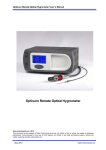
Optisure RS Hygrometer
Kahn Instruments, Inc. 2013
This document is the property of Kahn Instruments and may not, either in part or whole, be copied or otherwise
reproduced, communicated in any way to third parties nor stored in any data processing system, without the written
authority of Kahn Instruments, Inc.
Issue 2.2, August 2014
Kahn Instruments, Inc.
Optisure RS User’s Manual
Contents
Safety ............................................................................................................................... iv
Electrical Safety ..........................................................................................................iv
Pressure Safety ........................................................................................................... i v
Toxic Materials ............................................................................................................ i v
Repair and Maintenance .............................................................................................. i v
Calibration .................................................................................................................. i v
Abbreviations ...........................................................................................…........................ v
Warnings .........................................................................................…................................ v
1
INTRODUCTION ................................................................................................1
1.1
2
INSTALLATION ..................................................................................................3
2.1
2.2
2.3
2.3.1
2.3.2
2.4
2.5
2.5.1
2.5.2
2.5.3
2.5.4
2.5.5
2.6
2.6.1
3
Operating Principle ............................................................................................. 1
Safety................................................................................................................ 3
Unpacking the Instrument................................................................................... 3
Operating Requirements ..................................................................................... 5
Environmental Requirements ........................................................................... 5
Electrical Requirements ................................................................................... 5
Exterior Layout................................................................................................... 6
Rear Panel Connections ...................................................................................... 8
Power Supply Input......................................................................................... 8
Analog Output Connections ............................................................................. 9
Alarm Output Connections ............................................................................. 11
Remote PRT Probe ....................................................................................... 12
USB/Ethernet Communications Port Connector................................................ 13
Conversion of Optisure RS to Rack Mount .......................................................... 14
Installing Rack Mounted Version into Rack ...................................................... 15
OPERATION ....................................................................................................16
3.1
General Operational Information........................................................................ 16
3.1.1
Sample Flow Adjustment ............................................................................... 16
3.2
Instrument Display ........................................................................................... 17
Main Screen ................................................................................................. 18
3.2.1
3.2.2
Customizable Readouts ............................................................................. 19
3.2.3
Operational Status Display......................................................................... 19
3.2.4
Cooler Set up ........................................................................................... 20
Setup Menu Screen ....................................................................................... 21
3.2.5
3.2.6
Menu Structure ........................................................................................ 23
3.2.7
DCC......................................................................................................... 24
3.2.8
LOGGING ................................................................................................. 25
OUTPUTS................................................................................................. 27
3.2.9
3.2.10
ALARM ..................................................................................................... 27
3.2.11
DISPLAY ................................................................................................. 28
3.2.12
CLOCK ..................................................................................................... 29
3.2.13
ABOUT (Network Settings) ........................................................................ 29
3.3
Operational Functions ....................................................................................... 30
3.3.1
Operating Cycle ............................................................................................ 30
3.3.2
Sensor Cooling ............................................................................................. 31
3.3.3
DCC - Dynamic Contamination Control............................................................ 33
3.3.4
MAXCOOL Function ....................................................................................... 34
3.3.5
Pressure Compensation ................................................................................. 34
3.3.6
Data Logging................................................................................................ 34
3.3.7
Frost Assurance System Technology (FAST) .................................................... 34
3.3.8
STANDBY Mode ............................................................................................ 35
Issue 2.2, August 2014
i
Kahn Instruments, Inc.
Optisure RS User’s Manual
4
36
APPLICATION SOFTWARE ................................................................................34
4.1
Installation.......................................................................................................36
34
4.2
Establishing Communications ............................................................................36
34
4.2.1
USB Communication......................................................................................37
35
4.2.2
Ethernet Communication ...............................................................................38
36
4.3
Data Acquisition or Edit Variables Mode..............................................................39
37
4.3.1
Data Acquisition............................................................................................40
38
4.3.2
Variable Edit .................................................................................................42
40
5
MAINTENANCE .............................................................................................….244
5.1
5.2
6
47
GOOD MEASUREMENT PRACTICE .....................................................................45
6.1
7
Fuse Replacement ...........................................................................................45
42
Sensor Mirror Cleaning......................................................................................46
44
General Guidelines............................................................................................48
45
49
CALIBRATION..................................................................................................47
7.1
Traceability ......................................................................................................49
47
Tables
Table 2.1
Table 2.2
Front Panel Controls ....................................................................................6
Rear Panel Connections ...............................................................................7
Table 3.1
Table 3.2
Table 3.3
Table 3.3.1
Table 3.4
Table 3.5
Table 3.6
Table 3.6.1
Table 3.7
Table 3.8
Table 3.9
Table 3.10
Main Screen Description............................................................................. 18
Operational Status Display ........................................................................ 19
Operational Status Display ........................................................................ 20
Cooler Alarm Warnings ............................................................................. 20
DCC Parameters ........................................................................................ 24
Logging Parameters ................................................................................... 25
SD Card Status Indicators .......................................................................... 26
Outputs Parameters ................................................................................... 27
Alarm Parameters ...................................................................................... 27
Display Parameters .................................................................................... 28
Clock Parameters....................................................................................... 29
Network Parameters .................................................................................. 29
Table 4.1
Table 4.2
Table 4.3
Data Acquisition Control Description ........................................................... 40
Graph Control Description .......................................................................... 41
Status Bar Description ............................................................................... 41
Table B.1
Default Set-Up Parameters ......................................................................... 54
Table C.1
Register Map............................................................................................. 56
Issue 2.2, August 2014
ii
Kahn Instruments, Inc.
Optisure RS User’s Manual
Figures
Figure 1.1
Figure 2.1
Figure 2.2
Figure 2.3
Figure 2.4
Figure 2.5
Figure 2.6
Figure 2.7
Figure 2.8
Figure 2.9
Figure 3.1
Figure 3.2
Figure 3.3
Figure 3.4
Figure 3.5
Figure 3.6
Figure 3.7
Figure 3.8
Figure 3.9
Figure 3.10
Figure 3.11
Figure 3.12
Figure 3.13
Figure 3.15
Figure 4.1
Figure 4.2
Figure 4.3
Figure 4.4
Figure 4.5
Figure 4.6
Figure 5.1
Figure 5.2
Figure 5.3
Figure 7.1
Figure A.1
Figure A.2
2 2
Operating Principle ...................................................................................…………..
Unpacking the OPTISURE RS...........................................................................……..
44
Front Panel ....................................................................................….........………..
6 6
Rear Panel ..........................................................................................…....……….
77
Power Supply Input ........................................................................……........……….
88
Alarm and Analog Output Connection.....................................................……………....
1010
Remote PRT Connection........................................................................……..……..1212
Communications Port Connection............................................................……………..13
13
Conversion to Rack Mount ......................................................................……………14
14
Rack Fixing Method ...............................................................................…………..15
Initialising Overlay Screen ......................................................................……………..
1717
Main Screen ...........................................................................……..............………1717
Main Screen Layout ..................................................................……............………18
18
Setup Menu Screen ..................................................................……............……….
2121
Virtual Keyboard .............................................................................…........……….
2222
Menu Structure ....................................................................................…..……….2323
DCC Screen.....................................................................................…......……….24
24
Logging Screen .................................................................................…......……..25
25
Outputs Screen .................................................................................….....………27
26
Alarm Screen .....................................................................................…....……….2726
Display Screen .................................................................................…......……….2827
Clock Screen ...................................................................................…......……….29
28
Network Settings Screen ...................................................................….......……….30
28
Cooler Setup Screen ............................................................................…...……….20
20
Communications Setup Screen ...............................................................……………36
34
Windows Device Manager Screen ..........................................................……………..37
35
Network Settings Screen ........................................................................…………...38
36
Options Screen .....................................................................................…………..39
37
Data Acquisition Screen .........................................................................…………...40
38
Series Variables Editor Screen .............................................................…….……….. 41
41
Fuse Replacement (a) ...........................................................................…..……….42
42
Fuse Replacement (b) .........................................................................…….……....43
43
Sensor Mirror Cleaning ......................................................................……….…...... 44
44
Typical Calibration Certificate.........................................................………...……….... 45
47
OPTISURE RS Dimensions .....................................................................…….…..... 50
52
Operational Range .....................................................................………......…....... 50
52
Appendices
Appendix A
Appendix B
Appendix C
Technical Specifications.............................................................................. 50
Default Set-Up Parameters ......................................................................... 53
Modbus Holding Register Map .................................................................... 55
Issue 2.2, August 2014
iii
Kahn Instruments, Inc.
Optisure RS User’s Manual
Safety
The manufacturer has designed this equipment to be safe when operated using the procedures
detailed in this manual. The user must not use this equipment for any other purpose than that
stated. Do not apply values greater than the maximum value stated.
This manual contains operating and safety instructions, which must be followed to ensure the safe
operation and to maintain the equipment in a safe condition. The safety instructions are either
warnings or cautions issued to protect the user and the equipment from injury or damage. Use
qualified personnel and good engineering practice for all procedures in this manual.
Electrical Safety
The instrument is designed to be completely safe when used with options and accessories supplied
by the manufacturer for use with the instrument. The input power supply voltage limits are 85 to
264 V AC, 47 to 63 Hz. Refer to Appendix A - Technical Specifications.
Pressure Safety
DO NOT permit pressures greater than the safe working pressure to be applied to the instrument.
The specified safe working pressure is 145 psig (10 barg). Refer to the Technical Specifications in
Appendix A.
Application of gas pressures higher than the specified maximum will result in potential damage and
may render the instrument unsafe and in a condition of incorrect functionality. Only personnel
trained in the safe handling of high pressure gases should be allowed to operate this instrument.
Toxic Materials
The use of hazardous materials in the construction of this instrument has been minimized. During
normal operation it is not possible for the user to come into contact with any hazardous substance
which might be employed in the construction of the instrument. Care should, however, be exercised
during maintenance and the disposal of certain parts.
Repair and Maintenance
The instrument must be maintained either by the manufacturer or an accredited service agent. Refer
to www.michell.com for details of Michell Instruments’ worldwide offices contact information.
Calibration
The recommended calibration interval for the Optisure RS is one year, unless otherwise specified
by Kahn Instruments Inc. The instrument should be returned to Kahn Instruments for re-calibration.
Safety Conformity
This product meets the essential protection requirements of the relevant EU directives. Further
details of applied standards may be found in the product specification.
Issue 2.2, August 2014
iv
Kahn Instruments, Inc.
Optisure RS User’s Manual
Abbreviations
The following abbreviations are used in this manual:
DCC
FAST
MAXCOOL
AC
atm
bar
°C
°F
COM
dp
EU
g/Kg
g/m3
HMI
Hz
IEC
Nl/min
lb
mA
max
min
mV
N/C
N/O
No
ppmV
ppmW
PRT
psig
rh
RTU
scfh
SD
sec
temp
USB
V
Dynamic Contamination Correction
Frost Assurance System Technology
Maximum Sensor Cooling
alternating current
pressure unit (atmosphere)
pressure unit (=100 kP or 0.987 atm)
degrees Celsius
degrees Fahrenheit
common
dew point
European Union
grams per kilogram
grams per cubic meter
Human Machine Interface
Hertz
International Electrotechnical Commission
normal liters per minute
pound
milliampere
maximum
minute(s)
millivolt(s)
normally closed
normally open
number
parts per million (by volume)
parts per million (by weight)
Platinum resistance thermometer (typically type Pt100)
pound(s) per square inch (gauge)
relative humidity
Remote Terminal Unit
standard cubic feet per hour
storage device card (memory card for storing datalog files)
second(s)
temperature
Universal Serial Bus
Volts
Warnings
The following general warnings listed below are applicable to this instrument. They are
repeated in the text in the appropriate locations.
Where this hazard warning symbol appears
in the following sections, it is used to
indicate areas where potentially hazardous
operations need to be carried out.
Where this symbol appears in the following
sections it is used to indicate areas of
potential risk of electric shock.
September 2012
v
Kahn Instruments, Inc.
Optisure RS User’s Manual
INTRODUCTION
1
INTRODUCTION
The Optisure RS is a high precision instrument used for the measurement of
moisture content in air and other gases. Relative humidity and other calculated
parameters based on dew point, pressure and temperature of the sample gas can also
be displayed. Gases can be sampled at a maximum pressure of 145 psig (10 barg).
The Optisure RS is capable of measuring dew points as low as -112°F or -130°F
(-80°C or -90°C) (depending on the model - RS80 or RS90); it can measure dew
points up to (but not including) the point of condensation.
1.1
Operating Principle
The system operates on the chilled mirror principle, whereby a gas sample is passed
into the sensor housing and flows over the surface of the chilled mirror contained
within. At a temperature dependent upon the moisture content in the gas and the
operating pressure, the moisture in the gas condenses out on the surface of the mirror.
An optical system is used to detect the point at which this occurs and this information
is used to control the mirror temperature and maintain a constant thickness of the
condensation layer on the mirror surface.
A light emitting diode (1) provides a light beam of constant intensity which is focused
by a lens system (2) to become the incident beam on the mirror surface (3), flooding it
with a pool of light.
Before the light beam reaches the mirror (3), a beam splitter (4) directs part of the
beam via a lens system (5) onto a sensor (6) which monitors the intensity of the LED
light and provides a feedback loop to keep this at a constant level.
Two sensors (7 and 8) monitor the light level reflected by the mirror. One of these
sensors (7) measures the light level due to the reflected incident beam and the other
(8) measures the degree of light scatter due to the formation of water/ice on the mirror
surface. Each sensor has its own optical lens system (9) and (10) to concentrate the
reflected light onto the sensor.
The output from each of these sensors is compared and then used to control the drive
to a Peltier heat pump (11). Dependant on the result of this comparison, the control
system will cause the heat pump (11) to either heat or cool the mirror (3) in order to
maintain the desired condensation film thickness on the mirror surface.
At an equilibrium point, where the evaporation rate and condensation rate at the surface
of the mirror are equal, the mirror temperature, read by a Pt100 platinum resistance
thermometer (12) embedded in the mirror, represents the dew point.
Issue 2.2, August 2014
1
Kahn Instruments, Inc.
Optisure RS User’s Manual
INTRODUCTION
The ‘hot’ side of the Peltier is coupled to an auxiliary cooling system through a thermal
mass (13) – which smooths its response. The cooling system removes heat from the
hot side of the Peltier, by cooling it to an appropriate temperature. This supplements
the depression capabilities of the heat pump, and enables measurement of very low
dew points.
4
9
7
1
5
6
2
8
3
10
12
11
13
Figure 1.1
Issue 2.2, August 2014
Operating Principle
2
Kahn Instruments, Inc.
Optisure RS User’s Manual
INSTALLATION
2
INSTALLATION
!
2.2
It is essential that the installation of the electrical and gas
supplies to this instrument be undertaken by competent
personnel.
Unpacking the Instrument
The shipping box will contain the Optisure RS in a transportation case, and an
accessories box.
The accessories box should contain the following items:
•
Traceable calibration certificate
•
SD memory storage card
•
USB or Ethernet communications cable
•
Power cord
•
Remote Pt100 temperature probe
•
Application software CD
•
Microscope (optional)
•
Optics cleaning kit (optional)
•
19" Rack mount kit (optional)
•
Transport case (optional)
If there are any shortages please notify Kahn Instruments immediately.
Issue 2.2, August 2014
3
Kahn Instruments, Inc.
Optisure RS User’s Manual
INSTALLATION
3
1
2
4
6
5
Figure 2.1
Unpacking the OPTISURE RS
Open the transportation case (5) and unpack carefully as follows:
1.
Remove the accessories box (4) and the optional rack mount kit
box (6).
2.
Lift out the instrument (2) together with its end packing pieces (1)
and (3).
3.
Remove the end packing pieces (1) and (3) set the instrument
down at the site of installation.
4.
Save all the packing materials for the purpose of returning
the instrument for re-calibration or any warranty claims.
Issue 2.2, August 2014
4
Kahn Instruments, Inc.
Optisure RS User’s Manual
INSTALLATION
2.3
Operating Requirements
2.3.1
Environmental Requirements
It is important to operate the OPTISURE RS within the following environmental
conditions:
Minimum Operating Temperature
Maximum Operating Temperature
Maximum Relative Humidity
2.3.2
40°F (5°C)
86°F (30°C)
80%
Electrical Requirements
The Optisure RS requires the following electrical supply:
•
85 to 264 V AC, 47 to 63 Hz, 100 VA max
•
Alarm outputs comprise two sets of changeover relay contacts, one
set for a PROCESS alarm and one set for an INSTRUMENT FAULT.
Both sets of contacts are rated at 24 V, 1A. NOTE: THIS RATING
MUST NOT BE EXCEEDED.
Issue 2.2, August 2014
5
Kahn Instruments, Inc.
Optisure RS User’s Manual
INSTALLATION
2.4
Exterior Layout
The controls, indicators and connectors associated with the Optisure RS are located on
the front and rear panels of the instrument.
The controls and indicators relating to the operator interface are located on the front
panel. The gas outlet, gas inlet, external PRT connection, power socket, analog
output connector, remote temperature probe connector, alarm relay connector, and
the USB/RJ45 Ethernet socket are located on the rear panel.
Front Panel
1
2
Figure 2.2
3
Front Panel
No
Name
Description
1
SD Card Slot
Takes an SD card used to store logged data
See Section 3.2.8 for more details on how to use the logging
features
2
Touch Screen
Display
3
Sensor Housing
Displays measured values and enables the user to control the
operation of the instrument
See Section 3.2 for information about the touch screen and
menu system
Exterior housing of the sensor
See Section 5.2 for instructions on how to remove the housing
and clean the mirror
Table 2.1
Issue 2.2, August 2014
Front Panel Controls
6
Kahn Instruments, Inc.
Optisure RS User’s Manual
INSTALLATION
Rear Panel
1
2
3
9 8
7
6
4
5
Figure 2.3
No. Name
Description
1
¼” Swagelok Connection for venting sample gas to atmosphere or vent line once it
has passed through the instrument
Gas Outlet
2
¼” VCR Gas
Inlet
Connection for supplying the instrument with sample gas, usually at
a pressure slightly higher than atmospheric to maintain flow through
the instrument
3
External PRT
Connection
Banana sockets for external 4-wire measurement of the internal PRT
See Section 3.2.11 for more info
4
Power Socket
Universal power input 85 to 264 V AC, 47 to 63 Hz
Fuse - 3.15A, Anti-Surge, Glass, 20mm x 5mm
Features integrated power ON/OFF switch
Three configurable 2-wire channels providing 0-20 mA,
4-20 mA or 0 - 1 V output
See Section 3.2.9 for instructions on how to configure the analog
outputs
See Section 2.5.2 for general information
5
6-Way
Analog
Output
Connector
6
Remote
Temperature
Probe
Connector
6-Pin Socket for connection of remote Pt100 temperature probe
7
6-Way
Alarm Relay
Connector
Process and Fault alarm outputs
See Section 2.5.3 for general information on the alarm relays
See Section 3.2.10 for instructions on how to configure the process
alarm
8
RJ45
Ethernet
Socket
(Optional)
Used for communication with the instrument over a network
connection
See Section 3.2.13 for details on how to configure the network settings
See Section 4.1 for information on using and installing the application
software
USB Type B
Used for communication with the instrument via the application
software
See Section 4.1 for information on using and installing the application
software
9
Table 2.2
Issue 2.2, August 2014
Rear Panel Connections
7
Kahn Instruments, Inc.
Optisure RS User’s Manual
INSTALLATION
2.5
Rear Panel Connections
!
DANGER
Electric
Shock Risk
These tasks should be undertaken only by competent
personnel.
All the connections to the rear panel are electrical
connections.
Exercise due caution, particularly when connecting to
external alarm circuits which could be at high potential.
Connections to the rear panel of the instrument are explained in the following sections.
2.5.1
Power Supply Input
The AC power supply is a push fit into the power input socket as shown in Figure 2.4.
The method of connection is as follows:
1.
Insure that both ends of the power cable are potential free, i.e. not
connected to an AC power supply.
2.
Check that the ON/OFF switch (1) is switched to OFF.
3.
Push the connector (3) firmly into the power input socket (2).
4.
Connect the free end of the power cable to a suitable AC power
supply source (voltage range 85 to 264 V AC, 47 to 63 Hz) and
switch on the AC supply. Switch on the instrument, as required,
using the power ON switch.
1
Figure 2.4
Issue 2.2, August 2014
2
3
Power Supply Input
8
Kahn Instruments, Inc.
Optisure RS User’s Manual
INSTALLATION
2.5.2
Analog Output Connections
The three analog outputs can be configured to represent any of the directly measured
or calculated output parameters. They are provided as 2-wire signals from a 6-way
connector located on the rear panel of the instrument .
Each of these outputs can be set up as either a current loop signal (4-20 mA or 0-20
mA) or alternatively, as a 0-1 V voltage signal. The configuration of these outputs, i.e.
parameter represented, output type (current loop or voltage) and upper/lower span
levels are set up via the Setup Menu Screen (refer to Section 3.2.9).
These signals may be used to control external systems. During a DCC cycle, and for
the hold period following a DCC cycle, they are held at the level that they were at
immediately prior to the start of the cycle. When the dew-point measurement is stable,
or if the maximum hold period has expired, they are released and will track the selected
parameter throughout the measurement cycle.
The default settings of these analog outputs are:
Channel 1: Dew point, -112 to +68F (-80 to +20ºC)
Channel 2: ppmV, 0 to 3000
Channel 3: Flow, 0 to 1000ml/min
NOTE: The analog outputs are only active during the MEASURE phase. They
will, therefore, be off after switch-on and remain off until the system enters
the MEASURE phase.
The three analog output ports connections are made via a single, 6-way, push fit
connector block as shown in Figure 2.5. All outputs are 2-wire, positive-going signals
referenced to a common 0 V line. To differentiate between the outputs it is recommended
that a black lead be used for each of the COM (common) lines and a separate color for
each of the positive lines.
Issue 2.2, August 2014
9
Kahn Instruments, Inc.
Optisure RS User’s Manual
INSTALLATION
For each output:
1.
Remove the terminal block fitted into the analog output socket.
2.
Strip back the wire for the common (black) connection to the
CH1 output, exposing approximately 6mm (0.25"). Insert the wire
into the COM1 terminal way and screw into the block. Do not
overtighten the screw.
3.
Strip back the wire for the signal (e.g. red) connection to the
OP1 output, exposing approximately 6mm (0.25"). Insert the
wire into the OP1 terminal way and screw into the block. Do not
overtighten the screw.
4.
Repeat operations 1 and 2 for the other analog outputs, selecting a
different color wire for the OP2 and OP3 outputs.
5.
Locate the terminal block over the connector labelled ANALOG
OUTPUTS and push the terminal block firmly into the connector.
Figure 2.5
Issue 2.2, August 2014
Alarm and Analog Output Connection
10
Kahn Instruments, Inc.
Optisure RS User’s Manual
INSTALLATION
2.5.3
Alarm Output Connections
Two alarm outputs are provided from a terminal block, located on the rear panel of
the instrument, as two pairs of potential free, change-over relay contacts. These are
designated as a PROCESS alarm and a FAULT alarm.
Under the Setup Menu Screen, (refer to Section 3.2.5), the PROCESS alarm can be configured
to represent any one of the measured or calculated parameters and set up to operate when
a pre-set parameter threshold level is exceeded. By default, the PROCESS alarm is set to
monitor the dew-point parameter.
The FAULT alarm is a non-configurable alarm which continuously monitors the degree
of contamination of the chilled mirror. During normal operational conditions this alarm
will be off. If the optics or the mirror contamination exceeds 100% of the film thickness,
or if a fault exists on the Pt100, the alarm is triggered and the relay contacts will change
state.
This fault is also reported to the status area of the Main Screen.
The two alarm output ports are connected to the instrument via a single 6-way, push-fit
connector block as shown in Figure 2.5. Each output comprises a 3-wire set of potential
free, change-over relay contacts.
Each contact set is labelled COM (common 0 V), N/O (normally open with respect to
COM) and N/C (normally closed with respect to COM).
To differentiate between the alarm output channels it is recommended that a black lead
be used for each of the COM (common) lines and a separate color for each of the N/O
and N/C lines.
DANGER
Electric
Shock Risk
WARNING: Alarm leads MUST be potential free when wiring
to the connector block.
For each output:
1.
Strip back the wire for the common (black) connection to the
COM connector way for the FAULT alarm contact set, exposing
approximately 0.25" (6mm) wire. Clamp into the screw block COM
terminal way. Do not overtighten the screw.
2.
Strip back the wire for the N/O (e.g. green) connection to the
N/O connector way for the FAULT alarm contact set, exposing
approximately 0.25" (6mm) wire. Clamp into the screw block N/O
terminal way. Do not overtighten the screw.
3.
Strip back the wire for the N/C (e.g. blue) connection to the
N/C connector way for the FAULT alarm contact set, exposing
approximately 0.25" (6mm) wire. Clamp into the screw block N/C
terminal way. Do not overtighten the screw.
Issue 2.2, August 2014
11
Kahn Instruments, Inc.
Optisure RS User’s Manual
INSTALLATION
2.5.4
4.
Repeat operations 1 to 3 for the PROCESS alarm contact set, using
appropriately colored wires.
5.
Locate the terminal block over the connector labelled ALARMS and
push the terminal block firmly into the connector.
Remote PRT Probe
1.
Rotate the body of the PRT probe connector until it locates in the
socket labeled REMOTE TEMPERATURE (See Figure 2.6).
2.
Push the connector into the socket until it locks. NOTE: Do not
attempt to force it into the socket. If it will not fit in, rotate
it until the key locks and it pushes in easily.
3.
To remove the connector, slide the connector’s body collar (1) back
along its axis, away from the instrument, to release the lock. Gently
pull the connector body out of the socket. NOTE: Do not attempt
to pull the connector out with the cable - make sure that
the collar is first released.
1
Figure 2.6
Issue 2.2, August 2014
Remote PRT Connection
12
Kahn Instruments, Inc.
Optisure RS User’s Manual
INSTALLATION
2.5.5
USB/Ethernet Communications Port Connector
The instrument features a USB port and an optional Ethernet port for communication
with the application software. The appropriate cable will be supplied with the instrument.
1.
Check the orientation of the connector and gently push it into the
communications socket (see Figure 2.7).
2.
To remove the connector, pull it out of the socket by holding the
connector body. If using an Ethernet cable there will be a small
locking tab that needs to be depressed in order to release the
connector. Do not attempt to remove the connector from the
socket by pulling on the cable.
Figure 2.7
Issue 2.2, August 2014
Communications Port Connection
13
Kahn Instruments, Inc.
Optisure RS User’s Manual
INSTALLATION
2.6
Conversion of Optisure RS to Rack Mount
To convert an Optisure RS to a rack mounted version a rack mounting kit (Part No.
S8K-PKI) is required. This conversion pack comprises two steel wings (3) and eight
cap screws (1). Each wing bolts to the side of the instrument with four screws as
shown in Figure 2.8.
3
Figure 2.8
2 1
Conversion to Rack Mount
1.
Turn the unit on its left hand end and remove the four screws and washers from
the side panel.
2.
Line up the attachment holes on the right hand side of the instrument with the
corresponding holes in the right hand wing (flange facing outwards).
3.
Insert the four screws (1) and washers (2) through the wing (3) and tighten
finger tight.
4.
Make sure that the front flange is square to the front of the instrument and tighten
the screws.
5.
Turn the unit on its right hand end and repeat operations 1 to 4.
To remove the rack support wings remove the unit from the rack (if necessary) and
follow the directions above, in reverse.
Issue 2.2, August 2014
14
Kahn Instruments, Inc.
Optisure RS User’s Manual
INSTALLATION
2.6.1
Installing Rack Mounted Version into Rack
Figure 2.9 illustrates the method for fitting a rack mount instrument into a standard 19”
rack.
2
1
2
1
Figure 2.9
Rack Fixing Method
1.
Remove the connector blocks from the alarm and analog output
sockets.
2.
If necessary, remove any covers from the rack cabinet to gain
access to the rear and side.
3.
Connect the analog and alarm output connector blocks to the
internal rack wiring (refer to Sections 2.5.2 & 2.5.3), insuring that
there is sufficient free cable to permit withdrawal of the instrument
from the rack.
4.
Slide the instrument into the rack and support its weight while the
four alignment screws are inserted.
5.
Insure that the front panel of the instrument is flush and square
with the front of the rack and tighten the fixing screws.
6.
Connect the sample tubing to the gas inlet, and the vent line to
the gas outlet, as required.
7.
Insert the analog and alarm connectors into their respective sockets
on the rear of the instrument (refer to Figure 2.5) and connect the
external PRT probe and USB communications cable and connector
as appropriate.
8.
Connect the power supply cable and switch the ON/OFF switch to
ON.
9.
Reinstall any covers to the rack as necessary.
To remove from the rack follow the directions above, in reverse.
Issue 2.2, August 2014
15
Kahn Instruments, Inc.
Optisure RS User’s Manual
OPERATION
3
OPERATION
As supplied, the Optisure RS is ready for operation and a set of default parameters
has been installed. This section describes both the general operation of the instrument
and the method of setting it up and changing the default parameters (see Section
3.2.5) should this become necessary.
3.1
General Operational Information
While the instrument can physically operate in a flowing gas stream of between 1 and
2.1 scfh (500 and 1000 ml/min), Kahn Instruments recommends operating at 1.6 scfh
(750 ml/min) which is the flow-rate used during calibration. Operating at an alternative
rate could impact the instrument’s response time.
The sample inside the sensor is passed over a Peltier chilled, gold-plated mirror. The
instrument controls the mirror temperature to a point where a level of condensate is
maintained on the mirror surface. The temperature of the mirror is then measured as
the dew point.
The Optisure RS is suitable for the measurement of moisture content in a wide variety
of clean, non-corrosive gases. It will not contaminate high purity gases and is safe for
use in critical semi-conductor and fiber optic manufacturing applications.
3.1.1
Sample Flow Adjustment
•
The sample flow is measured by the internal flow meter installed
into the sample line - preferably after the dew-point sensor.
•
The recommended flow setting is 1.6 scfh (750 ml/min). The
maximum permitted flow rate is 2.1 scfh (1000 ml/min).
•
The sample flow can be adjusted by the installation of a needle
valve in the sample line. If a pressurized sample is to be measured
at atmospheric, then the needle valve needs to be installed and
adjusted upstream of the sensor. For measurements at sample
pressure, the flow adjustment should be made downstream of the
sensor.
Issue 2.2, August 2014
16
Kahn Instruments, Inc.
Optisure RS User’s Manual
OPERATION
3.2
Instrument Display
The Optisure RS features a 5.7” touch screen display.
When the instrument is switched on an Initializing overlay will be shown while the
menu system loads.
Figure 3.1
Initializing Overlay Screen
After the menu system has loaded, the Main Screen will show.
748
Figure 3.2
Issue 2.2, August 2014
17
Main Screen
Kahn Instruments, Inc.
Optisure RS User’s Manual
OPERATION
3.2.1
Main Screen
3
READOUTS
STABILITY
GRAPH
READOUTS
4
READOUTS
OPERATIONAL
STATUS DISPLAY
SENSOR TEMP
READOUT
DCC OFF /
DCC ON
MAXCOOL /
MEASURE
STANDBY /
OPERATE
7
6
Figure 3.3
SET UP
8
Main Screen Layout
No
Name
Description
1
Readouts
(Customizable)
Sensor Temperature
Readout
These readouts display measured instrument parameters
See Section 3.2.2 for additional information
This readout primarily shows the measured sensor body
temperature
The sensor body temperature set-point is displayed in
yellow in the top right of the readout
The cooler mode of operation - automatic or manual - is
indicated by a small A or M
See Section 3.2.4 for cooler setup parameters
Touch the readout once to display the cooler setup menu
3
Stability Graph
4
Operational Status
Display
5
DCC Button
Displays a plot of the dew point over time
Touch the readout once to enter full screen mode
A detailed description of each item displayed in this area
is in Section 3.2.3
Initiate a DCC cycle. See Section 3.3.3 for a detailed
explanation of the DCC function
See Section 3.2.7 for DCC setup parameters
6
MAXCOOL Button
Toggle MAXCOOL mode. See Section 3.3.4 for a detailed
explanation of the MAXCOOL function
7
STANDBY Button
Switch between Measure and Standby mode
When switching to Measure mode a DCC cycle will be
initiated
See Section 3.3.8 for a detailed explanation of standby
mode
8
SETUP Button
Access to the Setup Menu
See Section 3.2.5 for more information about the setup
menu system
2
Table 3.1
Issue 2.2, August 2014
Main Screen Description
18
Kahn Instruments, Inc.
Optisure RS User’s Manual
OPERATION
3.2.2
Customizable Readouts
The three readouts on the Main Screen can be configured by the user to show any of
the following parameters:
•
•
•
•
•
•
•
Dew point
Temperature
Temperature – Dew point
Relative Humidity, %RH
Water Content (ppmV; ppmW; g/Kg; g/m3)
Pressure *
Flow
* Pressure is only available as an option if a pressure transducer is installed in the
instrument
The parameters displayed by default are Dew point, Water Content (ppmV) and Flow.
Follow these instructions to change the parameter:
1.
Touch the readout once to enable parameter selection
2.
Touch the left or right arrows to select the parameter to be displayed
3.
Touch the center of the readout to confirm selection
Full Screen Mode
Any of the readouts can be shown in full screen mode by touching and holding the
readout.
3.2.3
Operational Status Display
The Operational Status display includes the following:
Indicates data logging is enabled. Refer to Sections 3.2.8 and 3.3.6
∆DP
Mode
Next Mode
Process
Fault
Sensor
Represents the change in dew point over the stability time of the graph
Reports current operational mode
This will either be Measure, Standby, DCC, Hold or Maxcool
Shows the time (in Hours:Minutes:Seconds) remaining until the
transition to the next mode of operation
This two-state, ON/OFF notification indicates whether a parameter
process alarm is either ON or OFF
The process alarm can be set on any parameter (refer to Section
3.2.10)
Used to monitor the optical system and the degree of mirror
contamination
During normal operation, with no fault conditions, this will read OFF.
It will be set to ON if there is either a fault with the optics or dp
temperature measurement or if the mirror contamination exceeds
100% of the film thickness
Indicates the operational mode of the sensor
This can be either CONTROL, HEATING or COOLING
Table 3.2
Issue 2.2, August 2014
Operational Status Display
19
Kahn Instruments, Inc.
Optisure RS User’s Manual
OPERATION
3.2.4
Cooler Set up
The Cooler Setup screen is accessed by touching Sensor Temp readout on the Main
Screen. Refer to Section 3.3.2 for detailed information on the operation of the sensor
cooling system.
System Temperature:
OFF
Input out of range:
OFF
System Shutdown:
OFF
Figure 3.15 Cooler Setup Screen
Parameter
Description
Set-point
Mode
Controls the sensor temperature
Changes between Automatic and Manual cooler control
Table 3.3
Operational Status Display
Table 3.3.1 Cooler Alarm Warnings
Issue 2.2, August 2014
20
Kahn Instruments, Inc.
Optisure RS User’s Manual
OPERATION
3.2.5
Setup Menu Screen
The Setup Menu is used to adjust the operational parameters of the instrument, change
the display setup and start or stop the data logging feature.
Initially, when the Setup Menu Screen is opened a set of labelled icons is displayed.
Touching one of these icons will take you to the appropriate submenu.
Figure 3.4
Setup Menu Screen
Once a submenu has been entered, parameters can be changed by touching the outlined
values. There are three types of input for editable values:
•
Toggle Button – Touching the outlined value will switch between
predefined states, i.e. On/Off or Auto/manual
•
List Selection – A list of options will be displayed for the user to
select
•
Numeric Input – Touching the outlined value will bring up the
numeric keypad (see following page)
Issue 2.2, August 2014
21
Kahn Instruments, Inc.
Optisure RS User’s Manual
OPERATION
Numeric Input
When entering a numeric value a virtual keypad will be displayed.
Figure 3.5
Virtual Keyboard
The allowable range will initially be shown at the top of the keypad, e.g. 0 50
Some parameters can be disabled by entering a value of 0, this will be indicated by
0[off] 50
•
C Clear Input
•
Backspace
•
Cancel input
•
OK
Save input
Leaving Menus
To return from a menu or to cancel a numeric input, touch the exit icon.
Issue 2.2, August 2014
22
Kahn Instruments, Inc.
Optisure RS User’s Manual
OPERATION
3.2.6
Menu Structure
READOUTS
STABILITY
GRAPH
READOUTS
READOUTS
OPERATIONAL
STATUS DISPLAY
SENSOR TEMP
READOUT
DCC OFF /
DCC ON
MAXCOOL /
MEASURE
STANDBY /
OPERATE
SET UP
ALARM
DISPLAY
Output Select
Parameter
Resolution
Date
Filename
Output Type
Setpoint
Primary Unit
Time
Interval
Parameter
Pressure Unit
Subnet Mask
Setpoint
Minimum
Stability
Default Gateway
Interval
Maximum
FAST
DCC
LOGGING
Display Hold
Status
Period
Reset Optics
OUTPUT
Output Hold
CLOCK
ABOUT
HELP
Network Settings
IP Address
PRT Mode
Language
Press to return to
Main Page
Backlight
?
Menu Structure
Figure 3.6
Issue 2.2, August 2014
Press for more
information
23
Kahn Instruments, Inc.
Optisure RS User’s Manual
OPERATION
3.2.7
DCC
Figure 3.7
Parameter
Display Hold
Period
Reset Optics
Setpoint
Interval
Output Hold
Description
Holds the values on the display while the instrument is in HOLD mode
Available Input: On/Off
Duration of the DCC cycle
Available Input: 1 to 59 minutes
Triggers a reset of the optical signal level on the next DCC cycle
Mirror heating temperature above measured dew point during DCC cycle
Available Input: 50 to 104°F (10 to 40°C)
Time between automatic DCC cycles
Available Input: 1-99 hours. Set to 0 to disable automatic DCCs
Time to hold the output at the last measured value after finishing a DCC
cycle
Available Input: 1 to 59 minutes
Table 3.4
Issue 2.2, August 2014
DCC Screen
DCC Parameters
24
Kahn Instruments, Inc.
Optisure RS User’s Manual
OPERATION
3.2.8
LOGGING
Figure 3.8
Logging Screen
Parameter
Description
Status
Filename
Displays the status of the current logging operation
Displays the filename of the current log file
Time in seconds between recording readings in the log file
Available Input: 5 to 600 seconds
Automatically generates a new file name based on current time and
date
Starts logging at specified interval
Interval
START/STOP
Button
Table 3.5
Issue 2.2, August 2014
Logging Parameters
25
Kahn Instruments, Inc.
Optisure RS User’s Manual
OPERATION
Table 3.6
Issue 2.2, August 2014
Card Status Indicators
26
Kahn Instruments, Inc.
Optisure RS User’s Manual
OPERATION
3.2.9
OUTPUTS
0
% RH
Figure 3.9
100
Outputs Screen
Parameter
Description
Output Select
Selects the output to be adjusted
Available Input: Output 1, 2 or 3
Selects the type of analog output signal to use
Available Input: 4-20 mA/0-20 mA/0-1 V
The parameter used to control the selected output
Available Input: g/m3, g/Kg, T-DP, DP, %RH, ppmV, ppmW, T, psig,
barg, kPa, MPa, ml/min
The minimum output range for the selected parameter
Available Input: Dependent on parameter
The maximum output range for the selected parameter
Available Input: Dependent on parameter
Output Type
Parameter
Minimum
Maximum
Table 3.6.1
3.2.10
Outputs Parameters
ALARM
Figure 3.10 Alarm Screen
Parameter
Parameter
Setpoint
Description
The parameter used to control the alarm
Available Input: g/m3, g/Kg, T-DP, DP, %RH, ppmV, ppmW, T, psig,
barg, kPa, MPa, ml/min
Set point that triggers the alarm relay to activate
Available Input: Dependent on parameter
Table 3.7
Issue 2.2, August 2014
Alarm Parameters
27
Kahn Instruments, Inc.
Optisure RS User’s Manual
OPERATION
3.2.11 DISPLAY
Figure 3.11 Display Screen
Parameter
Resolution
Primary Unit
Pressure Unit
Stability
FAST
PRT Mode
Language
Backlight
Description
Number of decimal places used when displaying parameters on the
Main Screen
Available Input: 1, 2, 3
Temperature unit to be used on the display and menus
Available Input: ºF / ºC
Pressure unit to be used on the display and menus
Available Input: psig, barg, kPa, MPa
Time scale in minutes for the Stability Graph on the Main Screen
Available Input: 1 to 600 minutes
Enables or disables the Frost Assurance System Technology.
See Section 3.3.7
Available Input: OFF / ON
If required for the calibration process or for external monitoring, the
internal PRT can be made available for external connection via the 4
banana sockets on the back of the instrument
Please note that this will disable the internal PRT measurement circuit
of the instrument
Available Input: INTERNAL / EXTERNAL
Selects the language used for the menu screens
Available Input: English / Deutsch / Español / Francais / Italiano /
Português / USA / Russian / Chinese
The brightness of the backlight
Available Input: 5 to 100%
Table 3.8
Issue 2.2, August 2014
Display Parameters
28
Kahn Instruments, Inc.
Optisure RS User’s Manual
OPERATION
3.2.12 CLOCK
Figure 3.12 Clock Screen
Parameter
Description
Date
Time
Current date
Current time
Table 3.9
Clock Parameters
3.2.13 ABOUT (Network Settings)
When using an Optisure RS that is fitted with an Ethernet module this page is
accessible via the About Screen.
192
168
255
255
192
168
1
2
255
0
1
1
Figure 3.13 Network Settings Screen
Parameter
Description
IP Address
Subnet Mask
Default
Gateway
The IP address of the instrument
The subnet mask that determines what subnet the IP address is on
The default gateway for network communication
Table 3.10
Issue 2.2, August 2014
Network Parameters
29
Kahn Instruments, Inc.
Optisure RS User’s Manual
OPERATION
3.3
Operating Guide
3.3.1
Automatic Mode
3.3.1.1 Description
When the instrument is switched on the cooler set-point will initially be +20°C (+68°F).
The instrument will initialize, by running a DCC cycle. After the DCC cycle is complete,
the system will cool the mirror. As soon as moisture is detected on the mirror, the
instrument will calculate the required sensor temperature set-point, which will be
displayed in yellow in the top right of the sensor temperature readout on the Main
Screen.
If the dew point is –40°C (-40°F) or higher, the sensor temperature set-point will be
set to +20°C (+68°F), otherwise the sensor temperature set-point will be set to at
least 30°C (54°F) above the dew point. For example, if the dew point is between –60
and –69°C (-76 and –92°F) the sensor temperature will be set to –30°C (-22°F).
If the system does not detect moisture on the mirror on the first attempt, it will
change the sensor temperature to –50°C (-58°F), run another DCC cycle and repeat
the process of cooling the mirror, until condensation is detected.
The instrument will monitor the dew point and sensor temperature values and, if the
dew point rises to within 10°C (18°F) of the sensor temperature, the sensor
temperature set point will be increased by 10°C (18°F). This means that the
instrument will track the dew point and increase, or decrease, the sensor temperature
accordingly in order to maintain this differential.
If there is a sudden large increase in dew point and the dew point rises rapidly by
more than 20°C (36°F), the instrument will wait for the dew point reading to stabilize
before changing the sensor temperature. This will ensure that short dew-point
disturbances do not cause the sensor temperature to change unnecessarily.
Sensor temperature will only change during measurement mode, never during DCC.
3.3.1.2 Operating Practice
Avoid situations in your operating cycle where a dew point is introduced to the
instrument which is greater than the current sensor temperature. Precautions should be
taken to either gradually increase the sample humidity, or manually change the cooler
temperature in advance. If precautions are not taken, condensation may form in the
inlet tubing – see Section 3.4.1.3, Flood Recovery, for more detail.
During transitions from a wet to a dry dew point, condensate formed during the wet
measurement may not always clear from the mirror before it cools to the new dew
point. Poor frost formation will result, leading to an interruption of the measurement.
To prevent this; when the sensor temperature target changes to at least 30°C (58°F)
below its present value, a DCC will be triggered automatically to clear any remaining
condensate from the mirror.
Issue 2.2, August 2014
30
Kahn Instruments, Inc.
Optisure RS User’s Manual
OPERATION
3.3.1.3 Flood Recovery
If the sensor has detected that a flooding event has occurred, the following steps will be
taken to recover the measurement:
1.
The sensor cooler will be switched off, and the sensor temperature will rise to
+20°C (+68°F).
2.
The mirror temperature will be increased.
3.
Once the sensor temperature has reached +20°C (+68°F), a DCC will be
initiated.
4.
Once a DCC cycle has been completed, normal measurement will resume.
The instrument will indicate when flood recovery is active by means of a yellow FR
(Flood Recovery) warning icon displayed in the sensor temperature window. The
sensor status indicator will also show FR in red text.
3.3.2 Manual Mode
3.3.2.1 Description
When the instrument is switched on, the cooler set-point will initially be +20°C
(+68°F). The user is responsible for selecting the appropriate sensor temperature setpoint via the Cooler Setup Page.
3.3.2.2 Operating Practice
The Optisure RS will only be capable of measuring dew points down to –50°C (-58°F)
with the cooler temperature set to +20°C (+68°F). When measuring dew points below
–50°C (-58°F) it is necessary to set the sensor tempoerature to approximately 30°C
(54°F) above the dew point to be measured in order to maintain a fast speed of
response.
If the dew point is not known, then it is advisable to operate in automatic mode to
allow the instrument to find the correct temperature autonomously. If manual cooler
operation is essential, then the following steps should be taken to determine the dew
point before setting the cooler temperature:
1. Insure that the mirror is clean, and the sample flow rate is correctly set to 750ml /
min (1.6 scfh).
2. Switch the instrument on.
3. Insure the sensor temperature is set to +20°C (+68°F).
4. After the DCC is complete, the Optisure RS will cool the mirror down:
a)
If the dew point is wetter than –55°C (-67°F):
i.)
Issue 2.2, August 2014
The instrument will cool the mirror below –55°C (-67°F). Frost will
31
Kahn Instruments, Inc.
Optisure RS User’s Manual
OPERATION
then begin to form on the mirror, after which the mirror
temperature will start to increase, and settle on that of the dew
point.
ii.)
b)
Issue 2.2, August 2014
The Optisure RS will only measure this dew point for
approximately 40 minutes with the cooler temperature set to
+20°C (+°68F). Once the dew point has been found, set the
cooler temperature to approximately 30°C (54°F) above the dew
point.
If the dew point is dryer than –55°C (-67°F):
i.)
The instrument will cool the mirror down to approximately
–55 to –65°C (-67 to –85°F) (depending on the actual sensor
temperature). When the mirror has been cooled to the minimum
temperature possible, it will remain at that value. However, due to
heat generated by the Thermoelectric cooler cooling at the limit of
its capacity, the mirror temperature will gradually increase.
ii.)
Observing the mirror through the microscope will confirm that
there is no frost on the mirror, and therefore the dew point is
lower than the displayed mirror temperature.
iii.)
Switch the instrument to Standby.
iv.)
Set the sensor temperature to –50°C (-58°F), and wait for it to
stabilize.
v.)
Switch the instrument to Operate.
vi.)
The instrument will cool the mirror below the dew point. Frost will
then begin to form on the mirror, after which the mirror
temperature will increase to that of the dew point.
32
Kahn Instruments, Inc.
Optisure RS User’s Manual
OPERATION
3.3.3
DCC - Dynamic Contamination Control
Dynamic Contamination Control (DCC) is a system designed to compensate for the loss
of measurement accuracy which results from mirror surface contamination.
During the DCC process the mirror is heated to a default temperature of 36°F(20°C)
above the dew point to remove the condensation which has formed during
m easurement. The surface finish of this mirror, with the contamination which
remains, is used by the optics as a reference point for further measurements. This
removes the effect of contamination on accuracy.
After switch-on, the mirror is assumed to be clean, therefore the instrument will only
run a DCC for 2 minutes to quickly establish a clean mirror reference point. By default,
every subsequent DCC is 4 minutes in duration and will automatically occur every 4
hours.
At certain times it may be desirable to disable the DCC function in order to prevent it
from interrupting a measurement cycle, e.g. during a calibration run.
A manual DCC can be initiated or cancelled by touching the DCC button on the Main
Screen. The DCC button is context sensitive, i.e. if DCC is on, the Main Screen shows
DCC OFF as being selectable. Similarly if DCC is off, DCC ON is shown.
It is possible to change the parameters relating to the DCC cycle on the DCC Setup
Screen, refer to Section 3.2.7.
3.3.4
MAXCOOL Function
The MAXCOOL function over-rides the dew-point control loop and applies maximum
cooling drive to the Peltier heat pump. It can be used:
•
to determine what temperature the mirror can be driven down to
with reference to the sensor body. This temperature is indicated on
the display.
•
to determine whether or not the instrument is controlling at the
dew point and whether it is able to reach it. This situation could, for
instance, arise when attempting to measure very low dew points
where, possibly due to a high ambient temperature, the Peltier heat
pump is unable to depress the temperature far enough to reach the
dew point.
•
to determine whether the instrument is controlling by switching
MAXCOOL on for a short period and then switching back to
MEASURE. This will depress the mirror temperature briefly and
when it is switched back to MEASURE the control loop should be
able to stabilize the mirror temperature at the dew point again.
The MAXCOOL function can be turned on by touching the MAXCOOL button on the
Main Screen.
Issue 2.2, August 2014
33
Kahn Instruments, Inc.
Optisure RS User’s Manual
OPERATION
3.3.5
Pressure Compensation
As an option, the Optisure instrument can be equipped with an internal pressure
sensor that measures the sample gas pressure. The pressure measured by this sensor
is then used internally as the basis for compensation for all of the pressure related
parameters, ppmV, ppmW, g/m3 and g/Kg. If a pressure transducer is not equipped
101.3 kPa is used as the basis of all these calculations. The internal pressure
transducer is ranged 0 to 232 psia (0 to 16 bara).
3.3.6
Data Logging
The data logging function allows all of the measured parameters to be logged at a
user specified interval on the supplied SD card via the SD card slot on the front of
the instrument. The filename for each log file is generated automatically from the
instrument date and time.
To setup data logging refer to Section 3.2.8.
3.3.7
Frost Assurance System Technology (FAST)
Theoretically, it is possible for water to exist as a super-cooled liquid at temperatures
down to -40°F/C.
A gas in equilibrium with ice is capable of supporting a greater quantity of water vapor
at a given temperature than a gas in equilibrium with liquid water. This means that a
measurement below 0°C taken over water will read approximately 10% lower than the
same measurement taken over ice.
When turned on and FAST is enabled, the OPTISURE RS makes an initial dew
point measurement. If the initial measurement is between 0°C and -40°F/C then the
mirror is driven down to below -40°F/C to insure the formation of ice on the mirror
surface. The instrument then continues operation as normal – once ice has formed it
will remain as ice until the temperature is raised above +32°F (0°C).
If required, the instrument’s FAST function can be switched on and off. To enable or
disable the FAST function, refer to Section 3.2.11.
Issue 2.2, August 2014
34
Kahn Instruments, Inc.
Optisure RS User’s Manual
OPERATION
3.3.8
STANDBY Mode
This function is used for applications where the dew point of the sample gas changes
very quickly from dry to wet, creating conditions which may cause the sensor to saturate.
Alternatively it may be used in applications requiring infrequent manual measurements
to be taken, where it is preferable to have the sensor disabled between measurements.
In STANDBY mode, drive to the Peltier heat pump is removed. While STANDBY mode
is enabled the sensor temperature will remain constant.
The main use for this feature is during set up (when measurements are not required),
i.e. when flow rates are being adjusted and the analog outputs are being configured.
Issue 2.2, August 2014
35
Kahn Instruments, Inc.
Optisure RS User’s Manual
APPLICATION SOFTWARE
4
APPLICATION SOFTWARE
The Optisure RS features either USB or Ethernet communications depending on the
model. A copy of the application software is supplied on a CD with the instrument.
4.1
4.2
Installation
1.
Extract the contents of the supplied zip file to a suitable location.
2.
Close all currently running Windows programs.
3.
Launch the installer and follow the on-screen instructions.
4.
The installer will ask for an authorization code, enter 7316-MIL18000.
5.
Restart the PC to complete the installation.
Establishing Communications
When launching the application software, the Communications Setup screen will be
displayed. The following sections explain how to establish communication with the
Optisure RS, depending on whether it is fitted with a USB or Ethernet module.
Figure 4.1
Issue 2.2, August 2014
Communications Setup Screen
36
Kahn Instruments, Inc.
Optisure RS User’s Manual
APPLICATION SOFTWARE
4.2.1
USB Communication
1.
Connect the Optisure RS to the PC using the supplied USB cable.
2.
Windows will recognize the instrument and automatically install the
relevant drivers. If the driver installation has been successful then
the Windows Device Manager will list the following drivers (see
Figure 4.2)
Kahn Companies USB to UART Bridge Controller
Kahn Companies USB Composite Device
3.
Launch the application software and choose one of the following
types of connection:
Auto Detect – The application software will attempt to find the correct
COM port automatically.
Manual – Choose the appropriate COM port from the drop down list,
as shown in the Windows Device Manager (see Figure 4.2).
4.
Click the OK button to proceed to the next screen.
Figure 4.2
Issue 2.2, August 2014
Windows Device Manager Screen
37
Kahn Instruments, Inc.
Optisure RS User’s Manual
APPLICATION SOFTWARE
4.2.2
Ethernet Communication
1.
Configure the network settings of the instrument. Refer to Section
3.2.13.
2.
Connect the Optisure RS to the network using the supplied Ethernet
cable.
3.
Launch the application software and choose the Network Connection
option.
4.
Click the TCP Settings button to enter the IP address of the
instrument.
5.
Click the Test button. If communication with the instrument is
successful then proceed to the next screen by clicking the OK
button, otherwise check network settings and try again.
Figure 4.3
Issue 2.2, August 2014
Network Settings Screen
38
Kahn Instruments, Inc.
Optisure RS User’s Manual
APPLICATION SOFTWARE
4.3
Data Acquisition or Edit Variables Mode
Once communication has been established, the Options Screen is displayed.
Figure 4.4
Issue 2.2, August 2014
Options Screen
39
Kahn Instruments, Inc.
Optisure RS User’s Manual
APPLICATION SOFTWARE
4.3.1
Data Acquisition
This mode of operation allows all measured instrument parameters to be graphed and
logged in real time.
Figure 4.5
Data Acquisition Screen
Data Acquisition Control Toolbar
Name
Description
Begin data acquisition and logging
A filename must be first be selected to enable data logging
Pause
Pause data acquisition
Stop
Stop data acquisition
Plot and log interval Time in seconds between graph and log file updates
Path and filename of the log file
Log filename
Click the small folder icon next to this text box to create a new
log file
Initiate a DCC cycle
DCC
Refer to Section 3.3.3 for detailed information on the DCC function
Toggle between Maxcool and Measure mode
Refer to Section 3.3.4 for detailed information on the Maxcool
Maxcool
function
Toggles between Standby and Measure mode
Standby
Refer to Section 3.3.8 for detailed information on the Standby
function
Run
Table 4.1
Issue 2.2, August 2014
Data Acquisition Control Description
40
Kahn Instruments, Inc.
Optisure RS User’s Manual
APPLICATION SOFTWARE
Instrument readings and status
This area displays all measured instrument parameters and shows the status of the
Fault, Process and Sensor Cooler Alarm.
Graph Controls
Name
Description
Plot
Automatically advances the graph as new data is acquired
Dragging the mouse on the graph scrolls along the time axis
Drag to the left to scroll forwards
Drag to the right to scroll backwards
Dragging the mouse on the graph changes the scale of the time axis
Drag to the left to increase the scale size
Drag to the right to decrease the scale size
Dragging the mouse on the graph scrolls along the Y axis
Drag down to scroll up
Drag up to scroll down
Dragging the mouse on the graph changes the scale of the Y axis
Drag up to increase the scale size
Drag down to decrease the scale size
Zooms in on both axes in the user selected area.
Select a parameter from the legend on the right hand side of the graph
Dragging the mouse along the graph will move the vertical cursor
along the time axis
The Y value for the selected parameter at the position of the cursor
will be displayed above the graph
Displays the chart options window
Copies the chart to the clipboard as a bitmap file
Scroll Time
Zoom Time
Scroll Y
Zoom Y
Zoom Box
Show time/Y
Options
Copy
Table 4.2
Graph Control Description
Graph
Plots the parameters selected by the user in the chart options window.
Status Bar
Name
Description
Aquisition state
Indicates whether data acquisition is running, paused or stopped, with
the messages RUNNING, PAUSED or IDLE
Number of
readings
Next reading
countdown
Log file
Number of readings taken since starting the current acquisition session
Countdown timer (in seconds), which indicates when the next reading
will be taken
Full path of the log file (if specified)
Table 4.3
Issue 2.2, August 2014
Status Bar Description
41
Kahn Instruments, Inc.
Optisure RS User’s Manual
APPLICATION SOFTWARE
4.3.2
Variable Edit
The variable edit mode allows the instrument configuration to be changed through the
application software. On launch, it will automatically read and display the current values
of each of the instrument variables.
Note: The variables are not periodically updated on-screen. To obtain up-todate values, click the Read button.
Editing variables
To edit a variable, first click on it to highlight it.
If the variable has a fixed list of options, a drop-down arrow will appear in the righthand column. Choose a new value from the drop-down list provided.
If the variable does not have a fixed list of options, type the new value into the righthand column text input area.
NOTE: The variable background colour will turn pink to indicate it has been
changed on-screen and is pending upload to the instrument.
Click the Write button to upload changed values to the instrument.
NOTE: Variable values and formatting are checked by the application software
before they are uploaded to the instrument.
A message box will report any errors found.
Once a modified value has been written to the instrument, the background colour will
return to white.
Issue 2.2, August 2014
42
Kahn Instruments, Inc.
Optisure RS User’s Manual
APPLICATION SOFTWARE
Figure 4.6
Issue 2.2, August 2014
Series Variables Editor Screen
43
Kahn Instruments, Inc.
Optisure RS User’s Manual
MAINTENANCE
5
MAINTENANCE
There are few user-serviceable parts on the Optisure RS. These include removal
and replacement of the AC power supply fuse and cleaning the sensor mirror.
Safety
!
This equipment operates from power supply voltages that
can be lethal and at pressures (depending upon application)
that could cause injury.
Insure that any test installation meets the standards
described in Section 2.3 of this manual.
Under NO circumstances should the instrument case be
removed or the air vents covered or in any way restricted.
DANGER
Electric
Shock Risk
5.1
Maintenance and repair, other than that described in this
section, must only be carried out by trained personnel and
the instrument should be returned to the manufacturer for
this purpose.
Fuse Replacement
If the instrument fails to operate after it has been connected to an AC power supply (85
to 264 V AC, 47 to 63 Hz) and switched on, proceed as follows:
1.
If the power supply cable is fitted with a fused plug, switch off the
power supply and remove the plug. Check and, if necessary, replace
the fuse. If, after installing a new fuse and switching the power supply
on, the instrument still fails to operate, proceed as follows.
1
2
Figure 5.1
2.
Fuse Replacement (a)
Switch the instrument’s ON/OFF switch (1) to OFF, isolate the
external power supply and remove the power connector (2)
from the instrument’s power socket (3).
Issue 2.2, August 2014
44
Kahn Instruments, Inc.
Optisure RS User’s Manual
MAINTENANCE
4
5
Figure 5.2
Fuse Replacement (b)
3.
Locate the fuse carrier (4) and pull it out of the connector housing
(5). A small screwdriver inserted under the lip may be useful in
order to pry it out.
4.
Replace the fuse cartridge (6). NOTE: It is essential that a fuse of
the correct type and rating is fitted to the instrument (fuse - 3.15A,
Slo-Blow, Glass, 20mm x 5mm).
5.
Install a new fuse (6) into the fuse holder (4) and push the
fuse carrier (4) back into the power connector housing (5).
6.
Install the power connector (2) into the power socket (3),
switch on the external power supply and switch on the instrument
(1). Check that the instrument is now operational. If the fuse blows
immediately on switch-on either contact Kahn Instruments.
DO NOT ATTEMPT ANY FURTHER SERVICING
PROCEDURES
Issue 2.2, August 2014
45
Kahn Instruments, Inc.
Optisure RS User’s Manual
MAINTENANCE
5.2
Sensor Mirror Cleaning
Throughout the life of the instrument, periodic cleaning of the mirror surface and optics
window may be required. The frequency of this depends upon operating conditions
and the potential in the application for contaminants to be deposited on the mirror.
Sensor cleaning is mandatory if the instrument indicates an optics fault. The cleaning
procedure is as follows:
4
Figure 5.3
3
1
2
Sensor Mirror Cleaning
1.
Switch off the instrument and unscrew the large stainless steel
sensor cover (1) on the front of the instrument.
2.
Carefully pull the optics block (2) out to reveal the mirror (3).
1.
Clean the mirror surface and optics window with a Q-Tip soaked
in distilled water. If the sensor has been exposed to oil based
contamination then use one of the following solvents:
methanol, ethanol, or isopropyl alcohol. To avoid damage to the
mirror surface do not press too firmly on the cotton bud/Q-Tip
when cleaning. Allow the cleaning solvent to fully evaporate.
4.
Replace the optics block, taking care to align the gold contacts on
the block with the gold contacts on the instrument (4).
5.
Replace the large stainless steel cover, screwing it in firmly but
taking care not to overtighten it.
Issue 2.2, August 2014
46
Kahn Instruments, Inc.
Optisure RS User’s Manual
GOOD MEASUREMENT PRACTICE
6
GOOD MEASUREMENT PRACTICE
The Optisure RS is designed to operate in a flowing gas stream. Its sensor, which
measures the moisture content of the sample using a Peltier chilled, gold-plated
copper mirror, is designed to operate at pressures up to 145 psig (10 barg).
When installed within a sealed gas system the sensor is designed for operation with
flow rates of 1 and 2.1 scfh, (500 to 1000 ml/min). It is important to insure that the
flow rate through the sample line, connecting the source to the Optisure RS sensor, is
high enough to avoid long time lags in response to humidity changes at the sample
source.
6.1
General Guidelines
General guidelines to be followed when setting-up a sampling system are as follows:
•
Insure that the sample is representative of the gas under test
The sample point should be as close to the critical measurement point as possible.
•
Minimize the “dead space” in sample lines
Avoid the use of too many T-pieces, in-line couplings or other unnecessary tubing.
Sample tubing should, ideally, be specially designed for each application rather than
adapted from that previously installed for another application. Dead space in sample
lines increases response time by holding water molecules which are more slowly
released to the passing gas sample.
•
Remove any particulate matter or oil from the gas sample
Particulates entering the instrument’s sensor chamber will cause contamination of the
optical components and the mirror. This will result in the necessity for more frequent
cleaning. If the likelihood of the presence of particulates, such as degraded desiccant
and rust scale is possible, use a particulate filter on the sample input line. Contact
Kahn Instruments (www.kahn.com) for technical advice.
•
Use high quality sample pipe fittings
Always use clean, high quality stainless steel tubing and fittings. This is particularly
crucial at low dew points since other materials, e.g. nylon, have hygroscopic
characteristics and can adsorb moisture on the walls of the tube, or even cause
moisture to transpire through the walls of the tube from the ambient environment into
the sample. This causes slower measurement response and, in certain circumstances,
false dew points.
In order to minimize response time, always use the shortest run of tubing and
the smallest diameter possible, taking care not to induce pressure differentials by
aiming for too high a flow rate through too small a bore. Use the minimum amount
of couplings and fittings possible, as all of these constitute potential moisture
ingress points.
For measurement of samples <-94°Fdp (<-70°Cdp), it is advisable to use
electropolished tube to minimize response delays due to moisture adsorption onto
the tube walls.
Issue 2.2, August 2014
47
Kahn Instruments, Inc.
Optisure RS User’s Manual
GOOD MEASUREMENT PRACTICE
Kahn Instruments supplies a range of precision pressure fittings suitable for use
with the Optisure RS. Contact Kahn Instruments (www.kahn.com) for details of the
items available.
•
Gas samples
Generally, if the sample gas (in conjunction with water vapor) is not corrosive to base
metals, it should be suitable for measurement by the Optisure RS. Gases
containing entrained solids should be filtered to remove all traces of these, before use
of the Optisure RS.
Care should be taken with gas mixtures containing potentially condensable components
in addition to water vapor, e.g. oil, to ensure that only water vapor is able to condense
onto the chilled mirror surface.
Issue 2.2, August 2014
48
Kahn Instruments, Inc.
Optisure RS User’s Manual
CALIBRATION
7
CALIBRATION
7.1
Traceability
The calibration of this instrument is traceable to national standards. For this reason
the instrument can only be calibrated in an accredited e.g. NIST or UKAS accredited,
standards laboratory.
If these facilities do not exist, the instrument must be returned to Kahn Instruments
or one of their approved agents (see www.kahn.com for contact details).
The DCC function can be disabled for calibration purposes (refer to Section 3.3.3).
A calibration certificate bearing a four point calibration is issued with each instrument. If
required, an option is available to add further specific calibration points. Contact Kahn
Instruments for further information (www.kahn.com).
CERTIFICATE OF CALIBRATION
The under-mentioned item has been calibrated at the following points in the Michell Instruments’ Humidity Calibration
Laboratory against Test Equipment traceable to the NATIONAL PHYSICAL LABORATORY, Middlesex, United Kingdom and to
the NATIONAL INSTITUTE OF STANDARDS & TECHNOLOGY, Gaithersburg, Maryland, USA.
Certificate Number
54321
Ack Number
A12345
Test Date
Instrument Serial Number
12 Mar 2012
Test Equipment
Q0332/Q0238/Q0354/Q0383
123456
Product Type
S8000 RS
Generated Dewpoint ° C
Instrument Display ° C
-80.10
-80.06
-60.09
-60.15
-30.11
-30.07
9.98
10.03
Remote PRT 123457 read 18.21°C at a temperature of 18.30°C
Comments:
Calibration PASS. No adjustments required. The results are within specification at the measured points.
NOTE
Traceability to National Physical Laboratory is over the range -90°C to +90°C.
Traceability to National Institute of Standards and Technology is over the range -75°C to +20°C
Uncertainty of measurement:
+/- 0.20 @ +20°C DP increasing linearly to +/- 0.40 @ -60°C DP then rising linearly to +/- 0.63 @ -75°C DP
+/- 0.31 between +20°C DP and +82°C DP
The uncertainty is based on a standard uncertainty multiplied by a coverage factor k=2, providing a level of confidence of approximately 95 %
Approved Signatory
12 Mar 2012
Michell Instruments Ltd.
www.michell.com
Figure 7.1
Issue 2.2, August 2014
Typical Calibration Certificate
49
Kahn Instruments, Inc.
Optisure RS User’s Manual
APPENDIX A
Appendix A
Technical Specifications
Issue 2.2, August 2014
50
Kahn Instruments, Inc.
Optisure RS User’s Manual
APPENDIX A
Appendix A
Technical Specifications
Dew-Point Sensor Performance
Measurement Technology
Chilled Mirror
Measurement Range
RS80: -112 to +68°Fdp (-80 to +20°Cdp)
RS90: -130 to +68°Fdp (-90 to +20°C dp)
Dewpoint Measurement Accuracy*
±0.18°F (±0.1°C)
Temperature (PRT) measurement
accuracy
±0.18°F (±0.1°C)
Reproducibility
<0.09°F (<0.05°C)
Stability
<0.09°F (<0.05°C)
Mirror
Gold plated copper
Temperature Measurement
4 wire Pt100, 1/10 DIN class B
Sample Flow Rate
1 to 2.1 scfh (500 to 1000 ml/min)
Sample Gas Pressure
145 psig (10 barg; 1 MPa) max
Remote PRT
Temperature Measurement
4 wire Pt100, 1/10 DIN class B
Measurement Accuracy
±0.18°F (±0.1°C)
Cable Length
6.6ft (2m) (820ft [250m] max)
Flow Sensor
Measurement Range
0 to 4.24 scfh (0 to 2000 ml/min)
Optional Integrated Pressure Sensor
Measurement Range
0 to 232 psia (0 to 16 bara)
Measurement Accuracy
0.25% Full Scale
Measurement Units
barg, psig, kPa, MPa
Monitor
Resolution
User selectable to 0.001 depending on parameter
Measurement Units
Moisture: °Fdp or °Cdp, % RH, g/m3, g/kg, ppmV, ppmW (SF6)
Temperature: °F or °C
Pressure: barg, psig, kPa, MPa
Outputs
Analog: Three channels, user selectable 4-20 mA, 0-20 mA or 0-1 V
Digital: USB and optional Modbus TCP (over Ethernet), SD card slot
Alarm: Two volt free changeover contacts, one process alarm, one
fault alarm; 1 A @ 30 VDC; isolated contacts
HMI
5.7” LCD with touchscreen, white on blue graphics
Data Logging
User set parameters, frequency and assignable identifier logged via
USB port (data qcquisition software) or integral SD card (512Mb
card provided); 32Gb max.
40°F to 85°F (5 to 30°C), max 80% RH
Operating Conditions
Power Supply
85 to 264 V AC, 47/63 Hz, 250 VA
Mechanical Specification
Dimensions
Weight
Sample Gas Circuit
Sample Gas Connections
7 x 17.50 x 21.65" (177 x 440 x 550mm) (h x w x d)
37.5lbs (17kg)
316 Stainless steel
Inlet: 1/4" VCR
Outlet: 1/4" Swagelok male tube
5-point in-house calibration, NIST –103 to +70°Fdp, NPL-90 to +20°Cdp.
UKAS Accredited Calibration Laboratory
UKAS Accredited calibrations optional – consult factory.
*Measurement accuracy means maximum deviation between instrument under test and corrected reference. To this must be
added the uncertainties associated with the calibration system and the environmental conditions during testing or
subsequent use.
Issue 2.2, August 2014
51
Kahn Instruments, Inc.
Optisure RS User’s Manual
APPENDIX A
17.32”
(440mm)
Figure A.1
OPTISURE RS Dimensions
20
10
0
-10
-20
-30
-40
-50
-60
-70
-80
-90
-100
-110
Sensor Cooler
Figure A.2
Issue 2.2, August 2014
Maximum Depression
Operational Range
52
Kahn Instruments, Inc.
Optisure RS User’s Manual
APPENDIX B
Appendix B
Default Set-Up Parameters
Issue 2.2, August 2014
53
Kahn Instruments, Inc.
Optisure RS User’s Manual
APPENDIX B
Default Set-Up Parameters
Sub Menu
Parameter
Value
MAIN SCREEN
Top Readout Parameter
Mid Readout Parameter
Bottom Readout Parameter
Dewpoint
ppmV
Flow
DCC
Display Hold
Period/Duration
Setpoint
Interval/Measurement Time
Output Hold/Hold Duration
0 (Off)
2
20
4
20
minutes
minutes
ºC
hours
minutes
LOGGING
Interval
5
seconds
3
ºC
bara
1
On
Internal
English
100
decimal places
DISPLAY
Resolution
Primary Unit/Temperature Unit
Pressure Unit
Stability Time
FAST
PRT Mode
Language
Brightness/Display Contrast
%
OUTPUTS
Output 1 Parameter
Output 2 Parameter
Output 3 Parameter
Output 1 Type
Output 2 Type
Output 3 Type
Output 1 Min
Output 1 Max
Output 2 Min
Output 2 Max
Output 3 Min
Output 3 Max
Dewpoint
ppmV
Flow
4-20 mA
4-20 mA
4-20 mA
-80
20
0
3000
0
1000
ºC
ºC
ppmV
ppmV
ml/min
ml/min
ALARM
Parameter
Setpoint
Dewpoint
0
ºC
COOLER
Mode
Setpoint
Automatic
N/A
Table B.1
Issue 2.2, August 2014
Unit
minute
Default Set-Up Parameters
54
Kahn Instruments, Inc.
Optisure RS User’s Manual
APPENDIX C
Appendix C
Modbus Holding
Register Map
Issue 2.2, August 2014
55
Kahn Instruments, Inc.
Optisure RS User’s Manual
APPENDIX C
Modbus Holding Register Map
Appendix C
All the data values relating to the S8000RS are stored in holding registers. Each of these registers
is two bytes (16-bits wide). Some of these registers contain instrument specific values e.g. its own
unique system address, IP address values, etc. Others registers hold specific real time data e.g.
measured dew-point and temperature.
Each Modbus message has a two part address code, one for the low byte (bits 0 through 7) and one
for the high byte (bits 8 through 15). The facility exists for multiple registers, specified by a high and
low byte contained in the query message, to be addressed and read by the same message.
The table below describes the instruments' registers with their respective address locations, together
with their relevant register configurations and register map definitions. Note: Hexadecimal (Hex)
addresses marked with an asterisk denote instrument specific parameters stored in the
instrument’s flash memory.
The register maps below the table define the data allocated to each bit/byte for each register type.
Address
Dec
Address Function
Hex
Read/
Write
Default
Value
Register
Configuration
R/W
0001H
Register Map
Definition
0
0000*
Instrument Address
H
INSTID
1
0001
Dew point Value – Hi Word
R
N
HUMIDITY_HI
2
0002
Dew point Value – Lo
Word
R
N
HUMIDITY_LO
3
0003
Ambient Temperature – Hi
Word
R
N
AMBTEMP_HI
4
0004
Ambient Temperature – Lo
Word
R
N
AMBTEMP_LO
5
0005
RH
R
A
RH
6
0006
Pressure Value
R
J
PRESSURE
7
0007
Ppmv – Hi Word
R
N
PPMV_HI
8
0008
Ppmv – Lo Word
R
N
PPMV_LO
9
0009
Ppmw(sf6) – Hi Word
R
N
PPMWSF_HI
10
000A
Ppmw(sf6) – Lo Word
R
N
PPMWSF_LO
3
11
000B
g/m - Hi Word
R
N
GM3_HI
12
000C
g/m3 - Lo Word
R
N
GM3_LO
13
000D
g/kg – Hi Word
R
N
GKG_HI
14
000E
g/Kg – Lo Word
R
N
GKG_LO
15
000F
Flow Value
R
H
FLOW_RATE
16
0010
Mirror Condition
R
J
MIRROR_COND
17
0011
Heat Pump Drive
R
H
HP_DRIVE
18
0012
Status
R
D
STATUS
19
0013*
DCC period + Hold Time
Duration minutes
R/W
K
DCC_HOLD_TIME
20
0014*
DCC Interval Hours +
Minutes
R/W
K
MEASURE_TIME
21
0015
Phase Time Hours
R
L
PHASE_TIME_HRS
22
0016
Phase Time Minutes +
Phase Time Seconds
R
K
PHASE_TIME_
MIN_SEC
23
0017*
Film thickness setting
R/W
A
FILM_THICKNESS
Issue 2.2, August 2014
56
Kahn Instruments, Inc.
Optisure RS User’s Manual
APPENDIX C
R
A
LIVE_FILM_
THICKNESS
Analog 1 output maximum
value
R/W
M
MAX_MA1
001A*
Analog 1 output minimum
value
R/W
M
MIN_MA1
27
001B*
Analog 2 output maximum
value
R/W
M
MAX_MA2
28
001C*
Analog 2 output minimum
value
R/W
M
MIN_MA2
29
001D*
Analog 3 output maximum
value
R/W
M
MAX_MA3
30
001E*
Analog 3 output minimum
value
R/W
M
MIN_MA3
31
001F*
Analog output
configuration 1
R/W
B
OP_SELECTION1
32
0020*
Analog output
configuration 2
R/W
B
OP_SELECTION2
33
0021*
Logging Interval
R/W
H
LOG_INTERVAL
34
0022*
Units/ Command
R/W
E
UNITSCOMMAND
35
0023*
Mirror Temp Set-Point
during DCC
R/W
A
MIRROR_TEMP
_SETP
36
0024*
Emitter Drive
R/W
H
EMITTERDRIVE
37
0025
Stability Time
R/W
H
STABILITY_TIME
38
0026
RTC Year(val1) + Month
(val2)
R/W
K
YEARMONTH
39
0027
RTC Date (val1) +
Hours(val2)
R/W
K
DATEHRS
40
0028
RTC Mins(val1) + Secs
(val2)
R/W
K
MINSSECS
41
0029*
Display Setting 1
R/W
F
DISPLAY_
SETTING1
42
002A*
Display Setting 2
R/W
F
DISPLAY_
SETTING2
43
002B
N/A
44
002C
N/A
45
002D
N/A
24
0018
Live film thickness value
25
0019*
26
46
002E
Filename DDMM or MMDD
R
L
FILENAME_DDMM
47
002F
Filename HHMM
R
L
FILENAME_HHMM
48
0030*
Firmware Version Number
R
A
FIRM_VER
49
0031
N/A
50
0032
N/A
51
0033*
N/A
52
0034*
Process Alarm
Configuration / Display
Brightness.
R/W
P
ALARMCONFIG_
DISPCONT
53
0035*
Process Alarm Set Point
R/W
M
PROCESSALARM_
SP_HI
IP Address – octets 1 and
2
R/W
T
IPADDR1
IP Address – octets 3 and 4
R/W
181
182
Issue 2.2, August 2014
57
n/a
n/a
T
IPADDR2
Kahn Instruments, Inc.
APPENDIX C
Optisure RS User’s Manual
183
Default Gateway– octets 1
and 2
R/W
n/a
T
DGADDR1
184
Default Gateway – octets
3 and 4
R/W
n/a
T
DGADDR2
185
Subnet Mask – Hi Word octets 1 and 2
R/W
n/a
T
NMASK1
186
Subnet Mask – Lo Word octets 3 and 4
R/W
n/a
T
NMASK2
187
Ethernet Status
R/W
0x0000
U
ETHSTATUS
Table C.1
Register Map
Register Configuration A
15
r
14
r
13
r
12
r
11
r
10
r
9
r
8
r
7
r
6
r
5
r
4
r
3
r
2
r
1
r
0
r
Value
Sign bit = 1 for –ve values (signed int)
7FFF = 327.67
8000 = -327.68
The value in bits (15 to 0) + 1 is divided by 100 to give 0.01 resolution
for dew point and temperature values
Register Configuration B - Analog Output Configuration 1
15
14
13
12 11 10
9
8
7
6
Analog O/P 2
r/w r/w r/w r/w r/w r/w r/w r/w r/w r/w
DP = 00000000
temp = 00000001
Ppm(V) = 00000010
Ppm(W) sf6 = 00000011
g/Kg = 00000100
g/m3 = 00000101
pressure = 00000110
flow = 00000111
rh = 00001000
temp difference = 00001001
Issue 2.2, August 2014
5
4
3
2
Analog O/P 1
r/w r/w r/w r/w
1
0
r/w r/w
DP = 00000000
temp = 00000001
Ppm(V) = 00000010
Ppm(W) sf6 = 00000011
g/Kg = 00000100
g/m3 = 00000101
pressure = 00000110
flow = 00000111
rh = 00001000
temp difference = 00001001
58
Kahn Instruments, Inc.
APPENDIX C
Optisure RS User’s Manual
Register Configuration B - Analog Output Configuration 2
15
14
13
12
11
r/w r/w r/w r/w r/w
10
9
8
7
6
r/w r/w r/w r/w r/w
5
4
Analog O/P 3
r/w r/w r/w r/w r/w r/w
DP = 00000000
temp = 00000001
Ppm(V) = 00000010
Ppm(W) sf6 = 00000011
g/Kg = 00000100
g/m3 = 00000101
pressure = 00000110
flow = 00000111
rh = 00001000
temp difference = 00001001
Register Configuration D - Status Word
15 14 13
r/w r/w r/w
12 11
r/w r/w
10
r
9
r
8
r
7
6
r/w r/w
5
r
4
r
3
r
2
r
1
r
0
r
Register Configuration E - Units
15 14 13 12 11 10
r/w r/w r/w r/w r/w r/w
Language
ENGLISH
GERMAN
SPANISH
FRENCH
ITALIAN
PORTUG
USA
RUSSIAN
JAPANESE
CHINESE
Issue 2.2, August 2014
9
r/w
8
r/w
7
6
5
4
3
2
r/w r/w r/w r/w r/w r/w
1
0
r/w r/w
0
1
2
3
4
5
6
13
14
15
59
Kahn Instruments, Inc.
APPENDIX C
Optisure RS User’s Manual
Register Configuration F - Display Setting A & B
A
15
14
13
r/w r/w r/w
12 11 10
9
8
7
Display 1
r/w r/w r/w r/w r/w r/w
6
5
r/w r/w
4
3
2
1
0
Display 1
r/w r/w r/w r/w r/w
DP = 00000000
temp = 00000001
Ppm(V) = 00000010
Ppm(W) sf6 = 00000011
g/Kg = 00000100
g/m3 = 00000101
pressure = 00000110
flow = 00000111
rh = 00001000
temp difference = 00001001
DP = 00000000
temp = 00000001
Ppm(V) = 00000010
Ppm(W) sf6 = 00000011
g/Kg = 00000100
g/m3 = 00000101
pressure = 00000110
flow = 00000111
rh = 00001000
temp difference = 00001001
B
15
14
13 12 11 10
9
8
7
6
5
Main Value to Log
r/w r/w r/w r/w r/w r/w r/w r/w r/w r/w r/w
4
3
2
1
0
Display 3
r/w r/w r/w r/w r/w
DP, Temp, Press and Flow are logged DP = 00000000
by default
temp = 00000001
Ppm(V) = 00000010
Ppm(W) sf6 = 00000011
Ppm(V) = 00000010
g/Kg = 00000100
Ppm(W) sf6 =00000011
g/Kg = 00000100
g/m3 = 00000101
3
g/m = 00000101
pressure = 00000110
rh = 00001000
flow = 00000111
temp difference = 00001001
rh = 00001000
temp difference = 00001001
Register Configuration H
15 14 13
r/w r/w r/w
12 11
r/w r/w
10
9
8
7
r/w r/w r/w r/w
6
5
r/w r/w
4
3
2
1
0
r/w r/w r/w r/w r/w
Unsigned integer. Range = 0 to 65535
Issue 2.2, August 2014
60
Kahn Instruments, Inc.
APPENDIX C
Optisure RS User’s Manual
Register Configuration J
15
r
14
r
13
r
12
r
11
r
10
r
9
r
8
r
7
r
6
r
5
r
4
r
3
r
2
r
1
r
Value
0
r
Sign bit = 1 for –ve values (signed int)
7FFF = 3276.7
8000 = -3276.8
The value in bits (15 to 0) + 1 is divided by 10 to give 0.1 resolution
for dew point and temperature values.
Register Configuration K
15 14 13
r/w r/w r/w
12 11 10
r/w r/w r/w
9
r/w
8
r/w
Val 1
7
6
5
r/w r/w r/w
4
3
2
1
r/w r/w r/w r/w
Val 2
0
r/w
Val 1 & 2 are in BCD, therefore 10H = 10, 58H = 58 and 09H = 9 etc., so as a result A
to F are not valid values
Register Configuration L
15 14 13
r/w r/w r/w
12 11 10
r/w r/w r/w
9
r/w
8
r/w
Val 1
7
6
5
r/w r/w r/w
4
3
r/w r/w
2
r/w
1
0
r/w r/w
Val 2
Values in HEX i.e. 17th March = 11H for Val1 and 03H for Val2
Register Configuration M - signed int
15
r
14
r
13
r
12
r
11
r
10
r
9
r
8
r
Value
7
r
6
r
5
r
4
r
3
r
2
r
1
r
0
r
Sign bit = 1 for –ve values (signed int)
7FFF = 32767
8000 = -32768
Issue 2.2, August 2014
61
Kahn Instruments, Inc.
APPENDIX C
Optisure RS User’s Manual
Register Configuration N - Floating Point Representation.
The humidity values for sensors 1 & 2 are represented in IEEE-754 single precision
floating point format, in order to cater for the wide range in the value of ppm(v). This
format is 'Big Ended' which means that the Hi byte is at a lower address in memory
than the Lo byte, and is represented as such in the register memory map. The IEEE-754
format is shown below:
Bit 31
Sign Bit
0=+
1=-
Bits 30 to 23
Exponent Field
Has a +127 bias value
Bits 22 to 0
Mantissa
Decimal representation of binary
Where 1.0 ≤ value < 2.0
Examples of floating point to HEX are shown below:
Example 1 +10.3
Sign bit =
Exponent =
0
3, therefore exponent field = 127 + 3 = 130, and bits 30 to 23 =10000010
The mantissa = 1.2875 which in binary representation = 1.01001001 1001 1001 1001
101
Adjusting the mantissa for the exponent moves the decimal point to the right if positive
and to the left if negative
As the exponent is = 3 then the mantissa becomes = 1010.0100 1100 1100 1100 1101,
therefore:1010 = (1x23 + (0x22) + (1x21) + (0x20) = 10 and
0100 1100 1100 1100 1101 = (0x2-1) +(1x2-2) +....+ (1x2-20) = 0.3
Therefore the word value = 0100 0001 0010 0100 1100 1100 1100 1101 = 4124CCCD
Consequently for sensor 1, register 0001 = 4124 and register 0002 = CCCD
Example 2 - 0.0000045
Sign bit =
Exponent =
1
-18, therefore exponent field = 127 + (-18) = 109, and bits 30 to 23 =
01101101
The mantissa = 1.179648 which in binary representation = 1.00101101111111010110101
i.e. (1x2-18) +(1x2-21) + (1x2-23) etc = 0.0000045
Therefore the word value = 1011 0110 1001 0110 1111 1110 1011 0101 = B696FEB5
Consequently for sensor 1 register 0001 = B696 and register 0002 = FEB5
Issue 2.2, August 2014
62
Kahn Instruments, Inc.