1
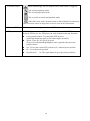
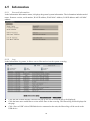
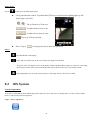
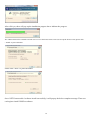
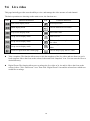
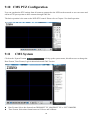
Others To enable/disable audio display Under full screen mode, tap on the icon to enable the digital zoom function. To operate, place two fingers at once on the display window and pinch them together to zoom out, or spreading them apart to zoom in. The zoom in/out display ratio will be shown on the screen. (from 0.2X to 25X) Tap on Snapshot icon to store the current image as a still image and save in the device folder. 9 9.1 CMS Pro Operation Begin Installation Simply double click user’s CD-ROM drive icon “Setup.exe” to launch the installer. Once the CMS Pro installer starts, it should begin to check the compatibility with the operating system user are running this installation on. System Requirement The following are minimum system requirements for CMS. Operating System: Microsoft Windows XP, Windows Vista, Windows 7 CPU : Minimum Intel i5 or higher RAM: Minimum 4GB of RAM Independent Graphic Card: Minimum 512MB The CMS Pro installer is in multi-language. User can choose the installer language. If user’s software is without .NET Framework 4.0, the CMS Pro installer will require user to install .NET Framework 4.0 to ensure CMS operation. 56