1
Creation and Editing of Headers/Footers
Creating a New Header/Footer
The description will use the following sample. Creation and editing of the header/footer may be performed even
when there is no connection with the Copyboard.
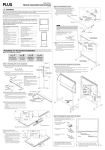
Dimensions for header editing box and printing, etc.
257 mm
Text input
24 mm
XX-0123 Product Planning Meeting
Logo: Insertion of the image
Text input
Dimensions for footer editing box and printing, etc.
8 mm
Background color
Division line
Technology Department No. 4
2008/ 10/3 09:34
Insertion of the Date and Time
Text input
PLUS Vision Corp.
* To make a logo, create an image with the personal computer and save it in any one of the BMP, JPEG,
PNG, GIF, WMF, or EMF image formats.
Change to the header/footer editing
screen.
When there is a USB connection with the Copyboard:
Click the [Setup] button of the “PLUS TOOLBOX” to open the
setting screen, then click the [Header/Footer] tab.
When there is no connection with the Copyboard:
Right-click the PLUS TOOLBOX icon of the task tray
and select “Settings”.
Select the model of the Copyboard that you are using
with the “Model Select” screen and click [OK].
Change to the Header/Footer Editor.
Click [New] to create new headers and footers.
Click [Edit] when a file is already saved on the personal computer and corrections or other changes will be added.
The file will open and the screen will be displayed. Open the file
that has the “.hfd” extension.
E-21