1
NETWORK CAMERA GUIDE
Install
Browse
Use
01.BSM.12.0092301
Product Made in China under ISO9001 & ISO1400 standards
Manual Printed in China v1.0
Network Camera setup and installation guide. Browser setup with settings explained.
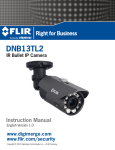
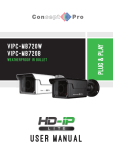
Network Box Camera
CAUTION
RISK OF ELECTRIC SHOCK
DO NOT OPEN
CAUTION: TO REDUCE THE RISK OF ELECTRIC SHOCK DO NOT
REMOVE COVER. NO USER SERVICABLE PARTS INSIDE.
REFER SERVICING TO QUALIFIED SERVICE PERSONNEL.
The lightning flash with arrowhead symbol, within an
equilateral triangle, is intended to alert the user to the
presence of un-insulated "dangerous voltage" within the
product’s enclosure that may be of sufficient magnitude to
constitute a risk of electric shock.
The exclamation point within an equilateral triangle is
intended to alert the user to the presence of important
operating and maintenance (servicing) instructions in the
literature accompanying the appliance.
WARNING: TO PREVENT FIRE OR SHOCK HAZARD, DO NOT
EXPOSE THIS UNIT TO RAIN OR MOISTURE.
CAUTION: TO PREVENT ELECTRIC SHOCK, MATCH WIDE BLADE
OF THE PLUG TO THE WIDE SLOT AND FULLY INSERT.
Instruction Manual
English Version 1.0
Important Safeguards
Service
Use
In addition to the careful attention devoted to quality standards in the manufacturing process of
your video product, safety is a major factor in the design of every instrument. However, safety is
your responsibility too. This sheet lists important information that will help to assure your
enjoyment and proper use of the video product and accessory equipment. Please read them
carefully before operating and using your video product.
13. Servicing - Do not attempt to service this video
equipment yourself as opening or removing covers
may expose you to dangerous voltage or other
hazards. Refer all servicing to qualified service
personnel.
14. Conditions Requiring Service - Unplug this video
product from the wall outlet and refer servicing to
qualified service personnel under the following
conditions:
• When the power supply cord or plug is damaged.
19. Cleaning - Unplug the video product from the wall
outlet before cleaning. Do not use liquid cleaners or
aerosol cleaners. Use a damp cloth for cleaning.
20. Product and Cart Combination - Video and cart
combination should be moved with care. Quick
stops, excessive force, and uneven surfaces may
cause the video product and cart combination to
overturn.
21. Object and Liquid Entry - Never push objects of any
kind into this video product through openings as
they may touch dangerous voltage points or
“short-out” parts that could result in a fire or
electric shock. Never spill liquid of any kind on the
video product.
22. Lightning - For added protection for this video
product during a lightning storm, or when it is left
unattended and unused for long periods of time,
unplug it from the wall outlet and disconnect the
antenna or cable system. This will prevent damage
to the video product due to lightning and power line
surges.
Installation
1.
2.
3.
4.
5.
6.
7.
Read and Follow Instructions - All the safety and
operating instructions should be read before the
video product is operated. Follow all operating
instructions.
Retain Instructions - The safety and operating
instructions should be retained for future reference.
Heed Warnings - Comply with all warnings on the
video product and in the operating instructions.
Polarization - Do not defeat the
safety purpose of the polarized or
grounding-type plug.
A polarized plug has two blades
with one wider than the other.
A grounding type plug has two
blades and a third grounding prong.
The wide blade or the third prong
are provided for your safety.
If the provided plug does not fit into your outlet,
consult an electrician for replacement of the
obsolete outlet.
Power Sources - This video product should be
operated only from the type of power source
indicated on the marking label. If you are not sure of
the type of power supply to your location, consult
your video dealer or local power company. For video
products intended to operate from battery power, or
other sources, refer to the operating instructions.
Overloading - Do not overload wall outlets of
extension cords as this can result in the risk of fire
or electric shock. Overloaded AC outlets, extension
cords, frayed power cords, damaged or cracked wire
insulation, and broken plugs are dangerous. They
may result in a shock or fire hazard. Periodically
examine the cord, and if its appearance indicates
damage or deteriorated insulation, have it replaced
by your service technician.
Power Cord Protection - Power supply cords should
be routed so that they are not likely to be walked on
or pinched by items placed upon or against them,
paying particular attention to cords at plugs,
convenience receptacles, and the point where they
exit from the video product.
Ventilation - Slots and openings in the case are
provided for ventilation to ensure reliable operation
of the video product and to protect it from
overheating. These openings must not be blocked or
covered. The openings should never be blocked by
placing the video equipment on a bed, sofa, rug, or
other similar surface. This video product should
never be placed near or over a radiator or heat
register. This video product should not be placed in a
built-in installation such as a bookcase or rack
unless proper ventilation is provided or the video
product manufacturer’s instructions have been
followed.
9. Attachments - Do not use attachments unless
recommended by the video product manufacturer as
they may cause a hazard.
10. Camera Extension Cables – Check the rating of
your extension cable(s) to verify compliance with
your local authority regulations prior to installation.
11. Water and Moisture - Do not use this video product
near water. For example, near a bath tub, wash
bowl, kitchen sink or laundry tub, in a wet
basement, near a swimming pool and the like.
Caution: Maintain electrical safety. Powerline
operated equipment or accessories connected to
this unit should bear the UL listing mark of CSA
certification mark on the accessory itself and should
not be modified so as to defeat the safety features.
This will help avoid any potential hazard from
electrical shock or fire. If in doubt, contact qualified
service personnel.
12. Accessories - Do not place this
video equipment on an unstable
cart, stand, tripod, or table. The
video equipment may fall, causing
serious damage to the video
product. Use this video product
only with a cart, stand, tripod,
bracket, or table recommended by the
manufacturer or sold with the video product. Any
mounting of the product should follow the
manufacturer’s instructions and use a mounting
accessory recommended by the manufacturer.
8.
• If liquid has been spilled or objects have fallen into
the video product.
• If the video product has been exposed to rain or
water.
• If the video product does not operate normally by
following the operating instructions. Adjust only
those controls that are covered by the operating
instructions. Improper adjustment of other controls
may result in damage and will often require
extensive work by a qualified technician to restore
the video product to its normal operation.
• If the video product has been dropped or the cabinet
has been damaged.
• When the video product exhibits a distinct change
in performance. This indicates a need for service.
15. Replacement Parts - When replacement parts are
required, have the service technician verify that the
replacements used have the same safety
characteristics as the original parts. Use of
replacements specified by the video product
manufacturer can prevent fire, electric shock or
other hazards.
16. Safety Check - Upon completion of any service or
repairs to this video product, ask the service
technician to perform safety checks recommended
by the manufacturer to determine that the video
product is in safe operating condition.
17. Wall or Ceiling Mounting - The cameras provided
should be mounted to a wall or ceiling only as
instructed in this guide, using the provided
mounting brackets.
18. Heat - The product should be situated away from
heat sources such as radiators, heat registers,
stoves, or other products (including amplifiers) that
produce heat.
Precautions
General Precautions
Features
1. All warnings and instructions in this manual should be followed.
2. Remove the plug from the outlet before cleaning. Do not use liquid aerosol detergents. Use a
water dampened cloth for cleaning.
3. Keep enough space around the unit for ventilation. Slots and openings in the storage cabinet
should not be blocked.
4. During lightning storms, or when the unit is not used for a long time, disconnect the power
supply, antenna, and cables to protect the unit from electrical surge.
FCC CLASS A NOTICE
NOTE
This equipment has been tested and found to comply with the limits for a Class A digital device pursuant to
Part 15 of the FCC Rules. These limits are designed to provide reasonable protection against harmful
interference when the equipment is operated in a commercial environment. This equipment generates, uses,
and can radiate radio frequency energy and, if not installed and used in accordance with the manufacturer’s
instruction manual, may cause harmful interference with radio communications. Operation of this equipment
in a residential area is likely to cause harmful interference, in which case you will be required to correct the
interference at your own expense.
This equipment has been certified and found to comply with the limits regulated by FCC, EMC, and
LVD. Therefore, it is designated to provide reasonable protection against interference and will not
cause interference with other appliance usage.
However, it is imperative that the user follows the guidelines in this manual to avoid improper
usage which may result in damage to the unit, electrical shock and fire hazard injury.
• HD CMOS Progressive Scan
• 720p or 1080p models with real-time (25/30 fps)
• 3Mega Pixel 2048x1536 or 5 Mega Pixel 2592x1920 Models
• Triple-streaming (H.264/MJPEG)
• Future proof ONVIF 2.1 compliance (1.02 backwards compatible)
• Compatible with popular third party VMS software*
• Power-over-Ethernet (PoE) operation, 14Watt max/12V operation
• Backup options: micro SD card, FTP, NAS, local
• Mobile Apps: iPhone®, iPad®, Android™
• Supports two-way audio
• Simple installation and adjustment
• 2.8-12mm vari-focal lens
• 30 ft. (9m) IR Night Vision, True Day/Night (TDN)
• IP66 Weatherproof and IK5 Vandal Resistant
• Multi-browser support: IE, Firefox, Safari, Chrome
• 3-axis gimbal for versatile mounting
In order to improve the feature functions and quality of this product, the specifications are subject
to change without notice from time to time.
* Check Onvif compliance on for your software.
6.7.7 BNC Video Output . . . . . . . . . . . . . . . . . . . . . . . . . . . . . . . . . . . . . . . . . . . . . . . . . . . . . .30
6.7.8 Language . . . . . . . . . . . . . . . . . . . . . . . . . . . . . . . . . . . . . . . . . . . . . . . . . . . . . . . . . . . . .30
TABLE OF CONTENTS
6.8 Alarm Configuration . . . . . . . . . . . . . . . . . . . . . . . . . . . . . . . . . . 31
1. Getting Started . . . . . . . . . . . . . . . . . . . . . . . . . . . . . . .. . 1
1.1 Default Camera Username, Password, and Ports . . . . . . . . . . .1
1.2 Camera Overview . . . . . . . . . . . . . . . . . . . . . . . . . . . . . . . . . . .2
1.2.1 Connection Overview . . . .. . . . . . . . . . . . . . . . . . . . . . . . . . . . . . . . . . . . . . . . . . . . . . 2
1.3 ONVIF Compatibility and Included Software Overview . . . . . . . .3
1.3.2 NVMS . . . . . . . . . . . . . . . . . . . . . . . . . . . . . . . . . . . . . . . . . . . . . . . . . . . . . . . . . . . . . . 3
1.3.3 CD Contents . . . . . . . . . . . . . . . . . . . . . . . . . . . . . . . . . . . . . . . . . . . . . . . . . . . . . . . . . . 3
2. Connection . . . . . . . . . . . . . . . . . . . . . . . . . . . . . . . . . . . . . 4
3. Camera Installation . . . . . . . . . . . . . . . . . . . . . . . . . . . . . 5
4. Finding the Camera’s IP Address . . . . . . . . . . . . . . . . . . 6
4.1 Finding the Camera’s IP Address Using NVMS . . . . . . . . . . . . . .7
4.2 Finding the Camera’s IP Address using UPnP in Windows® 7. .7
4.3 Finding the Camera’s IP Address using Bonjour® in Mac OS® 8
4.4 Finding the Camera IP using the BNC Test Cable . . . . . . . . . . . .9
5. Configuring Remote Connection . . . . . . . . . . . . . . . . . . 10
5.1 Connecting to a DDNS address using NVMS . . . . . . . . . . . . . . .13
6. Web Configuration . . . . . . . . . . . . . . . . . . . . . . . . . . . . . 15
6.1 Supported Browsers . . . . . . . . . . . . . . . . . . . . . . . . . . . . . . . . . .15
6.2 Chrome, Firefox, and Safari Setup . . . . . . . . . . . . . . . . . . . . . . .15
6.3 Internet Explorer® Setup . . . . . . . . . . . . . . . . . . . . . . . . . . . . . .16
6.4 Web Interface/Live Video Overview . . . . . . . . . . . . . . . . . . . . . . .19
6.4.1 Live Video Menu . . . . . . . . . . . . . . . . . . . . . . . . . . . . . . . . . . . . . . . . . . . . . . . . . . . . . . . 19
6.4.2 Configuring Camera Settings . . . . . . . . . . . . . . . . . . . . . . . . . . . . . . . . . . . . . . . . . . . . 20
6.5 Device Info . . . . . . . . . . . . . . . . . . . . . . . . . . . . . . . . . . . . . . . . . . .21
6.6 Stream Configuration . . . . . . . . . . . . . . . . . . . . . . . . . . . . . . . . .22
6.7 Device Configuration . . . . . . . . . . . . . . . . . . . . . . . . . . . . . . . . . .23
6.7.1 Local Network . . . . . . . . . . . . . . . . . . . . . . . . . . . . . . . . . . . . . . . . . . . . . . . . . . . . . . . . .
6.7.2 Device Port . . . . . . . . . . . . . . . . . . . . . . . . . . . . . . . . . . . . . . . . . . . . . . . . . . . . . . . . . . .
6.7.3 Camera . . . . . . . . . . . . . . . . . . . . . . . . . . . . . . . . . . . . . . . . . . . . . . . . . . . . . . . . . . . . . .
6.7.4 Date & Time . . . . . . . . . . . . . . . . . . . . . . . . . . . . . . . . . . . . . . . . . . . . . . . . . . . . . . . . . .
6.7.5 OSD . . . . . . . . . . . . . . . . . . . . . . . . . . . . . . . . . . . . . . . . . . . . . . . . . . . . . . . . . . . . . . . . .
6.7.6 Microphone . . . . . . . . . . . . . . . . . . . . . . . . . . . . . . . . . . . . . . . . . . . . . . . . . . . . . . . . . . .
24
25
26
26
28
29
6.8.1 Disk Alarm . . . . . . . . . . . . . . . . . . . . . . . . . . . . . . . . . . . . . . . . . . . . . . . . . . . . . . . . . . . .31
6.8.2 Motion Alarm . . . . . . . . . . . . . . . . . . . . . . . . . . . . . . . . . . . . . . . . . . . . . . . . . . . . . . . . . .32
6.9 Local Record . . . . . . . . . . . . . . . . . . . . . . . . . . . . . . . . . . . . . . . . 34
6.9.1 Record Directory . . . . . . . . . . . . . . . . . . . . . . . . . . . . . . . . . . . . . . . . . . . . . . . . . . . . . . .34
6.9.2 Record Policy . . . . . . . . . . . . . . . . . . . . . . . . . . . . . . . . . . . . . . . . . . . . . . . . . . . . . . . . . .39
6.10 Privacy Masking . . . . . . . . . . . . . . . . . . . . . . . . . . . . . . . . . . . . 41
6.11 Network Service . . . . . . . . . . . . . . . . . . . . . . . . . . . . . . . . . . . . 42
6.11.1 DDNS . . . . . . . . . . . . . . . . . . . . . . . . . . . . . . . . . . . . . . . . . . . . . . . . . . . . . . . . . . . . . . .42
6.12 Service Center . . . . . . . . . . . . . . . . . . . . . . . . . . . . . . . . . . . . . . 43
6.12.1 SMTP (Email Alert Setup) . . . . . . . . . . . . . . . . . . . . . . . . . . . . . . . . . . . . . . . . . . . . . . .43
6.13 Privilege Manager . . . . . . . . . . . . . . . . . . . . . . . . . . . . . . . . . . . 44
6.13.1 Group . . . . . . . . . . . . . . . . . . . . . . . . . . . . . . . . . . . . . . . . . . . . . . . . . . . . . . . . . . . . . . .45
6.13.2 User . . . . . . . . . . . . . . . . . . . . . . . . . . . . . . . . . . . . . . . . . . . . . . . . . . . . . . . . . . . . . . . .46
6.13.3 Unlocking User Accounts . . . . . . . . . . . . . . . . . . . . . . . . . . . . . . . . . . . . . . . . . . . . . . .47
6.14 Protocol . . . . . . . . . . . . . . . . . . . . . . . . . . . . . . . . . . . . . . . . . . . 48
6.14.1 Protocol . . . . . . . . . . . . . . . . . . . . . . . . . . . . . . . . . . . . . . . . . . . . . . . . . . . . . . . . . . . . .48
6.15 Device Restart . . . . . . . . . . . . . . . . . . . . . . . . . . . . . . . . . . . . . . 48
6.16 Default Settings . . . . . . . . . . . . . . . . . . . . . . . . . . . . . . . . . . . . 49
6.17 Sensor Configuration . . . . . . . . . . . . . . . . . . . . . . . . . . . . . . . . 49
6.17.1 Image Adjust . . . . . . . . . . . . . . . . . . . . . . . . . . . . . . . . . . . . . . . . . . . . . . . . . . . . . . . . .50
6.17.2 Shutter Control . . . . . . . . . . . . . . . . . . . . . . . . . . . . . . . . . . . . . . . . . . . . . . . . . . . . . . .50
6.17.3 Gain Mode . . . . . . . . . . . . . . . . . . . . . . . . . . . . . . . . . . . . . . . . . . . . . . . . . . . . . . . . . . . .51
6.17.4 Day/Night Mode . . . . . . . . . . . . . . . . . . . . . . . . . . . . . . . . . . . . . . . . . . . . . . . . . . . . . . .51
6.17.5 Auto Iris . . . . . . . . . . . . . . . . . . . . . . . . . . . . . . . . . . . . . . . . . . . . . . . . . . . . . . . . . . . . .52
6.17.6 Gamma . . . . . . . . . . . . . . . . . . . . . . . . . . . . . . . . . . . . . . . . . . . . . . . . . . . . . . . . . . . . . .52
6.17.7 AE Meter Mode . . . . . . . . . . . . . . . . . . . . . . . . . . . . . . . . . . . . . . . . . . . . . . . . . . . . . . . .53
6.17.8 WB Setting . . . . . . . . . . . . . . . . . . . . . . . . . . . . . . . . . . . . . . . . . . . . . . . . . . . . . . . . . . .53
6.17.9 WDR . . . . . . . . . . . . . . . . . . . . . . . . . . . . . . . . . . . . . . . . . . . . . . . . . . . . . . . . . . . . . . . .54
6.17.10 Mirror . . . . . . . . . . . . . . . . . . . . . . . . . . . . . . . . . . . . . . . . . . . . . . . . . . . . . . . . . . . . . .55
6.17.11 Noise Filter . . . . . . . . . . . . . . . . . . . . . . . . . . . . . . . . . . . . . . . . . . . . . . . . . . . . . . . . . .55
7. Resetting to Factory Defaults . . . . . . . . . . . . . . . . . . . 56
8. Dimensions . . . . . . . . . . . . . . . . . . . . . . . . . . . . . . . . . . 57
9. Troubleshooting . . . . . . . . . . . . . . . . . . . . . . . . . . . . . . 58
1. GETTING STARTED
1.2 Camera Overview
The system comes with the following
components:
• 1 x Camera
• 1 x DC IRIS connector
• 1 x Adapter ring
RJ45 Coupler
• 1 x RJ45 Coupler
• 1 x Quick Start Guide
1
2
3
4
• 1 x Instruction Manual
• 1 x Top mounting pack
• 1 x Software/Documentation CD
1.1 Default Camera Username, Password, and Ports
Username: admin
Password: admin
Ports: 80 (HTTP), 30001 (Control/Streaming), 8080 (RTMP), 554 (RTSP)
IP Address: DHCP Enabled by Default (Router will automatically assign IP
address)
NOTE: Once you have completed the basic setup of the camera, it is
recommended to configure a static IP address. This will prevent the camera
IP address changing in the event of a power failure. For details, see “6.7.1
Local Network” on page 24.
Interface
Network interface
Audio input
DC IRIS
Control +
Control Drive Drive +
Power (DC12V)
Alarm output
(COM OUT)
Alarm (COM IN)
RS-485 interface
Connection
RJ45 Interface. PoE socket
Connect to audio input device, such as tone alarm
Connect to acoustics device, such as speaker etc. for audio
speech output(impedance: >16Ω)
Camera Power if not using PoE
Connect to alarm output, 1 channel on-off parameter(the
connected power must be within range of DC12V and 300mA)
Alarm input, 1 channel signal alarm(0~DC12V)
Connect to RS-485 device, such as Pan/Tilt, PTZ etc.
SD card socket
Insert SD card for local storage
Video Output
Service Video Setup / IP setting info., standard BNC interface
RESET
RESET button, restore ex-factory value. Hold for 5 seconds.
Audio Output
*microSD card slot (max. 64GB supported; recommend SanDisk™/Kingston™
1
2
1.2.1 Connection Overview
1.3 ONVIF Compatibility and Included Software Overview
This camera is ONVIF v2.1 compliant. It is designed for interoperability with
popular VMS’s and NVR’s*, with backwards compatibility to ONVIF v.1.02. For
more information on ONVIF, visit www.onvif.org
NOTE: Provided software is PC compatible only; Mac OS® access to the
cameras is available via Safari® browser only.
1.3.1 NVMS
• NVMS is a client-only solution that supports up to 36 IP
cameras. NVMS is a free software provided on the CD.
• NVMS supports all the features of the camera. It can access microSD/ SD
card recordings and camera setup over a local network.
• NVMS manual is provided on the CD.
1.3.2 CD Tools
• CD contents Folders
IP Search
NTP Service Tool
FTPUpdater
IP Support Help Files
RTSP Tool
SD Driver
Onvif_Help
Open the NTP service
Adobe Flash Player
Adobe AcrobatReader
Camera mounting is made using standard 1/20” UNC at base of camera.
Included with product is top side connection for hanging installations where
bracket is desired to be connected to the top of the camera housing.
3
; Search find IP Cameras and set IP address and gateway
; Time Sync Application: IP devices match one PC system time.
; Firmware Update tool
; Website support help documents for common problems.
; provides RTSP string command f. e.g VLC or Quick-time use
; Ext2 driver for Windows XP to read sd Memory card on PC
; documents on Onvif specifications
; Windows XP only enables NTP time to be enabled.
; Flash Video player for Windows IE plugin and Apple Mac OS
; Windows and Max OS Acrobat Reader v10
Files:
IP_series_bitrate_calculator.htm
; Simple storage calculator for IP devices
NVMS_Install.exe
; NVR Software installation for PC
NVMS_Manual_1.7.pdf
; Guide to use the NVMS Software
SNMedia_Player.exe
; File Player for recorded files / backup files from devices /
NVMS.
4
Connection
2. CONNECTION
3. CAMERA INSTALLATION
Make sure to follow the correct polarity if connecting
the camera to DC power. Polarity is marked on the
power connector.
Alarm input connection as below diagram:
(-)GND
(+)DC5-12V
1.
Box Camera requires only the
correct mounting to be applied
to the camera
Standard installation can be from bottom
Or can be made from the top of camera/
Alarm output is in on-off (No voltage), outside power is needed while connection alarm.
Outside power must be within DC12V and 300mA while connection DC power.
1. RJ45 Network Interface: Connect to a router or switch on your network
using RJ45 Ethernet cable (Cat5e or better). 100Mhz connection. PoE
supported (class 3 PoE switch required).
2. Audio Input (3.5mm): Connect to a self-powered microphone for listenin audio.
3. Audio Output (3.5mm): Connect to an amplifier or self-powered speaker
for intercom/2-way audio.
4. DC12V (1A): 12V DC power input terminal. Make sure to follow correct
polarity (+/-) marked on the power connector when connecting to power.
5
• Minimum Power Requirement: 450mA / 5.4W.
2.
Use the included connection
to attach the bottom
installation connections block,
using the provided small
screws to attach to base of
camera.
3.
Connect camera Lens, use the
BNC connector for a fast live
video output view to adjust and
focus camera.
Optional use the back focus
adjustment Ring if required to fit
lens so focus position is correct.
4.
6
Finding the
Address
4. FINDING THE CAMERA’S IP ADDRESS
Finding the
Address
4. Click on a camera IP address in Device List to login.
5. Under User Name, enter the user name for the camera (default: admin).
Under Password, enter the password for the camera (default: admin).
Click Continue.
Use the steps below to find the camera’s IP address and connect to the
camera over the local area network (LAN) using NVMS, UPnP on
Windows® 7, or Bonjour® in Mac OS®.
Enter Camera User Name
(default: admin)
Enter Camera Password
(default: admin)
4.1 Finding the Camera’s IP Address Using NVMS
1. Install NVMS from the CD. Now Double-click the NVMS icon (
) on the
Desktop. The log in screen appears.
2. Under User Name and Password, enter the default NVMS user name
(admin) and password (admin). Click Login.
Click Continue to login
6. The camera appears under the camera IP address. Click and drag the
camera to the display grid to open it.
Enter Admin
Enter Admin
Click Login
3. NVMS opens and scans the local network for connected cameras.
Detected camera IP addresses on the LAN appear in the Device List on
the left side of the screen with a
icon.
Click and drag the
camera to the display
grid to open it
NOTE: For detailed instructions on using NVMS, see the NVMS
manual on the CD.
4.2 Finding the Camera’s IP Address using UPnP in
Windows® 7
Found camera
IP address
7
NOTE: To use this method, your router must support UPnP and the camera
and computer must be on the same network. UPnP is enabled in the camera
by default, and can be enabled/disabled using NVMS (check the NVMS
manual for details).
8
Finding the
Address
1. Click Start>Computer>Network. The camera’s IP address appears
under Network Infrastructure.
Finding the
Address
2. Click Bonjour. The camera’s IP address appears in the Bonjour Devices
list.
3. Double-click the camera to open it in Safari®.
Bookmarks
button
Double-click to open
the camera
Bonjour
Network
Double-click the camera’s IP address
4. Under User Name and Password, enter the camera’s User Name
(default: admin) and Password (default: admin) and click Login.
2. Double-click the camera to open it in your default browser.
3. Under User Name and Password, enter the camera’s User Name
(default: admin) and Password (default: admin) and click Login.
Enter Camera User Name (default: admin)
Enter Camera Password (default: admin)
Click Login
Enter Camera User Name (default: admin)
Enter Camera Password (default: admin)
Click Login
4.3 Finding the Camera’s IP Address using Bonjour® in
Mac OS®
NOTE: To use this method, the camera and computer must be on the same
network. Bonjour® is enabled by default, and can be enabled/disabled
using NVMS (check the NVMS manual for details).
1. Open Safari® browser and click the Bookmarks button (
9
4.4 Finding the Camera IP using the BNC Test Cable
When the BNC test cable is connected to the camera, the IP address is shown
on the test monitor. The camera must be connected to power to use the BNC
test cable.
NOTE: The default IP address of 192.168.0.120 is shown if the camera
cannot obtain an IP address from the router. Check the Ethernet/power
connections and router configuration.
).
10
Configuring
Connection
5. CONFIGURING REMOTE CONNECTION
Follow the steps below to configure your camera for connections over the
Internet using a web browser, NVMS, or other VMS software.
Step 1 of 6: Locate the camera’s local IP address:
Configuring
Connection
Step 3 of 6: Locate your camera’s MAC address:
1. Open a web browser and enter the camera’s IP address in the address
bar in the following format:
http://
http://192.168.0.120:80
IP address
• See “4. Finding the Camera’s IP Address” on page 6.
Step 2 of 6: Port Forward your router:
You need to enable port forwarding for the following ports on your router to
the camera’s local IP address:
Colon
HTTP port number
2. Under User Name and Password, enter the camera’s User Name
(default: admin) and Password (default: admin) and click Login.
3. Click Device Info and write down the MAC Address.
• HTTP Port (default: 80)
• Control Port (default: 30001)
NOTE: If you are configuring multiple IP cameras for individual remote
access, you must change the ports for each camera. Two cameras cannot
use the same port number.
MAC Address
NOTE: Port forwarding the RTSP and RTMP ports is not necessary unless
your installation has special requirements.
There are two methods for port forwarding:
• You can manually port forward your router. See your router’s user manual
for details. An example of a port forwarding screen is shown below.
HTTP
80
80
100
Control
30001
30001
100
Step 4 of 6: Register for DDNS:
Register for one of the DDNS services which are currently supported for use
with your IP camera. A DDNS account allows you to set up a web site
address that points back to your local network. The following outlines how to
set up your free DDNS account.
NOTE: Your router must support UPnP to enable DDNS.
NOTE: You may use the same DDNS account for multiple IP cameras on
the same LAN.
11
12
Configuring
Connection
Step 5 of 6: Enable DDNS on the camera:
1. Enter the camera’s IP address in your web browser. Log in and then click
Network Service>DDNS.
2. Check Enable DDNS.
3. Configure the following:
• Provider: Select the ddns service you use..
Configuring
Connection
5.1 Connecting to a DDNS address using NVMS
NOTE: Complete all the steps above before performing the following
method.
1. Open NVMS and click Device Manager>Video Device Manager.
2. Click Manager. The Device Maintenance window opens.
• Domain Name: Enter the Domain Name you received from the
confirmation email you received after you created your DDNS account
(e.g. mycamera.dyndns.org).
• User Name: Enter the User Name.
• Password: Enter the account name Password
4. Click OK to save settings.
Step 6 of 6: Connect to the camera’s DDNS address:
1. Enter the camera’s DDNS address in your web browser in the following
format:
http://
Enter the
camera’s
DDNS address
Control
Port
http://mycamera.dyndns.org:80
DDNS address
Colon
HTTP port number
2. Under User Name and Password, enter the camera’s User Name
(default: admin) and Password (default: admin) and click Login.
Once you have logged into your system using your DDNS address, you can
connect to the IP camera from a remote location using a web browser,
NVMS.
13
Click Add
Click Save
3. Under Device IP, enter the Domain Name from the confirmation email.
For example, enter mycamera.dyndns,org.
4. Under Control Port, enter the camera’s control port (default: 30001).
5. (Optional) Under Device Name, enter a name for the camera.
6. Click Add to add the camera to the Device List.
7. Click Save to save changes. Click OK.
14
Configuring
Connection
8. Close Device Maintenance and Device Manager, and return to the Live
Video screen. The newly added camera will appear in Device List.
Configuration
6. WEB CONFIGURATION
The camera includes a built-in web interface that can be accessed using a
web browser.
6.1 Supported Browsers
Found camera
NOTE: A
icon is shown for all cameras outside of the LAN. This does
not affect your ability to connect to the camera remotely.
9. Click on the camera in Device List to login. Enter the User Name (default:
admin) and Password (default: admin) and then click Continue.
Enter Camera User Name (default: admin)
Enter Camera Password (default: admin)
Click Continue
10.Click and drag the camera to a display grid screen to open it.
• Google Chrome, Mozilla Firefox, and Apple Safari® (via Adobe Flash
Player)
• Microsoft Internet Explorer® 7.0 or later, 32-bit version (via ActiveX®)
6.2 Chrome, Firefox, and Safari Setup
1. Connect the camera to your local network and find the camera’s IP
address. See “4. Finding the Camera’s IP Address” on page 7.
2. Open your browser and enter the camera’s IP address in the address bar
in the following format:
http://
http://192.168.0.120:80
Camera IP address
Colon
HTTP port number
NOTE: You can also connect to the camera using a DDNS address (DDNS
setup and port forwarding required; see “5. Configuring Remote
Connection” on page 10 for details).
3. Under User Name and Password, enter the camera’s User Name
(default: admin) and Password (default: admin) and click Login.
Click and drag the
camera to the display
grid to open it
NOTE: For detailed instructions on using NVMS, see the NVMS
manual on the CD.
15
Enter Camera User Name (default: admin)
Enter Camera Password (default: admin)
Click Login
16
Configuration
4. The main screen for the camera web interface opens. From here you can
view and configure the camera.
Configuration
3. Under Download unsigned ActiveX controls, click Prompt
(recommended) or Enable.
NOTE: If you do not see video from the camera, make sure your computer
has the latest version of Adobe Flash Player installed (visit http://
www.adobe.com/ to download the latest version). After installing Flash
Player, restart your browser and reconnect to the camera.
Select Enable or Prompt under
Download unsigned ActiveX controls
6.3 Internet Explorer® Setup
Step 1 of 2: Change Internet Explorer security settings for ActiveX®:
1. Open Internet Explorer and open the Security tab.
• Internet Explorer 8: Click Tools > Internet Options and select the
Security tab.
• Internet Explorer 9: Click
tab.
> Internet Options and select the Security
2. Click Custom Level.
Click OK
4. Click OK. Click OK again to save changes.
Step 2 of 2: Log into camera:
1. Connect the camera to your local network and find the camera’s IP
address. See “4. Finding the Camera’s IP Address” on page 7.
2. Enter the camera’s IP address in the address bar in the following format:
http://
http://192.168.0.120:80
IP address
Click Custom level
Colon
HTTP port number
NOTE: You can also connect to the camera using a DDNS address (DDNS
setup and port forwarding required; see “5. Configuring Remote
Connection” on page 10 for details).
3. Under User Name and Password, enter the camera’s User Name
(default: admin) and Password (default: admin) and click Login.
Enter Camera User Name (default: admin)
Enter Camera Password (default: admin)
Click Login
17
18
Configuration
4. If your computer has Flash Player installed, the main screen for the
camera web interface opens. From here you can view and configure the
camera.
NOTE: The ActiveX plug-in may provide smoother video performance than
Flash Player. To use ActiveX, click the message above the video window.
Then click inside the video area, select Install this Add-on for all users on
this computer, and follow the prompts.
Configuration
6.4 Web Interface/Live Video Overview
Camera
configuration
menus
Click and drag to zoom in. Right-click and
select ZoomOut to zoom out.
Double-click inside window for full-screen
Install ActiveX plug-in
NOTE: If your computer does not have Flash Player installed, you will be
prompted to select if you would like to use ActiveX or Flash Player to connect
to the camera:
• Click to play live video with ActiveX control to reduce latency
(recommended): Uses an ActiveX plug-in to connect to the camera. To
install the plug-in, click on the video area, and select Install this Add-on
for all users on this computer, and follow the prompts.
• Click to download the latest version of Flash Player to play live video:
Opens a link to download Flash Player from Adobe’s website. After
completing the installation, restart your browser and reconnect to the
camera.
Select Stream
TIP: Select stream2 for better performance for remote
connections. Stream2 has a lower resolution than stream1.
The Live video page appears when you log into the camera. Live video
requires an ActiveX® plug-in or Adobe Flash Player.
6.4.1 Live Video Menu
You can right-click on the live video area to bring up the Live Video Menu.
Right-click on the video area to
open the Live Video Menu
Select ActiveX or Flash Player
19
20
Configuration
The Live Video Menu contains the following options:
• Full Screen: Open the video in full screen. Press ESC to exit full screen.
Configuration
6.5 Device Info
• Sensor Config: Configure the camera sensor settings. See “6.17 Sensor
Configuration” on page 49.
• ZoomIn: Zoom in one level.
• ZoomOut: Zoom out one level.
• Restore Panorama: Zoom out all the way.
6.4.2 Configuring Camera Settings
• Click the options on the left to configure camera settings. Setting options
are detailed in the remainder of this section.
Click to select
camera menus
The Device Info page shows information about your IP camera, such as the
Device Name (which appears in the Device List in NVMS), firmware
version, MAC address, and camera inputs and outputs. You can also
configure the Device Name for your camera.
ATTENTION: The device ID is unique. Do not change it unless your
installation has special requirements.
TIP: Some sub-menus have a Reset button. This button will reset the
sub-menu options to factory defaults. You then have to click OK to save
changes.
21
To configure the Device Name:
1. Click Device Info.
2. Under Device Name, enter the desired device name and then click Set.
22
Configuration
6.6 Stream Configuration
Configuration
• Frame Rate: Select the frame rate for the stream up to maximum of
30FPS for stream1 or stream2 or 12FPS for stream3.
NOTE: Frame rate may be automatically adjusted to account for bandwidth
limitations.
• I Frame interval: Select the interval for I frames: 1, 2, or 3. The default
value of 2 should be used unless there are special requirements. The I
Frame interval does not apply to stream3.
• Bit Rate: For stream1 or stream2, select CBR (Constant Bit Rate) or VBR
(Variable Bit Rate). Enter the desired bit rate below in kbps. Stream3 only
supports VBR.
• Quality: Select the video quality between 1 (lowest) and 9 (highest).
TIP: A quality of 7 provides a good picture. It is not recommended to set a
high quality value with a small VBR bit rate.
The Stream Configuration page allows you to configure the camera’s video
streams. The camera supports three different video streams. This allows
you to have a high quality recording stream (stream1), a lower quality stream
(stream2) to preserve bandwidth for remote connections, and an MJPEG
stream for applications requiring MJPEG.
To configure video streaming settings:
1. Click Stream Configuration. Under Stream ID, select the stream you
would like to configure.
2. Configure the following:
• Video Encode Type: Select the Video Encoding type for the stream.
Stream1 and stream2 can be configured for H.264 High Profile, H.264
Main Profile, or H.264 Base Profile. Stream3 supports MJPEG only.
• Audio Encode Type: Select the Audio Encoding type for the stream:
G711_ALAW, G711_ULAW, or RAW_PCM.
• Resolution: Select the resolution for the stream. Stream1 and stream3
can be set to 1920x1080 or 640x360. Stream2 can only be set to 640x360.
Stream3 can only be set to 1920x1080.
23
3. Click OK to apply changes.
6.7 Device Configuration
Device Configuration contains the following sub-menus:
• Local Network
• Device Port
• Camera
• Date & Time
• OSD
• Microphone
• BNC Video Output
• Language
• Multicast (Not supported)
• Dome PTZ (Not supported)
24
Configuration
6.7.1 Local Network
Configuration
4. Click OK to save changes. The camera will restart with the new IP
address.
6.7.2 Device Port
The Local Network page shows the camera’s current IP address and
network parameters if DHCP is enabled. It also allows you to set a static IP
address for the camera (see below), set the networking parameters, and to
select IPv4 or IPv6.
NOTE: DHCP is disabled by default. When DHCP is enabled, the IP address
is shown under DHCP IP. Use the IPScan tool on CD to configure a static
IP address. This will prevent the camera IP address changing in the event
of a power failure.
To configure the camera’s networking parameters:
1. Click Device Configuration>Local Network.
2. Under IP Protocol, select IPv4 or IPv6. If you would like to use IPv6, make
sure it is supported on your network. You may need to contact your
network administrator or ISP for details.
3. Select Device obtain an IP address automatically to use DHCP or Device
use the following IP address to set a static IP address for the camera. If
you are using a static IP address, configure the following:
• IP Address: Enter the IP address you would like to assign to the camera.
Make sure the IP address is available on your network.
The Device Port page (Device Configuration>Device Port) allows you to
configure the camera’s port configuration. The camera has the following
ports:
• Control port: The default is 30001. Enables video streaming.
• HTTP Port: The default is 80. Enables web access. Please note that if the
HTTP is port is anything other than 80, you must enter http:// before the
camera’s IP address and colon (:) and the HTTP port after the IP address
when connecting using an Internet browser (e.g. if the HTTP port is 85,
enter http://192.168.x.x:85).
• RTSP Port: Default is 554. Only used for special applications requiring
RTSP streaming, such as VLC player or quicktime movie.
• RTMP Port: Default is 8080. Only used for special applications.
NOTE: If you are configuring multiple IP cameras for individual remote
access (without an NVR or server), you must change all the ports for each
camera. Two cameras cannot use the same port number.
To change camera ports:
1. Configure the camera ports as required and then click OK.
2. Click Device Configuration>Device Port.
• Subnet Mask: Enter the subnet mask.
• Preferred DNS Server/Alternate DNS Server: Enter desired DNS
servers.
25
26
Configuration
6.7.3 Camera
Configuration
You can set the camera’s date and time the following ways:
• Using an NTP server (recommended)
• Using your computer’s system time
• Manually
The Camera page (Device Configuration>Camera) allows you to configure
the Channel Name, which appears on the camera OSD and the video system
frequency.
To change the Channel Name:
• Configure the Channel Name as needed and then click the Set button
next to Channel Name.
To change the video system frequency:
• Select the desired setting under Video System and then click the Set
button next to Source Resolution.
6.7.4 Date & Time
The camera is configured to use NTP by default, but you
must set the time zone and Daylight Savings Time settings
to ensure accurate time. After a power failure, the camera
is configured to connect to an NTP server and automatically
update the time when power is restored. If using another
method to set the camera clock, time must be manually
updated after a power failure.
To set the camera’s date and time using an NTP server:
1. Click Device Configuration>Date & Time.
2. Under Time Zone, select your time zone.
3. If your region observes daylight savings time, check Adjust clock for
daylight saving changes.
• Under Start and End, select the start and end times for daylight savings.
4. Next to Current PC Time, click Apply.
To sync the camera’s date and time to your computer’s system time:
1. Click Device Configuration>Date & Time.
2. Un-check Enable NTP and click Apply at the bottom of the screen.
3. Under Time Zone, select your time zone.
4. If your region observes daylight savings time, check Adjust clock for
daylight saving changes.
• Under Start and End, select the start and end times for daylight savings.
5. Click Apply next to Current Computer Time. The Current Device Time
updates.
The Date & Time page allows you to configure the camera’s date and time.
27
To set the camera’s date and time manually:
1. Click Device Configuration>Date & Time.
2. Under Time Zone, select your time zone.
28
Configuration
3. Un-check Enable NTP and click Apply at the bottom of the screen.
4. If your region observes daylight savings time, check Adjust clock for
daylight saving changes.
• Under Start and End, select the start and end times for daylight savings.
5. Click Set Manually, and use the on-screen calendar to set the time and
date.
6. Click Apply. The camera updates to the newly entered time.
6.7.5 OSD
Configuration
• Custom: Create a custom OSD message. Enter the custom OSD text under
Custom OSD.
Device Name
Channel ID
Channel Name
Time
Custom
3. Enter the desired Row and Column for enabled OSD messages. Text on
row 0 is shown at the top of the screen, and moves down as the row
number increases. Text on column 0 is shown on the left side of the
screen, and moves right as the column number increases.
Column 0
Column # increases
Row 0
Row #
increases
4. Click OK to update the camera OSD.
The OSD page allows you to configure the camera’s on-screen display text.
6.7.6 Microphone
To configure the camera OSD:
1. Click Device Configuration>OSD.
2. Check the following options to enable OSD text:
• Device Name: Display the Device Name.
• Channel ID: Show the channel ID number.
• Channel Name: Show the name of the channel set in the Camera menu.
• Time: Show the date and time on the OSD. Select the desired date and
time format under Time Format.
29
30
Configuration
Configure microphone settings for listen-in audio. Self-powered
microphone required (not included).
To configure microphone settings:
1. Click Device Configuration>Microphone.
2. Check Enable Microphone to enable listen-in audio or un-check to
disable.
3. Under Microphone Volume, select the volume for the microphone
between 1~100.
4. Click OK to save changes.
6.7.7 BNC Video Output
Configuration
To change the language for the OSD and email alarms:
1. Click Device Configuration>Language.
2. Under Language, select the desired language then click OK to save
changes.
6.8 Alarm Configuration
Alarm Configuration contains the following sub-menus:
• Disk Alarm
• Motion Alarm
• Alarm I/O (Not supported)
• I/O Alarm Linkage (Not supported)
• Alarm Setting (Not supported)
6.8.1 Disk Alarm
Under BNC Output (Device Configuration>BNC Ouput), select On to enable
analog output or Off to disable and click OK.
6.7.8 Language
The Disk Alarm page allows you to configure alarms if there is an issue with
the recording disk. You can configure a Disk Full Alarm or a Disk Error
Alarm. A Disk Full Alarm triggers an alarm when the recording disk is full or
exceeds a certain percentage. A Disk Error Alarm triggers an alarm if there
is an error accessing or writing to the recording disk.
Alarms can be viewed using the Alarm Manager in NVMS (see the
NVMS manual on the CD for details).
Change the language for the camera OSD display (e.g. time and date display)
and email alarms. Supported languages are English, Polish, Russian, and
Chinese.
31
To configure Disk Alarms:
1. Click Alarm Configuration>Disk Alarm.
2. Check Disk Full Alarm to enable Disk Full Alarms.
32
Configuration
3. Under Max Disk Space, enter the disk full percentage that will trigger an
alarm (e.g. a Disk Full Alarm will be triggered when the recording disk is
80% full).
4. Check Disk Error Alarm to enable Disk Error Alarms.
5. Click OK.
Configuration
3. Click Schedule to configure a motion detection schedule. The Schedule
Time Setting menu opens.
NOTE: If the Schedule Time Setting does not open, disable any popup
blockers.
6.8.2 Motion Alarm
The Motion alarm page allows you to configure camera motion detection
alarm settings. You must enable motion detection to use local (e.g. microSD/
SD card or FTP recording) motion detection recording. For instructions on
setting up local recording, see “6.9 Local Record” on page 34. For details on
motion recording using NVMS, see the NVMS manual on CD.
4. Configure the weekly schedule. The schedule is divided into 3 periods,
and motion detection will be enabled in all times during all 3 periods.
5. Click Motion Area, and configure up to 8 motion detection areas:
• Select Area Motion or Area Mask to configure motion detection areas.
• Area Motion allows you to select areas where motion detection is enabled.
• Area Mask enables the entire image for motion detection, and allows you
to select areas to disable motion detection.
To configure motion detection:
1. Click Alarm Configuration>Motion Alarm.
2. Check Enable under Motion Parameter.
• Right-click to delete the last created area.
6. Under Sensitivity, select the sensitivity for motion detection: Low,
Medium, or High.
7. Click OK to save your settings.
33
34
Configuration
6.9 Local Record
Configuration
4. Click Modify. The Record Disk Path menu opens.
Local Record contains the following sub-menus:
• Record Policy
Select SD1
• Record Directory
6.9.1 Record Directory
Click Modify
5. Check Enable.
Check Enable
Record Directory allows you to configure the microSD/SD memory card,
NAS, and FTP storage locations. It also allows you format the microSD/SD
card.
IMPORTANT: You must format the microSD/SD card using the camera
before you can record to it.
To format the microSD/SD card to enable recording:
NOTE: Formatting the microSD/SD card erases all data on the card.
1. Click Local Record>Record Directory.
2. Make sure to disable all recording types in Record Policy before
formatting the microSD/SD card. See “6.9.2 Record Policy” on page 37.
3. Under Disk Name, select SD1.
35
Click Format
6. Under File System, select SDVideo (recommended) or Ext3.
7. Click Format. A window will appear to show the status of the formatting.
Wait for the formatting to complete and then click OK.
NOTE: If the Record Disk Path menu does not open or formatting does not
occur, disable any popup blockers.
To configure FTP storage location:
1. Click Local Record>Record Directory.
36
Configuration
2. Under Disk Name, select ftp.
Select ftp
Configuration
6. Click OK.
7. Set up recording using the Record Policy sub-menu (see “6.9.1 Record
Directory” on page 34). To access your recordings, use NVMS or
manually access your FTP server.
NOTE: On the Record Directory page, Status will be OK when FTP is selected
if FTP is accessible and all settings have been entered correctly.
Click Modify
3. Click Modify. The Record Disk Path opens.
4. Check Enable.
5. Configure the following:
Check Enable
Status OK
To configure a NAS storage location:
1. Click Local Record>Record Directory.
2. Under Disk Name, select //.
Select //
Configure FTP
server information
Click OK
Click Modify
• IP: Enter the FTP server address.
• Port: Enter the FTP port number.
• Accounts: Enter the FTP account user name.
3. Click Modify. The Record Disk Path menu opens.
• Password/Confirm Password: Enter the FTP password.
• Free Space: Enter the amount of space (in MB) you would like to make
available on the FTP server for recording.
37
38
Configuration
4. Configure the following:
Configuration
6. Set up recording using the Record Policy sub-menu (see “6.9.1 Record
Directory” on page 36). To access your recordings, use NVMS or
manually access your NAS device.
NOTE: On the Record Directory page, Status will be OK when NAS is
selected if NAS is accessible and all settings have been entered correctly.
Status OK
• IP: Enter the IP address of the NAS.
• Path: Enter the NAS folder where video files will be saved. NAS folder
must be located directly under the root folder of the NAS (e.g. /public).
6.9.2 Record Policy
• Accounts: Enter the account user name for the NAS.
• Password/Confirm Password: Enter the account password for the NAS.
• File System: Enter the NAS file system (cifs or nfs).
• Use All Space: Check to enable the camera to record until the NAS is full.
Uncheck to limit the amount of space the camera can record on and enter
the amount of space (in MB) available to the camera under Free Space.
5. Click OK.
39
40
Configuration
The Record Policy menu allows you to set the microSD/SD memory card,
NAS, and FTP recording parameters. Once configured, the device can record
video directly to a microSD/SD card, NAS, and FTP.
To enable recording to microSD/NAS/FTP:
1. Click Local Record>Record Policy.
2. Configure recording storage locations in the Record Directory sub-menu.
See “6.9.1 Record Directory” on page 34.
NOTE: The camera will simultaneously record to all storage locations that
have been enabled in Record Directory.
Configuration
number of days and enter the Number of Days desired. Note that you
must have sufficient storage space to save the number of days entered.
8. Click OK to save changes.
NOTE: To view video from the SD/microSD card, FTP, or NAS, use NVMS’s
playback features, see the NVMS manual on the CD for details. You can
access video saved to FTP or NAS by manually accessing your FTP server
or NAS device.
6.10 Privacy Masking
3. To enable scheduled or continuous recording, check Enable under
Schedule Record. Select 7*24 H Record to record video continuously at
all times, or, select Schedule Record to create a schedule for recording.
• If you select Schedule Record, click Schedule and configure recording
times. The schedule is divided into 3 periods, and the camera will record
during all selected times in all 3 periods. Click OK when finished
configuring the recording schedule.
4. To enable Motion Alarm Recording, check Enable under Alarm Record.
Configure Pre-recording and Post-recording times. Check Motion
Alarm, Channel.
5. Under Stream, select the stream to use for recording. Stream1 is
recommended if you want to record high quality video, stream2 is
recommended if you want to save bandwidth or storage space.
6. Check Record Audio to enable audio recording.
7. Under Storage Rule, select Cycle Write to enable the camera to
overwrite the oldest recorded data once the available space in the
storage location is filled. Or, select Save Days to save video for a set
41
Privacy area
The Privacy Masking menu allows you to create up to 5 privacy areas that will
not appear in recordings. You can cover up to 8% of the total image area.
To configure privacy areas:
1. Click Privacy Masking.
2. Check Enable Privacy Masking.
3. Click and drag inside the video area to configure privacy areas. Privacy
areas will be shown as green rectangles. Right-click to delete the last
created area.
42
Configuration
Configuration
4. Click OK. An error message appears if the masks configured exceed 8%
of the total image area.
4. Click OK to save settings.
6.11 Network Service
6.12 Service Center
Network Service contains the following sub-menus:
• DDNS
• PPPoE (Not supported)
6.11.1 DDNS
• Password: Enter the Password you have set on the account.
Service Center contains the following sub-menus:
• SMTP
• Alarm Center (not supported currently)
6.12.1 SMTP (Email Alert Setup)
The DDNS sub-menu allows you to configure DDNS settings. Before
configuring DDNS settings, you must register the camera for a free
DDNS account (see “5. Configuring Remote Connection” on page 10).
To configure DDNS settings:
1. Click Network Service>DDNS.
2. Check Enable DDNS.
3. Configure the following:
• Provider: Select DunDNS or 3322 ddns services as required.
• Domain Name: Enter the Domain Name for your registered account
with either service. This forms part of the prefix name on the domain.
NOTE: Connect to your camera using a web browser by entering http://,
the Domain Name, colon, and then the HTTP port. For example, if the
Domain Name is mycamera.dyndns.org, use the address
http://mycamera.dyndns.org:80.
• User Name: Enter your User Name you registered as.
43
The SMTP sub-menu allows you to configure email alerts when motion
alarms occur. Email alerts will include a .jpg snapshot attachment.
Before setting up email alerts you must configure the following:
• Motion alarms must be enabled before the camera will send email alerts.
See “6.8.2 Motion Alarm” on page 32.
• A static IP address must be configured for the camera and DNS servers
must be entered. See “6.7.1 Local Network” on page 24.
44
Configuration
To enable email alerts:
1. Click Service Center>SMTP.
2. Check Enable SMTP.
3. Configure the following:
Configuration
6.13.1 Group
• SMTP Server Address: Enter the address for your SMTP server.
• SMTP Server Port: Enter your server’s SMTP port number.
• User Name: Enter the SMTP account user name.
• Password: Enter the SMTP account password.
• Sender E-mail Address: Enter the email address that will be used to send
email alerts.
• Recipient E-mail Address 1~5: Enter up to 5 email addresses that will
receive email alerts.
• Attachment Image Quality: Select the quality of the image attachments:
High, Mid, or Low.
• Transport Mode: Select the encryption type used by the server (SSL or
STARTTLS) or select No encrypted if your server does not use encryption.
4. Click OK to save your settings. Click Send testmail to send a test email
alert.
6.13 Privilege Manager
Privilege Manager allows you to configure user accounts and user groups.
Privilege Manager contains the following sub-menus:
• Group
The Group page (Privilege>Group) allows you to manage permissions for
user groups. Users obtain permissions from their group. The Administrators
group contains all permissions and cannot be deleted or edited.
To add a user group:
1. Click Add. The Add Group menu appears.
NOTE: If the Add Group menu does not appear, disable any popup blockers.
2. Enter a name for the user group and click OK.
• User
Enter a group
name and click OK
3. Under Group, select the new group.
4. Check the permissions you would like to apply to this user group. You can
check or un-check Select All to select all or no permissions.
5. Click OK to save your new user group.
To modify a user group:
45
46
Configuration
1. Under Group, select the group you would like to modify.
2. Click Modify to change the group name if needed, enter a new group
name and click OK.
3. Change permissions as needed and click OK.
Configuration
To add a user account:
1. Click Add. The Add User window appears.
NOTE: If the Add User menu does not appear, disable any popup blockers.
To delete a user group:
1. Click Delete. The Delete Group menu appears.
NOTE: If the Delete Group menu does not appear, disable any popup
blockers.
2. Select the group you would like to delete and click Delete.
6.13.2 User
The User page (Privilege>User) allows you to manage user accounts. User
accounts receive privileges based on their group. The admin account is the
system administrator, and has full access to all functions.
2. Enter a User Name and Password for the account and repeat the
password under Confirm.
3. Under Group, select the desired user group for this account.
4. Check Multi Login to allow the user account to log into the IP camera
from multiple location simultaneously or un-check to limit the account to
a single location at a time.
5. Click OK to save the new user account.
To modify a user account:
1. Select the user account under User and click Modify.
2. Modify the account details as needed and click OK.
To delete a user account:
• Under User, select the user account and click Delete. Click OK to confirm.
6.13.3 Unlocking User Accounts
The admin account is the only account that can unlock user accounts that
have been locked out. User accounts are locked out if the wrong password is
entered 3 or more times.
To unlock a user account:
1. Login to the camera as admin.
47
48
Configuration
Configuration
6.16 Default Settings
2. Click Privilege Manager>User.
Select the
user
Click Unlock
3. Under User, select the locked user account.
4. Click Unlock to unlock the account.
6.14 Protocol
Protocol contains the following sub-menus:
• Protocol
Click Default Settings. Click Restore then click OK to restore the camera to
factory default settings. The camera will reboot.
6.17 Sensor Configuration
The Sensor Configuration menu is used to adjust camera image settings.
To configure camera image settings using the Sensor Configuration menu:
• Log into the camera using a web browser, and from the Live Video page,
right-click on the video area and select Sensor Config.
• Security (Not supported)
NOTE: Do not check User Verification in the Security sub-menu, as it may
block ONVIF software from detecting the camera.
6.14.1 Protocol
Right-click in the video area
and select Sensor Config
The Protocol page (Protocol>Protocol) allows you to view ONVIF protocol
settings.
6.15 Device Restart
Click Device Restart. Click Restart then click OK to restart the camera.
49
50
Configuration
• Click Save to save setting changes.
• Click Reset to revert to the last saved changes.
• Click Factory Setting to revert all camera sensor settings to factory
defaults.
• Click Cancel to exit.
Configuration
• MaxShutter: Sets the upper limit of the shutter speed when AutoShutter
is selected.
• FixedShutter: Sets the shutter speed when FixedShutter is selected.
6.17.3 Gain Mode
TIP: Hold the mouse over the tabs to see the full name of the tab.
6.17.1 Image Adjust
Select gain mode and adjust gain settings.
• Gain Mode: Select AutoGain or FixedGain.
Adjust the Brightness, Saturation, and Contrast settings for the image.
6.17.2 Shutter Control
• MaxGain (dB): Select the maximum gain value when AutoGain is selected.
• FixedGain (dB): Select the gain value when FixedGain is selected.
6.17.4 Day/Night Mode
Adjust the camera shutter settings.
• ShutterMode: Select AutoShutter or FixedShutter.
51
Configure color settings for night mode.
52
Configuration
• Night Color: Select Black_White to have the camera switch to black and
white during night mode or select Multicolor to have the camera remain
in color during night mode.
Configuration
6.17.7 AE Meter Mode
6.17.5 Auto Iris
Set the Auto-Exposure Meter Mode from one of the following:
• Multi-Pattern: When metering light, entire image is metered
symmetrically.
Set Auto Iris settings.
• Auto Iris: Select ON to enable or OFF to disable.
• Iris Speed: If Auto Iris is set to ON, select Auto Iris speed.
6.17.6 Gamma
• Center-Weighted: When metering light, priority is given to the center of
the image.
• Vertical Center-Weighted: When metering light, priority is given to the
vertical center of the image.
• Horizontal Center-Weighted: When metering light, priority is given to the
horizontal center of the image.
6.17.8 WB Setting
Adjust Gamma.
• Gamma: Select gamma setting: Standard, High, Middle, Low, or Dynamic.
53
Adjust White Balance.
54
Configuration
Configuration
• WB Mode: Select Auto for automatic white balance or Manual to manually
set the white balance.
6.17.10 Mirror
• Manual Mode: Select a mode for the lighting conditions or select
Customized and manually adjust the RedGain and BlueGain.
6.17.9 WDR (solution may not feature this setting)
Enable/disable image mirroring.
• Mirror: Select Horizontal to mirror the image horizontally, Vertical to
mirror vertically, or Picture Flip to mirror both horizontally and vertically.
Select Close to disable image mirroring.
Configure settings for Digital Wide Dynamic Range.
6.17.11 Noise Filter (solution may not feature this setting)
• Control Mode: Select ON to enable Digital Wide Dynamic Range or OFF
to disable.
NOTE: Enabling Digital Wide Dynamic Range may cause color distortion
based on the lighting. If you notice color distortion, it is recommended to
turn Control Mode to OFF.
• Working Mode: Select DLO (Digital Side Overflow) for environments with
few moving objects. Select MC (Motion Compensation) for environments
with multiple moving objects.
Configure noise filter settings.
• Noise Filter: Select Auto for automatic noise filtering or Manual.
• Max Level: Select the maximum level for automatic noise filtering.
• Level: Select the level for manual noise filtering.
55
56
Resetting to Factory Defaults
7. RESETTING TO FACTORY DEFAULTS
Follow the steps below to revert all settings to factory defaults. The camera
must be connected to power to perform a factory reset.
1.
8. DIMENSIONS
Units: mm
Rear of camera has a simple to access reset button.
2. Press and hold the white
reset button for 5 seconds
then release the button to
reset the camera to factory
defaults.
NOTE: Reset has to have power
applied to the device before reset
can be made.
Because our products are subject to continuous improvement, product
design and specifications without notice and without incurring any obligation.
57
58
Can’t connect to camera on a web browser using a DDNS address:
9. TROUBLESHOOTING
Can’t find the camera IP address using NVMS or other software:
• Make sure Ethernet and/or DC power cables are correctly connected to
the camera.
• Make sure the PoE switch or DC power source meets the camera’s power
requirements (class 3 PoE / 450mA / 5.4W / 12V). If using PoE, make sure
the PoE switch is powered on.
• Make sure the PC is on the same network as the camera. Ping the
camera’s IP address. On your PC, go to Start > Programs > Accessories
> Command Prompt. Type ping then the camera’s local IP address and
press Enter. If you get the message “Request timed out,” PC and camera
are not on the same network or camera is not connected. Camera is
connected if you receive replies.
• Connect the BNC test cable to the camera and the other end to a test
monitor. The monitor display shows the camera’s IP address. A default
IP address of 192.168.0.120 may mean that the camera cannot obtain an
IP address from the router. Check the Ethernet/power connections and
router configuration.
• Camera set for static IP mode using an incorrect IP address. By default,
the camera is set for DHCP mode, which means it will automatically obtain
an IP address from your router. Reset the camera to factory default
settings by removing the camera cover and pressing the reset button for
5 seconds or more.
Can’t connect to the camera on a web browser using local IP address:
• See steps above.
• Verify the camera’s local IP address using one of the methods listed in
“4. Finding the Camera’s IP Address” on page 7.
59
• Port forwarding not set up. Make sure the HTTP port (default: 80)
and Control port (default: 30001) are forwarded on your router to the
camera’s local IP address.
• Multiple cameras using same port number to connect. Configure
each camera to use different ports and port forward the new ports
(see “6.7.2
Device Port” on page 25 for details on changing camera ports).
Can’t connect to camera video on a web browser:
• If using IE, make sure to install ActiveX plug-in or Adobe Flash
Player. For more information, see “6.3 Internet Explorer® Setup”
on page 16.
• If using a browser other than IE (e.g. Google Chrome, Apple Safari,
Mozilla
Firefox), make sure latest version of Adobe Flash Player is installed.
Video performs poorly on browser:
• Insufficient bandwidth available for high-quality stream1. Select
stream2 under Stream. Stream2 provides a lower-resolution to
conserve bandwidth and improve performance on low-bandwidth
connections.
• If using IE, click the message above the video area to use ActiveX
plug-in instead of Flash Player. ActiveX may provide smoother
video performance.
User account is locked:
• User accounts are locked when the password has been incorrectly
entered 3 times. To unlock the account, login to the camera web
interface as admin. Click Privilege Manager>User. Under User,
select the locked user account and click Unlock to unlock the
account.
60