1
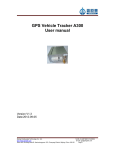
GPS Vehicle Tracker A200E
User manual
Version V2.0
Date:2012-09-10
Beijing Dinghengtai Technology Co., Ltd.
Tel:86-10-52679667,57430056
http://www.dingtek.com
E-mail: [email protected]
Room 605, Building Botai B, Nanhudongyuan 122, Chaoyang District, Beijing, China 100102
Page 1
Index
Query function.................................................................................................................3
Settings..............................................................................................................................3
Control............................................................................................................................... 5
Alarm.................................................................................................................................. 6
Other...................................................................................................................................7
wire diagram.....................................................................................................................8
Beijing Dinghengtai Technology Co., Ltd.
Tel:86-10-52679667,57430056
http://www.dingtek.com
E-mail: [email protected]
Room 605, Building Botai B, Nanhudongyuan 122, Chaoyang District, Beijing, China 100102
Page 2
Query function
1, Check position
2, parameter status query
3 Version query
Settings
1, Regular scheduled times return settings
2, Regular time return location information’s time interval settings
3, Overspeed alarm threshold settings
4, Parking overtime alarm threshold settings
5, Electronic fence settings
6, IP and port settings
8, Modify the SMS center number settings
9, TCP heartbeat interval settings
10,Main engine output control mode settings.
11, Message debug mode settings.
Control
1, Remote reset and restart settings
2, Remote control oil
3, Driving mileage initialization
4.Sending and receiving dispatching information and extension instruction
5. Remote upgrade software
Alarm
1, Over-speed alarm
2, Parking overtime alarm
3, GPS antenna open circuit alarm
4, Car battery power cut off alarm
Beijing Dinghengtai Technology Co., Ltd.
Tel:86-10-52679667,57430056
http://www.dingtek.com
E-mail: [email protected]
Room 605, Building Botai B, Nanhudongyuan 122, Chaoyang District, Beijing, China 100102
Page 3
5, Custom alarm (high and low sensor alarm)
6, Robbery/SOS alarm
7, Drive in and out of the fence alarm
Others
1 Mileage statistics
2 Blind area added upload the information
3 Analog input, good for fuel sensor or temperature sensor and etc.
Query function
1, Position query
After received position query instructions, the terminal would returns the current position of
the vehicle information. Location information include: time, latitude, longitude, speed, position,
orientation marks, vehicles and terminal state, etc.
2, Parameters status query
After received the parameter states query instructions,the terminal would return to the
current state of the vehicle information. State information include: position information,
vehicle state, terminal state, set parameters, mileages etc.
3, Version query
After received the version query instructions,the terminal would return the current version of
vehicle information. Version query include:terminal model, terminal chip types, software
version, software release time.
Settings
1, Fixed time/ set times to return position information settings
Set designated vehicles according to the fixed time/times to send the location information to the
center through UDP.
This instruction request the terminal use interval as the time interval, return location
information, up to 65535 times positioning information.
2, Fixed time return location information’s time interval settings
This settings include return the location information’s time interval when the car power on
and off.
Beijing Dinghengtai Technology Co., Ltd.
Tel:86-10-52679667,57430056
http://www.dingtek.com
E-mail: [email protected]
Room 605, Building Botai B, Nanhudongyuan 122, Chaoyang District, Beijing, China 100102
Page 4
When the car power on, the time interval of the return location information, the factory default
is 30 seconds.
When the car power off, the time interval of the return location information, the factory default
is 0 seconds.
*If the car power off, the return location information’s time interval is 0 seconds, whatever the
car is power on and off, the return location information’s time interval according to the car
power on’s time interval.
If the car power off, the return location information’s time interval >o seconds, the terminal
would return the location time interval according to the car power on and off seperately.
Note: When the car power on, the time interval of the return location information’s minimum
unit is 3 seconds.
3, Over-speed alarm threshold settings
After you set up the over-speed alarm’s threshold, if the vehicles’ speed is > the threshold
valve, and the time would stays for 10 seconds, it will alarm.
The factory default for closed terminals (i.e. set value 0)
Set the value is more than 10 km/h is valid.
4,Parking overtime alarm valve setting
After set up the parking overtime alarm valve, when the car’s speed is 0,and the time stays
or greater than the overtime alarm valve,it would alarm.When you set up the overtime alarm
valve,you must set the valve more than 1 seconds is valid.
The factory default for closed terminals (i.e. set value 0)
5, Electronic fence Settings
Terminal support maximum 50 electronic fence with a range of rectangular fence, When you
drive in and out of the fence, the terminal will upload a hint.
When the terminal issued the line node to the appointed vehicles,it would restrict the vehicles
only can drive in the permitted line range.At present,it only support 1 line node.
6, IP and port setting
The monitoring center can change the terminal IP number and port number at any time. After
you change the terminal,the new IP and port number would take effect immediately.
After you changed the IP port,the terminal would reply response information to the original IP
port, and rebuild connection request to the new IP port at the same time. When the terminal
send the TCP connection to the monitoring center,it would discard(not close) the original
connection,the connection of monitoring center is still exist. So the monitoring center GPRS
server also need to check whether there is repeatedly connecting, if there is repeatedly
connecting,you need to clear the terminal’s original connecting,otherwise the GPS server
can’t bear it because of opening too much linkage.
Beijing Dinghengtai Technology Co., Ltd.
Tel:86-10-52679667,57430056
http://www.dingtek.com
E-mail: [email protected]
Room 605, Building Botai B, Nanhudongyuan 122, Chaoyang District, Beijing, China 100102
Page 5
8, TCP heartbeat interval setting
When you set designated vehicles according to set time upload the location information, this
position information would use TCP to upload the information, this instruction main as TCP
heartbeat instructions
Host default for 3 minutes. This parameter would not lost when the power off.
After the establishment of the TCP connection by mobile router keep period of time, if the
TCP transmission interval is too long, the terminal would not reserve the connection, the
terminal only can resend the connection to the center.
9,The host terminal output control mode settings
Set the output control mode.
There are two ways: oil control mode and the speed control hint mode,the terminal default oil
way
StrValu: the setting value is Ascall code, no fixed length.
When set to "CARON", it can activate the overspeeding hint way, when the overspeed alarm
open,it would output the signal hint. The red line of the terminal would connect with the alarm
speaker or buzzer.
When set to "CAROFF",it can activate the oil way ,it means the monitoring center would
send “cut off the oil” instructions,it would use terminal to control the output signal to cut off
the oil way of the car.
11, Short message debugging ways settings
In order to take easy way to debug the terminal and testing the terminal’s working state, the
terminal increase the short message debugging instructions. When you using text messages
to read parameters, you don’t need not to input password, but if you want to change the
machine parameters you have to input the correct password.
Control
1, Remote restart
When the monitoring center remote send the restart instructions, the terminal will
automatically cut off the power and to restart. The directive is mainly used for
communications in normal condition and other abnormal condition, it would cut off the power
Beijing Dinghengtai Technology Co., Ltd.
Tel:86-10-52679667,57430056
http://www.dingtek.com
E-mail: [email protected]
Room 605, Building Botai B, Nanhudongyuan 122, Chaoyang District, Beijing, China 100102
Page 6
of terminal and restart. In order to ensure the terminal can work normally. After restart the
terminal,the mileage statistics will reset
2, Remote controlling oil
This function mainly divided into cut off the oil and supply the oil
The monitoring center allots stop oil instructions, terminal will directly cut off the oil of the
vehicles,the car will shut down.
The monitoring center send the supply oil instructions, the terminal will supply the oil of the
vehicles.
3,Driving mileage initialization
Set the designated vehicles mileage
Miles: 3 bytes, show HEX, the unit is meters, range: 0 ~ 0 xFFFFFF x000000 such as 0
stands for 0 x000000
4,Sending and receiving dispatching information and extension instructions
The monitoring center would send the dispatching text information or extension instructions
to the terminal.
This information send as ASCALL code or BG2312 code,the content of the short message
would not exceed 240 bytes
5, Supports remote software upgrade
Manufacturer shall be in accordance with the operating
Alarm
1, Overspeed alarm witnesses settings
After you set up the over-speed alarm’s threshold value, if the vehicles’ speed is greater than
10km/h, and the time would stays for 10 seconds, it would alarm.The overspeed signs are
inclued in the location informations.
Alarm way: When the first alarm,it would upload a message.The rest alarm would according
to the scheduled time resending time’s interval to upload the message.
Cancel alarm way: You should send the cancelling alarm instructions to the terminal and the
vehicles’ running speed is smaller than overspeed alarm witnesses value.Send the
cancelling overspeed instructions and close the overspeed alarm.
2,Parking overtime alarm valve setting
Beijing Dinghengtai Technology Co., Ltd.
Tel:86-10-52679667,57430056
http://www.dingtek.com
E-mail: [email protected]
Room 605, Building Botai B, Nanhudongyuan 122, Chaoyang District, Beijing, China 100102
Page 7
After set up the parking overtime alarm valve, when the car’s speed is 0,and the time stays
or greater than the overtime alarm valve,it would alarm.Parking overtime’s sign is inluded in
the location infomations.
Alarm way: When the fist alarm,it would upload a message.The rest alarm wold according to
the scheduled resending time’s interval to upload the message.
Cancel alarm way: Send the cancelling alarm instructions and the car’s running speed is
greater than 0
Send the cancelling alarm instructions and close the parking overtime alarm.
3, GPS antenna short circuit alarm
GPS antenna state signs are included in the location informations.According to the time
interval to upload it.
4, Terminal power off alarm
Power off alarm status symbol included in power in the location information. According to the
time interval upload it.
5, Custom alarm (high and low sensor alarm)
This type of terminal support 1 road low and 1 road high sensor
Sensor alarm status signs included in the location information.According to the time interval
upload it.
6, Robbery/SOS alarm
Rob/SOS alarm sign a included in the position in the information.When you press the alarm
button above 0.5 seconds, such as in robbery/SOS alarm conditions ,it would alarm.If you
under the alarm condition,it would cancel the alarm. When it alarms,the button’s light stays
on,when cancel the alarm,the button’s light off.
Alarm way: When the fist alarm,it would upload a message. It is according to time interval to
upload the message.
Cancel alarm way: The monitoring center send the calcelling alarm instructions.
7, Geo- fence alarm
After you set up the Geo-fence,when you run in and out of the fence,the terminal would
upload a hint information.
Alarm way: Triggered alarm.
Other
1 Mileage statistics
The in all moving position of GPS, the unit is m
Beijing Dinghengtai Technology Co., Ltd.
Tel:86-10-52679667,57430056
http://www.dingtek.com
E-mail: [email protected]
Room 605, Building Botai B, Nanhudongyuan 122, Chaoyang District, Beijing, China 100102
Page 8
The maximum is 16777215 meters. When it achieve to maximum value,it would re-caculate
the statistics from 0.
Statistical conditions: The vehicles power on and the GPS effective positioning.
2 Blind area
When the vehicles in GPRS signal blind area, the terminal will automatically save the
location data according to schedule resending time (When the car power on), after the
vehicles received the GPRS signal, the terminal would automatically send the saved datas
that in blind area to the monitoring center,it can save 1500 datas at most.
3 Analog Input
The 4 pin wire act as analog input and power supply (5V) for analog input, such as fuel
sensor, temperature sensor and etc.
setting method specification
setting method: GPRS, UDP or TCP+UDP
1. The host device wire diagram
3 Pins Connector:
Red: +12V/24V
Black:GND
White:ACC
5Pins Connector:
Purple: Oil cut
Brown: Self-defined high input
Green: Self-defined low input
Orange (2 lines): SOS
4Pins Connector:
Pin1: Analog input (fuel sensor analog signal)
Pin2:Blank
Pin3: GND.
Pin4: Blank
Beijing Dinghengtai Technology Co., Ltd.
Tel:86-10-52679667,57430056
http://www.dingtek.com
E-mail: [email protected]
Room 605, Building Botai B, Nanhudongyuan 122, Chaoyang District, Beijing, China 100102
Page 9
3.Debug procedure
1.
Install wire-connection
2.
The terminal set IP/Port/terminal No. ( SMS setting)
3.
The monitoring center record vehicle’s materials.
4.
Testing the detailed function.
4.Procedure detailed specification
1) The device wire-connection specification:
Status lights specification:
Beijing Dinghengtai Technology Co., Ltd.
Tel:86-10-52679667,57430056
http://www.dingtek.com
E-mail: [email protected]
Room 605, Building Botai B, Nanhudongyuan 122, Chaoyang District, Beijing, China 100102
Page 10
Model have two lights beside the terminal: GPS (yellow light) and GSM (red light)
GPS(yellow light):
1 Effective positioning(0.5 seconds light on/off, light quick flashing)
Invalid positioning(one seconds light on/off, light slow flashing)
Reasons : waked GPS signal, didn’t search the satellite signal; antenna unconnected( the signal lights keep lighting)
Solution: check whether GPS antenna covered by some metal objects; whether the copper
coil of the port break off.
3 GPS module broken (the lights keeps lighting off)
Reasons: The lights tube broken/GPS module broken; suggest return the terminal to factory
for repairing.
GSM light (red)
1 GPRS connect to the center successfully (0.5 seconds light on/off, light flashing quickly)
2
SIM card register GPRS failed(one seconds light on/off, light flashing slowly)
Solution: Check whether the SIM card have enough telephone charge, or whether you open
the GPRS service, and check if you set the wrong IP and port.
3 GSM module broken/the light tube broken ( lights keeps go out)
Suggest return the terminal to factory for repairing.
4 No signal/can’t read the SIM card (lights keeps go on)
Solution: Do not truck loading in the blind area, or change another SIM card.
If these methods are not OK, you can return the terminal to factory for repairing.
2
Set online status: SMS settings
2) The terminal SMS setting online instruction specification:
You can use any telephone to send the configuration instruction to the terminal, and the
instruction specification as followed:
<SPBSJ*P:BSJGPS*T:219.133.034.198,6690*U:219.133.034.198,6688*A:CMNET*N:13412
345678>
We use * to divide each parts, use<> to stands for the head and the tail
SPBSJ: stands for the fixed format head
P: stands for the password, different manufacturer use different password , 6 byte length
T:TCP IP and por, xxx.xxx.xxx.xxx stands for IP, if there aren’t 3 numbers, you should add 0
before the number, such as: 219.011.073.255 stands for 219.011.073.255;pppp stands for
port ,the maximum is 65535, such as 1100. When you set the port to 0, stands for the
terminal do not use TCP.
U: UDP IP and port, the format as the TCP format
A: stands for APN parameter, such as CMNET
N: stands for the terminal number such as 13800000000
The server TCPIP is:219.123.10.34 Port:11001
The server UDPIP is:219.123.10.34 Port:6788
Public network APN:CMNET
If you set the terminal number to 13412345678 the SMS as followed:
<SPBSJ*P:BSJGPS*T:219.133.034.198,6690*U:219.133.034.198,6688*A:CMNET*N:1341
2345678>
But sometimes, some monitoring center server’s software only support UDP, then you can
set the terminal like this:
Beijing Dinghengtai Technology Co., Ltd.
Tel:86-10-52679667,57430056
http://www.dingtek.com
E-mail: [email protected]
Room 605, Building Botai B, Nanhudongyuan 122, Chaoyang District, Beijing, China 100102
Page 11
The server UDPIP is:219.123.10.34 Port:6788
Public network APN: CMNET
If you set the terminal number to 13412345678 the SMS as followed:
<SPBSJ*P:BSJGPS*T:219.133.034.198,6690*U:219.133.034.198,6688*A:CMNET*N:1341
2345678>
At this time, the car terminal receive the data by TCP+UDP method.
5. The terminal working status query and normal fault
specification
When you set the terminal parameter or use SMS to check terminal parameter, the terminal
will return good configuration parameter information
Format:
<BSJ*T:xxx.xxx.xxx.xxx,pppp*U:yyy.yyy.yyy.yyy,uuuu*A:apn*N:13412345678*GP:V*CGRE
G:S*CSQ:B*AO:T1*AF:T2*CS:H*TH:00*GPS:N*ER:%>
We use * to divide each part, use <> to stands for the head and the tail
BSJ: stands for the fixed format head
T:TCP IP and port
U:UDP IP and port
A: stands for the APN parameter, such as CMNET
N: stands for the terminal No. such as 13800000000
GP: stands for whether online, V=OK stands for online,V=NO stands for offline
CGREG:stands for GPRS register status, S=1 or 5 stands for registered
CSQ:stands for the signal intensity B=0~31(31 the strongest signal) 或 99( n signal)
AO: stands for fixed time upload position data’s time interval when ACC open, T1=3-65535
unit: second
AF: stands for fixed time upload position data’s time interval when ACC close, T2=1-255
unit: minute
CS: stands for over-speed threshold H=0-255 Unit: km/h
TH: stands for call limit
GPS: stands for receiving satellite numbers N=0-16
ER: stands for the last error code of the car terminal
Beijing Dinghengtai Technology Co., Ltd.
Tel:86-10-52679667,57430056
http://www.dingtek.com
E-mail: [email protected]
Room 605, Building Botai B, Nanhudongyuan 122, Chaoyang District, Beijing, China 100102
Page 12