Transcript
Using Manual for iPad Camera Connection Kit
The iPad Camera Connection kit includes 2 adapters: a Camera Connector for importing photos and
video from a USB camera or iPhone, and an SD Card Reader for importing photos and video from a
memory card.
To import photos from a camera or iPhone
1 Turn on iPad and attach the Camera Connector to the dock connector port.
2 Turn on your camera or iPhone and connect it to the Camera Connector using the USB cable that
came with your camera or iPhone.
3 On iPad, select the photos and videos that you want to import (see the iPad User Guide for details)
To import photos from an SD card
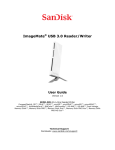
1 Insert a memory card that contains photos or videos into the SD Card Reader.
2 Turn on iPad and attach the SC Card Reader to the dock connector port.
3 On iPad, select the photos and videos that you want to import.
Compatibility
The Camera Connector is compatible with USB cameras that support Picture Transfer Protocol (PTP)
or mass storage class devices.
The SD Card Reader is compatible with Secure Digital (Standard SD and SDHC) memory cards. Mini
and Micro SD are supported when used with an adapter to fit the slot (adapter not included). MMC
cards are also supported.
Tips and Troubleshooting
If your camera didn't come with a USB cable, you need to purchase one. See the camera
manufacturer's website to find compatible cables.
If photos aren't transferring, be sure your camera is turned on and set to the correct mode for
transferring photos (see the instructions provided with your camera). Also be sure the cable is
connected firmly to your camera and to the Camera Connector. Completely unplug the connector,
USB cable and camera or card, then reconnect and try again.
To see which cameras are compatible with the iPad Camera Connection Kit, go to:
www.apple.com/support/ipad.