1
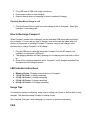
2. Plug USB end of USB micro cable into device. 3. Press power button to start charging. 4. Remove device when not charging or when it reaches full charge. Checking How Much Charge is Left 1. Click the Power Button to see how much charge is left on Compact I. Each light indicates ¼ total charge left. How to Recharge Compact I When Compact I needs to be recharged, use the enclosed USB micro cable and plug it into a charger. You can use any type of charger, such as the one that came with your device, or a computer to recharge Compact I. However, using a wall charger is the quickest way to charge Compact I to full charge. 1. Plug the USB micro cable that came with Compact I into an AC adapter (not included) or a computer’s USB port. 2. The charging indicator will flash, showing you its charging and how much is left to go. 3. Once all four charging indicators are lit, Compact I is fully charged and should be disconnected from charging source. LED Indicator Instructions ●
●
●
●
●
Blinking Circles: Charging external device or Compact I 1 Fully Lit Circle: ¼ charge remaining 2 Fully Lit Circles: ½ charge remaining 3 Fully Lit Circles: ¾ charge remaining 4 Fully Lit Circles: Full charge remaining Usage Tips For maximum battery conditioning, make sure to unplug your phone or device after it’s fully charged. This also helps keep Compact I’s charge longer. Don’t smother Compact I when charging it or a device to prevent overheating. FAQ