1
5
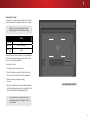
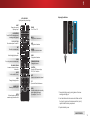
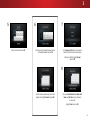
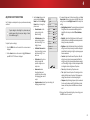
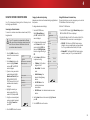
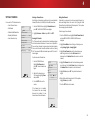
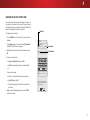
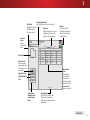
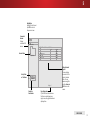
Back Button
Highlight this button and
press OK to return to
the previous screen.
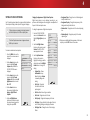
Connected
Sources
Displays
connected USB
devices.
VIZIO
Video
USB1: MyFlashDrive
MyFlashDrive\Video\root\My Videos
Current Folder
My Videos
Sort by Date
or File Name
Sort:
Date New-Old
View:
Folders
#
File
Date
Duration
1
Family Vacation - California
-
00:23:43
2
26th Birthday Party
-
00:38:18
3
Summer 2012
-
00:41:08
4
Greatest Trip Ever
-
00:05:32
Page 1 of 1
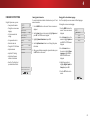
View All or
View Folders
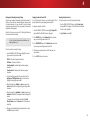
Page Information
If your USB thumb drive has more
files than can be displayed on a
single screen, the page information is
displayed here.
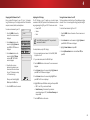
Folder Contents/
Playlist
This area displays
the contents of the
currently selected
folder. You can
browse among files
using the Arrow and
OK buttons on the
remote.
VIDEO PLAYER
51