1
D
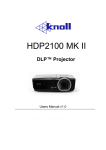
DLLPP PPrroojjeeccttoorr –– U
Usseerr’’ss M
Maannuuaall
User Color
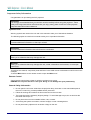
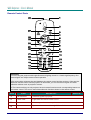
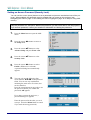
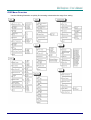
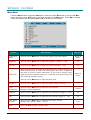
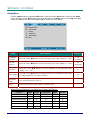
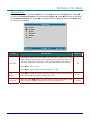
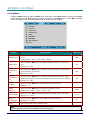
Press the Menu button to open the OSD menu. Press W X to move to the Setup menu. Press ST
to move to the Advanced Setup menu and then press Enter or X. Press ST to move to the User
Color menu and then press Enter or X. Press ST to move up and down to select a color. Press
W X to change values for settings, and then press Enter or X to confirm the new setting.
ITEM
DESCRIPTION
DEFAULT
Red
Press the cursor W X button to adjust the red color level.
(Range: 0 - 100)
80
Green
Press the cursor W X button to adjust the green color level.
(Range: 0 - 100)
80
Blue
Press the cursor W X button to adjust the blue color level.
(Range: 0 - 100)
80
Cyan
Press the cursor W X button to adjust the cyan color level.
(Range: 0 - 100)
80
Magenta
Press the cursor W X button to adjust the magenta color level.
(Range: 0 - 100)
80
Yellow
Press the cursor W X button to adjust the yellow color level.
(Range: 0 - 100)
80
White
Press the cursor W X button to adjust the white color level.
(Range: 0 - 100)
80
Reset
Resets all User Color settings to default values
—
– 23 –