1
ANSI/Telnet Host Configuration 4 - 5
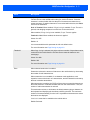
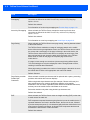
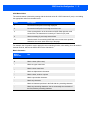
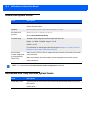
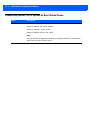
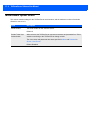
Field
Description
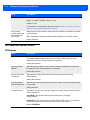
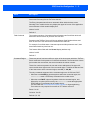
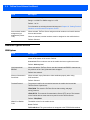
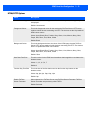
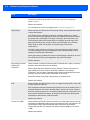
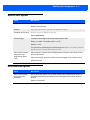
Escape Timeout
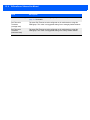
The escape timeout in 60ths of a second. This is the length of time that the
TekTerm Server holds an ESC while waiting for another character. If another
character is received within this time the pair of characters are treated as an
escape sequence. If another character is not received within this time, the ESC is
sent on to its destination.
Host to Terminal: When enabled, if Page Saving is enabled, Escape Timeout is
ignored, and dangling escapes are carried over to the next screen.
When enabled, if Page Saving is not enabled, Escape Timeout applies.
Terminal to Host: When enabled, the timeout is applied.
Values: 0 to 255
Default: 12
It is recommended that this parameter be left at its default value.
For more information see Page Saving on page 4-6.
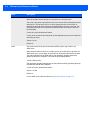
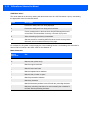
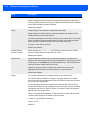
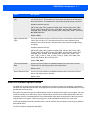
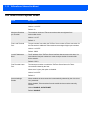
Threshold
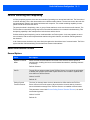
When Page Saving is selected, this is the minimum number of bytes that must be
received from the host before the TekTerm Server treats the data as a new
saved page.
Values: 0 to 999
Default: 200
For more information see Page Saving on page 4-6.
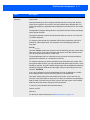
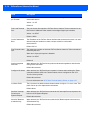
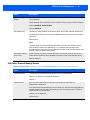
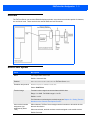
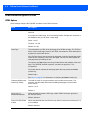
Echo
When selected smart-echo is enabled.
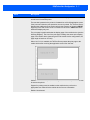
Smart echo reduces the amount of data sent to the mobile device by decreasing
the number of radio transmissions.
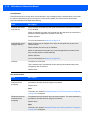
When smart echo is not enabled, for a character mode application, each
keystroke is sent to the host in one transmission, and the character is echoed by
the host in another transmission.
When smart echo is enabled, the TekTerm Server does not send the host echo to
the mobile devices if it matches the data sent from the mobile device. Thus, the
number of radio transmissions is reduced.
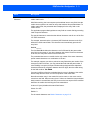
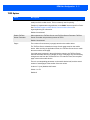
This mode also reduces, or eliminates, the delay between typing a character on
the keyboard and displaying the character echoed by the host. The maximum
number of characters waiting for echo is 25. Any additional characters are sent to
the host but not displayed.
Smart echo must also be enabled on the mobile device.
Default: Selected.