1
5 WEB INTERFACE
Introduction
EN
The web interface is available to you on all operating
systems. You can access the web interface with the
software Companion Center SFX or with an internet
browser on your computer. The web interface shows
you the current status of the device and all settings.
You can edit the device settings and the telephone
book.
You can access the web interface when you connect
the device directly to a computer with the USB cable
or when the device is connected to a network with
the LAN cable or via WLAN.
CALLING THE WEB INTERFACE
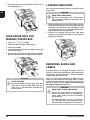
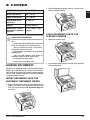
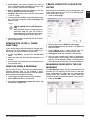
1 Start the software Companion Center SFX, by
clicking on the Companion Center SFX icon on
your desktop or selecting Start > Programs >
Companion Center SFX > Laser SFX > Companion
Center SFX in the Start Menu.
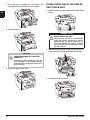
2 The light in the upper-right corner shows whether
or not the device is connected to the computer
and is functioning properly.
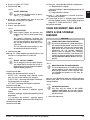
3 Selecting the Settings tab.
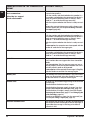
>,3$GGUHVV@
6FDQ
)D[
6WDWXV
6HWWLQJV
6HWWLQJV
,QIRUPDWLRQ0HQX
6\VWHP&RQILJ0HQX
1HWZRUN0HQX
:/$1
6\VWHP$GMXVW0HQX
0DLQWHQDQFH0HQX
)LUPZDUH8SJUDGH
/RJLQ
+HOS
ACCESS THE WEB INTERFACE
WITH AN INTERNET BROWSER
Introduction
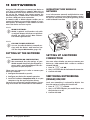
You need the current IP address of the device in order
to access the web interface with an internet browser.
You will find the IP address on the settings list.
Prints the List of Settings
Notice
PRINTS THE LIST OF SETTINGS
Press C, 80 and OK to print a list of all
settings of your device.
1 Start an Internet browser on a computer, which is
connected to the network.
Notice
SUITABLE INTERNET BROWSER
We recommend the following Internet
browser. Windows PC: Internet Explorer
(Version 6.0 or above), Apple Macintosh:
Safari (version 1.3 or above), Linux: Conquerer (version 3.2.1 or above).
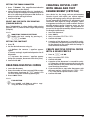
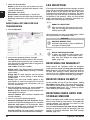
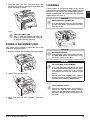
2 Enter the IP address of the device in the address
bar of the browser.
3 Confirm using Return.
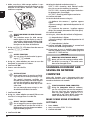
$GGUHVVERRN
6HWWLQJV/RJLQ
8VHUQDPH
3DVVZRUG
3OHDVHORJLQ
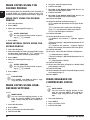
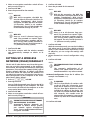
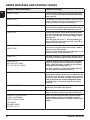
4 The internet interface’s settings pages are protected with a password. Enter the login data:
Name: user
Password: user
5 Click on Login.
CAUTION!
CHANGING PASSWORD AND NOTING!
Change the password when you call the
web interface for the first time, so that
there is no unauthorised access to your
device. Note down your password in a
safe place. Should you forget your password, you must reset your device to factory settings, in order to be able to
access it again. All personal settings will
be deleted.
20
Sagemcom · MF 5591dn