1
®
BLACK BOX
®
© Copyright 1998. All rights reserved.
Black Box Corporation.
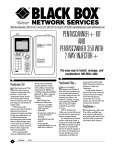
PentaScanner+, Super Injector+, PentaScanner 2-Way+,
2-Way Injector+, and PentaScanner 350 with 2-Way Injector+
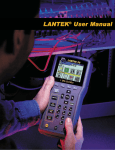
PentaScanner
Pass
Fail
Status
100MHz
F1
F2
F3
The easy way to
install, manage, and
troubleshoot 100-MHz
LANs.
F4
ESCAPE
AUTOTEST
Circuit Guard
1
2
3
Find Cable
Faults
4
5
7
8
9
A-Z
0
ENTER
ON/OFF
6
Charging
Measure Cable
Performance
Analyze
LAN Traffic
Extended
Functions
HELP
PentaScanner 350
PentaScanner2-Way+
ith the BLACK BOX
PentaScanner™ 350,
you’ll be able to test your
Category 5 cabling today and
in the future—even if cable
requirements change. And the
menu-driven system makes it
easy to troubleshoot and
manage your Category 5 and
ISO Class D cabling system.
Performance grading
measures and rates the quality
of high-performance links by
analysing the headroom
available for high-speed
applications. You can
differentiate between
marginally passing links to
those with up to 70 times
better signal-to-noise ratios. So
you’ll know if cable links need
to be rewired or if they’re able
to support new high-speed
applications.
Our 21-second Autotest
stores up to 500 Autotest
results. And up to 20 userdefinable programs determine
if cable meets cabling or
W
1
®
network-type requirements for
10BASE-T, 4- or 16-Mbps
Token Ring, ARCNET,
AppleTalk, T1, ISDN—even
Fast Ethernet, ATM 51, and
ATM 155 Mbps.
Other features of our
PentaScanner 350 include:
• Cable Trace and Office
Locator to determine a
cable’s path and destination;
• An extensive cabling library
to store and maintain
Autotests;
• Flash ROM for quick field
updates;
• A rechargeable, replaceable
battery for up to eight hours
of daily use.
If you own a PentaScanner
2-Way+ and want to upgrade
to the PentaScanner 350, all
you’ll need is the PentaScanner Upgrade Kit.
hen you’re installing
Category 5 and ISO
W
Class D LANs, you need a
portable, easy-to-use tool that
will quickly and accurately
certify your work. The
PentaScanner 2-Way+ is the
solution for installing,
managing, and
troubleshooting 100-MHz
LANs. And now it’s TSB-67
compliant for guaranteed
accuracy.
With the PentaScanner
2-Way+ you can test both ends
of the cable from the same
side. No need for swapping
devices.
The PentaScanner’s
Autotest performs a full range
of tests. It compares the results
of EIA 568B, ISO 11801 and
network standards and gives
you a pass/fail indication for
the network category of your
choice. The PentaScanner’s
one-step Autotest tests all pair
combinations to 100 MHz and
measures Near-End Crosstalk
(NEXT), Attenuation,
Resistance, Impedance,
Length, and Capacitance.
You get graphic displays of
the wire map so you can see
the actual pin-outs of your
cabling. And on-line help gets
you answers fast. You can also
program your own test limits
and customise your Autotests.
PentaScanner+
PentaScanner+ differs
the 2-Way+ and 350 in
Ttwohefrom
ways: it does not offer
performance grading and it
tests only one side of the cable
at a time when used with the
Super Injector+.
But, if you already own the
PentaScanner+ (TS640A-R2),
you can upgrade with the
2-Way Injector+ (TS661A-R2)
to test both ends of a cable.
Then use the free update for
your version of the firmware.
Specifications
Attenuation — Frequency
range: 0.512 to 100 MHz;
Dynamic range: -50 to 0 dB;
Accuracy: ±1.5 dB;
Resolution: 0.1 dB; Sweep
mode: Swept 1 to 100 MHz
using 1-MHz steps or fixed
points (1.0, 2.0, 4.0, 5.0, 8.0,
10, 16, 20, 25, 31.25, 62.5,
and 100 MHz)
Capacitance — 0 to
100,000 pF
Baud Rate — 300 to
38,400 baud
Handshaking — RTS/CTS,
X-ON/X-OFF, None
Distance — Twisted pair: 0 to
0 to 915 m;
Coax: 0 to
1220 m
Impedance — Range: 40 to
200 ohms; Accuracy:
±5 ohms; Resolution:
2 ohms
Loop Resistance — 0 to
10,000 ohms
NEXT — 0.7 to 100-MHz
frequency range
Protocol — Parity: NONE;
8 data bits, 1 stop bit
Test Storage — Up to 500
complete Autotest results
can be stored for later
retrieval
Noise — Impulse noise:
Detects the occurrence of
narrow impulse type
events exceeding an
adjustable threshold of
±0.262, 0.524, 1.0, 2.0, or
2.5 volts. Instantly displays
up to 200 impulse noise
events per second.
Graphically logs and
displays impulse events for
up to 25 hours.
Termination impedance of
200 ohms; Peak-to-peak
noise: Measures the peakto-peak voltage of steady
state noise signals. Range is
0 to 3000 mVpp into
100 ohms. Bandwidth is
3 dB from 40 KHz to
30 MHz
Memory — Flash memory
allows electronic
2
upgrading in remote
locations
Connectors — Measurement:
BNC, shielded RJ-45 jack;
Serial: (1) DB9 female
Networks Supported —
ARCNET, Apple
LocalTalk , ATM 51 Mbps,
ATM 155 Mbps, Cat 3 Link,
Cat 4 Link, Cat 5 Link,
CDDI, ISDN, ISO Class C,
ISO Class D, Multimedia
802.9, TIA TSB-67, Token
Ring 4 MHz, Token Ring
16 MHz, TPPMD, TPDDI,
T1/E1, 10BASE-T,
100BASE-X, 100VGAnyLAN; user-defined
network types are also
supported
The complete package
What’s included with the PentaScanner+ Kit
• (1) PentaScanner+
• (1) Super Injector+
• (2) Patch Cables
• (2) Mod 8 Adapters
®
• (1) Serial Cable
• (1) User’s Manual
• (1) Power supply
• (1) Rechargeable battery
• (1) Case
®
User Controls — Elastomeric
keypad with tactile
feedback, numeric input,
dedicated functions, four
function keys, cursor pad
Indicators — PentaScanners:
128 x 64 graphic LCD with
backlight, 2.25"L x 1.5"W
(5.7 x 3.8 cm) display area;
2-Way Injector+: LEDs
(Status, Pass, Fail, Battery
Charging, Circuit Guard,
and audible tones for test
status and high-voltage
warning)
Operating Temperature —
0 to 50°C
Storage Temperature —
-10 to +55° C
Relative Operating Humidity
Tolerance — 10 to 90%,
noncondensing
The complete package
What’s included with the PentaScanner 350 and the PentaScanner
2-Way+
• (1) PentaScanner 350 or
(1) PentaScanner 2-Way+;
each has a NiCad battery
• (1) 2-Way Injector+ with
(1) NiCad battery
• (2) Adapter cables
•
•
•
•
•
(2) Mod 8 adapters
(1) Serial cable
(2) AC adapters
(1) User’s manual
(1) Case
The complete package
What’s included with the PentaScanner 350 Upgrade Kit
• (2) PentaScanner 350 patch
cables; 3-foot long mini
Centronics male to RJ-45
male
• (1) 4.3 Release notes
®
• (1) 350 Upgrade Release
notes
• (1) 4.3 Software
• (1) 4.3 Utility software
Additional equipment you may need:
• PentaScanner+ Kit
(TS640A-R2)
• Adapter Kits: Twinax
(TS383) and Unterminated
Cable (TS331)
• RJ-45 F-F Couplers:
Shielded (TS645) and
Unshielded (TS646)
• PentaScanner+ Battery Pack
(TS644)
For these and other components...
Call our expert Technical Support Staff for all your Testing
needs. They’ll help you find the best equipment for your
application.
Relative Storage Humidity
Tolerance — 5 to 95%,
noncondensing
Power — PentaScanner:
9.6 volts @1200mA-hr
rechargeable battery pack;
Battery life: 8 hours’ daily
operation, 6 hours in
continuous Autotest
Size — PentaScanner:
10.2 x 20.3 x 5.5 cm;
Injector:
7.6 x 16.5 x 3.3cm
Ordering Information
This information will help you place your order quickly.
PRODUCT NAME
ORDER CODE
PentaScanner+ Kit....................................................TS640A-UK-R2
PentaScanner 350 with 2-Way Injector+ ....................TS680A-UK
Weight — PentaScanner:
0.8 kg; Injector:
0.3 kg
The PentaScanner’s Components
Test Connector
BNC Jack
PentaScanner
Graphical Display
Function Keys
There are 4 basic function
keys. Each function
depends on which screen
is currently displayed.
100MHz
F1
Escape
F2
F3
F4
ESCAPE
Exits the current
display or function.
Autotest
Allows user-definable,
all-day testing (up to
500 tests).
On/Off
Press and hold to display
version and serial numbers;
press and release to backlight
the display.
Arrow Keys
Allow navigation within
displays.
AUTOTEST
Find Cable Faults
1
2
3
Find Cable
Faults
Alphanumeric Keys
Pressing these keys allows
alpha and numeric characters
to be entered into the display.
In some displays, numeric
keys are used for direct-dial
menu selections.
Backlight
4
5
6
7
8
9
A-Z
0
ENTER
ON/OFF
Measure Cable
Performance
Locates opens, shorts, split
pairs, and miswires.
Measure Cable
Performance
Runs individual tests.
Analyse
LAN Traffic
Extended
Functions
HELP
Analyse LAN Traffic
Monitors network traffic.
Extended Functions
Customises user preferences,
Autotests, and calibration.
Powers the Scanner on or off.
Help
Context-sensitive help
provides additional
information on the current
screen when pressed during
any function.
3
DB9 Serial Connector
AC Plug
Allows attachment of a serial
communications cable for
printing or for updating the
Scanner’s software.
Permits an AC adapter to be
used as a power source and
for recharging the battery.
This page gives you a closer look at the 2-Way Injector+. The two charts on the next page describe
the Injector’s LEDs and when to use the Injector.
Test Connector (36-pin connector)
Pass Indicator
Status Indicator
Circuit Guard Indicator
Charging Indicator
4
Pass
Status
Circuit Guard
Charging
Fail
Fail Indicator
2-Way Injector+ LEDs
Indicator
State
Description
Pass
Steady light
Overall Autotest result is PASS.
Fail
Steady light
Overall Autotest result is FAIL.
Status
Steady light
The Injector is powered ON and waiting for communication with the Scanner.
Status
Off
The Injector is powered OFF (or charging battery if AC adapter is attached).
Status
Rapid blink
Executing command or measurement in progress.
Status
Slow blink
Battery is low.
Charging
Steady light
The Injector is inactive, the AC adapter is present, and the battery pack is being
charged at the maximum rate.
Charging
Off
The Injector is inactive and the battery or AC adapter is not present; or the
Injector is active.
Charging
Blinking (once
every 10 seconds)
The Injector is inactive and the AC adapter is present; the battery pack is fully
charged and the Injector is in trickle charge mode.
Circuit Guard, Pass,
Fail, plus steady tone
Blinking
Overvoltage condition.
Some measurements require the use of the Injector at the far end of the cable. For other measurements, the Injector can be connected,
but its use is optional. The Scanner automatically detects the presence of and configures the Injector for the measurement to be
performed. The table below outlines when to use the Injector.
Measurement
Injector
Required?
Attenuation
Yes
The Injector generates the frequencies and the Scanner measures the signal to
determine the signal loss.
Autotest
Yes
The Injector is required for Attenuation, NEXT measurements, Resistance, and Wire
Map during Autotest.
Capacitance
No
If connected, the Injector provides an “OPEN” for the duration of the measurement.
Impedance
No
If connected, the Injector provides an “OPEN” for the duration of the measurement.
Length
No
If connected, the Injector provides an “OPEN” for the duration of the measurement.
Description
NEXT—Scanner End
Yes
The Injector provides a 100-ohm termination while the Scanner measures NEXT.
NEXT—Injector End
Yes
The Scanner provides a 100-ohm termination for the duration of the measurement.
Loop Resistance
Yes
If connected, the Injector is used to “SHORT” the wire pair under test and the
Scanner measures Loop Resistance. If the Injector is not connected, the Scanner
will display “OVR” (Over Range).
Wire Map (Find
Cable Faults)
Yes
The Scanner communicates with the Injector across the link under test to determine
the wire connection from the Scanner end to the Injector end.
Noise
No
The Injector is not required to measure impulse noise or peak-to-peak noise.
Note that the Injector is not used when testing coaxial cable.
5