1
BIOS Setup
Advanced
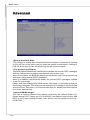
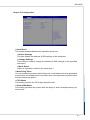
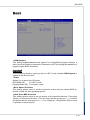
▶▶Bootup NumLock State
This setting is to set the Num Lock status when the system is powered on. Setting
to [On] will turn on the Num Lock key when the system is powered on. Setting to
[Off] will allow users to use the arrow keys on the numeric keypad.
▶▶Full Screen Logo Display
This BIOS feature determines if the BIOS should hide the normal POST messages
with the motherboard or system manufacturer’s full-screen logo.
When it is enabled, the BIOS will display the full-screen logo during the boot-up
sequence, hiding normal POST messages.
When it is disabled, the BIOS will display the normal POST messages, instead
of the full-screen logo.
Please note that enabling this BIOS feature often adds 2-3 seconds of delay to
the booting sequence. This delay ensures that the logo is displayed for a sufficient
amount of time. Therefore, it is recommended that you disable this BIOS feature
for a faster boot-up time.
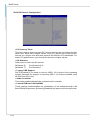
▶▶Option ROM Messages
This item is used to determine the display mode when an optional ROM is initialized during POST. When set to [Force BIOS], the display mode used by AMI
BIOS is used. Select [Keep Current] if you want to use the display mode of optional ROM.
3-6