1
Chapter 5
50 Getting Acquainted
52 A Few Words on Batteries
53 The Principle of Optional Extensions
54 The Instrument Setup Menus
56 Calibrating the Nor-116
57 Setting the Full Scale
58 Preparing a Basic Version Instrument
for Measurement
59 The Electronic Level Recorder
Concept
60 Setting up an Extended Version
Instrument
62 Making a Measurement
64 Time Profile Measurements
66 Statistics
67 Sound Power Measurements
70 Making Printouts
72 Memory Handling
75 Default Settings
76 Sockets and Adaptors
78 Accuracy at Lower End of Scale—
Using Other Input transducers
79 Calibrating for Vibration Measurements
80 Specifications
83 Glossary of Terms
Type 116
ON
OFF
INC
DEC
←
←
STORE
7
FUNC
4
L(t)
→
→
DEL
CLEAR
RECALL
8
TC
5
∆/Max
START
PAUSE
CONT
STOP
9
NETW
6
ABS t
1
2
3
DIST
BATTERY
PRINT
0
.
+/-
CAL
SETUP
EXIT
ENTER
Integrating Sound Level Meter
IEC 651/804 Type 1
Using the Sound Level Meter Nor-116
Getting Acquainted with the Nor-116
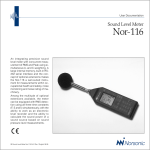
The Norsonic sound level meter Nor-116
consists of three main parts; the microphone cartridge, the microphone preamplifier and the instrument body.
The main parts of the Nor-116…
Selecting polarisation voltage
The cartridge supplied with
Nor-116 as default requires
200V polarisation voltage. If
you are going to use a
prepolarised cartridge turn the
200V off – see the chapter
Instrument Setup for details.
You may have to assemble the instrument
the first time you use it.
Take utmost care when mounting the microphone cartridge onto the preamplifier.
The cartridge is a very delicate device. Always keep the preamplifier disconnected
from the instrument body when screwing the cartridge onto the preamplifier.
Screw only fingertight.
If you screw the cartridge onto the
preamplifier while the 116 is powered, the
voltage present at the preamplifier terminals will catch you by surprise. The voltage is not hazardous by any means, but
its presence may cause you to drop the
cartridge. The cartridge may not withstand a fall onto the floor.
Microphone
cartridge
Microphone
preamplifier
Multifunction
socket
External
power
input socket
Preamplifier
socket
Display
Type 116
ON
OFF
Frontplate
INC
DEC
Timeout
If the Nor-116 is left unoperated for ten
minutes it will shut itself off. This will not
take place if the instrument is running
(measuring) or paused.
When time-out is activated, any data not
stored will be stored in today’s directory
as if they were stored there by you, i.e. the
data will be located in the file with the
highest file number.
Timeout applies only when the instrument is running on internal batteries
50
←
←
START
→
PAUSE
CONT
STORE
CLEAR
RECALL
7
8
9
FUNC
TC
NETW
4
5
6
L(t)
Keyboard
DEL
→
∆/Max
STOP
ABS t
1
2
3
DIST
BATTERY
PRINT
0
.
+/-
CAL
SETUP
EXIT
ENTER
Integrating Sound Level Meter
IEC 651/804 Type 1
Battery compartment
Serial
number
Tripod fits
here
Replacing the batteries…
Slide the battery compartment lid to the
right to open it…
…and hold the instrument
exactly upside down to get
new batteries into position
Note:
When replacing batteries, fresh batteries must be inserted within two minutes to
preserve the contents of the internal memory. See overleaf for more on this.
Note:
If you for any reason leave the unit without batteries for a prolonged time, and/or
you install NiCd rechargeable batteries, it may happen that the instrument fails to
respond to attempts to switching it ON. If so, wait approximately half a minute
before you try again.
51
A Few Words on Batteries
T
he Nor-116 comes with two 6LR61
nine volt batteries. Battery lifetime is
typically 8–12 hours (depends on measurement mode and brand of batteries). If
you switch to lithium batteries the life
time will increase to 15–20 hours. The use
of alkaline or lithium batteries is strongly
recommended to avoid leakage.
The very first time batteries are inserted
the display will show the text “Memory
error” indicating that the memory contents have been corrupted. Press ENTER to
continue. This will clear the entire
memory.
If fresh batteries are not inserted within
two minutes after the old batteries were
taken out the memory will become corrupted, indicated by the text “Memory error” in the display. If so, follow the above
procedure. Memory contents will be lost
entirely.
Rechargeable batteries may also be used,
but with reduced operating time. Connecting an external DC-source (11–25V)
to the instrument will not charge rechargeable batteries, but power the instrument in lieu of the internal batteries.
When the combined voltage of the two
batteries drops below 10.5V, the instrument will shut itself off. However, they
will still power the internal non-volatile
memory, although the voltage is too low
for normal operation.
The internal calendar/clock is powered by
an integrated battery with approximately
ten years of battery life-time.
52
Battery Voltage vs. Time
The Nor-116 offers a graphic presentation
of the battery-versus-time history. Switch
on the instrument and let it initalise (if
applicable) and press BATTERY.
The display will now indicate the current
combined voltage of the two batteries
and the use-time elapsed since the bat-
When the Nor-116 is
powered from internal
batteries, the current
battery voltage is
displayed alongside
with the time elapsed
since the batteries
were replaced
teries were replaced. The graph is updated every five minutes and each pixel
corresponds to five minutes in the horizontal direction and 0.25V in the vertical
direction.
When the combined battery voltage
drops below 13.5V, a battery low indicator appears in the display, and when it
drops below 10.5V the instrument shuts
itself down.
If the instrument is connected to an external DC-source, the battery voltage vs.
time display will be shown without voltage and use-time information (empty
graph). No battery low warning will be
issued when the Nor-116 is connected to
an external DC-source.
If left unattended and unoperated the
Nor-116 will switch itself off after ten
minutes. However, this does not apply if
the instrument is measuring (including
being paused during a measurement.
Battery Replacement
See also the previous page for details on
how to replace batteries. Observe the polarity indicated on the instrument body,
just above the battery compartment
opening. Correct battery type is 6LR61.
Alkaline or other non-leaking batteries
are preferable.
Rechargeable batteries may be used, but
the Nor-116 contains no charging circuit.
Hence, rechargeable batteries must be recharged in a separate battery charger.
Any external DC-source (such as the
Nor-334) used to power the Nor-116
should have a voltage in the range 11–
25V. Polarity is GND at the centre pin.
If the Batteries Fail While Measuring
Should the batteries run so low during a
measurement that further operation must
be discontinued; the measurement will be
halted and the data acquired so far will be
stored in a directory called BATLOW. The
Nor-116 will create this directory, if it didn’t
exist in beforehand. If you find more than
one file in this directory, the file with the
highest file number is the most recent file.
Any other files present in the BATLOW
directory come from previous battery power
failures.
The Principle of Optional Extensions
T
he setup of your Nor-116 will depend
on the number of extensions it is
equipped with.
Extensions are modules – made as hardware or in software, in the instrument or
e.g. as PC software – available for your instrument. Norsonic extensions are always
optional (and hence often referred to as options), in this way you do not have to pay
for features you’re not going to use anyway. Nevertheless, you may find that your
tasks expand into new areas of acoustics
as time goes by, therefore a typical Norsonic
extension may be installed as a retrofit.
Available extensions for the Nor-116:
Ext.
Ext.
Ext.
Ext.
Ext.
Ext.
Ext.
Ext.
Ext.
Ext.
1 Statistical calculations with 0.5 dB classwidth
2 Level vs. time with 1/8, 1, 2, 3… seconds resolution
3 TaktMax5 and ILEQ
4 Extended memory
5 RS-232 serial interface
6 Advanced L(t)
7 Parallel detectors to measure with F, S and I simultaneously
8 A-weighted sound power calculations
9 German Beurteiligungspegel
13 Adjustable Ln value
Unless you are absolutely certain about the
extensions installed, we recommend that
you spend some time to check which options are present in your unit. To produce
a list of extensions installed press SETUP
followed by 1 and then 9 – although 9 is
not listed in the menu.
The menu that you now produced in the
display contains an ID code, two instrument
codes and finally the word INSTALLED. If no
extensions (called options here) are listed
below the word INSTALLED, your instrument
is of the basic version.
Press ENTER to exit. The instrument will
now restart (like when switched on).
Do not change the codes! If you change
any of the codes, your installed extensions
will cease to function.
53
The Instrument Setup Menus
I
storage. When set to manual, no storage
takes place unless carried out by you.
To enter the Instrument Setup menu,
press SETUP followed by 1.
In the automatic mode acquired data will
be stored upon measurement termination, regardless of the reason for termination
– i.e. irrespective of whether termination
took place because the duration expired
or because you pressed STOP.
n order to configure your Nor-116 to
your liking you should spend some
time going through the Setup menus to
see if anything needs to be changed.
Navigating in the menus
Use the
to navigate
between parameters in the menu and
INC and DEC to alter a parameter
Storage Mode
The Nor-116 offers four ways of storing
acquired data after a measurement; viz.
manual and three ways of automated
Storing only when
initiated by you
Automated storing
upon measurement
terminating
As for automatic but
instrument
restarts
measurement
As for repeat, but
restart is locked
onto real time
clock (see text
for details)
54
When set to repeat, the instrument will
store the acquired data and then restart
immediately and make another measurement using the same measurement setup
and duration. This applies to measurements terminated by themselves only. If
you force the measurement to terminate
(by pressing STOP), it will not restart. Note
that some time will be spent on storing
the acquired data. Therefore a slight shift
(in the magnitude of a few seconds or
less) in the restart moment will be observed.
Assume you’ve set up the instrument to
produce hourly reports and that you have
started the instrument exactly on the
hour. After some hours the start time will
have shifted a few seconds. This can be
avoided by forcing the instrument to terminate the measurement just before the
measurement period expires to allow the
data to be stored so that a new measurement can be started on time.
This is called synchro mode. When set to
synchro mode the first measurement period is truncated, if needed, to make the
periods fit the hour of the clock.
Example: Assume you set up the instrument to measure in 10 minutes periods
and that you press start at 09:27:40. The
first period will be truncated by the instrument and have a duration of almost
2 minutes and 20 seconds giving a little
time for storing the acquired data. The
amount of time needed depends on the
amount of data to be stored , i.e. the combination of the number of functions and
the number of periods. It can be as short
as a fraction of a second.
The next measurements will then start at
09:30:00, 09:40:00, 09:50:00 etc. If you set
the instrument to measure in five minutes periods it will lock on 09:30:00,
09:35:00 etc.
A typical application of this feature is to
generate hourly reports.
IO/Print
In this menu you control the transfer rate
and printer type.
We do recommend that you turn off (deactivate) the serial interface port whenever it’s not in use to save batteries.
The baud rate determines the transmission speed and must be set to the same
value in the PC or printer as in the Nor116.
Serial interface
port can be
deactivated to
save batteries
when not in use
Baud rate
Clock
The Nor-116 comes with a real time clock
which is the technical name for the clock
showing the date and time of day.
To set the clock key in the correct figures
and press ENTER. Navigate as usual.
Printer type
selection
Language selection (applies to
certain printouts)
Select between 150, 300, 600, 1200, 2400,
4800 and 9600 baud.
The printer can be set to either Numerical, DeskJet, ThinkJet or Diconix.
The language setting is there to define the
language used in certain printouts aimed
at measurements made in accordance
with certain German standards. It will not
appear elsewhere. Select between English
and German.
The clock can be
set by means of
the NUMERICAL
KEYPAD . Navigate
as usual and
press ENTER to
leave the menu.
Polarisation Voltage
As default the Nor-116 comes with a
standard condenser microphone cartridge requiring 200V polarisation voltage. However, electret or prepolarised
microphones may also be used with this
instrument.
Most prepolarised cartridges will not be
harmed by being exposed to 200V polarisation voltage. This may or may not apply to specific electret microphone cartridges. Check this out before mounting
the cartridge on the instrument. Norsonic
is not liable for damages (neither direct
damages nor consequential damages) occurring as a result of incorrect application
of polarisation voltage to a microphone
cartridge.
If the polarisation voltage is correct, but
the sensitivity low, check the sensitivity
setting in the calibration menu.
Set the polarisation voltage to
200V for traditional condenser
microphone
cartridges and to
0V for
prepolarised ones
Print and Xfer Parameters
In the L(t) par. menu you may specify
which functions you would like to measure. From there you can also indicate that
these functions shall al be printed or
transferred to a remote computer.
However, maybe you want to measure a
multitude of functions, but print just a
few and transfer just some of these functions. This is when to use these menus.
They work exactly like the L(t) par. menu.
If the sensitivity of the microphone seems
to be very low (all sound levels are on the
lower side than they should be, you should
check the status of the polarisation voltage.
If set to 0V, traditional condenser microphones will appear to have very low sensitivity and if set to 200V, prepolarised cartridges will exhibit the same (provided they
can take it). Allow for some time to settle
before checking the sensitivity again.
55
Calibrating the Nor-116
You calibrate the Nor-116 by means of
menus and keypushes – there is no
potentiometer to turn when calibrating
the 116.
For calibration, a sound calibrator – such
as the Norsonic sound calibrator Nor-1251
(available separately) – is essential.
To calibrate the Nor-116:
1 Switch on the instrument by pushing
ON / OFF and let it initialise (count
down)
2 Mount the calibrator onto the microphone and switch on the calibrator
3 Select a suitable full scale deflection by
pushing INC or DEC until the bargraph
deflection falls in the upper half of its
range
4 Press CAL to enter the calibration menu
5 Read the sound pressure level
If the sound pressure level does not
correspond to the output level of the
calibrator, you should use INC and DEC
to adjust the sensitivity until the correct level is indicated by the Nor-116.
6 Once the setting is correct, push ENTER to return to normal display mode.
The microphone cartridge normally supplied with the Nor-116 is of the free-field
type, i.e. it has been designed to compen-
56
sate for its own influence on the sound
field. To neutralise this when inserting the
cartridge in a closed coupler like the
sound calibrator the Nor-116 level must
be adjusted to a value 0.2dB lower than
the calibrator output level.
Example: The output level of the sound
calibrator Nor-1251 is 114 dB. The Nor116 should then be adjusted to 113.8dB.
Similarly when used with other brands of
precision calibrators; if the output level is
94dB, adjust the Nor-116 to 93.8 dB and
so on.
If you know the microphone cartridge
sensitivity, you may key this in by means
of the NUMERICAL KEYPAD. However, doing
so will never replace calibration with a
sound calibrator, as the sensitivity adjustment procedure will neither detect microphone, preamplifier nor extension cable
malfunction.
The sound
calibrator is
mounted on the
microphone …
Sound Calibrator
type 1251
alibration of the 116 should preferably take place before a measurement session is commenced, or whenever
required by applicable standards.
114.0 dB
1000 Hz
C
Press CAL to
enter the
calibration mode
Bargraph
showing the
C-weighted
sound pressure
level
Sensitivity
Type 116
ON
OFF
Note:
Sometimes you may enter the calibration menu unintentionally. Do
not press EXIT to leave the menu!
Use ENTER instead! The EXIT key will
be interpreted as a numerical input (±) and will alter the sensitivity
value. You may then end up with a
sensitivity value of 0dB re.1V/Pa.
Measured levels will be wrong and
the full scale setting will refuse to
be set to 120dB. Re-enter the
menu, key in –26.0dB as sensitivity and recalibrate the unit.
C-weighted
sound
pressure level
measured
with timeconstant F
Numerical
inputs
expected
INC
DEC
←
←
STORE
DEL
CLEAR
→
START
→
PAUSE
CONT
RECALL
7
8
9
FUNC
TC
NETW
4
L(t)
5
∆/Max
6
ABS t
1
2
3
DIST
BATTERY
PRINT
0
.
+/-
CAL
SETUP
EXIT
Integrating Sound Level Meter
IEC 651/804 Type 1
STOP
ENTER
Setting the Full Scale Deflection
W
henever you are making sound
measurements you must set the
instrument so that overload will not occur, yet in such a way that you do not
miss significant parts of the measured
data due to underscore.
The display for this task…
Full scale deflection is indicated here
Impossible to set
120dB as full scale?
The full scale deflection range available
depends on the
microphone cartridge
sensitivity setting in the
calibration menu.
Check if you got that
right – see the note at
the bottom of the left
page of this page
spread.
To set this properly you expose the instrument to the sound field in which you
are going to measure, whilst watching
the bargraph.
Ideally the meter deflection should fall
somewhere in the upper half of the
measurement range, but below the upper end of the scale which is called the
full scale deflection.
In cases of impulsive noise it may be
hard to set the full scale deflection so
that the meter deflection falls in the
upper half of the range without occasionally overloading the instrument.
Always try to avoid overload. This is because overloaded measurements are unreliable – you can never tell how high the
level really was, only that it was higher
than the instrument could accommodate.
Measurements contaminated by overload are identified by a small arrow
pointing upwards containing the letters
OL.
Note:
The input gain (full scale deflection) is a destructive parameter in the sense that
any alteration will cause a loss of data already acquired but not yet stored. However, the Nor-116 will prompt you to confirm your intentions if you attempt to
change the gain setting without storing the acquired data first. The same applies
to other settings crucial to measurements. In this way inconsistency is avoided between the current measurement setup and the one used with the measurement.
What you really do when you sett the full
scale deflection is to adjust the gain of the
input amplifier of the Nor-116. Hence
this operation is sometimes referred to
as gain setting.
57
Preparing a Basic Version Instrument for Measurement
A
ssuming your instrument is in the
normal display mode, press SETUP to
gain access to the setup menu. Inside this
menu press 2 to gain access to the
Meas.dur. (Measurement duration)
menu.
The normal display mode and the setup menu for a basic version instrument...
Full scale deflection
Measurement duration
(user-defined)
Use the NUMERICAL KEYPAD to key in the
required measurement duration in hours,
minutes and seconds. Minimum duration
is one second and maximum is one hundred
hours less one second. Use the CURSOR keys
to move between the parameter-fields
used to set the hours, minutes and seconds.
Bargraph. Shows the
SPL with the main
spectral weighting (the
one shown with the
largest digits)
Date & time of day
Time-constant and
function (parameter
measured)
Datum (lower end of
scale)
Frequency weighting
If the required setting doesn’t differ very
much from the current duration setting,
it may be more convenient to use the INC
and DEC buttons to increase/decrease the
current setting than the NUMERICAL
KEYPAD.
The Measurement Duration menu is accessed by
pushing the SETUP key followed by 2...
If you have keyed in numerical values
terminate the key-in sequence by pressing ENTER. Whenever pressing ENTER is required, the instrument displays an “E” at
the bottom of the display.
Set the duration in
hours, minutes and
seconds
58
Measured values
Note:
If your instrument is not of the basic version – skip this part and proceed with the
part Setting up an Extended Version Instrument instead.
Note:
Setting up the clock giving the time of day; correction for daylight saving time
and other general instrument parameters is done in the instrument setup menu,
described in the chapter The Instrument Setup Menu.
The Electronic Level Recorder Concept
For each period a short-term LEQ is calculated…
…while the SPL is sampled at the end of each period…
…the MAX, MIN, Peak and SEL are calculated per period
S
till remember the old days when you
recorded the level versus time on a
paper roll using a level recorder?
Now you can do this electronically with
your Nor-116 provided that it is equipped
with the L(t) extension.
The Nor-116 will then divide the measurement into periods of equal length defined by the time resolution and log the
time profile of LEQ,A, LMAX,A and LPEAK,C.
Units equipped with the advanced L(t) extension can log the time profile of any of
the parameters available.
Type 116
ON
OFF
INC
Instead of printing them directly on paper, the Nor116 puts the data into its memory for later inspection – or printout!
DEC
←
←
STORE
DEL
CLEAR
→
START
→
PAUSE
CONT
RECALL
7
8
9
FUNC
TC
NETW
4
L(t)
5
∆/Max
STOP
6
ABS t
1
2
3
DIST
BATTERY
PRINT
0
.
+/-
CAL
SETUP
EXIT
ENTER
Integrating Sound Level Meter
IEC 651/804 Type 1
Note:
The electronic level recorder concept uses memory even if you do not store the
acquired data! There is only one memory in the Nor-116 and this is used both to
store data and to make L(t) measurements. Until you store an L(t) measurement
the data are marked “may be erased”. Once you decide to keep the data (by
storing them) the remark is removed and the data are stored in the memory. This
sharing of the memory explains why the number of periods available is closely
connected with the amount of free memory available. Remember that logging
two parameters as L(t) occupies twice the amount of memory as logging just one
parameter.
There are differences in when a parameter actually is measured – see the graph
to the left.
Now, which resolution should you use?
Before making up your mind about this
you should consider your needs for information.
For example, which parameter(s) are you
going to log as L(t)? For how long time
will you be measuring?
The Nor-116 will log global values during an L(t) measurement as well. The LEQ
of the entire measurement will always be
measured alongside with the percentiles
(if applicable to your unit) and the
parameter(s) you set up to be logged as
L(t).
59
Setting up an Extended Version Instrument
I
f your instrument is an extended version instrument, equipped with at least
Extension 2, the Level vs. Time mode, the
Meas.dur. menu contains both parameter-fields for setting the total duration
and for setting the time-domain resolution.
Your Nor-116 will then act as an electronic level recorder.
Press SETUP followed by 2 to gain access
to the setup menu.
Use the NUMERICAL KEYPAD to key in the
required measurement duration in hours,
minutes and seconds. Minimum duration
is one second and maximum is one hundred
hours less one second. Use DEL to correct
erroneous inputs and ENTER to terminate.
If the required setting differs little from
the current, it may be more convenient to
use the INC and DEC buttons to increase/
decrease the current setting.
Use the CURSOR keys to move between
the parameter-fields used to set the
hours, minutes and seconds.
Then define the resolution required.
Maximum (finest) resolution is 1/128 seconds and minimum is equal to the selected total duration. To access this field,
use the CURSOR keys.
For resolutions better than one second,
the resolution is presented as n/128 s
fractions (hence the resolution must be a
multiple of 1/128 s), but with the number
of milliseconds indicated just below the
key-in field. Units with the basic L(t)
mode only are confined to 1/8 second as
the only choice below one second.
60
To get from hours, minutes and seconds
to fractions of seconds you may either use
the DEC key or just key in the digits 00.
To get from fractions of seconds to hours,
minutes and seconds, key in 128/128 seconds or use the INC key.
functions and a fine time resolution, you
may want to print or transfer (to a PC)
only some of the logged parameters.
Separate setup menus are therefore available for setup of the functions to be
printed and the functions to be transferred, respectively.
Units equipped with the standard L(t) extension can log the time profile of LEQ,A, LMAX,A
and LPEAK,C while for the advanced L(t) extension, you may set up time profile logging of
several functions simultaneously.
As a short-cut, you may transfer your new
function logging setup to these two setup
menus (print and transfer) by checking YES
before pressing ENTER when asked.
Press SETUP followed by 3 to produce the
L(t) functions setup menu.
If you want to retain the old setup of the
print and transfer menus, just check NO
before pressing ENTER.
This menu has two pages; one for each
spectral weighting (A- and C-weighting).
Use the NETW key to go between the
pages. Use INC & DEC to activate/deactivate functions.
If your instrument is equipped with ext.
7 (parallel time constants), your options
are expanded further to include logging
of a function with different time constants (e.g. Max with both F, S and I time
constants logged simultaneously).
Once you have set up the functions to be
logged (remember to check out both
spectral weightings), press ENTER to exit
the setup menu.
The instrument will now ask if the function
setup shall be copied to the print and transfer setups, respectively.
Often, but not always you would like to
print all the functions logged as L(t). For
long measurements involving many
The Takt Maximal Function
The Takt Maximal Extension opens up for
measurements of Takt Maximal 5 and ILEQ
(impulse weighted LEQ ). Be sure to set the
measurement duration to a multiple of
five seconds. Otherwise one period will
be truncated and no Takt Maximal will be
calculated for this truncated period.
Note:
The n/128 second resolution applies to units with the advanced
L(t) mode (ext. 6) only. Units
without the advanced L(t) mode,
but with the basic L(t) mode,
have 1/8 second as the only
choice when it comes to resolutions better than 1 second. To
obtain a resolution of 1/8 second
for these units, set the time resolution to 00:00:00 or use the DEC
key.
The menu for this task…
The advanced L(t)
parameter menu
Press SETUP
followed by 2 to
produce this menu
The parameter-field just below the
horizontal line indicates the number of
periods your chosen resolution will imply.
The number in brackets at the bottom is
the maximum number of periods that the
memory can accommodate, given the
present amount of free (unused) memory.
The advanced
L(t) parameter
menu for units
with parallel time
constants
If you want your parameter setup to also apply
to your print setup and
transfer setup menus,
select yes.
Tip:
If you don’t want to spend precious memory
on L(t) logging of a certain measurement set
resolution to a value larger than the duration.
61
Making a Measurement
P
rovided that you have set up the instrument properly, you are now ready
to start making measurements. Hold the
instrument at arm’s length or mount it on
a tripod. This will help avoid both reflections from your body and blocking of
sound from some directions.
Press START to begin the measurement.
The instrument will now switch to display
the relative time, i.e. the time elapsed
since the measurement was started. Press
ABS t to switch back to absolute time if required.
If left unoperated, the instrument will go
on measuring until the preset duration
expires. You may, however interrupt an
ongoing measurement at any instant by
pressing the STOP or the PAUSE/CONT key.
This is a handy feature whenever events
occur which you do not want to include
in your measurements. Once everything
is back to normal, a second press on PAUSE/
CONT will resume the measurement.
Note that once you resume measuring,
the latest ten seconds of data acquired
just before you pressed PAUSE/ CONT (to
halt) will be deleted and the measurement will go on until the total measurement time equals the preset duration. If
you press STOP before PAUSE/ CONT no 10
seconds backerasure will take place.
If you let the measurement terminate by
itself and then push the PAUSE/CONT button, the measurement will be prolonged
until the total measurement time equals
twice the initial setting. If you repeat this
62
the total measurement time will end up
equalling three times the initial setting
etc.
(which is where the instrument stores this
information). This function works during
the measurement only and not after it.
In this case, there will be no deletion of
acquired data upon resuming.
The first time you press DMAX the displayed function will switch to Max, unless you had set it to display Max in beforehand (by means of the FUNC key).
The Nor-116 measures several parameters simultaneously – viz. SPL, LEQ, Max,
Min, SEL and Peak + TaktMax5 and ILEQ
(TMax extension). Each of these functions can be displayed one by one by
pressing the FUNC key successively. Alternatively, all the parameters may be displayed simultaneously in a table. Press TBL
to display this table.
These data all relate to the entire measurement as such – not just parts of it –
and they are therefore referred to as global parameters.
The DMAX function, on the other hand,
permits switching between the global
maximum and local maxima occurring after you reset the local maximum buffer
The next time you press DMAX key, the
Nor-116 will display a local maximum
function. The local maximum indication
will start the very moment you press DMAX
the second time.
If you now press the DMAX key a third time
the instrument will switch back to global
maximum, showing the highest level occurring since the measurement started.
A fourth press on the DMAX key causes the
Nor-116 again to switch to the local maximum function. The local maximum indication will now start the very moment
you press DMAX the fourth time.
Note:
It may happen that you introduce another pause less than ten seconds after the
measurement resumed from a previous pause, or simply less than ten seconds
after the measurement was started. If so, only the time back to where you resumed (or started) will be deleted. Once you resume a measurement you accept
data already acquired (with the exception of those 10 seconds which are deleted).
Note:
For L(t) measurements, the pause function deletion of ten seconds will not erase
any part of the time profile graph. However, all the global parameters are affected in the same way as for non L(t) measurements. In the time profile the periods acquired during the pausing will be marked P.
The effect of pausing an ongoing measurement…
An ongoing
measurement is
denoted by
an R in the
display
The latest ten seconds will be deleted upon
resuming…
…however, not if the time elapsed is less than ten
seconds <10 sec.
=10 sec
PAUSE/CONT was
pressed twice here
stop and
later PAUSE/
CONT was
pressed here
PAUSE /CONT
was
pressed here
Measurement
duration (so far) &
weighting applied.
Use the NETW key to
display the data
using the other
spectral weighting
The tabulation of data acquired appears when
you press TBL while measuring – or after…
Applied time constants and
parameters
Available only with TaktMax
Extension
Results
The DMAX function permits toggling
between display of local and global
maxima…
Shaded area
shows the MAX
level as read
in the 116
display
pressed
once here…
DMAX
and
here…
The Nor-116 measures a multitude of parameters simultaneously. To display another
parameter, press FUNC while
measuring (or after). The
above Fig. shows the sequence in which the parameters will appear as you press
the FUNC key.
Press the FUNC key successively, to display
these parameters one by one in the normal
display mode (here SPL)
and and
here… here…
and
here…
Assuming the max function was not displayed in beforehand
63
Time Profile Measurements
I
f your unit is equipped with the LEVEL
VS. TIME EXTENSION, you may also measure one or more parameters as functions
of time.
To utilise the L(t) features, you must define a time resolution different (i.e. better or finer) from the total measurement
duration.
The measurement is started by pressing
the START button. To display the time profile, press the L(t) key during the measurement.
During the measurement, you may
switch between graphical and numerical
display by means of the L(t) key.
Should you need to pause the measurement, do this the usual way by pressing
the PAUSE/ CONT key. However, in L(t)
mode, the Nor-116 will still collect data,
but these data will be marked as acquired
while paused!
In the graphical display mode, data acquired while paused will appear underlined.
This feature has three advantages – data
acquired while paused do not take part
in the calculations of any of the global parameters; it enables you to see what is going on during the pause and, if the data
later are transferred to a PC, any part of
the paused data may be “unpaused“ and
calculated on ad libitum.
There is a catch though – data acquired
while the unit is paused will occupy their
64
share of the memory. This means that
even if you haven’t set up the instrument
to spend all free memory available on a
time profile measurement, the memory
may still run full if the pause is long
enough.
So, what will happen then? When the 116
states the amount of free memory available, space has already been allocated for
the global parameters of your measurement. Should it happen that the memory
runs full during an L(t) measurement, the
time profile acquisition will cease, the
profile acquired so far will be retained and
the measurement will continue as if it
were just another global level measurement (which would be the case if the
resolution exceeds the duration or when
no time resolution option is available).
The Marker Feature
A special feature available during time
profile measurements (applicable to units
with advanced L(t) mode only) allows
you to tag (mark) special events or incidents as they happen. These tags can later
be used as identification. When you later
move the graph cursor along the time
profile graph (see below for details on
this), markers will appear whenever the
graph cursor is positioned at a period to
which a marker was assigned. In addition
the same period will appear underlined
in the graph.
Altogether you have five + two different
markers at your disposal. The five are
user-controllable (more about them below) while the two are to indicate data ac-
quired while the instrument is paused
and to indicate the moment when an interrupted measurement is resumed. Profile data acquired during pause will be denoted P (all of these periods will be denoted P) and if you halt the measurement
by pushing STOP and later press PAUSE/
CONT to resume, the first period after resuming will be denoted S to make it easy
to spot any discontinuities in the profile.
The same annotation will appear in the
printouts and after transfer to a PC.
The five user-controlled marker functions
let you assign a digit – i.e. 0, 1, 2, 3 or 4 –
to a period. The feature of having five
markers gives you the option to discriminate between different events.
Of these five markers, the type 0 marker
is in a class of its own. The type 0 marker
is a marker you set to on for a number of
periods. The digit 0 will then be assigned
to all periods until you switch it off. To activate the type 0 marker press INC and to
deactivate it press DEC. This type of marker
is sometimes referred to as a toggle marker.
The four other markers are assigned to a
period by pressing CAL to insert marker
type 1, SETUP to insert marker type 2, EXIT
to insert marker type 3 and finally ENTER
to insert marker type 4. This type of
marker is sometimes referred to as a single marker.
Note that the markers type 1–4 will be assigned to one period at the time – unlike
the type 0, they cannot be set to on and
then later to off.
The Nor-116 accepts only one marker assigned to each period. The maximum
number of markers in a measurement
cannot exceed one hundred. Observe that
the number of pauses during the measurement will be drawn from the number
of markers available – e.g. if ten pauses
are made during a measurement, there
will be room for only ninety markers in
that measurement. The length of each
pause has no effect on the number of
markers employed.
When measuring the level versus time, the display may be set to display the L(t)
graphically...
When the unit is
paused, the data
acquisition does
not halt, instead
the data are
marked as
paused data.
This is indicated
in the L(t) display
by underlining
paused data.
The graph cursor
Time elapsed
Running
Value at cursor
position
Post–measurement Features
Once the time profile measurement has
terminated, you may move the graph cursor about the graph to inspect the acquired data. Use the CURSOR keys for this.
To make the cursor move fast through the
graph, keep the key depressed. To jump
along the graph the
and
cursor keys may also be used. The first time
you press the
(
) cursor key the
graph cursor jumps to the extreme left
(right) of the screen. The next you press
the same key, the cursor will jump one
screenwidth. Its current position is indicated as shown in the Fig. to the left.
The Mk field is used to supply additional information on the subperiod at
which the graph cursor is located...
If the marker function
was applied, a number
will appear in lieu of
the M...
...while if the instrument was paused
when the selected
period was acquired, a
P will appear in lieu of
the M.
If the instrument was halted (by use of STOP), a push on PAUSE/CONT will
produce an S in the first period after the measurement is resumed.
The global values are accessible in the
same way as explained in a few pages
back – either by use of the L(T) and FUNC
or by use of the TBL key.
Note:
The marker hierarchy of the Nor-116 is such that “S“ has the highest priority, then
comes “P” and finally “M” (M Î {0,1,2,3,4}). This means that if you first mark a
subperiod and then press the PAUSE key to temporarily halt the measurement, up to
ten seconds of periods (actual number of periods will depend on the resolution
used) prior to pausing will also be set as paused. Your marked subperiod may then
become one of these paused periods. As a consequence of the this hierarchy the
“M” value will then be replaced by a “P”.
65
Statistics
I
f your instrument is equipped with
the Statistics Extension (push SETUP
followed by 1 and then 9 – although 9 is
not listed in the menu – to see this. If
equipped the list will tell that “1” is installed. The“1” means extension 1– statistics), eight percentiles will be calculated
from the acquired measurement results.
Note that the percentiles are fixed and
that they are global values – they are not
related to, nor depending on any L(t)
measurements. This extension does not
require the presence of other extensions.
The eight fixed percentiles are L0.1, L1, L5,
L10, L50, L90, L95 and L99.
To display the percentiles, push TBL until
the percentiles table appears. The percentiles table is not accessible during a
measurement – the instrument will
then behave as if the extension wasn’t
installed.
To produce the percentiles table, push the TBL key until it appears...
Measurement duration
Weighting and time-constant
Too few samples to
give valid results
The percentiles
The percentile values
You may, however, have your Nor-116
equipped with one user-adjustable percentile and seven fixed – see Fig. for details.
Note that since the percentiles are made
from sorting samples according to level,
there must be enough samples present to
calculate the percentiles – to calculate the
L1, at least one hundred samples must
have been received, and similarly to calculate the L0.1, at least one thousand samples must have been received. Until such
conditions have been fulfilled, the corresponding percentile values will be replaced by a “–.–” in the display.
The Nor-116 acquires 16 samples per
second for statistics – i.e. a measurement
duration of at least 63 seconds will be
needed to get valid data for the L0.1.
Once the STATISTICS EXTENSION is installed,
you need to do nothing to activate it. It
will do its work – every time!
66
If your instrument is equipped with extension 13 – one user-adjustable percentile…
This is the only
percentile editable
To enable editing
press
and key
in the new numerical value for the
percentile. Terminate by ENTER and
view the LN value
directly.
Note:
Specifying your own LN
can be done before, or
after a measurement,
but not on stored
measurements
recalled from the
memory.
This table is not accessible during a measurement!
Sound Power Measurements
T
he sound power calculation extension
enables you to make a complete
sound power measurement, resulting in
an LW value (the A-weighted sound
power level) of any test object in accordance with ISO 3746 and related Standards. This means that when equipped
with a Nor-116 you may test the LW of
new products for the European CE labelling in the production area (in-situ), rather
than in a laboratory (in-vitro).
A
keys to the selected position, and
then pressing the START key. The screen
will show the normal measurement display during a measurement, and return to
the control screen and display the measured LEQ value for the measured positions at the end of each measurement
A
A
Making Measurements
Before you start to make sound power
measurements we recommend that you
familiarise yourself with how to make
regular sound level measurements.
Once the test object is properly placed,
you start the setup procedure by selecting measurement duration as described
in making a level measurement.
Then press SETUP followed by 4. The instrument will now enter the measurement
control display.
The Nor-116 allows 1–40 microphone positions to be measured. The initial measurement control display shows 8 positions, but this may be extended to further
pages covering the positions 9–40 by
pressing the
key (“next page”).
At the bottom of the screen, the averaged
sound pressure level based on the measured microphone positions, is displayed.
Each microphone position is selected by
moving the field cursor using the
or
Background Noise
A background noise measurement is required to have the 116 calculate the background noise correction K1 for you. On
pressing the FUNC key, the background
noise measurement control display is displayed. This test follows the exactly the
same procedures as the sound power
measurements.
However, the background noise level will
in most situations vary little from one microphone position to another, it will
therefore normally be enough to measure the background noise level for one
typical microphone position.
Use the FUNC key to toggle between the
measurement control display and the background noise measurement control display.
Measurement Surface
The Sound Power calculation requires the
operator to select the correct measurement surface. This is done by pushing the
SETUP key again, and choosing the corresponding selection in the sound power
setup menu. The selected surface is indicated by H for Hemispherical and P for
Parallelepiped with an additional w or c
for test objects placed against a wall or in
a corner. The selected surface is also indicated by a simple diagram.
Depending on the selected surface, the
measurement radius or distance from the
reference box as well as the size of the reference box (i.e. the minimum square box
that fits around the test object) must be
keyed in. The calculated area S of the total measurement surface will then be displayed.
Finally, the acoustic environment correction
K2 must be chosen and keyed in.
Sound Power Results
Based on the averaged sound pressure level
of all the microphone positions, the measured background noise level and the selections and corrections made in the sound
power setup menu, the Nor-116 displays
the final LW result by pressing the TBL key.
A
In addition to the overall results, the
impulsive noise values, the L PEAK level
and the noise directivity of the test object for all microphone positions are
found by sequential pushes of the TBL
key.
C
The results may also be copied to a
printer. The report includes necessary
spaces for all the required measurement
information to be written directly on
the report by the user. On a second
page, the individual results for each of
the microphone positions are printed.
67
The measurement surface can be either a hemisphere or a parallelepiped. In addition you may choose between different locations of
your test object, i.e. on the floor, up against a hard reflecting wall or in a corner…
The background noise measurement display…
Although the 116 lets
you measure the
background noise level
in up to 40 positions, the
background noise level
will in most situations
vary so little from one
microphone position to
another that it is, for
most cases, sufficient to
measure the background
noise level for one
typical microphone
position
The measurement control display….
Use
(next) and
(previous)
to go between pages
Although only 8
microphone positions are shown,
there are further
“pages” so that a
total of 40 microphone positions can
be covered.
Use the
key
After a successful set of
measurements has been
made, the results are
presented like this upon
pressing the TBL key
The results can also be
printed out. Turn to
Printouts for a sample
68
The environmental correction factor K2 accounts for the influence of undesired sound reflections from room boundaries and/or reflecting
objects near the source under test. The magnitude of this environmental correction factor depends principally on the ratio of the sound
absorption area A of the test room to the area S of the measurement surface. The magnitude does not depend strongly on the location
of the source in the test room.
dB
10
When measuring in accordance with the
ISO 3746, the
environmental
correction
factor K2 is
obtained from
this graph by
entering the
abscissa
with the
appropriate
value of A/S
a
9
8
7
K2 = 10log10[1+ 4 ]
A/S
6
5
4
3
2
1
0
0.5
1
5
Description of Room
0.05 Nearly empty room, smooth hard walls made concrete, brick, plaster or tile
0.1 Partly empty room, room with smooth walls
0.15 Room with furniture, rectangular machinery or industrial room
0.2 Irregularly shaped room with furniture, irregularly
shaped machinery or industrial room
0.25 Room with upholstered furniture, machinery or industrial room with small amount of acoustical material
0.35 Room with acoustical material om both ceilings
and walls
0.5 Room with large amounts of acoustical material
on ceiling and wall
10
50 100
300
A/S
Calculating the A: The value of the mean acoustic absorption coefficient a is estimated by using the above table. The value of A is then
given, in m2 by A = a × SV in which SV is the total area of the surface of the test room (walls, ceiling and floor) in m2
Calculating the S:
Hemispheres: S = 2pr2
Parallelepiped: S = 4(ab + bc + ca)
a=
l1
+d
2
b=
l2
+d
2
c=
l3
+d
2
l1, l2, l3 are the
dimensions of the
rectangular
reference parallelepiped
69
Making Printouts
O
nce you have made your measurements, you may want to make
hardcopies for your reports etc.
The Nor-116 can output acquired data
numerically to most alphanumerical
printers equipped with an RS-232 serial
interface. A very important thing here is
the baud rate, which reflects the transmission speed over the RS-232 interface.
The Nor-116 can be set to a variety of
baud rates – for details see Instrument
Setup.
If you want to run printouts on a parallel
port printer, a serial to parallel adaptor is
available. Contact your local representative for details on this.
Any baud rate will do, but the printer and
the Nor-116 must, of course, be set to the
same baud rate to make things work
properly.
Once set up, just press PRINT to generate
a printout. The look of the printouts will
depend on the kind of measurement you
have made [ordinary or L(t)]. Examples of
printouts are shown on this and the following page.
For more information turn to the chapters The Instrument Setup Menus and Setting up an Extended Version Instrument.
Printout example when L(t) display was selected before PRINT was pressed...
Start Date :
End
Date :
Duration
:
Full Scale :
Time Const.:
Rel.Time
0:01
0:06
0:11
0:16
0:21
0:26
0:31
0:36
0:41
0:46
0:51
0:56
1:01
1:06
1:11
1:16
1:21
1:26
1:31
1:36
99:05:10
99:05:10
1:21
120 dB
S
CS Min:
53.3
53.2
53.7
53.3
53.3
53.5
53.5 P 53.1
53.6 P 54.2
54.4 P 53.7
53.4
53.4
53.1 1 53.6
86.7
82.3
66.5
62.6
101.0
96.7
79.3
75.0
52.9 S 52.7
51.9
51.7
52.1
52.1
61.5
102.0
84.7
80.3
63.2
59.5
52.8
52.9
51.7
Time : 13:42:39
Time : 13:44:23
Pause :
0:23
Sens. : -26.0dB
Period: 00:00:01
P
P
P
4
53.0
53.2
53.6
53.1
54.7
54.4
53.4
53.5
78.6
59.1
92.3
70.6
52.4
51.5
52.0
97.7
76.0
56.3
52.5
P
P
P
3
53.7
53.7
52.7
52.7
53.5
53.6 P
53.1 P 53.3 P
59.0 P 56.2 P
53.8 P 53.4
53.2
53.1
53.2
53.0
74.3
70.0
57.8
105.4
88.0
83.6
66.3
62.3
52.2
52.1
52.3
52.7 2
51.9
51.9
93.3
89.0
71.6
67.3
54.0
52.0 S
52.8
52.0
The above example shows that markers appear in the printout next
to the period they have been assigned to.
The contents of the leftmost columnmay be set to appear as absolute time if you press the abs key to set the display to show absolute
time before printing.
70
Printout example when the normal display mode (or the
numerical display) was selected before PRINT was
pressed…
Start Date :
End
Date :
Duration
:
Full Scale :
Time Const.:
99:05:10
99:05:10
0:15
110 dB
F
Time
Time
Pause
Sens.
: 10:00:20
: 10:00:35
:
0:00
: -26.0dB
Example of printout from a sound power measurement…
A Leq :
AF Max :
AF Min :
A SEL :
A Peak:
AI Leq :
AF Tmx5:
L .1
:
L 1
:
L 5
:
L 10
:
71.5
90.4
43.1
83.3
113.5
84.5
85.7
-.88.8
75.0
59.0
C Leq :
CF Max :
CF Min :
C SEL :
C Peak:
CI Leq :
CF Tmx5:
L 50
:
L 90
:
L 95
:
L 99
:
72.9
90.2
51.4
84.6
112.6
84.8
85.4
45.4
43.6
43.5
43.1
Norsonic AS
Sound Power Measurement According to ISO 3746/EN 23746
Page 1 of 2:
General Information and Overall Results
Sound source
Manufacturer: ....................... Type: ............... Ser.No: ..........
Dimensions: .......(l) .......(w) .......(h)
Year of manufacture: .......
Technical data: ................................................................
Test conditions
Operating conditions: ..........................................................
Location of sound source in test environment: ..................................
Multiple sources: ..............................................................
Acoustic environment
Test environment: ..............................................................
Wind speed: ......................... Wind direction: .........................
Acoustical qualification of the test environment: ..............................
Instrumentation manufacturers
Instrument: ...Norsonic AS....... Type: ....116... Ser.No: ...................
Preamplifier: .Norsonic AS....... Type: ...1201... Ser.No: ...................
Microphone: ...Norsonic AS....... Type: ...1220... Ser.No: ...................
Windscreen: ..................... Type: .......... Characteristics: ..........
Calibrator: ..................... Type: .......... Ser.No: ...................
Calibration method:.............................................................
Calibration date:................ Place: .................. Result: ..........
Acoustical data
Measurement surface: Parallelepiped on three reflecting planes
Reference box Length:
1.00 m
Reference box Width :
1.00 m
Reference box Height:
1.00 m
Measurement distance:
1.00 m
Measurement surface area:
21.00 m2
A-weighted sound power:
Lw =
73.7 dB(A)
Surface sound pressure:
60.5dB(A)
Background noise correction K1: 0.0 dB
Environmental correction K2:
8.5CdB
Qualification method: ................
Maximum C-weighted Peak:
99.1dB
Impulsive noise:
Yes
71
Memory Handling – Storing and Retrieving
D
ata acquired during a measurement
may be stored in the internal
memory of the Nor-116 for future use.
The memory is of the nonvolatile type –
i.e. stored data are retained even during
power off. You may store and later retrieve
acquired data as well as measurement
setups in the memory.
The procedure for storing data and for
storing setups are quite similar; whenever
you store acquired data the corresponding setup is stored along with the data.
Hence, if you set up the instrument and
then store without making a measurement, you will have stored a measurement setup!
The memory is organised very much in
the same way as the memory of a personal computer; viz. with directories and
file names. The major difference is that
neither directory names nor file names
are freely selectable in the Nor-116. Instead, today’s date is used as directory
name and the files stored in the directory
are numbered consecutively starting from
file number 001. Files cannot be stored
under a different directory, nor can they
be moved to another directory. Files with
sound power data have P as a suffix, while
files with level data have L as a suffix and
L(t) files have T as a suffix.
One exception to this is when you store
setups, these are stored in a separate directory called SETUP. Note that all setups
are stored in this directory – regardless of
date of storing!
72
Manual or Automated Storing
To store acquired data, just press STORE after the measurement. To store a measurement setup, just press STORE before you
make the measurement. This is the
manual way of doing it. However, you
may like to automate the process of storing acquired data – a feature very easy to
implement with the Nor-116!
In the Setup menu (accessible with the
SETUP key followed by 1) there is a point
called Storing.
Set the cursor to Manual to store data
only when pressing STORE.
Set it to Automatic to have the Nor-116
store the acquired data as soon as the
measurement terminates (irrespective of
reason for termination – either because
you pushed STOP or because the preset
duration expired).
Set it to Repeat to combine the autostore
with an autostart (i.e. the start of another
measurement with the same setup and
duration) or to Synchro which is like Repeat
but with the Nor-116 locking onto its real
time clock to ensure that the periods always
are synchronised with the real time clock.
A more detailed discussion on this can be
found in The Instrument Setup Menus.
The settings in this menu will apply to all
measurements until the setting is
changed.
Retrieving Stored Information
To retrieve stored data or setups, use the
RECALL key. Note that the setup cannot
be exploited in future measurements.
The RECALL function is a viewing function
rather than a short-cut for setups. Instead a previously stored setup must be
retrieved to achieve this.
Use the
and
keys to go between
the directory column and the file column. To move up and down in any of the
columns use the
&
keys.
Once you have found the file you want
to retrieve, push ENTER to retrieve it. If
you want to exit the menu without retrieving any file – push EXIT to return to
normal display mode.
When Memory Gets Full
Although large, the memory of the Nor116 may get full permitting no more data
or setups to be stored in the memory.
In that case, old files should be removed
from the memory. If you need a backup,
or think that the data are of so great
value to you that you do not want to
delete them, you should either make
hard-copies of them, or transfer them to
a remote computer.
A separate PC-software program called
Nor-Xfer (Transfer), available from Norsonic, makes transfer of data from the
Nor-116 to a PC running Windows 95/
98/NT very easy to do, even for people
with little or no remote control experience.
Data are stored in directories named after the date storing took place. Measurement
setups are stored in a separate setup directory called SETUP...
All setups stored will be stored in the
directory SETUP.
A directory will be created the moment
you attempt to store something in the
memory. The name of the directory will be
today’s date.
SETUP
990610
990611
Neither files nor setups can be stored in
other directories. Neither can they be
moved to another directory.
For simplicity we have shown only three
files per directory. The maximum number
of files that may be stored in a single
directory is 999.
The Nor-116 strives at protecting the
acquired data.
If you press any key that will lead to
loss of data, you will be warned...
...You will be
forced to confirm
your intentions
either by pressing
the same key a
second time or, if
you pressed
incorrectly, you
should store the
data first.
•
•
•
001
002
003
001
002
003
001
002
003
Directories
•
•
•
990618
The directory and the file columns...
001
002
003
Files of the selected
directory
In the Instrument
Setup menu, there is
access to the storing
mode of the 116...
Suffix indicates file type
L=level
T=level vs. time
P=sound power
How Synchro works:
Example 1: Assume measurement duration
set to 5 minutes, Synchro on. If started at
08:02 am, the first period will run until 08:05,
the next until 08:10 etc.
Example 2: Assume measurement duration
set to 22 minutes, Synchro on. If started at
08:02 am, the first period runs until 08:22, the
next until 08:44 etc.
For noise-monitoring tasks Synchro is the preferred setting.
73
Memory Handling – Deleting Files and Directories
To delete a file:
To delete a directory:
Start by pressing the
CLEAR
key
Selected file
to move back to the files
Use
to move
column and the
to the required file and press ENTER.
Start by pressing the
CLEAR
key
Then use the
key to move to
the directory column…
Selected directory
key to move to
Then use the
the directory column…
You will now be prompted to confirm
your intentions
Press ENTER to produce the below
prompt and select your option…
Delete selected
directory
Move cursor to here
to delete selected
file and press ENTER
again
Use the
keys to move to
the required directory
Leave cursor here
to quit without
deleting the file by
pressing ENTER
Deleting setup files only:
To do this treat them as files or
directories to be removed.
There is no single command to
remove setup files leaving data files
intact.
74
Quit without
deleting
Delete all data
files, leaving setup
files intact
Reset entire
memory
Press ENTER.
Resetting the entire memory:
Follow the procedure for deleting a
directory, but select RESET before
pressing ENTER
Default Settings in the Nor-116
The Nor-116 default settings
Battery time:
Calibration value:
0
–84dB (the instrument enters the calibration menu if
value lost
Measurement time: 10s
Resolution:
10s
Time constant:
F
Storage selection:
SPL A
Network:
A
Storage mode:
Manual
FSD
120dB
Polarisation voltage: 200V
Serial interface:
Off
Baud rate:
9600
W
hen the Nor-116 is powered for
the first time, all instrument settings are set to default values. These settings are retained in the instrument by
means of a small backup battery. However, should anything incorrect be revealed during the self-tests, inconsistent
values are changed back to their default
settings.
75
Sockets and Adaptors
T
he Nor-116 has three sockets; a microphone socket, a mini D-sub socket
and the external power input socket.
• BNC outlet; AC-out, Flat
•RS-232 standard 9 pin socket, in parallel with the other RS-232’s
Note that GND is ground, i.e. all GND
terminals represent the same ground.
There is no such as digital and analogue
ground in the Nor-116.
The adaptor is shown on the righthand
page of this page spread.
The input terminal (pin 4) on the microphone socket is AC-coupled with an input impedance of 161kW. Max input voltage is ±15V.
Compatibility and Restrictions
The 25 pin D-sub female of the Nor-244
adaptor containing the RGB signals has a
pin configuration compatible with the Nor830 and Nor-836 multifunction I/O socket.
Hence a cable working with the Nor-830/
836 will also work with this output.
VGA/Video Adaptor Nor-244
A VGA/Video adaptor is available separately. This adaptor enables Nor-116 displays to be shown in real time on a VGA
or RGB monitor.
The signals are taken from the mini Dsub connector. The adaptor has its own
D-sub socket so that connecting the
adaptor to the Nor-116 will not block the
access to the other functions available at
the instrument’s mini D-sub socket.
The output sockets available on the Nor244 are:
• A 25 pin D-sub female socket conveying RGB signals
• A standard 15 pin HDD VGA socket
• A mini D-sub extension socket providing the pin configuration of the
Nor-116 mini D-sub output socket itself.
• BNC outlet: AC-out, A-weighted
76
Microphone socket pin-out
(external view)
Red dot
2: +15V
7: NC
1: –15V
6: GND
5: 200V/0V
The RS-232 with the standard 9 pin socket
has been added to permit the use of standard cables commercially available.
Note: To ensure proper operation, the
Nor-116 should (must) be switched off
while connecting/disconnecting the Nor244 adaptor to/from the Nor-116.
4: Signal
GND
External
power inlet
11–15VDC
This implies that even the serial interface
signals to control the Nor-116 from remote are available at this outlet.
Observe that the pin configuration of the
mini D-sub extension socket is identical
to the corresponding outlet of the Nor116 itself, with the exception of the video
output. This prevents attempts to run
more than one video adaptor from a single Nor-116. The video adaptor is powered from the Nor-116, connecting more
than one adaptor will simply be too much
for the sound level meter. Use the mains
adaptor (Nor-334) rather than the internal batteries.
3: NC
Mini D-sub
9
Pin
Pin
Pin
Pin
Pin
Pin
Pin
Pin
Pin
Pin
Pin
Pin
Pin
Pin
Pin
15
8
No. 01: HSCP 1
No. 02: ED
No. 03: +5V
No. 04: RTS
No. 05: TD
No. 06: +10V
No. 07: GND
No. 08: AC-out (flat)
No. 09: CDATA
No. 10: LP
No. 11: GND
No. 12: CTS
No. 13: RD
No. 14: GND
No. 15: AC-out (A-weighted)
The video/VGA adaptor Nor-244 (available separately)
13
RS-232
connector
AC-out
A-weighted
outlet
AC-out
Flat outlet
Black &
white video
outlet
VGA/RGB mode
selector
25
14
Combined
RGB/RS-232
socket
VGA outlet
Serial
TxD
RxD
RTS
CTS
Mini D-sub
socket
Connect this end to the
Nor-116 mini D-sub socket
1
port:
(out)
(in)
(out)
(in)
p16
p17
p4
p5
Analogue RGB(with composite sync.):
R
p23
G
p24
B
p25
TTL RGB:
R
G
B
pos. sync.
neg, sync.
H sync
V sync
p20
p21
p22
p6
p19
p14
p15
General:
GND
+5V
p7, p8, p9, p10, p11, p18
p12
77
Accuracy at Lower End of Scale—Using Other Input transducers
T
he lower limit is determined by the
self-noise of the combination of input
transducer and the Nor-116 input stages.
For details on self-noise when the Nor116 is used together with its standard microphone – see Specifications.
The standard microphone is a ½" type. If
you switch to a 1" you will experience a
lower self-noise limit of typically 12dB(A)
SPL.
Generally, we recommend a signal/selfnoise ratio of 7dB to keep the linearity errors (due to self-noise) less than 0.2dB.
If you choose to use the Nor-116 to analyse noise or vibration recorded on tape,
we recommend that you remove the
preamplifier and connect the tape recorder output directly to preamplifier
socket – contact your local representative
for details, if necessary. Note that signal
is on pin #4 and GND on pin #6.
A suitable cable for this will be the Nor1438 LEMO–BNC.
78
Nor-116 low noise correction table
Nor-116
shows
[dB(A)]
10.0
Correct dB values for
Nor1220
(½")
MK102
(1")
20pF
equiv.
7.0
11.0
8.8
12.0
10.3
13.0
11.7
14.0
11.0
13.0
15.0
12.8
14.3
16.0
14.3
15.4
17.0
15.7
16.5
18.0
17.0
17.6
19.0
16.0
18.3
18.7
20.0
17.8
19.4
19.8
21.0
19.3
20.5
20.8
22.0
20.7
21.6
21.9
23.0
22.0
22.7
22.9
24.0
23.3
23.8
23.9
25.0
24.4
24.8
24.9
26.0
25.5
25.9
25.9
27.0
26.6
26.9
27.0
28.0
27.7
27.9
28.0
29.0
28.8
28.9
29.0
30.0
29.8
29.9
30.0
Calibrating for Vibration Measurements
Calculating the Voltage Sensitivity
A charge amplifier has a low input
impedance and a sensitivity proportional to the charge. The influence
from the cable capacitance is then
without significance, ie the accelerometer will maintain its sensitivity independently of the cable length.
If a voltage amplifier is used, the input impedance must be high enough
not to disturb the frequency range of
interest. The resistive part of the input
impedance will set the lower frequency limit. The higher the impedance, the lower the low-frequency
limit will be. The microphone preamplifier has a very high impedance
(typically 20 GW) and will therefore be
a good choice as voltage amplifier.
The input capacitance and the cable
capacitance will form a voltage divider
together with the capacitance of the
accelerometer and the voltage sensitivity at the amplifier input will be
given by:
T
he Nor-116 may be used for vibration
measurements also. However, the
scaling of the vibration level will be in dB,
which easily may be converted to linear
units by the user.
The most important vibration transducer
today is without doubt the accelerometer,
due to its widespread use. Accelerometers can be connected to the Nor-116 either directly or via a charge amplifier.
While sound level meters are calibrated
in dB based on a microphone sensitivity
of around 50mV/Pa, vibration measurements normally uses g or ms-2.
The calibration value is in mV/Pa or dB re
1V, for example 50mV/Pa = –26.0dB re 1V.
It is easy to convert from one to the other
because 20 log(50/1000) = –26dB.
Accelerometers are very similar—ie the
sensitivity is given in mV/g or mV/ms-2.
If the value had happened to be 50mV/g
the sensitivity would have been as for the
microphone, ie –26dB re 1V.
Similarly, if the level given is 10mV/ms-2
the sensitivity would be 20 log(10/1000)
= –40 dB and this would be what to key
in as sensitivity in the Nor-116.
Generally you find the sensitivity from:
XdB = 20 log(s/1000) where s is in mV/g
or mV/ms-2. In this case, 0dB will correspond to 20mg or 20ms-2 as the reference
for sound levels is 20µPa.
Some calibrators state the calibration
level in Peak values and not RMS, so subtract 3dB. This correction is, however,
valid for sinusoidal signals only.
All of the above is valid when the accelerometer is used with its standard length of cable
only. If you use other lengths or types of cable, the resulting voltage sensitivity must be
calculated – see the example below. Note that
in the case of line-drive, or if you use a charge
amplifier this does not apply, as the accelerometer output signal will then not be affected
by the input impedance of the sound level
meter.
Sv = Sq / [Ca + Cc + Ci ]
Example:
in which Sv is the voltage sensitivity;
Sq the accelerometer charge sensitivity; Ca the accelerometer capacitance;
Cc the cable capacitance and Ci the
voltage amplifier input capacitance
(normally negligible).
Assume you have an accelerometer/cable configuration with the following data:
= 1.14pC/ms-2
Charge sensitivity
Sq
Internal capacitance
Ca
= 1020pF
Specific cable capacitance
Cc
= 100pF/m
Cable length
l
= 1.8m
S v =[1.14×10 -12 ]/[(1020×10 -12 )+(1.8×100×10 -12 )]
S v = 0.95mV/ms -2
79
Specifications
Unless stated otherwise, all levels given in
the specifications below refer to a
microphone sensitivity of 50mV/Pa or
–26dB re 1V/Pa corresponding to the
Norsonic microphone cartridge Nor-1220,
1225 or 1230 normally delivered with the
instrument.
OVERALL ACCURACY
The complete instrument including
preamplifier Norsonic 1201 and microphone cartridge Nor-1220/1225 corresponds to the requirements in IEC 60651
type 1, IEC 60804 type 1. When the
instrument is equipped with Norsonic
microphone cartridge 1230 the instrument
satisfies the requirement in ANSI S1.4A1985 type 1 and ANSI S.43.1997 type 1
for integrating-averaging sound level
meters.
REFERENCE DIRECTION OF INCIDENCE
Along the axis of symmetry for microphone/preamplifier (Nor-1220)
ANALOGUE INPUT
Connector: 7 pin LEMO fitting preamplifier Nor-1201
Preamplifier supply voltage: ±17V
Polarisation voltage: 0 or 200V (±1%).
Selectable from menu
Max input voltage: ±10VPEAK (Abs. max
±15V)
Input impedance: 161kW, 120pF. ACcoupled
Noise (A- and C-weighted): < 3µV
(10dB).
Measurement range with preamplifier
Nor-1201, microphone Nor-1220 (½"):
80
A-weighted: 22–135dB, up to 140dB for
peak
C-weighted: 24–135dB, up to 140dB for
peak
Measurement range with preamplifier
Nor-1201, microphone MK102 (1"):
A-weighted: 17–135dB, up to 140dB for
peak
C-weighted: 19–135dB, up to 140dB for
peak
The measured figures are at least 5dB
above the noise floor. Higher levels may
be measured by application of attenuator
Nor-1260 or by use of a less sensitive
microphone
Influence of extension cable: Up to 10m
extension cable (Nor-1408) may be used
between the preamplifier and instrument
body without any correction. Longer
cables may influence the measurement of
high level/high frequency signals
ANALOGUE OUTPUT
Flat and A-weighted signal outputs (AC)
are provided. Output impedance max.
100W, min. load impedance 2kW.
Shortcircuiting the terminals will not affect
measurement accuracy.
FSD corresponds to approx. 0.83V.
MEASUREMENT RANGES
For microphone sensitivity in the range –
24.1 to –34.0dB re 1V/Pa the total
measurement range for the instrument is
divided in five ranges with 70dB overlap:
10–90dB; 20–100dB; 30–110dB;
40–120dB (Reference range); 50–130dB
Reference level: 94.0dB
Reference frequency: 1000Hz
The total measurement range corre-
sponds to 3µV to 3V RMS, up to ±10V peak,
at the input terminal.
By selecting microphone sensitivity
setting in 0.1dB steps in the range –84.0
to +15.9dB re 1 V/Pa, the total displayed
range may be set in 10dB steps between
–30 to +90dB and 60–180dB; peak up to
190dB
Accuracy of range settings: better than
0.2dB between any gain settings
OVERLOAD DETECTOR
Instantaneous and latched overload
indication
LEVEL DETECTOR
Simultaneous detection of A- and Cweighted levels. Levels from 80dB below
to 7dB above FSD are indicated. Resolution 0.1dB. Time constant F, S and/or I.
Displayed functions are instantaneous
level, minimum level, maximum level,
Equivalent continuous level and sound
exposure level within the selected
measurement period.
[TaktMax as Extension 3 (optional)]
Crest factor: Minimum 10 at FSD,
increasing for lower levels
Linearity range: 80dB according to IEC
804, type 1 (5dB above, to 75dB below
FSD)
Pulse range: 83dB according to IEC 804,
type 1
PEAK DETECTOR
Simultaneous detection of A- and Cweighted peak levels
Dynamic range: 10dB above to 57dB below
FSD
Accuracy: ±2 dB
INTEGRATION TIME
The measurement time is selectable in 1
second step from 1s to 99h 59m 59s.
Integration settling time is less than 1s.
Measurement periods down to 1/8s in
level vs time mode [Extension 2 (optional)]
On activating the PAUSE function, the
instrument will cancel acquired data
recorded up to 10 seconds before the
switch was operated
MARKER
If advanced level versus time mode is
selected [Ext. 6 (optional)], up to 5
markers may be placed at different points
along the time axis for identification
purposes
GRAPHICAL DISPLAY
Graphical reflective LCD display, 64×128
pixels
Dimensions: (B×H): 43×61 [mm]
DATA MEMORY
Memory size: 512 kbyte nonvolatile
memory powered by main instrument
batteries, even if the voltage is too low for
normal operation. Removed batteries
must be replaced within 2 minutes to
retain stored information. Storage of up to
1440 measurements and up to 245 000
values (depends on measurement
configuration). Stored values may be
recalled and displayed or transferred via
the serial interface.
LEVEL DISTRIBUTION
[Extension 1 (Optional)]
Class width: 0.5dB
Range: 169 classes from 80dB below, to
3dB above FSD. The upper and lower
classes has extended limits.
Calculation of percentage levels: 0.1, 1,
5, 10, 50, 90, 95 and 99% (Interpolated to
0.1dB resolution). Optional 1 percentile
freely selectable
DISPLAYED FUNCTIONS
A- and C-weighted measured simultaneously. Time constant has to be selected,
(optional: F, S and I measured simultaneously) other functions measured in
parallel
FUNCTIONS MEASURED
A-weighted functions: SPL F(ast); SPL
S(low); SPL I(mpulse); Leq; SEL; SEL I, Aweighted; Max F; Max S; Max I; Min F;
Min S; Min I; TaktMax5 (Optional); LeqI
(Optional); Peak; Distribution (0.1, 1, 5,
10, 50, 90, 95, and 99 %-values) for Aweighted, F-level (Optional)
C-weighted functions: SPL F; SPL S; SPL
I; L eq ; SEL; Leq,I; SEL I; Max F; Max S;
Max I; Min F; Min S; Min I; TaktMax 5
(Optional); Peak.
The levels may represent a complete
measurement record from the start to the
end, or shorter time periods set by the
selected time resolution. A number of
subsequent periods form a level versus
time record [Ext. 2 and Ext. 6 (Optional)].
DISPLAYED SETTINGS
Measurement related: Measurement
duration; range & setup information;
overload information
General: Battery voltage and battery low
indication; run-time since battery change;
calendar and time of day
CALENDAR/CLOCK
The instrument contains a real time clock
running from internal batteries
Typical lifetime: > 10 years
Accuracy: ±2 min per month
I/O INTERFACE
RS232 digital interface for instrument
control, data exchange and printout.
Baud rate: 150, 300, 600, 1200, 2400,
4800 or 9600 bit/sec.
Interface circuit may be switched on/off to
save battery power
VIDEO OUTPUT
By application of video-adaptor type 244,
a copy of the graphical display may be
shown on an external RGB or VGA
monitor
BATTERY
Battery type: 2 pcs LR61 (9 volt Alkaline)
Typical battery lifetime: 8–12 hours for
Alkaline depending on measurement
mode. Prolonged operation, typical
15–20 hours, for lithium (RS232 off). NiCd
rechargeable batteries may be used
(charged outside instrument) with
reduced operation time. Use of serialand video-interfaces will reduce battery
life time.
Battery voltage and operating-time since
change of battery is indicated
Socket for external DC supply: 11–25V
WARM-UP TIME
The warm-up time for the main instrument
without preamplifier/microphone is very
short and the instrument obtain the final
accuracy as soon as the self-test is done.
Used with Nor-1201/1220/1225/1230
81
microphone system this time is prolonged
due to the charging of the microphone
with the polarisation voltage. Normal
sensitivity is reached within one minute. If
unit is to calibrated a two-minute waiting
time is recommended after power-on.
Warm-up time is reduced if electret
microphones with permanent polarisation
are used in lieu of the standard microphone supplied with the Nor-116
TEMPERATURE & HUMIDITY RANGE
Operating: –10 to +50oC
Storing: –20 to +60oC (without batteries)
82
Humidity: 10 to 90% RH, provided no
condensation
EFFECT OF VIBRATION
If the instrument is used under vibrational
conditions, it is recommended to use
extension cable between the preamplifier
and the instrument body. The vibration will
mainly affect the microphone which is
most sensitive if the vibration is applied
perpendicular to the diaphragm. Typical
values are 55–65dB for acceleration
values of 1ms-2 perpendicular to the
diaphragm
EFFECT OF MAGNETIC FIELDS
The effect of a magnetic field of 80A/m,
50/60Hz in the most sensitive direction of
the instrument corresponds to approx.
N/A dB
OVERALL WEIGHT AND DIMENSIONS
Approx. 610g incl batteries.
D: 28 mm; W: 74 mm; H: 234 mm excl.,
365 incl. microphone/preamplifier
Glossary of Terms
A-weighting. By putting different emphasis to different parts of the audible frequency range, measured sound can be
brought to correlate very well with subjective loudness. Since the electrical network
used to accomplish this puts different
weight to different parts of the audible frequency range, it is often referred to as a
(spectral)weighting network, and the
graph its frequency response describes is
often referred to as the A-weighting curve.
The A-weighting curve represents one approximation to the human hearing. Others exist as well, but the A -weighting
curve is the one that correlates the best
among the approximations not containing
level dependent attenuation and amplification. The A-weighting curve is characterised by attenuating both the low and the
high end of the spectrum, emphasizing the
region around 1 kHz where the ear’s sensitivity is at its peak.
C-weighting. Another weighting curve
designed to make objective measurements
correlate with the human hearing-see also
A-weighting. After years with use only as
a substitute for linear (the term linear is
not unambiguously defined in standards)
and with peak measurements, it has become increasingly popular also with less
sophisticated sound instrumentation,
mainly because it more or less follows the
A-curve for high frequencies and is almost
flat for frequencies below 1 kHz. The difference between the C- and the Aweighted value will then give condensed
information on the spectral contents of the
measured sound. Example: If the C – A
value is >0, the sound level is dominated
by low-frequency (below 1 kHz) sound.
Equivalent Continuous A-weighted
Sound Pressure Level, LAeq,T .The con-
stant level expressed in dB(A) which, lasting for as long as a given A-weighted
noise event, i.e. for a period of time T, has
the same amount of acoustic energy as a
given A-weighted noise event. The general
definition of the equivalent continuous
sound pressure level is:
T
Leq = 10 log
1
T
∫
0
2
p (t)
2
p0
dt
in which T is the measurement period, p(t)
is the actual sound pressure signal and p0
is the reference sound pressure (20 µPa).
If the sound pressure in the above equation has been exposed to an A-weighting
network, we obtain the LAeq,T
Extensions. Norsonic instruments are of
modular design. In this way the user does
not have to pay for features never used.
However, the modules may be installed as
retrofit any time allowing functional expansion of the instrument. Since this functional expansion extends the application
range of the instrument, it is referred to as
an Extension to the instrument. Most Extensions are designed to work inside the
instrument, but even a PC program designed to work together with the instrument may sometimes be regarded as an
Extension. Since an Extension is not a part
of the basic instrument, it is referred to as
an option in our price lists.
F(ast). One of the three internationally
standardised time-constants. When a
sound level meter is exposed to a sudden
change in level (from level X to level Y and
then assuming that the level remains at
level Y) the time-constant is the time it
takes to for the meter to reach 63% of the
distance between the two levels. Time-
constant F equals 125 milliseconds.
Frequency Weighting. See A-weighting
and C-weighting.
Full Scale Deflection (FSD). The maximum permissive input level not causing
overload in the instrument taking the signal’s crest factor into account (crest factor
is an indicator of the“spikiness”of the signal). The FSD is set by means of adjusting
the input amplifier gain.
Global. Regarding the Nor-116, the term
global means applying to the entire measurement, e.g. the global maximum SPL,
means the highest SPL value recorded in
that measurement. See also Local.
ILeq. The I(mpulse)-weighted continuous
equivalent level is defined as:
ILeq = 10 log
1
T
∫
t1 + T
Li(t)/10
10
dt
t1
in which the Li is the I-weighted sound
pressure level.
I(mpulse). A time-weighting with 35 ms
time-constant, followed by peak detection
and a 1.5 s time-constant for the decay of
the signal. See also F or S. Defined by IEC
60651.
Input Amplifier Gain. The input amplifier gain defines the maximum permissive
input signal level. Must be set so that no
overload occurs to produce correct level
readings See also Full Scale Deflection.
Leq. See The Equivalent Continuous Aweighted Sound Pressure Level, LAeq,T
LN. See Percentiles.
83
Local. In the Nor-116 measurement context the local maximum (or minimum) SPL
need not be the highest (lowest) recorded
in a given measurement. Instead it may be
the highest (lowest) in a fraction of the total measurement period. We therefore refer to it as a local maximum (minimum) as
opposed to global maximum (minimum)
which expresses the highest (lowest) SPL
recorded at all in a given measurement.
Marker. A way of tagging noise events as
they occur. Assigning a code to one or
more of the subperiods of a level vs. time
measurements opens up for later identification of the source(s).
Maximum. The highest sound pressure
level (SPL) recorded. Can be either a global or a local maximum, cf. the DMax Key
in Reference. The Max function of the Nor116 gives you the global SPL maximum of
a measurement, detected with a selected
time-constant. Should not be confused
with peak.
Minimum. The lowest sound pressure
level (SPL) recorded in a measurement.
Normal Display Mode. The display as it
looks after you have switched on the unit
and initialisation is successful.
Options. See Extensions.
Overload. When the input signal becomes too high the instrument will fail to
treat it correctly and the levels read out
may be incorrect. To avoid this the input
amplifier gain must be adjusted.
Peak. The peak sound pressure is the
maximum absolute value of instantaneous
sound pressure within a specified time interval. Measured in pascal (Pa).
84
Peak Level. As for peak, but expressed in
dB re. 20 µPa.
Percentile. The term percentile is used to
express the amount of the measuring time
a certain level was exceeded. Example: If
the L5 = 85 dB, this means that the sound
pressure level exceeded 85 dB for 5% of the
measurement time. L99 is close to the background noise level (since this level was exceeded for 99% of the time) and L0.1 is close
to the maximum level (since it was exceeded only 0.1% of the time).
Result Mode. Once a measurement has
terminated, and the Nor-116 has been
subject to no further manipulation than
inspection of the acquired data, it is said
to be in result mode.
Running. When the Nor-116 is measuring, including being temporarily halted (by
pausing), it is said to be in running mode.
SEL. See Sound Exposure Level.
S(low). One of the three internationally
standardised time-constants. When a
sound level meter is exposed to a sudden
change in level (from level X to level Y and
then assuming that the level remains at
level Y) the time-constant is the time it
takes to for the meter to reach 63% of the
distance between the two levels. The above
ignores that the microphone may influence on the response time because of insufficient high-frequency response. Timeconstant S equals 1000 milliseconds.
Sound Exposure Level (SEL). Equal to
the Leq of an event, but normalised to 1
sec, i.e. the level of a one second event
containing the same energy as the actual
event.
Sound Pressure. Total instantaneous
pressure at a point in presence of sound
waves less the static pressure at the point.
Unit, pascal (Pa).
Sound Pressure Level (SPL). As for
sound pressure, but expressed in dB re. 20
µPa.
Static Pressure. Pressure that exists at a
point in the absence of a sound wave. Unit,
pascal (Pa).
Statistics. In some applications, such as
community noise measurements and
airport noise monitoring, the statistical
distribution of the sound level is used to
describe the noise emission profile of the
measured object. Calculated data are
sometimes presented as distribution
(density) or cumulative distribution, but
for short also often as percentiles.
Takt Maximal. A way of assessing the
Leq based on consecutive measurement
of SPL maximum within a few seconds
periods. The Nor-116 uses five seconds
periods and is therefore said to measure
the Takt Maximal 5. Briefly, the SPL
maximum is measured inside five
seconds intervals and an Leq based on
these maximum values is then calculated. Used mainly in Germany.
Weighting Network. See A-weighting
and C-weighting.
Chapter 6
86
Remote Control Commands
Listed Alphabetically
87
Calibration I/O Commands
88
Measurement Control I/O
Commands
89
Measurement Setup I/O
Commands
90
Memory Handling I/O Commands
91
Keyboard Lockout and
Simulation I/O Commands
92
L(t) Setup I/O Commands
93
L(t) Transfer Commands
94
Real Time Clock I/O Commands
94
Measurement Duration I/O
Commands
95
Misc. Transfer Commands
98
Level Transfer Commands
99
Sound Power I/O Commands
100 Statistical Distribution I/O
Commands
101 Status
102 Status Information Received
with the “FS” Command
103 If You Are Having a Problem
with Your Equipment
106 Index
Type 116
ON
OFF
INC
DEC
←
←
STORE
7
FUNC
4
L(t)
→
→
DEL
CLEAR
RECALL
8
TC
5
∆/Max
START
PAUSE
CONT
STOP
9
NETW
6
ABS t
1
2
3
DIST
BATTERY
PRINT
0
.
+/-
CAL
SETUP
EXIT
ENTER
Integrating Sound Level Meter
IEC 651/804 Type 1
Remote Control Commands, Index, Warranty
Remote Control Commands Listed Alphabetically
A
AT x
B
BP x
BT
BV
BW x
Absolute time on/off
Transfer sound power raw
data values
Battery time transfer
Battery voltage transfer
Bandwidth/network setup
C
CD x Clear directory command
CF xxxxClear file command
CO
CONTINUE command
CS xx.x Sensitivity setup
D
DM x DMax activate
DR x Directory info. transfer
D$”xxxxxx”
Directory name setup
K
Kx
L
LL
LO
LW
G
GA x
Gain setup
H
Hx
Measurement time –
Hours setup
HR xx.xSet hemisphere radius
I
ID
IR
IS
IT
86
Instrument ID code
transfer
Instrument software
RESET command
Instrument start-up status
transfer
Return instrument identification
string
Disable local keyboard
command
Enable local keyboard
command
Transfer of power Lw
M
Mx
Measurement time –
Minutes setup
MC
Meas. clear ð READY mode
MD xx.x
Set meas. dist. (par.epiped)
MF
Meas. finished status
transfer
MS
Meas. status transfer
O
OP x
E
EC xx.x Set env. corr. factor
F
FE xxxx File exist command
FM
Free memory transfer
FS
I/O status transfer
F$
Directory name transfer
SW
Calibration tone control
ON/OFF
P
PA
PAUSE command
PO x,y Numerical print
parameters setup
PS
Percentile table transfer
PT x
Percentile table value transfer
R
RF xxxxRecall file command
RH xx.xSet ref. box height
RL xx.x Set ref. box length
RS x
Set ref. surface type
RT yymmddhhmmss Set real time clock
RW xx.x
Set ref. box width
S
Sx
SF
SM x
SO
SP
ST
SU x†
Software version transfer
Keyboard simulation
Measurement time –
Seconds setup
Save file command
Storage mode select
Software options transfer
STOP command
START command
Instrument setup transfer
T
TA x†
TB x†
TC x
TD
TE x†
TF x†
TL x
TM x†
TO
TP
TS x†
TT
SPLmin transfer
SPLmax transfer
Time constant setup
Real-time clock time transfer
SEL transfer
DMax transfer
(Running only)
LEQ transfer
Tmax5 transfer
Overload status transfer
Peak transfer
SPL transfer
Elapsed measurement
time transfer
U
UB y,z Time buffer block
data transfer
UG
Current period-number
transfer
UH x Long period time—
Hours setup
UM x Long period time—
Minutes setup
UN xxx Short period time—
Milliseconds setup
UO x,y,z
Time buffer data transfer
UP
Selected # of periods transfer
UQ
# free periods transfer
UR x,y Recorded parameters
setup (00,x à ALL)
US xx Long period time—
Seconds setup
UT x,y Block transfer parameters
setup (00,x à ALL)
V
VS x
Polarisation voltage
select
†
These variables apply to extended version
instruments only. For basic version instruments
no variable should be specified for these commands.
Calibration I/O Commands
Instruction
Code
Parameter
Select gain
GA x
x=0
x=1
x=2
x=3
x=4
Select sense
CS x
–84.0 £ x £ 15.9
Sensitivity in dB re. 1 V
Calibration
tone control
OP x
x = 0 OFF
x = 1 ON
Note: Requires a hardware update
–10dB gain
+10dB gain
+10dB gain
+20dB gain
+30dB gain
Comments
FSD = 130 dB @ 50 mV/Pa
FSD = 120 dB @ 50 mV/Pa
FSD = 110 dB @ 50 mV/Pa
FSD = 100 dB @ 50 mV/Pa
FSD = 090 dB @ 50 mV/Pa
87
Measurement Control I/O Commands
Instruction
Code
Parameter
Start a
measurement
ST
None
Stop a
measurement
SP
None
Continue a
measurement
CO
None
Pause a measurement
PA
None
DMax handling
DM x
0 = display normal Max value
1 = clear and display DMax value
Select/deselect
absolute time
ATx
0 = Relative time
1 = Absolute time
Polarisation
voltage on/off
VS x
0 = Polarisation voltage off—0V
1 = Polarisation voltage on—200V
Measurement
clear ® READY
mode
MC
None
88
Comments
Measurement Setup I/O Commands
Instruction
Code
Parameter
Comments
Select network
BW x
x = 0: A network & C
x = 1: C network & A
x = 2: A network & C - A
Used to select network for transfer commands too.
Select time
constant
TC x
x = 1: F
x = 2: S
x = 3: I
89
Memory Handling I/O Commands
Instruction
Code
Parameter
Comments
Select directory
name
D$“xxxxxx”
“SETUP” or “YYMMDD”
Directory name . Use this command before RF
x, CD x and DR x to select I/O directory name.
Transfer directory name
F$
None
Transfer format: xxxxxx<CR><LF>
Save file
SF
None
Recall file*
RF x
1 £ x £ 999
Clear file*
CF x
1£ x £ 999
Clear selected
directory*
CD x
x = 0, 1 or None
0 or None: Clear selected directory
1: Clear all directories except SETUP
Transfer dir.
information*
DR x
x = 0: Info on current file
x = 1: Info on current directory
x = 2: Info on curr. dir. & all files
x = 3: Info on all directories
x = 4: Info on all dir. & all files
Transfer format, directory information:
xxxxxx nnnn<CR><LF>
Transfer format, meas. result file information:
- nnnn D M YY:MM1:DD
HH:MM2:SS<CR><LF>
xxxxxx = dir. name, nnnn = file number
‘D’ is either S (Setup), D (Level Data) or T
(Time Data). ‘M’ is either L (Level mode), P
(Sound Power Mode) or K («Kommune» Mode)
A completed transfer is followed by
<EOF><CR><LF> in which <EOF> is End of
File (CTRL Z, ASCII char. No. 26 or Hex 1A)
Test the existence of a file
number in 116*
FE x
1 £ x £ 999
Transfer format: S<CR><LF>
Returned status:‘@’ = File number is not used.
‘s’ = File number in use
Return free
memory space
FM
None
Transfer format:
xxxxxx<CR><LF>
Select storage
mode
SM x
x = 0: Manual, x = 1: Auto
x = 2: Repeat, x = 3: Syncro
*) Use D$ to select directory name
90
Keyboard Lockout and Simulation I/O Commands
Instruction
Code
Parameter
Lock keyboard
LL
None
Active keyboard
LO
None
Keyboard
simulation
Kx
1 £ x £ 38
IR
None
Instrument
software
RESET
Comments
1: INC
2: —>|
3: —>
4: <—
5: DEC
6: RECALL
7: CLEAR
8: |<—
9: START
10: NETW
11: TC
12: STORE
13: FUNC
14: PAUSE
15: ABS
16: DMAX
17: LT
18: STOP
19: PRINT
20: BATT
21: TBL
22: ENTER
23: EXIT
24: SETUP
25: CAL
26: 0
27: 1
28: 2
29: 3
30: 4
31: 5
32: 6
33: 7
34: 8
35: 9
36: .
37: ±
38: DEL
91
L(t) Setup I/O Commands
Instruction
Code
Parameter
Comments
Short period time
– n/128s.
UN x
x = 16
1 £ x £ 1271
125 ms selected (16/128 = 0.125)
n/128s selected1
Recorded values
on/off.
UR x,y
1 £ x £ 12
y = 0 Selected parameter OFF1
y = 1 Selected parameter ON1
x-settings for advanced L(t) extension:
01: A SPL
02: A Leq
03: A Max
04: A Min
05: A SEL
06: A Peak
07: C SPL
08: C Leq
09: C Max
10: C Min
11: C SEL
12: C Peak
1 £ x £ 282
y = 0 Selected parameter OFF1
y = 1 Selected parameter ON1
x-settings for advanced L(t) extension
including multiple time constant extension:
01: A F SPL 02: A S SPL 03: A I SPL
04: A Leq
05: A I Leq
06: A F Max
07: A S Max 08: A I Max 09: A F Min
10: A S Min 11: A I Min 12: A SEL
13: A I SEL
14: A Peak
15: C F SPL
16: C S SPL 17: C I SPL 18: C Leq
19: C I Leq
20: C F Max 21: C S Max
22: C I Max 23: C F Min 24:
CS
Min 25: C I Min 26: C SEL
27: C I
Sel
28: C Peak
If advanced L(t) mode and PTC extension2
both are present all the above settings are
simultaneously selectable. Else, only one is
selectable at the time (the others are reset).
Parameter setup
for numerical
printing
PO x,y
Block transfer
values On/Off
UT x,y
1.
92
1 £ x £ 12
1 £ x £ 282
y = 0 Selected parameter OFF1
y = 1 Selected parameter ON1
The parameter number—see UR above.
As for PO command
As for PO command
Advanced L(t) extension only
2.
Parallel Time Constant extension only
The state of the parameter—see UR above.
L(t) Transfer Commands
Instruction
Code
Parameter
0 £ y £ 99999
0 £ z £ 99999
Comments
Block transfer of
periods
UB y,z
Transfer calculated
No. of periods
UP
Transfer format:
xxxxxx<CR><LF>
Transfer No. of
free periods
available in
memory
UQ
Max. No. of periods that may be allocated
outside of current buffer
Transfer format:
xxxxxx<CR><LF>
Transfer of current
period-number
UG
Transfer format:
xxxxxx<CR><LF>
Transfer of periods
UO x,y,z
1 £ x £ 12
1 £ x £ 281
0 £ y £ 99999
0 £ z £ 99999
The No. of the first period.
The No. of periods.
Transfer format:
Sxxx.x…Sxxx.x<CR><LF> repeated z times
No. of parameters per period is set via the
UT command
Status returned:
E = data valid
M = data with overload
U = no data calculated/measured
A = no data available
Recorded value No. See UR command on
the previous page.
The No. of the first period to be transferred.
The total No. of periods to transfer.
Transfer format:
Sxxx.x<CR><LF> repeated z times
Status returned, see UB command above.
1.
Advanced L(t) extension only
93
Measurement Duration I/O Commands
Instruction
Code
Parameter
Comments
Measurement
time—Hours
Hx
0 £ x £ 99
Hours
Measurement
time—Minutes
Mx
0 £ x £ 59
Minutes
Measurement
time—Seconds
Sx
0 £ x £ 59
Seconds
Long period
time—Hours
UH x
0 £ x £ 99
Hours
Long Period
Time—Minutes
UM x
0 £ x £ 59
Minutes
0 £ x £ 59
Seconds
Long period
US x
time—Seconds
Note! Short period time (n/128 seconds) is set by UN command—see L(t) Setup I/O commands
Real Time Clock I/O Commands
Instruction
Set RTC
Transfer real
time clock
94
Code
RT
yymm1ddhhmm2ss
TD
Parameter
00
01
01
00
00
00
None
£ yy
£ mm1
£ dd
£ hh
£ mm2
£ ss
Comments
£ 99
£ 12
£ 31
£ 23
£ 59
£ 59
year, month, day, hour, minute and
second
Transfer format:
yymmddhhmmss<CR><LF>
Misc. Transfer Commands
Instruction
Code
Parameter
Comments
TT
None
Transfer format:
hhmmss<CR><LF>
Transfer battery
voltage
BV
None
Transfer format: xx.xx<CR><LF>
Transfer battery
time
BT
None
Transfer format:
hhmmss<CR><LF>
Instrument
startup status
IS
None
Software
version readout
SW
None
Transfer format:
XXXXXX<CR><LF>
Instrument ID
code
ID
None
Transfer format:
XXXXXX<CR><LF>
Instrument
identification
string
IT
None
NOR116<CR><LF>
Transfer elapsed
meas.time
Transfer format: S<CR><LF>
Status characters:
T = Test running
M = Memory test failed
L = Level test failed
C = Startup calibration test failed
@ = All tests OK
95
Instruction
Transfer
instrument
setup
Code
Parameter
SU (x)
x = 0 (or none): Format 1
x = 1: Format 2
x = 2: Power mode setup/status
Comments
Format 1:
Byte No. Description
00
Time constant (‘F’, ‘S’, ‘I’)
01
Main network (‘A’ or ‘C’)
02
Full scale defl. (xxx dB)
05
Polarisation voltage
On (‘P’) or Off (‘x’)
06
Sensitivity (xxx.x dB)
11
Measurement time setting
17
Storage type (‘M’anual,
‘A’uto, ‘R’epeat, ‘S’yncro)
18
Storage directory name
24
Storage file number
28–35 Empty (‘spaces’)
String terminates here unless ext. 2 present
40
Period time type (‘L’ ³ 1 sec.,
‘S’ < 1 second)
41
Period time (‘hhmmss’ or
xxx/128 s)
46
logged parameter(s) in sample
mode
Each parameter is two bytes and right
justified. See also UR xx command.
Format 2:
Byte No. Description
00–11 Measurement start time
(YYMMDDHHMMSS)
12–23 Measurement end time
(YYMMDDHHMMSS)
96
Instruction
Code
Parameter
Comments
Transfer
instrument
setup cont.
SU (x)
x = 0 (or none): Format 1
x = 1: Format 2
x = 2: Power mode setup/status
Power mode setup:
Byte No.
Description
00
Surface type:
0 = Hemisphere (floor)
1 = Hemisphere (wall)
2 = Hemisphere (corner)
3 = Parallelepiped (floor)
4 = Parallelepiped (wall)
5 = Parallelepiped (corner)
01
Surface length†
06
Surface width†
11
Surface height†
16
Measurement distance or
hemisphere radius
21
Surface area
28
Background corr. factor
33
Environmental corr. factor
38
Impulsive power flag
(‘1’ = impulsive,
‘0’ = not impulsive)
Software
extensions
(options)
installed
SO
None
Transfer format:
xx,xx,xx,…<CR><LF>
†If empty, the measurement surface is considered to be hemispherical
97
Level Transfer Commands
Instruction
Code
Parameter
Comments
Transfer of SPL
TS x †
x = 0: Current
x = 1: F
x = 2: S
x = 3: I
Transfer format: Sxxx.x<CR><LF>
S = E (data valid), M (data with
overload), U (no data). Use BW x
command to select between A- and
C-weighted values.
Transfer of
SPLmin
TA x †
As for TS command
See TS above
Transfer of
SPLmax
TB x †
As for TS command
See TS above
Transfer of LEQ
TL x
x = 1: LEQ
x = 2: LEQI
See TS above
Transfer of
Tmax5
TM x †
x = 1: TaktMax 5 F
x = 2: TaktMax 5 I
See TS above
Transfer of
Peak
TP
See TS above
Transfer of SEL
Transfer of
Delta Max
Transfer
overload status
x = 1: SEL
x = 2: ISEL
See TS above
TF x †
As for TS command
As TS above, but only when
RUNNING
TO
†
98
TE x †
Applies to units equipped with ext. 7 (parallel time constants) only.
Transfer format: S<CR><LF>
Status returned: E (No overload),
O (Overload active now),
L (Latched overload, but no
overload now)
Sound Power I/O Commands
Instruction
Code
Parameter
Comments
Set reference
surface type
RS x
x = 0: Hemisphere (floor)
x = 1: Hemisphere (wall)
x = 2: Hemisphere (corner)
x = 3: Parallelepiped (floor)
x = 4: Parallelepiped (wall)
x = 5: Parallelepiped (corner)
Set reference
box length
RL x
0.00 £ x £ 56.00
[metres]
Set reference
box width
RW x
0.00 £ x £ 32.00
[metres]
Set reference
box height
RH x
0.00 £ x £ 40.00
[metres]
Set measurement distance
MD x
0.00 £ x £ 20.00
Parallelepiped [metres]
Set hemisphere
radius
HR x
0.00 £ x £ 10.00
[metres]
Set environmental correction factor
EC x
0.00 £ x £ 10.00
Correction factor [dB]
Transfer of Lw
(sound power
level)
LW
None
Transfer format: Sxxx.x<CR><LF>
Status returned:
E = data valid
M = data with overload
U = no data calculated/measured
C = Environmental corr. too high
B = backgr. noise level too high
99
Instruction
Code
Parameter
Comments
Transfer sound
power raw data
BP x
x = 0: LeqA
x = 1: BGN
x = 2: PeakC
x = 3: DI
x = 4: LeqAI
x = 5: Impulsiveness
Transfer format: Sxxx.x<CR><LF>
repeated 40 times
S = E (data valid), M (data with
overload), U (no data).
Statistical Distribution I/O Commands
Instruction
Code
Parameter
Comments
Transfer
percentiles
available
PS
None
Transfer format:
p1p2p3p4p5p6p7p8<CR><LF>
Percentile table
readout (Ln
values)
PT x
x = 1: 0.1%
x = 2: 1%
x = 3: 5%
x = 4: 10%
x = 5: 50%
x = 6: 90%
x = 7: 95%
x = 8: 99%
Transfer format: Sxxx.x<CR><LF>
S = E (data valid), R (data with
overrange), U (no data calculated)
100
Status
Instruction
Code
Parameter
Comments
Fetch status
FS
None
Transfer format: SSSS<CR><LF>
Status characters: See table next page.
Measurement
finished status
MF
None
Transfer format: S<CR><LF>
Status returned:
F -> Finished
@ -> Not finished
Note! Status is cleared after reading.
Measurement
status
MS
None
Transfer format: S<CR><LF>
Status returned:
R - Running
P - Pause
@ - Not running
101
Status Information Received with the “FS” Command
Note! 1st to 4th byte gives error codes for
the 4 latest occurred errors.
102
DECimal
64
90
91
92
93
95
96
97
100
101
102
103
104
105
106
107
108
109
110
111
112
113
114
115
116
117
118
119
120
121
122
123
124
125
ASCII
@
Z
[
\
]
_
‘
a
d
e
f
g
h
i
j
k
l
m
n
o
p
q
r
s
t
u
v
w
x
y
z
{
|
}
Corresponding meaning
OK - no error
Command unknown
Option (ext.) not present
I/O locked
No marker table for given file
No graphical data
Graphical scaling error
Device error
No digit read
Number is illegal
Text-string too long
Illegal command (in this mode)
No data valid
Number out of range
Error in text format
Memory full
No file found error
File number already in use
Illegal in RUNNING
Memory operation OK
If You Are Having a Problem with Your Equipment
I
f you are having a problem with your
Norsonic equipment, first check out
that all the basic requirements to the
entire instrumentation are fullfilled
for the task you want to accomplish.
Verify that the required optional instrument extensions are present and
operating. In case the Norsonic product is a software program, verify that
your computer has the minimum
hardware necessary for this product
and that it runs on an operating system platform sufficiently powerful for
the task.
In cases where the Norsonic equipment is used together with equipment from other manufacturers,
verify that this equipment works
properly. You should also verify that
the use of these products together
with Norsonic products causes no
harm to either products.
Observe that any damage to Norsonic
products caused by the use of Norsonic equipment together with
equipment from other manufacturers,
is considered to originate from improper handling of the Norsonic
equipment and thus not covered by
our warranty.
If you are uncertain about the configuration of instrument extensions
(options) etc. concerning your Norsonic hardware, you should consult
the user-documentation accompanying your Norsonic products.
For the equipment manufactured by
others than Norsonic, and for your
computer, you should check the userdocumentation included with these
products.
The user-documentation should provide the answers to the majority of
your questions.
If your questions are not answered in
the user-documentation, contact the
dealer(s) where you purchased your
instrumentation/hardware.
If you feel confident that your problem is due to your Norsonic equipment, you are welcome to contact
Norsonic or your local Norsonic representative.
Kindly state the product type number
and serial number (when applicable)
in all correspondence and have it
available whenever you call for support.
If you make any claim for repair, update or replacement do not send
goods to the factory without written
consent from Norsonic AS giving
shipping instructions, cf. our Terms of
Warranty.
103
Declaration of Conformity
We, Norsonic AS, Gunnersbråtan 2, Tranby, Norway, declare under our sole responsibility that the product:
Sound Level Meter type Nor-116
FROM SERIAL NUMBER
20241
to which this declaration relates, is in conformity with the following standards or other normative documents:
Performance complying with:
IEC 60651 type 1
IEC 60804 type 1
DIN 45 657
ANSI S1.4A-1985 type 1
ANSI S1.43-1997 type 1
Safety:
EN61010-1:1993 for portable equipment and pollution category 2.
EMC:
EN 50081-1
EN 50082-1
following the provisions of the LVD- and EMC-Directive.
This product has been manufactured in compliance with the provisions of the relevant internal Norsonic production standards. All our products are tested individually before they leave the factory. Calibrated equipment—traceable to national and
international standards—has been used to carry out these tests.
This Declaration of Conformity does not affect our warranty obligations.
Tranby, October 1995
Dagfinn Jahr
Quality Manager
The declaration of conformity is given according to EN 45014 and ISO/IEC Guide 22.
Norsonic AS, PO. Box 24, N-3421 Lierskogen, Norway
Warranty
The normal warranty period provided for our products is 12 months after the time of
delivery unless stated other on the warranty certificate included in the shipment.
Norsonic AS gives no warranty for products or parts included in the shipment not
manufactured by the seller, other than granted to the seller by the original manufacturer.
The warranty does not include damage due to improper handling, overload, force
majeure or normal wear and tear. The warranty is not granted if the buyers make
modifications or repairs without our written consent.
Norsonic AS can choose either to repair or to replace parts having defects due to material
and/or workmanship, provided these defects cause unsatisfactory operation or appearance.
Defective goods should be returned to our factory or one of our distributors as decided
by the seller. However, no goods shall be returned to our factory without a foregoing
written consent from Norsonic AS giving shipping instructions.
Return shipments are to be paid and insured by the buyer unless otherwise agreed.
If a defect has to be repaired at the user’s premises, the buyer will be charged travelling
and residential expenses.
Index
Symbols
116READ (Nor-Xfer) 72
A
A-curve 18
A-weighting 83
Accuracy
at lower end of scale 78
overall 80
Acoustic environment
sound power 46
Analogue input
electrical data 80
Analogue output
electrical data 80
Automatic mode 54
B
B-curve 18
Background noise
sound power 67
Baud rate
setting 55
Block diagram
of the Nor-116 23
C
C-curve 18
C-weighting 83
Calibration 56
Characteristic dimension 40
Class width 81
number of classes 81
range 81
106
Classes
of instruments 25
Clock
setting the 55
Condenser
microphone 23
Crest factor 80
F
D
G
D-curve 18
DC input socket
polarity 52
Deleting
directories 74
files 74
setups 74
Deletion of data
while paused 62
Detector Response Time 19
Dimensions
of Nor-116 82
Display
electrical & mechanical data 81
Dynamic range
of sound 23
Global 83
E
Electronic
level
recorder 60
Equal loudness curves 16
Extensions 53, 83
displaying installed 53
utilising the
Level versus Time 64
F(ast) 83
Fletcher-Munson curves 16
Full Scale Deflection 23
Full Scale Deflection (FSD) 83
Functions measured 81
H
Hemispherical measurement
surface 41
I
I(mpulse) 83
I/O print menu 54
Id code 53
ILeq 83
Incidence
reference direction of 80
Infrasound 9
Input Amplifier Gain 83
Input impedance 80
Input voltage
maximum permissible 80
Installed extensions 53
Instrument
codes 53
Instrument Classes 25
Instrument settings displayed 81
Instrument setup
menus 54
Instrument types 25
Interrupting measurements 62
ISO 3746 40
L
L(t)
effect on memory
while paused 64
L(t) graph
and numerical display
switching between 64
displaying the 64
LAeq,T 83
Language setting 55
Leq
and RMS 22
Level
recorder
electronic 60
Level detector 80
Level recorder 60
Level versus Time
effect on memory
while paused 64
extension
utilizing 64
Level vs. Time 60
Linearity range 80
List
of extensions 53
Local 84
Loudness curves 16
M
Magnetic field
effect of on Nor-116 82
Manual mode 54
Marker 84
and pauses
mutual effects 64
definition 64
hierarchy 64
max. number of in a
measurment 64
utilizing the 64–65
Markers 64
Maximum 84
measuring
time 60
Measurement
duration
setting up 58
Measurement range 80
Measurement set-ups
storing 72
Measuring
time
maximum 60
minimum 60
Memory
non-volatile 72
running full
while measuring L(t) 64
Memory size 81
Minimum 84
Minimum duration 60
N
Near-field 31
Non-volatile
memory 72
Normal Display Mode 84
O
Overload 84
Overload detector 80
P
Parallelepiped surface 43
PAUSE/CONT key
use of 62
Pausing measurements 62
Peak 84
Peak detector 80
Peak Level 84
Percentile 84
user defined 66
Percentiles 66
displaying the 66
Phon 16
Polarisation voltage 55
Polarity
of DC input socket 52
Presbycusis 16
Print menu 55
Propagation
speed
of sound in air 9
Pulse range 80
R
Recorder
electronic
level 60
Reference box 40
Reflections
avoiding unwanted 62
of sound waves 30
Repeat mode 54
Resolution
in time domain 60
Result Mode 84
Resuming measurements 62
effect on acquired data 62
Retrieving
107
setup 72
stored measurements 72
Reverberant field
in room acoustics 31
RMS
and Leq 22
Running 84
S
S(low) 84
SEL 84
Sensitivity
adjustments (calibration) 24
signal/self-noise ratio
recommended magnitude 78
Sound Exposure Level 84
Sound power
acoustic environment
qualification procedures 46
microphone positions 40
Sound power measurements 67
Sound Pressure 84
Sound Pressure Level 84
Source coding 64
108
SPL 84
Static Pressure 84
Statistical distribution 35
Statistics 84
percentiles 66
Storage mode 54
Storing
measurements 72
setup 72
Synchro mode 54
Time-domain
resolution
setting the 60
Types 25
T
Vibration
effect of on Nor-116 82
Tagging
sources 64
Takt Maximal
a definition 84
Temperature range
for use 82
Time
domain
resolution 60
maximum
Measuring 60
Time-constants 20
U
Ultrasound 9
User selectable percentile 66
V
W
Warm-up time 81
Wavelength
of sound 9
Weight
Nor-116 82
Weighted measurements 17
X
Xfer menu 55
The Sound Level Meter Nor-116
Type 116
ON
OFF
INC
DEC
←
←
→
→
DEL
STORE
CLEAR
RECALL
7
8
9
FUNC
TC
NETW
4
5
6
L(t)
∆/Max
ABS t
1
2
3
TBL
BATTERY
PRINT
0
.
+/-
CAL
SETUP
EXIT
START
PAUSE
CONT
STOP
Your approach to the Nor-116 documentation depends on what you want to do and
how much you already know. However experienced you may be, we do recommend that you spend a few minutes on reading through this little manual.
It may prove useful.
ENTER
Integrating Sound Level Meter
IEC 651/804 Type 1
Book Level
ü Beginning
ü Some experience
ü Intermediate
ü Advanced
ü Tutorial
ü How-to
Reference
P.O. Box 24
N-3421 Lierskogen
Norway
Tel.: +47 3285 8900
Fax: +47 3285 2208
[email protected]
Find us on the World Wide Web:
http://www.norsonic.com
Norsonic AS supplies a complete range of instrumentation for acoustics – from sound calibrators, microphones
& preamplifers; via small hand-held sound level meters to advanced, yet portable, real time analysers, but also
spectrum shapers, building acoustics analysers and complete community, industry and airport noise monitoring
systems. Contact your local representative or the factory for information on our complete range of instrumentation.